Quilted Fabric API (QFAPI) / Quilt Standard Libraries (QSL) Optional for MainMenuChanger 1.4.1
optionalNo matching file
Modrinth · Minecraft mod
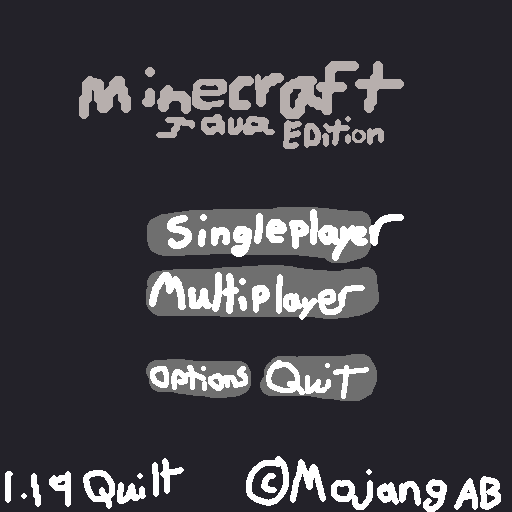
Configurable mod that lets you change how the Main Menu is laid out.
Quick answer
MainMenuChanger 1.4.1 targets 1.20.2, 1.20.3, 1.20.4 with Fabric. It must be installed on the client. Do not install it on the dedicated server. All 4 required mods have matching files.
Where it goes
It must be installed on the client. Do not install it on the dedicated server.
This file is marked client-only.
1.4.1. Change the file and its required mods may change too.
Install MidnightLib, Mod Menu, Fabric API, Text Placeholder API first. We found matching files for this game-version and loader setup. 2 come through another mod in the chain.
2 extra mods were pulled in by other dependencies. Indented rows show who needs each one. We only count dependency files that match this setup. A file for another loader does not fill the gap.
Before you install it
Built for MainMenuChanger 1.4.1. Pick another file and the loader, install side or required mods may change.
Use 1.4.1. It targets 1.20.2, 1.20.3, 1.20.4 with Fabric; another release may have different loader, side or dependency requirements.
Install MidnightLib, Mod Menu, Fabric API, Text Placeholder API first. We found matching files for this game-version and loader setup. 2 come through another mod in the chain.
It must be installed on the client. Do not install it on the dedicated server.
Use the “Get this file” button beside 1.4.1. It opens that exact file at the source.
About this project
This mod allows you to:
© Mojang ABMinecraft 1.19/Fabric (Modded) to 1.19 FabricAll with a handy-dandy config!
¹ ModMenu will still display mod count if both shorter_version_text and mod_count are set to false, as it employs the vanilla behavior, which ModMenu overwrites, but can be set to not via the ModMenu config.
Project description from Modrinth.
Pick your setup
Choose the version and loader you play, then open the matching release.
Check the dependencies, then try the file in a copied instance before changing a world you care about.
Recent files
MainMenuChanger-1.4.1-mc1.20.2.jar
11 Nov 2023
MainMenuChanger-1.4.0.jar
9 Jun 2023
MainMenuChanger-1.4.0-mc1.19.4.jar
3 Jun 2023
MainMenuChanger-1.3.1.jar
28 Mar 2023
MainMenuChanger-1.3.0.jar
11 Dec 2022
MainMenuChanger-1.2.0.jar
27 Aug 2022
MainMenuChanger-1.1.0.jar
28 Jun 2022
MainMenuChanger-1.0.1.jar
23 Jun 2022
MainMenuChanger-1.0.0.jar
22 Jun 2022
Looking for an older file? The official Modrinth project page is in Resources.
 mod
Adds more trimmed item textures
 mod
Various minor additions, including new biomes, to modify the exploration experience without significantly affecting progression/gameplay
 mod
This mod adds an improved map to Minecraft 1.2.5 with a lot of QOL features and persistant mapping. Originally made for Tekkit Classic works for other modded 1.2.5 versions too.