Minecraft version
Back to mods 
Modrinth · Minecraft mod
XBridge Auth
Encrypted Authentication for Offline Accounts and proxy setups using Microsoft Xbox Authentication for Fabric
Choose a version Pick your version below, then grab the matching file.
Quick answer
Which XBridge Auth release should I use?
Latest stable file 1.1.0
Game version 26.3
Loader Fabric
XBridge Auth 1.1.0 targets 26.3 with Fabric. It must be installed on the client. Do not install it on the dedicated server. No extra mods listed for this file.
Where it goes
Is XBridge Auth required on the client, server, or both?
It must be installed on the client. Do not install it on the dedicated server.
Client Required
Dedicated server Not supported
Loader for this release Fabric
Required install it here Optional supported, not mandatory Not supported do not install here Source doesn’t say do not assume
This file is marked client-only.
What else does XBridge Auth 1.1.0 need?
1.1.0. Change the file and its required mods may change too.
This file does not list any required mods. Do not add a library just because a different file uses it.
This file does not list any required or optional mods.
Before you install it
Add XBridge Auth without breaking your instance.
Built for XBridge Auth 1.1.0. Pick another file and the loader, install side or required mods may change.
- 01
Stick to this file
Use 1.1.0. It targets 26.3 with Fabric; another release may have different loader, side or dependency requirements.
- 02
Bring the mods it needs
This file does not list any required mods. Do not add a library just because a different file uses it.
- 03
Put it on the correct side
It must be installed on the client. Do not install it on the dedicated server.
- 04
Pick the file you checked
Use the “Get this file” button beside 1.1.0. It opens that exact file at the source.
About this project
What does XBridge Auth add?
XBridge
Encrypted Authentication for Offline Accounts and proxy setups using Microsoft Xbox Auth and Bedrock edition style auth.
XBridge is a Fabric client and server mod that replaces the need to type passwords in chat (like /login password) on insecure offline mode servers. Instead, it lets you log in through the official Microsoft Xbox portal, giving you instant access to your Bedrock character, gamertag and player data (if played with geyser before). It is as secure as official Mojang login, preventing any spoofing, and other hacking. completely encrypted process.
Project is open source and I welcome any contributions :)
IMPORTANT: if the clients do not have the mod, the server side mod is bypassed completely and your backup login or premium players will take over for those specific players.
For normal people:
- Both Servers and Client mods are combined into one file, just download one file, it will work on both server and client/game.
- On server side, it needs no setup, just put on the fabric mod and it will work. No need to disable Online mode, premium players can join normally completely fine.
- For Players, put on the fabric mod, and when you are on multiplayer screen, click a new button in the corner "xbox login", it will open microsoft login page, just enter your email, password of xbox profile/MS account (completely free, and if you have a bedrock account, it is already made in that case, just sign in), then come back to game and you will see a toast saying successfull. This is permanent login as long as you don't reset the game. no passwords everytime, no commands, nothing.
- Then whenever you join a server with XBridge support, it will work flawlessly, it will automatically verify, authenticate with microsoft and you will join the server with your bedrock username (and also the skin if you ever played on ageyser server before)
- If skin doesn't load, you can just use the command /xskin url to use any skin png. ONLY ONCE on first join, it is them permanent on the server.
- One more amazing feature is the integration with geyserMC, if you use same microsoft account as you use to play from bedrock using geyser, it will be same player in the world, no double identities, only one you if you are logged in to same account.
Features
- Perfect for "Offline" Players and Proxy setups: Gives players without a Premium Java account a secure encrypted way to join servers using a free Xbox profile, NO SPOOFING OR HACKING possible. (theoretically)
- Keep Online Mode ON: Server owners do not need to turn off
online-modeor compromise server security. Premium Java players continue to join normally, while XBridge players join using Xbox authentication automatically. - Real Xbox Login: Log in through the official Microsoft website. Your password is never seen by the server.
- Play as Your Bedrock Character: Join the server using your exact Xbox Gamertag and Bedrock skin or use a custom skin. This makes it physically impossible to spoof the username at all.
- Log In Once: The mod securely remembers your login. You do not need to log in every time you launch the game.
- Proxy Support: Main use case for the Project
- Automatic Bedrock Skins: If you have played on a Geyser Crossplay server before, your Bedrock skin will automatically load for everyone to see.
Installation
You only need to install this if the server you are joining requires it or supports it.
- Download the
xbridge-fabric-universal.jarfile from modrinth/curseforge. - Place the jar file into your Minecraft server and client
modsfolders. - Make sure you have the Fabric API installed for your version of Minecraft.
- Launch the game and login with the button, then join the server directly.
Frequently Asked Questions
My skin is showing as a default character?
If your Xbox account has never joined a geyser cross-play server before, the global database might not have your Bedrock skin saved.
You can easily fix this by uploading any custom skin manually:
- Find a skin you like online and get the direct image link (it should end in
.png). - Type
/xskin https://link-to-your-skin.pngin the game chat.
Your new skin will be applied immediately and everyone on the server will be able to see it.
Do I need to own Minecraft Bedrock Edition?
No. You only need a free Xbox Live account (a Gamertag) to log in.
NOTICE: This project is completely Legal and does not condone piracy, its your choice to use it for correct purpose or for piracy, I have java account and thus i can use it legally, and use this on my private server to play with my friends.
Not Affiliated with Microsoft or Mojang, this is unofficial. Microsoft Auth is a Microsoft service provided for public use.
If you want to support me and donate a small amount, please consider this one time patreon donation (no subscription or membership)
Join My Patreon
Join the discord for help and chat:
Project description from Modrinth.
Pick your setup
XBridge Auth by Minecraft version and loader
Choose the version and loader you play, then open the matching release.
Minecraft version
26.2
1 loader buildMinecraft version
26.1.2
1 loader buildMinecraft version
26.1.1
1 loader buildMinecraft version
26.1
1 loader buildCheck the dependencies, then try the file in a copied instance before changing a world you care about.
Recent files
XBridge Auth versions and loaders
1.1.0
xbridge-fabric-universal-1.1.0.jar
2 Oct 2026
Client Required Server Not supported Dependencies No extras listed Listed on Release listing
Check the 26.3 · Fabric setup 26.3Fabric release
1.0.1
xbridge-fabric-universal-1.0.1.jar
17 Jun 2026
Client Required Server Not supported Dependencies No extras listed Listed on Release listing
Check the 26.2 · Fabric setup 26.2Fabric release
1.0.0
xbridge-fabric-1.0.0.jar
26 May 2026
Client Required Server Not supported Dependencies No extras listed Listed on Release listing
Check the 26.1.2 · Fabric setup 26.126.1.126.1.2Fabric release
Looking for an older file? The official Modrinth project page is in Resources.
 mod
CurseForge + Modrinth · Minecraft
Modulation
A growing collection of quality-of-life tweaks, bug fixes, and cross-mod integrations for modpack creators!
 mod
CurseForge + Modrinth · Minecraft
Reliable Advancements
In-game advancement editing and improvements to the advancement screen!
 mod
CurseForge + Modrinth · Minecraft
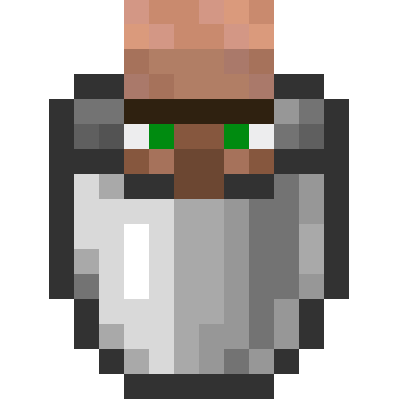
Villager In A Bucket
Pick up a villager in a bucket!