Minecraft version
Back to mods 
Modrinth · Minecraft mod
Simply Tents
Simply Tents lets you set up camp anywhere in Minecraft! Craft your tent and dye it any color you like!
Choose a version Pick your version below, then grab the matching file.
Quick answer
Which Simply Tents release should I use?
Latest stable file 3.5-26.3.neo
Game version 26.3
Loader NeoForge
Simply Tents 3.5-26.3.neo targets 26.3 with NeoForge. Installation on the client is optional. Installation on the dedicated server is optional. No extra mods listed for this file.
Where it goes
Is Simply Tents required on the client, server, or both?
Installation on the client is optional. Installation on the dedicated server is optional.
Client Optional
Dedicated server Optional
Loader for this release NeoForge
Required install it here Optional supported, not mandatory Not supported do not install here Source doesn’t say do not assume
The source marks this as usable on both the client and server.
What else does Simply Tents 3.5-26.3.neo need?
3.5-26.3.neo. Change the file and its required mods may change too.
This file does not list any required mods. Do not add a library just because a different file uses it.
This file does not list any required or optional mods.
Before you install it
Add Simply Tents without breaking your instance.
Built for Simply Tents 3.5-26.3.neo. Pick another file and the loader, install side or required mods may change.
- 01
Stick to this file
Use 3.5-26.3.neo. It targets 26.3 with NeoForge; another release may have different loader, side or dependency requirements.
- 02
Bring the mods it needs
This file does not list any required mods. Do not add a library just because a different file uses it.
- 03
Put it on the correct side
Installation on the client is optional. Installation on the dedicated server is optional.
- 04
Pick the file you checked
Use the “Get this file” button beside 3.5-26.3.neo. It opens that exact file at the source.
About this project
What does Simply Tents add?
SimplyTents
Newest Update Includes: Applying dye and wood type now can be also done in a Crafting Table. New Tipi tent with 2 size variations and a new Yurt tent Also for all existing tents 2 new size variations. You can now also apply armor trims to your tent to give them a unique look. Larger Variants are crafted like so: 2x(tent type) on crafting grid for duo tent and 4x(tent type) for the large variants. Yurt acts as the Large variant for Tipi tents for now.
⛺ Tent Types (All tents now feature multiple size variants to fit your survival needs!)
- Solo Tent: A classic A-frame tent.
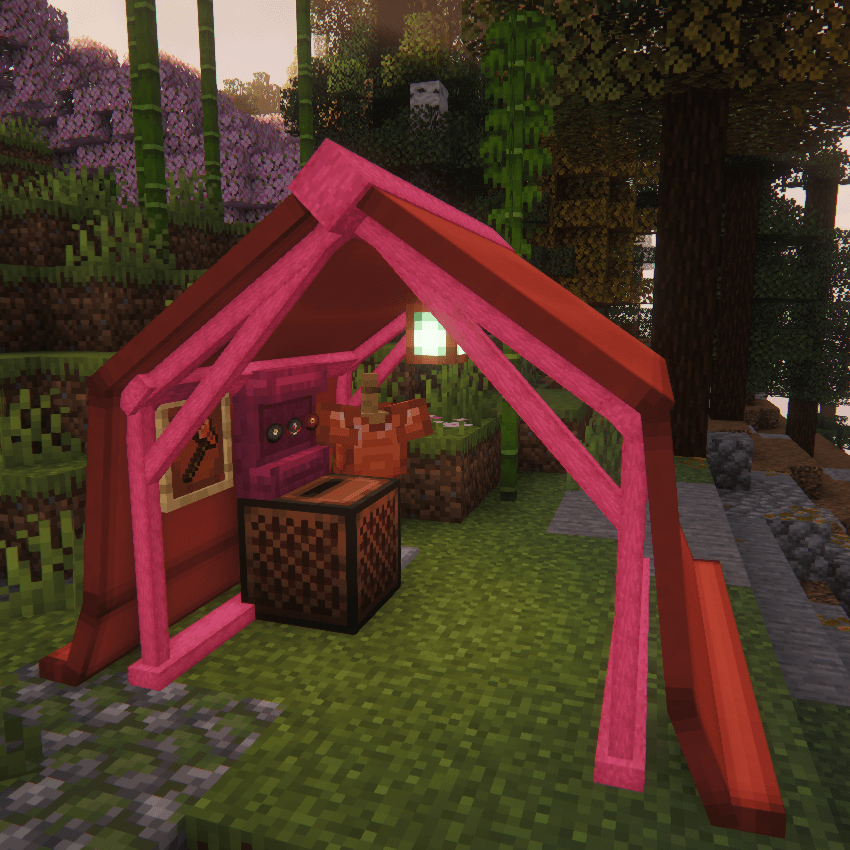
- Wall Tent: A 3-sided tent with an open front.
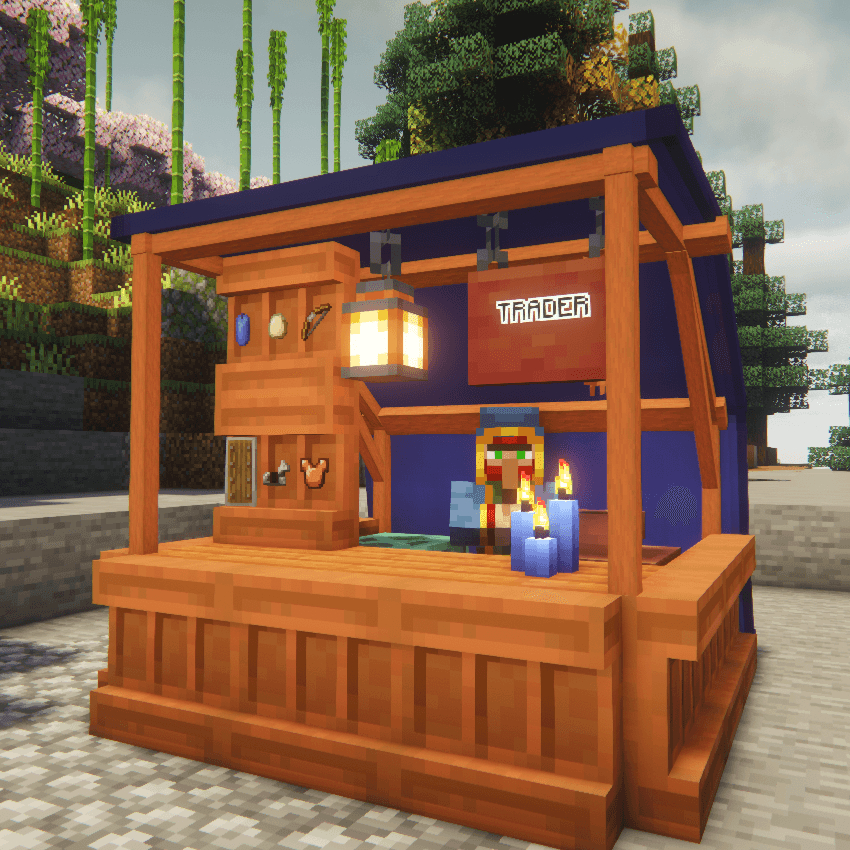
- Canopy: An open-air roof with no walls.
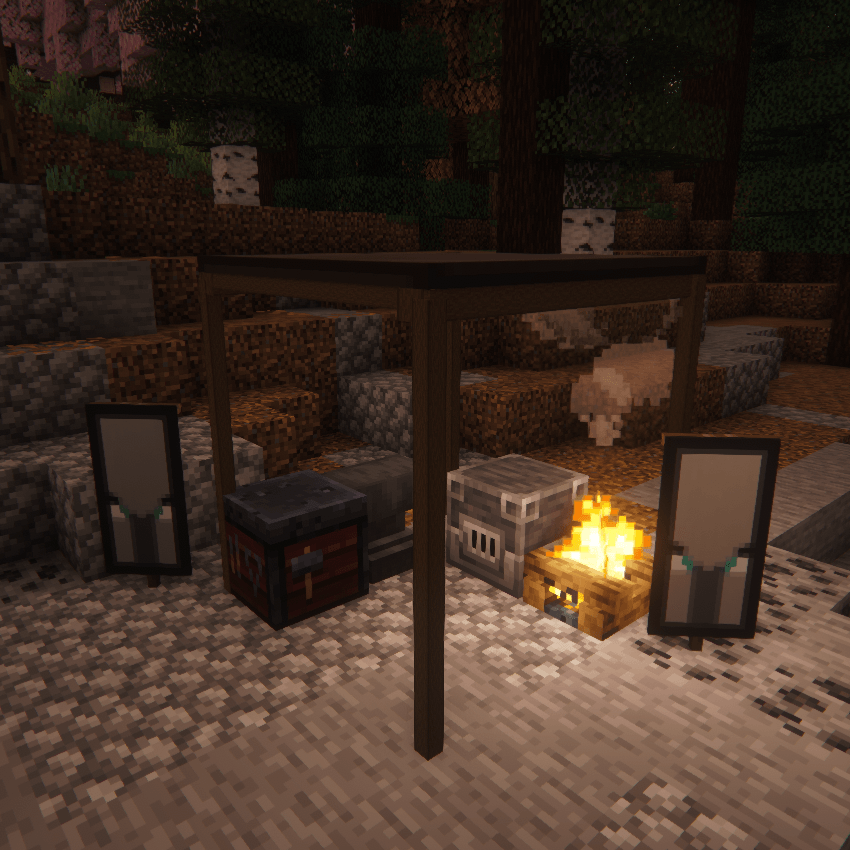
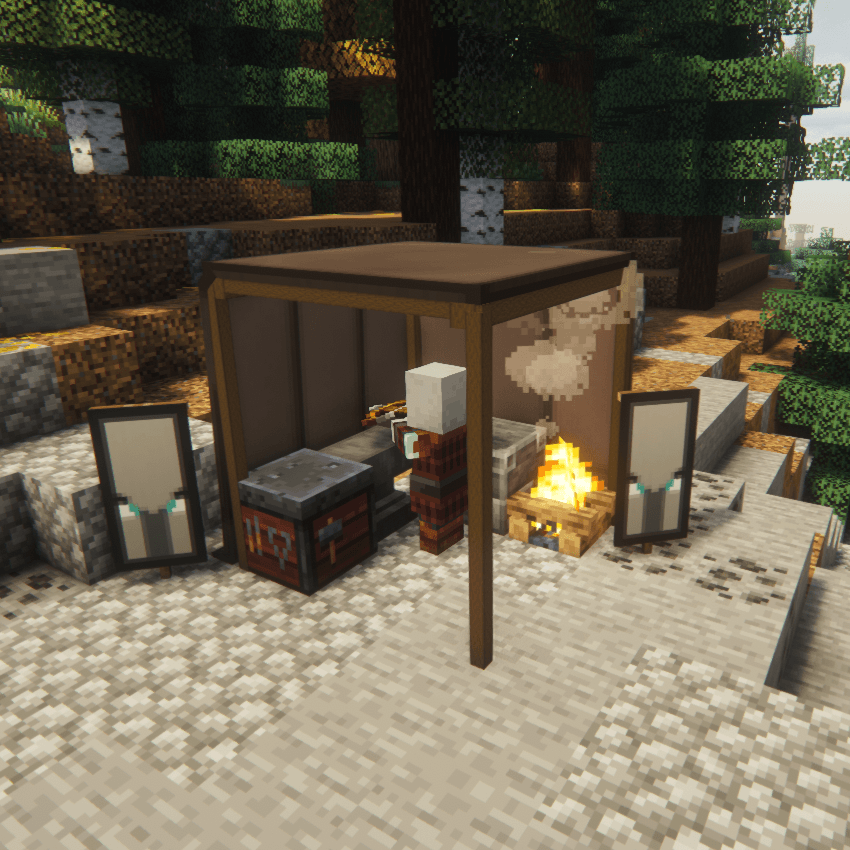
- Canvas Walls: Can be added as walls to your Canopy Tent.
- Toggleable Canvas Doors: Features realistic toggleable canvas doors that physically open and close!
- Zip Tent: A fully enclosed tent with a toggleable door.
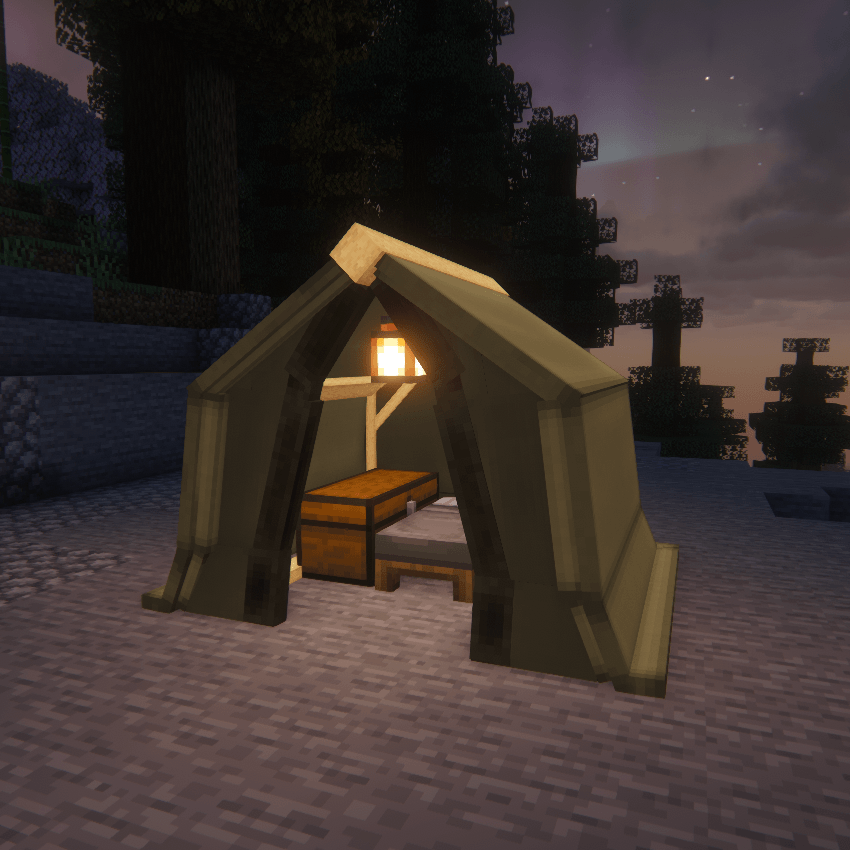
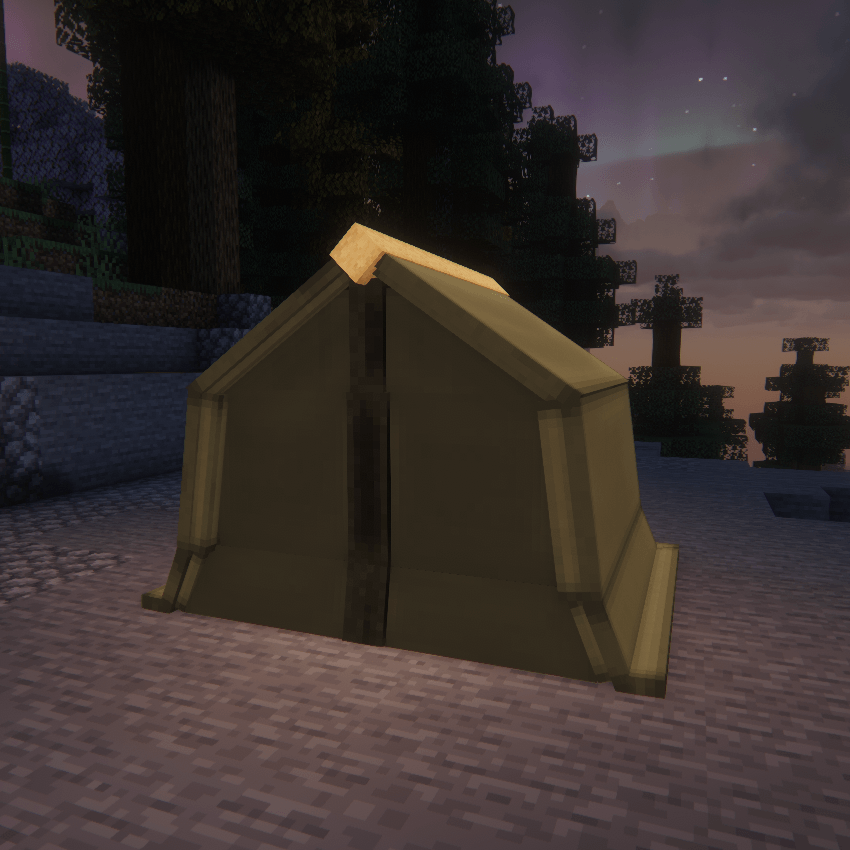
- Tipi: A brand-new cone-shaped tent variant with a tall, cozy interior.
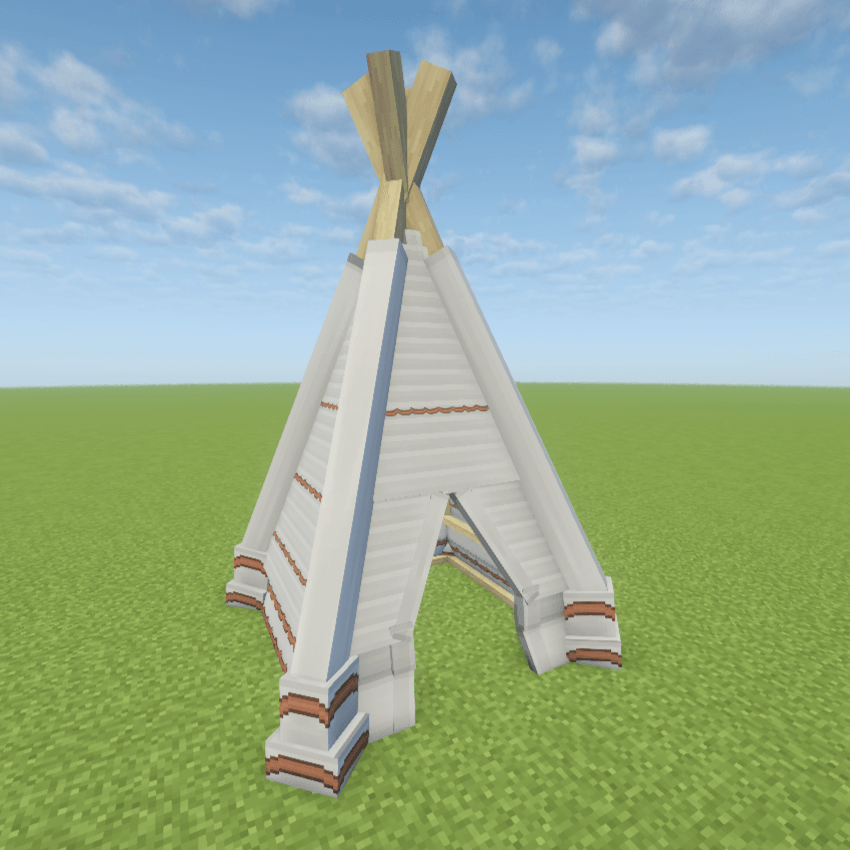
- The Yurt: A massive, circular lattice-framed tent variant perfect for a permanent base or large campsite setup.
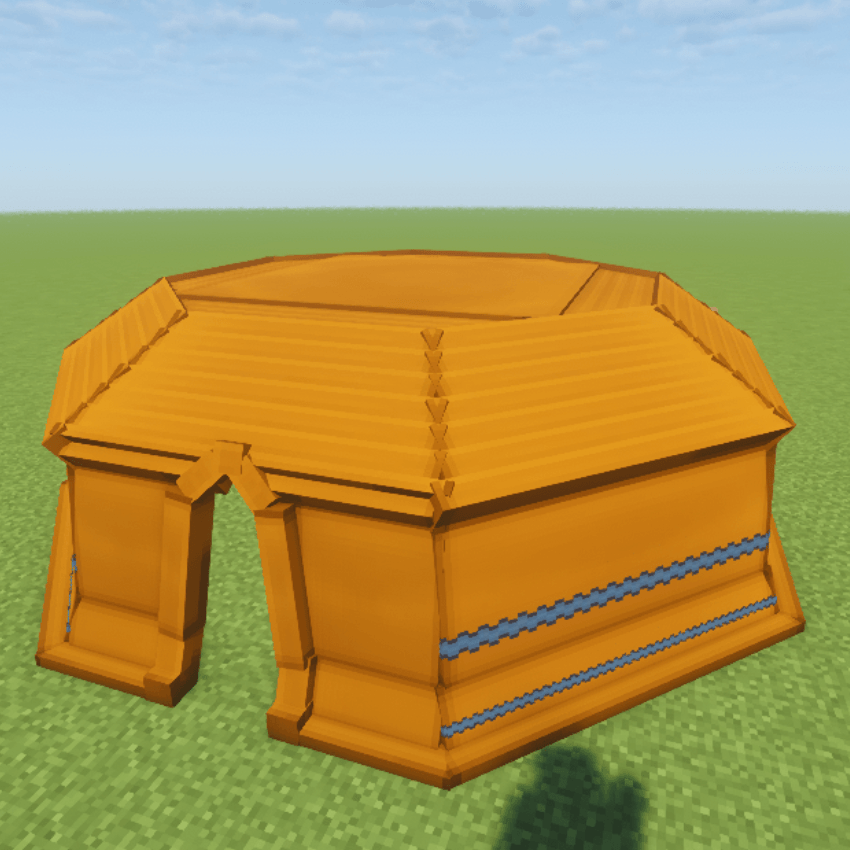
📐 Expanded Size Variants
Every single existing tent model now includes two larger size variants alongside its standard compact version, providing you with significantly more physical layout options and interior space for all your gear!
Models and textures are now resourcepack compatible and can be edited with a resource pack! 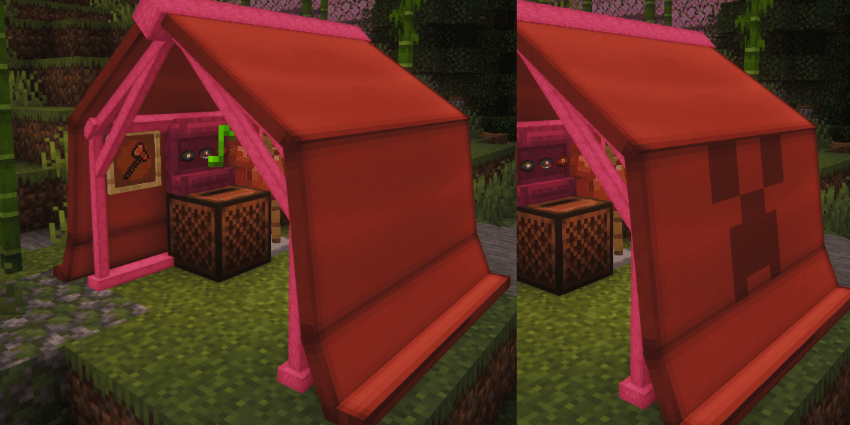
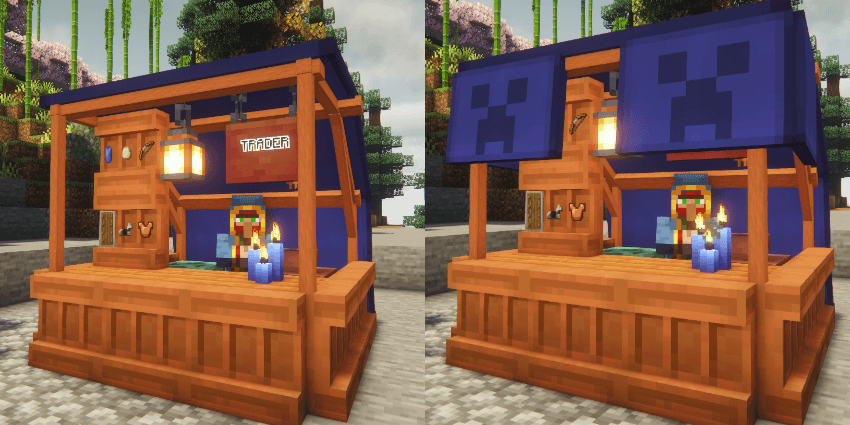
✨ Features & Customization
- Pack Up & Save Interior: Sneak + Right-click with an empty hand. Packs the tent into an item, saving all interior blocks (beds, chests, furnaces) and entities (armor stands) exactly as placed.
- Smart Spawn Management: No more lost homes! If you sleep in a tent and later pack it up, you can configure the game to automatically restore your spawn point to your last permanent "Home", lock it to your current "Campsite", or default to Vanilla behavior.
- Tent Ownership Security: Prevent campsite thieves! A configurable setting ensures that only the player who originally pitched the tent is allowed to pack it up.
- Pitch Tent: Place the item; it automatically faces you and checks if there is enough space before deploying.
- Dye Fabric: Right-click the fabric with any dye. Mix dyes together for infinite custom shades.
- 🎨 Armor Trim Customization: Want a completely personalized look? Put your tent fabric into a Smithing Table along with an Armor Trim to add unique, stylized patterns across the canvas!
- 🌟 Glow-in-the-Dark Patterns: Apply a Glow Ink Sac directly onto your trimmed tent to make its custom patterns vividly glow throughout the night!
- Change Frame: Right-click the poles with any vanilla log, stripped log, or plank to change the wood type.
- Weatherproof: Roofs physically block rain and weather mechanics, keeping your campfire lit and your bed dry.
- Dynamic Icons: Inventory items dynamically render their current fabric color, wood frame type, and display their contents in the tooltip.
- In-Game Config Commands: Server admins can tweak interior pickup rules, ownership restrictions, and spawn logic on the fly using the
/simplytentscommand—no server restart required!
🛠️ In-Game Commands
Server admins can tweak the mod's mechanics on the fly without ever touching a config file or restarting the server. All changes take effect immediately!
/simplytents interiorPickup <true|false>
- What it does: Toggles whether sneaking and clicking a tent packs up the interior blocks and entities. If set to
false, tents will drop as items but leave the interior blocks behind in the world.
/simplytents restrictPickup <true|false>
- What it does: Toggles campsite security. If
true, only the player who originally pitched the tent is allowed to pack it up. Iffalse, anyone can pack it up.
/simplytents spawnLogic <VANILLA | CAMP | HOME>
- What it does: Dictates what happens to a player's spawn point when a tent they slept in is packed up.
HOME(Default): Restores their spawn point to the last permanent (non-tent) bed they slept in.CAMP: Locks their spawn point to the exact coordinates where the packed-up tent was located.VANILLA: Standard Minecraft behavior. The bed is considered broken, and the spawn point is cleared.
🤝 Compatibility & Modpacks
- Partial support for Cold Sweat temperature mechanics.
- Available for Fabric/NeoForge (1.21.1, 1.21.11 and 26.1.2), Fabric and Forge (1.20.1) and Forge (1.18.2).
Fully allowed in all modpacks and public servers.
⚠️ LEGACY VERSION NOTE: THE LEGACY VERSION IS NOT GETTING UPDATES DUE TO IT BEING POORLY CODED AND THE LOSS OF PROJECT FILES.
⚠️ Dependencies & Upgrading
- Required Dependencies: GeckoLib (All Versions) and Cloth Config API (for some versions)
- Auto-Conversion: Old legacy tents automatically convert to new models on world load.
- Space Requirements: New models have strict physical boundaries. If the area is blocked, conversion will fail and the tent blocks will be deleted. Back up your world and empty old tents before updating.
Project description from Modrinth.
Pick your setup
Simply Tents by Minecraft version and loader
Choose the version and loader you play, then open the matching release.
Minecraft version
26.2
2 loader buildsMinecraft version
26.1.2
2 loader buildsMinecraft version
1.21.11
2 loader buildsMinecraft version
1.21.1
2 loader buildsMinecraft version
1.20.1
2 loader buildsMinecraft version
1.19.2
1 loader buildMinecraft version
1.18.2
1 loader buildCheck the dependencies, then try the file in a copied instance before changing a world you care about.
Recent files
Simply Tents versions and loaders
3.5-26.3.neo
simplytents-3.5-26.3.neo.jar
4 Oct 2026
Client Optional Server Optional Dependencies No extras listed Listed on Release listing
Check the 26.3 · NeoForge setup 26.3NeoForge release
1.0-1.18.2.forge
simplytents-1.0-1.18.2.forge.jar
21 Sept 2026
Client Optional Server Optional Dependencies No extras listed Listed on Release listing
Check the 1.18.2 · Forge setup 1.18.2Forge release
1.0-1.19.2.forge
simplytents-1.0-1.19.2.forge.jar
21 Sept 2026
Client Optional Server Optional Dependencies No extras listed Listed on Release listing
Check the 1.19.2 · Forge setup 1.19.2Forge release
3.5-1.21.11.fabric
simplytents-3.5-1.21.11.fabric.jar
21 Sept 2026
Client Optional Server Optional Dependencies No extras listed Listed on Release listing
Check the 1.21.11 · Fabric setup 1.21.11Fabric release
3.5-1.21.11.neo
simplytents-3.5-1.21.11.neo.jar
21 Sept 2026
Client Optional Server Optional Dependencies No extras listed Listed on Release listing
Check the 1.21.11 · NeoForge setup 1.21.11NeoForge release
3.5-26.1.2.fabric
simplytents-3.5-26.1.2.fabric.jar
21 Sept 2026
Client Optional Server Optional Dependencies No extras listed Listed on Release listing
Check the 26.1.2 · Fabric setup 26.1.2Fabric release
3.5-26.1.2.neo
simplytents-3.5-26.1.2.neo.jar
21 Sept 2026
Client Optional Server Optional Dependencies No extras listed Listed on Release listing
Check the 26.1.2 · NeoForge setup 26.1.2NeoForge release
3.5-26.2.fabric
simplytents-3.5-26.2.fabric.jar
21 Sept 2026
Client Optional Server Optional Dependencies No extras listed Listed on Release listing
Check the 26.2 · Fabric setup 26.2Fabric release
3.5-26.2.neo
simplytents-3.5-26.2.neo.jar
21 Sept 2026
Client Optional Server Optional Dependencies No extras listed Listed on Release listing
Check the 26.2 · NeoForge setup 26.2NeoForge release
3.5-26.3-fabric
simplytents-3.5-26.3.fabric.jar
21 Sept 2026
Client Optional Server Optional Dependencies No extras listed Listed on Release listing
Check the 26.3 · Fabric setup 26.3Fabric release
3.5-26.3.neo
simplytents-3.5-26.3.neo.jar
21 Sept 2026
Client Optional Server Optional Dependencies No extras listed Listed on Release listing
Check the 26.3 · NeoForge setup 26.3NeoForge release
4.0-1.20.1-fabric
simplytents-4.0-1.20.1.fabric.jar
21 Sept 2026
Client Optional Server Optional Dependencies No extras listed Listed on Release listing
Check the 1.20.1 · Fabric setup 1.20.1Fabric release
Looking for an older file? The official Modrinth project page is in Resources.
 mod
CurseForge + Modrinth · Minecraft
Polydium
Well-rounded client-side optimization mod. Extremely compatible Vulkan backend for 1.21.11-26.1.2. By Polyfrost, best with OneClient.
 mod
CurseForge + Modrinth · Minecraft
KoHs Inventory Tweaks
Fast, precise, and fully customizable client-side inventory controls
 mod
CurseForge + Modrinth · Minecraft
Animus
Putting more Magic in your Blood Magic.