CC: Tweaked Needed by CC:HQ Speakers 1.0.8-Neoforge
requiredMatching file found Matched file: 1.120.2

Modrinth · Minecraft mod
CC HQ Speakers A mod for Minecraft CC Tweaked Speaker's uses cc tweakeds speakers and adds higher quality support and most importantly mp3s
Quick answer
CC:HQ Speakers 1.0.8-Neoforge targets 1.21.1 with NeoForge. Installation on the client is optional. Installation on the dedicated server is optional. All 1 required mods have matching files.
Where it goes
Installation on the client is optional. Installation on the dedicated server is optional.
The source marks this as usable on both the client and server.
1.0.8-Neoforge. Change the file and its required mods may change too.
Install CC: Tweaked first. We found matching files for this game-version and loader setup.
We only count dependency files that match this setup. A file for another loader does not fill the gap.
Before you install it
Built for CC:HQ Speakers 1.0.8-Neoforge. Pick another file and the loader, install side or required mods may change.
Use 1.0.8-Neoforge. It targets 1.21.1 with NeoForge; another release may have different loader, side or dependency requirements.
Install CC: Tweaked first. We found matching files for this game-version and loader setup.
Installation on the client is optional. Installation on the dedicated server is optional.
Use the “Get this file” button beside 1.0.8-Neoforge. It opens that exact file at the source.
About this project
true so it muffles it through walls etc etcUses CC Tweaked's current speaker's and gives them a signif "Upgrade".
Adds MP3 support, WAV, OGG, PCM obv, HLS, TS.
playAudio(samples)
playAudio(samples, volume)

playNote(instrument, volume, pitch)

playSound(soundName)
playSound(soundName, volume)
playSound(soundName, volume, pitch)

speakerPlay(audio)
speakerPlay(audio, volume)

speakerStop()
speakerVolume(volume)

setLooping(true)
setLooping(false)
8 per speaker by default. Channel 1 = normal speaker.
speakerPlayChannel(channel, audio)
speakerPlayChannel(channel, audio, volume)
speakerPlayChannel(channel, audio, volume, loop)

speakerChannel(channel, "stop")
speakerChannel(channel, "pause")
speakerChannel(channel, "resume")
speakerChannel(channel, "volume", volume)

speakerChannelStatus(channel) -- { playing, paused, looping }
channel 0 in speakerChannel = every channelhqspeaker_channel_empty, name, channelExamples
speakerPlayChannel(2, bytes, 1.0, true)  -- loops music on channel 2
speakerPlayChannel(3, sfx)               -- sfx on top
speakerChannel(2, "volume", 0.3)         -- turns channel 2 down
speakerChannel(0, "pause")               -- pauses all channels
speakerPause()
speakerResume()
speakerIsPaused()
speakerSeek(deltaSeconds)

speakerSkip()
speakerSkip(seconds)

speakerSkipBack()
speakerSkipBack(seconds)
speakerIsPlaying()
speakerQueueSize()
speakerProgress()
speakerElapsedSamples()
speakerTotalSamples()
speakerSampleRate()
speakerMaxSamples()
speakerMaxAudioBytes()
speakerMaxOggBytes()
speakerMaxFileBytes()
speakerSupportedFiles()
isStreaming()
getStreamUrl()
getStreamFormats()
getStreamMeta()
getStreamTitle()
getStreamArtist()
getStreamSong()
getStreamStation()
getStreamGenre()
getStreamMetaSerial()
getPeripheralType()
getPos()
getSpeakerCount()
getSpeakers()
getSpeakerPos(index)
playNoteAll(instrument, volume, pitch)

playSoundAll(soundName)
playSoundAll(soundName, volume)
playSoundAll(soundName, volume, pitch)

playAudioAll(samples)
playAudioAll(samples, volume)

speakerPlayAll(audio)
speakerPlayAll(audio, volume)

speakerStopAll()
speakerVolumeAll(volume)

setLoopingAll(true)
setLoopingAll(false)

speakerPauseAll()
speakerResumeAll()

speakerSeekAll(deltaSeconds)

speakerSkipAll()
speakerSkipAll(seconds)

speakerSkipBackAll()
speakerSkipBackAll(seconds)
playNoteAt(index, instrument, volume, pitch)

playSoundAt(index, soundName)
playSoundAt(index, soundName, volume)
playSoundAt(index, soundName, volume, pitch)

playAudioAt(index, samples)
playAudioAt(index, samples, volume)

speakerPlayAt(index, audio)
speakerPlayAt(index, audio, volume)

speakerStopAt(index)

speakerPauseAt(index)
speakerResumeAt(index)
speakerIsPausedAt(index)

speakerSeekAt(index, deltaSeconds)

speakerSkipAt(index)
speakerSkipAt(index, seconds)

speakerSkipBackAt(index)
speakerSkipBackAt(index, seconds)

speakerProgressAt(index)
hqspeaker-server.toml
| Section | Option | Default | Notes |
|---|---|---|---|
[formats] |
pcmPlayable |
true |
|
[formats] |
mp3Playable |
true |
|
[formats] |
oggPlayable |
true |
|
[formats] |
hlsPlayable |
true |
|
[formats] |
tsPlayable |
true |
|
[formats] |
wavPlayable |
true |
|
[limits] |
maxAudioFileSizeMB |
8 |
max 128 |
[limits] |
maxVolume |
1.0 |
max 16 |
[limits] |
maxChannels |
8 |
max 32 |
Project description from Modrinth.
Pick your setup
Choose the version and loader you play, then open the matching release.
Check the dependencies, then try the file in a copied instance before changing a world you care about.
Recent files
hqspeaker-neoforge-1.21.1-1.0.8.jar
11 Oct 2026
hqspeaker-forge-1.20.1-1.0.8.jar
11 Oct 2026
hqspeaker-neoforge-1.21.1-1.0.7.jar
9 Oct 2026
hqspeaker-forge-1.20.1-1.0.7.jar
9 Oct 2026
hqspeaker-neoforge-1.21.1-1.0.6.jar
9 Oct 2026
hqspeaker-forge-1.20.1-1.0.6.jar
9 Oct 2026
hqspeaker-neoforge-1.21.1-1.0.5.jar
8 Oct 2026
hqspeaker-forge-1.20.1-1.0.5.jar
8 Oct 2026
hqspeaker-neoforge-1.21.1-1.0.4.jar
4 Oct 2026
hqspeaker-forge-1.20.1-1.0.4.jar
4 Oct 2026
hqspeaker-neoforge-1.21.1-1.0.3.jar
13 Sept 2026
hqspeaker-forge-1.20.1-1.0.3.jar
13 Sept 2026
Looking for an older file? The official Modrinth project page is in Resources.
 mod
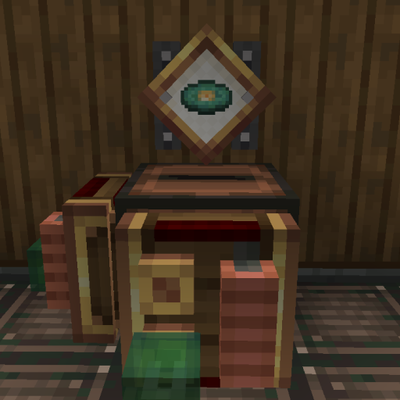
modAdds the Jukebox as a display source for use with Create Display Links.
 mod
modTurn Blockbench models into simple Minecraft entities without writing Java code.
 mod
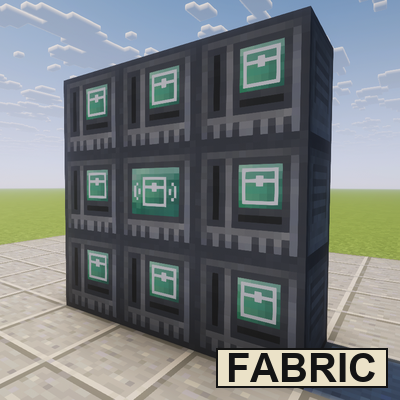
modA Fabric port of Mcjty's RFTools Storage, a storage addon for RFTools on Fabric