Cobblemon Needed by Cobblemon Firework Capsules fireworkcapsules-neoforge-2.2.0+1.21.1.jar
requiredMatching file found Matched file: Cobblemon v1.8.4 ~ NeoForge
CurseForge · Minecraft mod
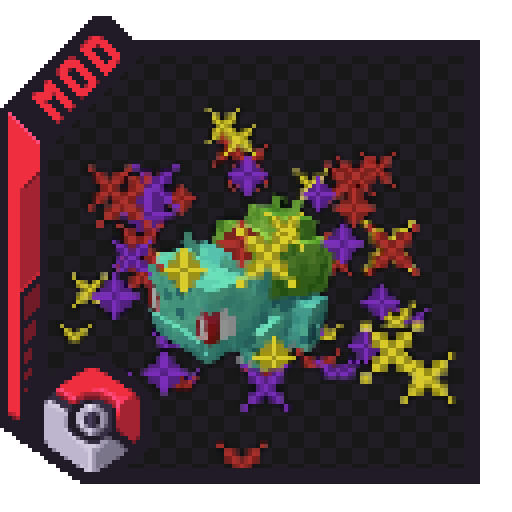
Send out your Pokemon with a bang using fireworks and custom stickers!
Quick answer
Cobblemon Firework Capsules fireworkcapsules-neoforge-2.2.0+1.21.1.jar targets 1.21.1 with NeoForge. The project page does not say whether this file belongs on the client, dedicated server, or both. All 2 required mods have matching files.
Where it goes
The project page does not say whether this file belongs on the client, dedicated server, or both.
The source does not explicitly classify this release as client-only or server-only.
fireworkcapsules-neoforge-2.2.0+1.21.1.jar. Change the file and its required mods may change too.
Install Cobblemon, Kotlin for Forge first. We found matching files for this game-version and loader setup. 1 comes through another mod in the chain.
1 extra mod was pulled in by another dependency. Indented rows show who needs each one. We only count dependency files that match this setup. A file for another loader does not fill the gap.
Before you install it
Built for Cobblemon Firework Capsules fireworkcapsules-neoforge-2.2.0+1.21.1.jar. Pick another file and the loader, install side or required mods may change.
Use fireworkcapsules-neoforge-2.2.0+1.21.1.jar. It targets 1.21.1 with NeoForge; another release may have different loader, side or dependency requirements.
Install Cobblemon, Kotlin for Forge first. We found matching files for this game-version and loader setup. 1 comes through another mod in the chain.
The project page does not say whether this file belongs on the client, dedicated server, or both.
Use the “Get this file” button beside fireworkcapsules-neoforge-2.2.0+1.21.1.jar. It opens that exact file at the source.
About this project
Send out your Pokemon with a bang using fireworks and custom stickers!


Ball Capsules can be combined with any number of Firework Stars.
You can equip your ball capsule to your Pokemon using a Capsule Station.
Special thanks to dogtorbloo for the custom block model!
Stickers can be crafted using Paper + Gunpowder + an ingredient.
As of v2.0.0 there are 21 stickers, one for each type, which can be crafted using the type gems, and three unique stickers.
Stickers can be combined with a Ball Capsule along with other stickers and Firework Stars to create all kinds of effects.
Stickers rely on the fireworkcapsules:sticker_explosion data component to determine how to render the sticker effects.
In order to create a custom sticker, you can refer to the example resource/datapack.
For more information, refer to the wiki.
The simple codec allows for the following, where id is the only required field.
{
    "id": "fireworkcapsules:thunder_sticker",
    "color": 16769024,
    "sound": "cobblemon:move.thunder.target",
    "type": "BEDROCK"
}
The complex codec, used only for CUSTOM or FIREWORK sticker types allows for the following:
{
    "id": "fireworkcapsules:thunder_sticker",
    "colors": [ 16769024 ],
    "fadeColors": [],
    "hasTrail": false,
    "hasTwinkle": false,
    "sound": "cobblemon:move.thunder.target",
    "type": "CUSTOM"
}
Project description from CurseForge.
Pick your setup
Choose the version and loader you play, then open the matching release.
Check the dependencies, then try the file in a copied instance before changing a world you care about.
Recent files
20 Sept 2026
20 Sept 2026
18 Mar 2026
18 Mar 2026
9 Mar 2026
1 Mar 2026
1 Mar 2026
22 Feb 2026
22 Feb 2026
19 Feb 2026
19 Feb 2026
29 Nov 2025
Looking for an older file? The official CurseForge project page is in Resources.
 mod
Addon for Mochos Esenciales: missions that guide players through all of Minecraft up to the Ender Dragon. A mission tree with story, objectives, rewards and optional progression locks, editable in game.
 mod
Physics-inspired weapons, armor, and upgrade modules that extend Singulo from superconductivity to black-hole endgame technology.
 mod
Disposable public fixture for testing the Modpacks.ch GitHub catalogue flow