Immibis Core Needed by Cloud Storage 1.2
requiredMatching file found Matched file: 57.2.0

Modrinth · Minecraft mod
Infinite item storage accessible anywhere in the world
Quick answer
Cloud Storage 1.2 targets 1.6.4 with Forge. Installation on the client is optional. Installation on the dedicated server is optional. All 1 required mods have matching files.
Where it goes
Installation on the client is optional. Installation on the dedicated server is optional.
The source marks this as usable on both the client and server.
1.2 on 1.6.4. Every mod below is checked against that same setup.
Install Immibis Core first. We found matching files for this game-version and loader setup.
We only count dependency files that match this setup. A file for another loader does not fill the gap.
Before you install it
Built for Cloud Storage 1.2 on 1.6.4. Pick another file and the loader, install side or required mods may change.
Use 1.2. It targets 1.6.4 with Forge; another release may have different loader, side or dependency requirements.
Install Immibis Core first. We found matching files for this game-version and loader setup.
Installation on the client is optional. Installation on the dedicated server is optional.
Use the “Get this file” button beside 1.2. It opens that exact file at the source.
About this project
This mod adds a cloud storage - infinite item storage accessible from anywhere in the world.
Requires Immibis Core. Also requires the EU, MJ and RF APIs from anywhere - most likely from IC2, Buildcraft and CoFH Core, but other mods may include them.
Use the command "/cloud" to access your storage. It works like an ME Access Terminal. The scrollbar is not implemented - use the search bar instead. This GUI has some desync problems, which should be minor. Items with NBT cannot be stored in the cloud.
The VPN Tool allows machines to interact with your cloud.
Craft it from a piece of dirt and a piece of redstone (shapeless). Right click on nothing to change modes. Right click on a block side to display what that side is set to. Shift-right-click on a block side, with the appropriate mode, to change what that side is set to.
Actions set with the VPN Tool will only happen when you are online.
Available modes are:
The VPN copier is crafted from two pieces of dirt and a piece of redstone, shapeless.
Shift-right-click on a block to copy settings from it, then right-click on another block to paste them. This makes it easy to set up lots of identical machines.
(Original mod by immibis. Original description from the FTB Forum)
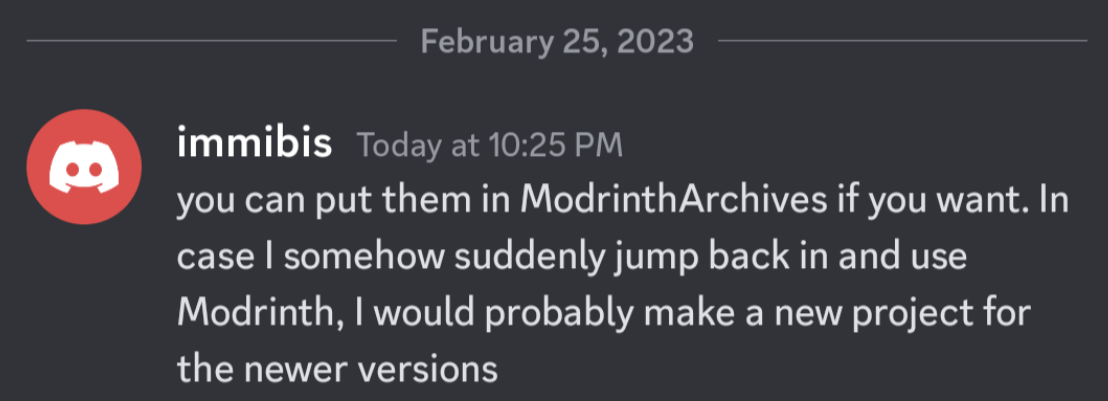
This mod is abandoned and has been uploaded for archival purposes. It was originally created by immibis. It has been uploaded to Modrinth under the ModrinthArchives account with permission from the original author.
Project description from Modrinth.
Pick your setup
Choose the version and loader you play, then open the matching release.
Check the dependencies, then try the file in a copied instance before changing a world you care about.
Recent files
cloudstorage-1.2.jar
15 Jun 2023
Looking for an older file? The official Modrinth project page is in Resources.