Minecraft version
Back to mods 
Modrinth · Minecraft mod
where
beam on lodestone, treasure, structure, abandoned camp maps, coordinates list, waypoint, recovery compass, player locator bar tracking lodestone, vanilla-like navigation mod
Choose a version Pick your version below, then grab the matching file.
Quick answer
Which where release should I use?
Latest stable file 2.0.0
Game version 26.3, 26.2, 26.4-snapshot-7
Loader Fabric, Forge, NeoForge
where 2.0.0 targets 26.3, 26.2, 26.4-snapshot-7 with Fabric, Forge, NeoForge. It must be installed on the client. Do not install it on the dedicated server. No extra mods listed for this file.
Where it goes
Is where required on the client, server, or both?
It must be installed on the client. Do not install it on the dedicated server.
Client Required
Dedicated server Not supported
Loader for this release Fabric, Forge, NeoForge
Required install it here Optional supported, not mandatory Not supported do not install here Source doesn’t say do not assume
This file is marked client-only.
What else does where 2.0.0 need?
2.0.0. Change the file and its required mods may change too.
This file does not list any required mods. Do not add a library just because a different file uses it.
This file does not list any required or optional mods.
Before you install it
Add where without breaking your instance.
Built for where 2.0.0. Pick another file and the loader, install side or required mods may change.
- 01
Stick to this file
Use 2.0.0. It targets 26.3, 26.2, 26.4-snapshot-7 with Fabric, Forge, NeoForge; another release may have different loader, side or dependency requirements.
- 02
Bring the mods it needs
This file does not list any required mods. Do not add a library just because a different file uses it.
- 03
Put it on the correct side
It must be installed on the client. Do not install it on the dedicated server.
- 04
Pick the file you checked
Use the “Get this file” button beside 2.0.0. It opens that exact file at the source.
About this project
What does where add?
IMPORTANT
This mod is published only on Modrinth. Copies, links, or downloads found anywhere else that do not link the corresponding modrinth page are unauthorized and not from me. You have been warned.


Significantly better vanilla navigation.
Features
- Held beams: hold a supported item and indicators such as beams, texts display, and locator bar will show over the coordinates stored inside these items in the same dimension, even through walls, with the item name and the distance in blocks.
- Supported Items: Lodestone compasses, recovery compasses, and structure and/or treasure maps.
- Coordinate list: press K to open Coordinate items, the searchable list of every supported items you carry. Use Search, Filter, Sort, and Type to find and organize the list.
- Favorites and hiding: favorites show on top of the list, and hidden entries will hide the beams, text displays, and locator bar indicators.
- Colors: you can change any target's color from a palette or a typed hex code, and the beam and the row swatch will change to that color.
- Locator bar: visible targets show on the vanilla locator bar at the top of the screen.
- Arrival nudge: when you get close to a target, you get a title, an overlay message, or a sound. Press Extras in the list to set the trigger distance, the sound, and the text.
- Teleport and spawn: Ender Pearl icons will teleport you to it, and Lodestone icons allow you to set spawn on it, assuming you have cheats on.
Reporting Issues
Please use the issue tracker and attach the game log plus the where config files. Reports without a log can't be diagnosed.
Project description from Modrinth.
Pick your setup
where by Minecraft version and loader
Choose the version and loader you play, then open the matching release.
Minecraft version
26.4-snapshot-6
4 loader buildsMinecraft version
26.4-snapshot-5
4 loader buildsMinecraft version
26.4-snapshot-4
4 loader buildsMinecraft version
26.4-snapshot-3
4 loader buildsMinecraft version
26.4-snapshot-2
4 loader buildsMinecraft version
26.4-snapshot-1
4 loader buildsMinecraft version
26.3-snapshot-10
4 loader buildsMinecraft version
26.3-snapshot-9
4 loader buildsMinecraft version
26.3-snapshot-8
4 loader buildsMinecraft version
26.3-snapshot-7
4 loader buildsMinecraft version
26.3-snapshot-6
4 loader buildsShowing the newest 12 of 25 game versions. Older files are in the list below.
Check the dependencies, then try the file in a copied instance before changing a world you care about.
Recent files
where versions and loaders
2.0.0
exotherm-but-where-universal-2.0.0 (latest).jar
10 Nov 2026
Client Required Server Not supported Dependencies No extras listed Listed on Release listing
Check the 26.4-snapshot-7 · Fabric setup 26.326.226.4-snapshot-726.4-snapshot-4 release
1.18.0
exotherm-but-where-universal-1.18.0 (latest).jar
8 Nov 2026
Client Required Server Not supported Dependencies No extras listed Listed on Release listing
Check the 26.4-snapshot-7 · Fabric setup 26.326.226.4-snapshot-726.4-snapshot-6 release
1.17.0
exotherm-but-lodestonebeam-universal-1.17.0 (latest).jar
29 Oct 2026
Client Required Server Not supported Dependencies No extras listed Listed on Release listing
Check the 26.4-snapshot-7 · Fabric setup 26.226.326.3-pre-126.3-pre-2 release
1.16.11
exotherm-but-lodestonebeam-universal-1.16.11 (latest).jar
25 Oct 2026
Client Required Server Not supported Dependencies No extras listed Listed on Release listing
Check the 26.4-snapshot-6 · Fabric setup 26.226.326.3-pre-126.3-pre-2 release
1.16.11
exotherm-but-lodestonebeam-universal-1.16.11 (latest).jar
22 Oct 2026
Client Required Server Not supported Dependencies No extras listed Listed on Release listing
Check the 26.4-snapshot-5 · Fabric setup 26.226.326.3-pre-126.3-pre-2 release
1.16.10
exotherm-but-lodestonebeam-universal-1.16.10 (latest).jar
15 Oct 2026
Client Required Server Not supported Dependencies No extras listed Listed on Release listing
Check the 26.4-snapshot-5 · Fabric setup 26.226.326.3-pre-126.3-pre-2 release
1.16.5
exotherm-but-lodestonebeam-universal-1.16.5 (latest).jar
21 Sept 2026
Client Required Server Not supported Dependencies No extras listed Listed on Release listing
Check the 26.4-snapshot-1 · Fabric setup 26.226.326.3-pre-126.3-pre-2 release
1.15.7
exotherm-but-lodestonebeam-quilt-1.15.7 (latest).jar
17 Sept 2026
Client Required Server Not supported Dependencies No extras listed Listed on Release listing
Check the 26.3-snapshot-10 · Quilt setup 26.226.3-pre-126.3-pre-226.3-snapshot-1 release
1.15.7
exotherm-but-lodestonebeam-neoforge-1.15.7 (latest).jar
17 Sept 2026
Client Required Server Not supported Dependencies No extras listed Listed on Release listing
Check the 26.3 · NeoForge setup 26.226.3NeoForge release
1.15.7
exotherm-but-lodestonebeam-1.15.7 (latest).jar
17 Sept 2026
Client Required Server Not supported Dependencies No extras listed Listed on Release listing
Check the 26.3-snapshot-10 · Fabric setup 26.226.326.3-pre-126.3-pre-2 release
1.14.0
exotherm-but-lodestonebeam-1.14.0 (latest).jar
5 Sept 2026
Client Required Server Not supported Dependencies 1 required · 1 unchecked Listed on Release listing
Check the 26.2 · Fabric setup 26.2Fabric release
1.5.10
exotherm-but-lodestonebeam-1.5.10 (latest).jar
31 Aug 2026
Client Required Server Not supported Dependencies 1 required · 1 unchecked Listed on Release listing
Check the 26.2 · Fabric setup 26.2Fabric release
Looking for an older file? The official Modrinth project page is in Resources.
 mod
CurseForge + Modrinth · Minecraft
Too Many Bows
A bunch of amazing crazy bows with unique abilities!!!
 mod
CurseForge + Modrinth · Minecraft
IMBlocker
A mod for Minecraft helping control input method
 mod
CurseForge + Modrinth · Minecraft
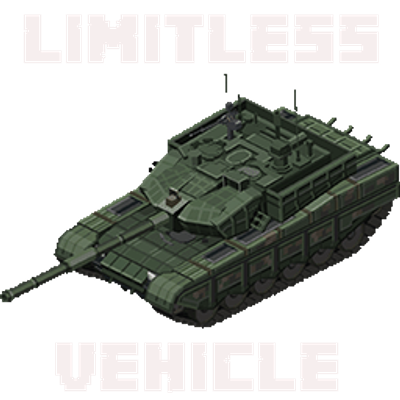
Limitless Vehicle
Limitless Vehicle is a universal vehicle mod that supports custom vehicle data packs