Vintage Story version
Back to mods 
Vintage Story Mod DB · Vintage Story mod
SheyderMod
There won't be a long description. It's just a SheyderMod. Yes the name is a pun. Look at the creators name! The Mod aims for great performance while maintaining visual quality. It was designed to run on a RTX 3050 Laptop at 1080p with no issues. Changes can
Choose a version Pick your version below, then grab the matching file.
Quick answer
Which SheyderMod release should I use?
Latest stable file 1.1.3
Game version 1.22.0-pre.1, 1.22.0-pre.2, 1.22.0-pre.3
Loader Built-in Vintage Story mod system
SheyderMod 1.1.3 targets 1.22.0-pre.1, 1.22.0-pre.2, 1.22.0-pre.3. It must be installed on the client. Do not install it on the dedicated server. No extra mods listed for this file.
Where it goes
Is SheyderMod required on the client, server, or both?
It must be installed on the client. Do not install it on the dedicated server.
Client Required
Dedicated server Not supported
Loader for this release Built-in Vintage Story mod system
Required install it here Optional supported, not mandatory Not supported do not install here Source doesn’t say do not assume
This Vintage Story file is marked client-only.
What else does SheyderMod 1.1.3 need?
1.1.3. Change the file and its required mods may change too.
This file does not list any required mods. Do not add a library just because a different file uses it.
This file does not list any required or optional mods.
Before you install it
Add SheyderMod without breaking your instance.
Built for SheyderMod 1.1.3. Pick another file and the loader, install side or required mods may change.
- 01
Stick to this file
Use 1.1.3. It targets 1.22.0-pre.1, 1.22.0-pre.2, 1.22.0-pre.3; another release may have different loader, side or dependency requirements.
- 02
Bring the mods it needs
This file does not list any required mods. Do not add a library just because a different file uses it.
- 03
Put it on the correct side
It must be installed on the client. Do not install it on the dedicated server.
- 04
Pick the file you checked
Use the “Get this file” button beside 1.1.3. It opens that exact file at the source.
About this project
What does SheyderMod add?
There won't be a long description. It's just a SheyderMod. Yes the name is a pun. Look at the creators name!
The Mod aims for great performance while maintaining visual quality.
It was designed to run on a RTX 3050 Laptop at 1080p with no issues.
Changes can be found in the patchnotes of the files section. There is always usefull info!
What does the Version number mean?!
   1   .   1   .   3
   │       │       │
   │       │       └─▶  Bug Fixes
   │       └─────────▶  New Feature Implementation
   └─────────────────▶  Major Release   (big change like rewrite)
Control Panel Default Key - F8
Can be customized in controls after loading into a map
Features:
-
-
- Advanced Blocklighting
- Bloom
- Deferred Lighting
- Ground Truth Ambient Occlusion - GTAO
- Lens Flare
- Mechanical Shadows
- Overexposure - makes the sunlight look warm and sunny
- Specular Mapping - including an interface to plug in spec maps from other mods
- Subsurface Scattering
- Volumetric Fog
- Water Ripples
- Water Screen Space Reflections
- World Fog
-
Make sure you don't load any other shader mod in addition or something that overrides standard shaders
Info:
The customizations might not be the best. They will be more ironed out by learning what is actually usefull and what not.
Not every Block or item has specular maps yet as i make them all by hand. Currently there are 1954 while covering the most frequent surfaces and items.
How to load your own specular maps:
The mod currently supports every surface except playermodels and first person view hands.
For some reason they get handled in a very complex way and i haven't imlpemented support for them yet.
The mod looks in your mods asset domain after the "textures" folder.
Store your specular maps right next to the corresponding colormaps.
Give your specular maps the prefix "s_" into the name to mark them as specular maps. Example: s_path.png, s_normal1.png, s_normal2.png, (...)
That's it you don't need to do anything else. I tested with mods like vstruescale or feverstone's horses. I just picked them randomly to test import of custom vanilla textures and import of custom textures, on models that where randomly also entities.
You can use this online texture editor to create your specular maps. I use this to create my spec maps.
Filestructure example:
assets%YourModName%textureswoodwood1.pngwood2.pngs_wood1.pngs_wood2.png
If you create your own custom texture ATLAS system and or do texture injection this method won't work.
If you want compatibility in those cases don't be afraid to reach out.
If you upload a compatible mod that uses the interface let me know. I am interested in how it looks!
Credits:
World in screenshots provided by NilHero - Thank you so much!
Blocklight research provided by SaltyWater - Thank you so much 2!
© Shey — All Rights Reserved.
Project description from Vintage Story Mod DB.
Pick your setup
SheyderMod releases for each Vintage Story version.
Choose the version and loader you play, then open the matching release.
Vintage Story version
1.22.6
1 loader buildVintage Story version
1.22.5
1 loader buildVintage Story version
1.22.4
1 loader buildVintage Story version
1.22.3
1 loader buildVintage Story version
1.22.2
1 loader buildVintage Story version
1.22.1
1 loader buildVintage Story version
1.22.0-rc.10
1 loader buildVintage Story version
1.22.0-rc.9
1 loader buildVintage Story version
1.22.0-rc.8
1 loader buildVintage Story version
1.22.0-rc.7
1 loader buildVintage Story version
1.22.0-rc.6
1 loader buildShowing the newest 12 of 23 game versions. Older files are in the list below.
Check the dependencies, then try the file in a copied instance before changing a world you care about.
Recent files
SheyderMod versions and loaders
1.1.3
SheyderMod 1.1.3.zip
16 Aug 2026
Client Required Server Not supported Dependencies No extras listed Listed on Release listing
Check the 1.22.7 setup 1.22.0-pre.11.22.0-pre.21.22.0-pre.31.22.0-pre.4 release
1.1.2
SheyderMod - 1.1.2.zip
8 Aug 2026
Client Required Server Not supported Dependencies No extras listed Listed on Release listing
Check the 1.22.7 setup 1.22.0-pre.11.22.0-pre.21.22.0-pre.31.22.0-pre.4 release
1.1.1
SheyderMod - 1.1.1.zip
7 Aug 2026
Client Required Server Not supported Dependencies No extras listed Listed on Release listing
Check the 1.22.7 setup 1.22.0-pre.11.22.0-pre.21.22.0-pre.31.22.0-pre.4 release
1.1.0
SheyderMod - 1.1.0.zip
28 Jul 2026
Client Required Server Not supported Dependencies No extras listed Listed on Release listing
Check the 1.22.7 setup 1.22.0-pre.11.22.0-pre.21.22.0-pre.31.22.0-pre.4 release
1.0.4
SheyderMod - 1.0.4.zip
15 Jul 2026
Client Required Server Not supported Dependencies No extras listed Listed on Release listing
Check the 1.22.7 setup 1.22.0-pre.11.22.0-pre.21.22.0-pre.31.22.0-pre.4 release
1.0.3
SheyderMod - 1.0.3.zip
7 Jul 2026
Client Required Server Not supported Dependencies No extras listed Listed on Release listing
Check the 1.22.7 setup 1.22.0-pre.11.22.0-pre.21.22.0-pre.31.22.0-pre.4 release
1.0.2
SheyderMod - 1.0.2.zip
5 Jul 2026
Client Required Server Not supported Dependencies No extras listed Listed on Release listing
Check the 1.22.7 setup 1.22.21.22.31.22.41.22.5 release
1.0.1
SheyderMod - 1.0.1.zip
4 Jul 2026
Client Required Server Not supported Dependencies No extras listed Listed on Release listing
Check the 1.22.7 setup 1.22.21.22.31.22.41.22.5 release
1.0.0
SheyderMod - 1.0.0.zip
3 Jul 2026
Client Required Server Not supported Dependencies No extras listed Listed on Release listing
Check the 1.22.7 setup 1.22.21.22.31.22.41.22.5 release
Looking for an older file? The official Vintage Story Mod DB project page is in Resources.
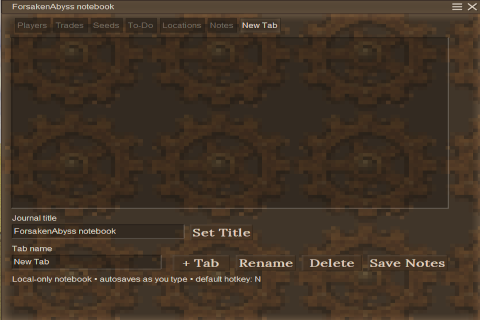 mod
mod Vintage Story
forsaken journal
A client-side tabbed notebook for players, trades, locations, notes, and custom tabs.
 mod
mod Vintage Story
Sounds of Nature
Brings the world to life with realistic ambient wildlife audio that reacts to where you are.
 mod
mod Vintage Story
Aldis X Prosequor
Add Aldi's classes traits to Prosequor