Vintage Story version
Back to mods 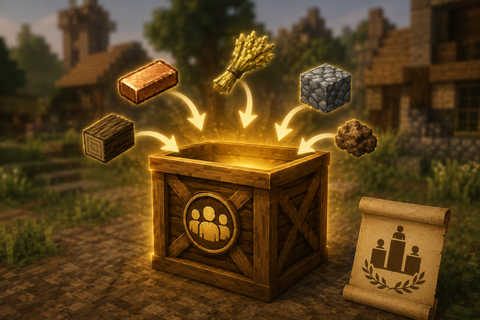
Vintage Story Mod DB · Vintage Story mod
Contribution Box
English ContributionBox turns vanilla crates into public contribution boxes for Vintage Story servers. Players deposit the configured item with `Shift + right click`. The item is physically stored in the vanilla crate, the mod records every valid contributio
Choose a version Pick your version below, then grab the matching file.
Quick answer
Which Contribution Box release should I use?
Latest stable file 1.0.0
Game version 1.22.0, 1.22.1, 1.22.2
Loader Built-in Vintage Story mod system
Contribution Box 1.0.0 targets 1.22.0, 1.22.1, 1.22.2. Do not install it on the client. It must be installed on the dedicated server. No extra mods listed for this file.
Where it goes
Is Contribution Box required on the client, server, or both?
Do not install it on the client. It must be installed on the dedicated server.
Client Not supported
Dedicated server Required
Loader for this release Built-in Vintage Story mod system
Required install it here Optional supported, not mandatory Not supported do not install here Source doesn’t say do not assume
This Vintage Story file is marked server-only.
What else does Contribution Box 1.0.0 need?
1.0.0. Change the file and its required mods may change too.
This file does not list any required mods. Do not add a library just because a different file uses it.
This file does not list any required or optional mods.
Before you install it
Add Contribution Box without breaking your instance.
Built for Contribution Box 1.0.0. Pick another file and the loader, install side or required mods may change.
- 01
Stick to this file
Use 1.0.0. It targets 1.22.0, 1.22.1, 1.22.2; another release may have different loader, side or dependency requirements.
- 02
Bring the mods it needs
This file does not list any required mods. Do not add a library just because a different file uses it.
- 03
Put it on the correct side
Do not install it on the client. It must be installed on the dedicated server.
- 04
Pick the file you checked
Use the “Get this file” button beside 1.0.0. It opens that exact file at the source.
About this project
What does Contribution Box add?
English
ContributionBox turns vanilla crates into public contribution boxes for Vintage Story servers.
Players deposit the configured item with `Shift + right click`. The item is physically stored in the vanilla crate, the mod records every valid contribution server-side, blocks withdrawals through the contribution crate interaction, and broadcasts a parseable system-chat message that Discord bridge mods can relay.
How It Works
1. Place a vanilla crate.
2. Put at least one item inside it.
3. Look at the crate and run `/contributionbox create <name>`.
4. The item already inside the crate becomes the accepted item for that box.
5. The initial contents are recorded as the creator's first contribution and remain in the physical crate.
The crate itself receives no special protection. Use claims, reinforcements or server rules if the physical block must be protected.
Commands
- `/contributionbox create <name>`: creates a contribution box from the targeted crate.
- `/contributionbox info`: shows the targeted box details.
- `/contributionbox totals <limit>`: shows the targeted box ranking. The limit is optional; by default it shows 20 entries.
- `/contributionbox my`: shows your own contribution totals.
- `/contributionbox rename <name>`: renames the targeted box.
- `/contributionbox enable`: enables the targeted box.
- `/contributionbox disable`: disables the targeted box.
- `/contributionbox close`: permanently closes the targeted contribution box, keeps its history and broadcasts the final total.
Control commands (`create`, `rename`, `enable`, `disable`, `close`) can only be run by players with one of the privileges configured in `AdminPrivileges`. This does not give anyone special permission to withdraw items, move or dismantle the crate: the activity must be closed first with `/contributionbox close`. Player-facing commands only require normal chat access.
The configured privilege does not bypass land claim permissions. Creating or managing a contribution box also requires vanilla `Use` access on the targeted crate.
Configuration
ContributionBox creates `ModConfig/contributionbox.json` on first server start. The file only controls who can create and manage contribution boxes:
```json
{
"AdminPrivileges": [
"root",
"controlserver"
],
"DebugLogging": false
}
```
The shipped default allows common admin privileges only. If the list is empty, nobody can create or manage contribution boxes.
`AdminPrivileges` contains privilege codes, not role names. You can keep existing privileges such as `root` or `controlserver`, or create a custom privilege code. For example, to let the `survival` role manage contribution boxes:
1. Add `contributionbox` to `AdminPrivileges`.
2. Grant the `contributionbox` privilege to the `survival` role in `serverconfig.json`.
3. Restart or reload the server configuration as usual for role changes.
`DebugLogging` enables verbose server-side diagnostics for deposits and optional integrations such as Th3Essentials. Keep it disabled in normal operation.
Persistence
Box definitions, totals and recent events are stored per world:
`ModData/<world-uid>/contributionbox/contributionbox.state.json`
Each contribution updates only the affected box totals, contributor totals and recent event list. Rankings are calculated when requested and sorted by contributed quantity.
The state stores the internal code and display name of the physical crate block and, for the accepted item, keeps both the internal code and the display name captured when the box is created. If the physical crate is replaced by another crate type at the same position while it is still active, the mod blocks that use so a different crate cannot inherit the previous activity. If the crate disappears without being closed, it becomes `Missing` and remains only as historical evidence of an abnormal ending. If another crate is placed later, create a new ContributionBox with `/contributionbox create <name>`. To withdraw items, move or dismantle a crate cleanly, close the activity first with `/contributionbox close`.
Use of AI
- AI was used for code generation under the supervision.
- AI was used for generation of the header image.
Español
ContributionBox convierte cajas vanilla en cajas publicas de contribucion para servidores de Vintage Story.
Los jugadores depositan el objeto configurado con `Shift + click derecho`. El objeto queda fisicamente guardado en la caja vanilla, el mod registra cada aportacion valida del lado servidor, bloquea la retirada mediante la interaccion de la caja de contribucion y publica un mensaje de sistema parseable que los mods puente hacia Discord pueden replicar.
Funcionamiento
1. Coloca una caja vanilla.
2. Mete dentro al menos un objeto.
3. Mira la caja y ejecuta `/contributionbox create <nombre>`.
4. El objeto que habia dentro pasa a ser el objeto aceptado por esa caja.
5. El contenido inicial se registra como primera aportacion del creador y permanece en la caja fisica.
La caja no recibe proteccion especial. Usa claims, refuerzos o normas del servidor si el bloque fisico debe quedar protegido.
Comandos
- `/contributionbox create <nombre>`: crea una caja de contribucion desde la caja objetivo.
- `/contributionbox info`: muestra el detalle de la caja objetivo.
- `/contributionbox totals <limite>`: muestra el ranking de la caja objetivo. El limite es opcional; por defecto muestra 20 entradas.
- `/contributionbox my`: muestra tus totales de contribucion.
- `/contributionbox rename <nombre>`: renombra la caja objetivo.
- `/contributionbox enable`: activa la caja objetivo.
- `/contributionbox disable`: desactiva la caja objetivo.
- `/contributionbox close`: cierra definitivamente la caja de contribucion objetivo, conserva el historico y publica el total final.
Los comandos de control (`create`, `rename`, `enable`, `disable`, `close`) solo pueden ejecutarlos jugadores con alguno de los privilegios configurados en `AdminPrivileges`. Esto no da ningun permiso especial para retirar objetos, mover o desmontar la caja: para eso tambien hay que cerrar primero la actividad con `/contributionbox close`. Los comandos informativos solo requieren acceso normal al chat.
El privilegio configurado no ignora los permisos de claims. Para crear o gestionar una caja de contribucion tambien hace falta acceso vanilla de `Use` sobre la caja objetivo.
Configuracion
ContributionBox crea `ModConfig/contributionbox.json` al primer arranque del servidor. El fichero solo controla quien puede crear y gestionar cajas de contribucion:
```json
{
"AdminPrivileges": [
"root",
"controlserver"
],
"DebugLogging": false
}
```
El default incluido permite solo privilegios administrativos habituales. Si la lista queda vacia, nadie podra crear o gestionar cajas de contribucion.
`AdminPrivileges` contiene codigos de privilegio, no nombres de rol. Puedes mantener privilegios existentes como `root` o `controlserver`, o crear un codigo de privilegio propio. Por ejemplo, para permitir que el rol `survival` gestione cajas de contribucion:
1. Anade `contributionbox` a `AdminPrivileges`.
2. Concede el privilegio `contributionbox` al rol `survival` en `serverconfig.json`.
3. Reinicia o recarga la configuracion del servidor segun tu procedimiento habitual para cambios de roles.
`DebugLogging` activa diagnostico detallado del lado servidor para depositos e integraciones opcionales como Th3Essentials. Mantenlo desactivado en funcionamiento normal.
Persistencia
Las cajas, totales y eventos recientes se guardan por mundo:
`ModData/<world-uid>/contributionbox/contributionbox.state.json`
Cada aportacion actualiza solo los totales de la caja afectada, los totales del jugador y la lista de eventos recientes. Los rankings se calculan cuando se consultan y se ordenan por cantidad aportada.
El estado guarda el codigo interno y el nombre visible del bloque de caja y, para el objeto aceptado, conserva tanto el codigo interno como el nombre visible capturado al crear la caja. Si la caja fisica se sustituye por otro tipo en la misma posicion mientras sigue activa, el mod bloquea ese uso para evitar que una caja distinta herede la actividad anterior. Si la caja desaparece sin cerrar, queda como `Missing` y solo se conserva como historico de finalizacion anomala. Si se coloca otra caja despues, debe crearse una nueva ContributionBox con `/contributionbox create <nombre>`. Para retirar objetos, mover o desmontar la caja de forma limpia, primero cierra la actividad con `/contributionbox close`.
Uso de IA
- Se ha utilizado IA para la generación de código con supervisión.
- Se ha utilizado IA para la generación de la imagen de cabecera.
Project description from Vintage Story Mod DB.
Pick your setup
Contribution Box releases for each Vintage Story version.
Choose the version and loader you play, then open the matching release.
Vintage Story version
1.22.4
1 loader buildVintage Story version
1.22.3
1 loader buildVintage Story version
1.22.2
1 loader buildVintage Story version
1.22.1
1 loader buildVintage Story version
1.22.0
1 loader buildCheck the dependencies, then try the file in a copied instance before changing a world you care about.
Recent files
Contribution Box versions and loaders
1.0.0
contributionbox_1.0.0.zip
12 Jul 2026
Client Not supported Server Required Dependencies No extras listed Listed on Release listing
Check the 1.22.5 setup 1.22.01.22.11.22.21.22.3 release
Looking for an older file? The official Vintage Story Mod DB project page is in Resources.