Vintage Story version
Back to mods 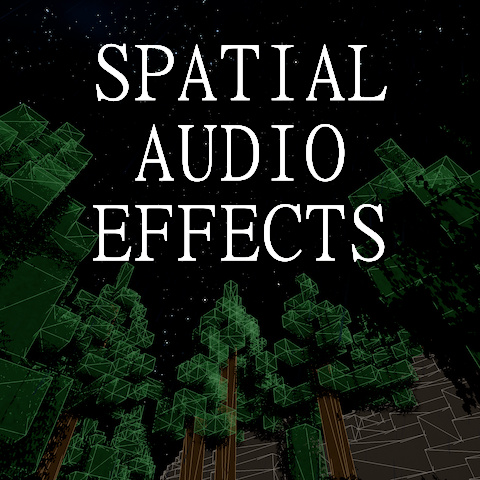
Vintage Story Mod DB · Vintage Story mod
Spatial Audio Effects
Spatial Audio Effects Makes ambient sound come from where it is made. Vanilla plays weather as a track locked to your head, and gives every block of a kind within a 32-block section a single looping sound, placed at the nearest point of one big box. A lake is
Choose a version Pick your version below, then grab the matching file.
Quick answer
Which Spatial Audio Effects release should I use?
Latest stable file 0.1.2
Game version 1.22.0-pre.1, 1.22.0-pre.2, 1.22.0-pre.3
Loader Built-in Vintage Story mod system
Spatial Audio Effects 0.1.2 targets 1.22.0-pre.1, 1.22.0-pre.2, 1.22.0-pre.3. It must be installed on the client. Installation on the dedicated server is optional. No extra mods listed for this file.
Where it goes
Is Spatial Audio Effects required on the client, server, or both?
It must be installed on the client. Installation on the dedicated server is optional.
Client Required
Dedicated server Optional
Loader for this release Built-in Vintage Story mod system
Required install it here Optional supported, not mandatory Not supported do not install here Source doesn’t say do not assume
This release supports both sides, but the source does not require it on the server.
What else does Spatial Audio Effects 0.1.2 need?
0.1.2. Change the file and its required mods may change too.
This file does not list any required mods. Do not add a library just because a different file uses it.
This file does not list any required or optional mods.
Before you install it
Add Spatial Audio Effects without breaking your instance.
Built for Spatial Audio Effects 0.1.2. Pick another file and the loader, install side or required mods may change.
- 01
Stick to this file
Use 0.1.2. It targets 1.22.0-pre.1, 1.22.0-pre.2, 1.22.0-pre.3; another release may have different loader, side or dependency requirements.
- 02
Bring the mods it needs
This file does not list any required mods. Do not add a library just because a different file uses it.
- 03
Put it on the correct side
It must be installed on the client. Installation on the dedicated server is optional.
- 04
Pick the file you checked
Use the “Get this file” button beside 0.1.2. It opens that exact file at the source.
About this project
What does Spatial Audio Effects add?
Spatial Audio Effects
Makes ambient sound come from where it is made. Vanilla plays weather as a track locked to your head, and gives every block of a kind within a 32-block section a single looping sound, placed at the nearest point of one big box. A lake is then one point a stride away wherever you stand, a wall of windows is one window that follows you round the room, and a river slides along beside you as you walk its bank.
This mod replaces those with many short, positioned sounds on the surfaces and blocks that actually make them.
Client-side only. Works in single-player and on any server.
What it places
- Rain on surfaces. The top of whatever stops the rain in each column: the ground outside, the roof over a building, the canopy over a clearing.
- Rain splashes. Sparse one-shots further out, over whatever else is playing.
- Rain on windows. One sound per pane, outside the glass, where the rain lands.
- Wind. Slices of the wind recordings placed around you, not at your ears.
- Leaf rustles. The canopy near you, thinned so that one tree is not a chorus.
- Still water. Along the surface, louder where it meets land.
- Creeks and falls. Along running water, and on the open side of a falling block.
How it behaves
- Each field is an even grid anchored to the world, so coverage does not shimmer as you move. It leads your movement, so running does not outrun the sound.
- Nothing loops audibly: each spot plays a short slice and the next crossfades in at the same place.
- A field holds its overall level however many sounds make it up.
- Where a field takes over a vanilla sound, that sound is removed only while the field is on, and comes straight back when you turn the field off.
Compatibility
- Vintage Story 1.22.7 or later. Pure C#, so it runs on every platform the game does.
- Everything is played through the game's normal sound API, so it works with vanilla audio and with mods that replace the audio engine.
- ConfigLib is optional. With it, settings change live from its in-game dialog.
Settings
Settings are in ModConfig/spatialaudioeffects.json. Every field can be turned off, and its volume, radius, spacing and number of sounds set. Editing the file by hand takes effect when the game next starts.
Commands
.sae status: what every field is doing..sae windows: the panes nearby, and why each is sounding or silent.
Companion mod: Spatial Audio

Spatial Audio changes how sound reaches you. It replaces the audio engine, so sounds are muffled by walls, heard through doorways, reverberate in the space you are in, and are rendered for headphones or surround.
These mods are intended to be used together.
On vanilla audio you get correct positions with the game's own panning. With Spatial Audio, the rain this mod places on your roof is muffled by that roof.
Credits
Began as a branch of Surround Sound. Its spatialiser is gone, because the Spatial Audio engine does that job now. What remains is where the sound is placed. Source and issues: GitHub.
AI use
The code for this mod was written by an AI coding assistant (Anthropic's Claude) working under my direction.
This is mostly extracted functionality from my existing Surround Sound mod.
Project description from Vintage Story Mod DB.
Pick your setup
Spatial Audio Effects releases for each Vintage Story version.
Choose the version and loader you play, then open the matching release.
Vintage Story version
1.22.6
1 loader buildVintage Story version
1.22.5
1 loader buildVintage Story version
1.22.4
1 loader buildVintage Story version
1.22.3
1 loader buildVintage Story version
1.22.2
1 loader buildVintage Story version
1.22.1
1 loader buildVintage Story version
1.22.0-rc.10
1 loader buildVintage Story version
1.22.0-rc.9
1 loader buildVintage Story version
1.22.0-rc.8
1 loader buildVintage Story version
1.22.0-rc.7
1 loader buildVintage Story version
1.22.0-rc.6
1 loader buildShowing the newest 12 of 23 game versions. Older files are in the list below.
Check the dependencies, then try the file in a copied instance before changing a world you care about.
Recent files
Spatial Audio Effects versions and loaders
0.1.2
spatialaudioeffects_0.1.2.zip
20 Sept 2026
Client Required Server Optional Dependencies No extras listed Listed on Release listing
Check the 1.22.7 setup 1.22.0-pre.11.22.0-pre.21.22.0-pre.31.22.0-pre.4 release
0.1.1
spatialaudioeffects_0.1.1.zip
20 Sept 2026
Client Required Server Optional Dependencies No extras listed Listed on Release listing
Check the 1.22.7 setup 1.22.0-pre.11.22.0-pre.21.22.0-pre.31.22.0-pre.4 release
Looking for an older file? The official Vintage Story Mod DB project page is in Resources.