Vintage Story version
Back to mods
Vintage Story Mod DB · Vintage Story mod
MP Time Fix
TIME FREEZE Small server? Stop coming back to a rotten pantry and a missed season. On a small multiplayer server, time keeps passing for everyone even when only one player is online. Players who log in once a week come back to find their food rotten and half
Choose a version Pick your version below, then grab the matching file.
Quick answer
Which MP Time Fix release should I use?
Latest stable file 1.0.0
Game version 1.22.7
Loader Built-in Vintage Story mod system
MP Time Fix 1.0.0 targets 1.22.7. It must be installed on the client. Installation on the dedicated server is optional. No extra mods listed for this file.
Where it goes
Is MP Time Fix required on the client, server, or both?
It must be installed on the client. Installation on the dedicated server is optional.
Client Required
Dedicated server Optional
Loader for this release Built-in Vintage Story mod system
Required install it here Optional supported, not mandatory Not supported do not install here Source doesn’t say do not assume
This release supports both sides, but the source does not require it on the server.
What else does MP Time Fix 1.0.0 need?
1.0.0. Change the file and its required mods may change too.
This file does not list any required mods. Do not add a library just because a different file uses it.
This file does not list any required or optional mods.
Before you install it
Add MP Time Fix without breaking your instance.
Built for MP Time Fix 1.0.0. Pick another file and the loader, install side or required mods may change.
- 01
Stick to this file
Use 1.0.0. It targets 1.22.7; another release may have different loader, side or dependency requirements.
- 02
Bring the mods it needs
This file does not list any required mods. Do not add a library just because a different file uses it.
- 03
Put it on the correct side
It must be installed on the client. Installation on the dedicated server is optional.
- 04
Pick the file you checked
Use the “Get this file” button beside 1.0.0. It opens that exact file at the source.
About this project
What does MP Time Fix add?
TIME FREEZE
Small server? Stop coming back to a rotten pantry and a missed season.
On a small multiplayer server, time keeps passing for everyone even when only one player is online. Players who log in once a week come back to find their food rotten and half a year gone. Time Freeze fixes that without
penalizing the players who are online.
WHAT IT DOES
When fewer than 2 players are online (configurable):
- Days and seasons pass 4 times slower (configurable, or fully frozen). The date, the seasons, the temperature, the snow, the leaf colors and the length of the day all follow this slowed calendar.
- Everything that takes time keeps its normal speed: crops, fruit trees, berry bushes, animals (growth, pregnancy), barrels, charcoal pits, pit kilns, bloomeries, cooking, drying, metal cooling... The player who is online is never slowed down.
- Absent players' food does not rot in the containers they placed (chests, vessels, shelves, barrels, crocks, pots...), even if their chunk is unloaded and reloaded days later.
As soon as enough players are online, everything goes back to normal.
TEAMS
Players can group into teams with /team. A team counts as one player: while any member is online, the team's food rots normally (someone is there to take care of it). When the whole team is away, it is protected.
SEE WHAT IS PROTECTED
Look at a container: the info at the top of the screen tells whether it is protected ("Protected: Bob is away, food does not perish") or why it is not. Food in a protected container also shows a "Protected" line in its tooltip.
SMART PLAYER COUNTING
- Players in creative or spectator mode do not count (an admin checking something does not restart time).
- AFK players (no movement for 15 minutes) do not count.
- The mod only acts on dedicated servers: players who install it for your server keep a vanilla single-player experience.
COMMANDS
/timefreeze : status (slowed or not, players counted, displayed date, how far behind the date is, food protection)
/timefreeze debug : compares date, season, temperature and day length with vanilla (admin)
/timefreeze reload : reloads the config (admin)
/timefreeze owner : shows the owner of the container you look at (admin)
/timefreeze owner set [player] : changes the owner of the container you look at (admin)
/team create [name] / join [name] / leave / list : manage teams
CONFIGURATION
File ModConfig/darkmpfix.json on the server:
- MinPlayersForTimeFlow (default 2): players needed for time to flow normally
- CalendarSpeedWhenFrozen (default 0.25): date speed when too few players (0 = frozen, 1 = normal)
- ProtectOfflineFood (default true): protects absent players' food
- OfflineFoodPerishMultiplier (default 0): perish speed of protected food (0 = no rot, 0.1 = 10 times slower)
- LegacyContainerOwner (default FirstOpener): owner of containers placed before the mod was installed
- IgnoredGameModes (default Creative, Spectator): game modes that do not count as players
- AfkMinutes (default 15): minutes without moving before a player stops counting (0 = disabled)
- OnlyOnDedicatedServer (default true): only acts on dedicated servers
- AnnounceInChat (default true): chat messages when time slows down or flows again
INSTALLATION
- Required on the server and on every client (the client shows the date and computes the seasonal visuals).
- Works on an existing world: no date jump on install, the slowdown only applies from then on. Containers placed before the mod belong to the first player who opens them.
- Game version: 1.22.7
GOOD TO KNOW
- The real game clock is never stopped or rewound: the mod computes a "virtual date". This is why crops and recipes are never affected.
- With the default settings, seasons last longer while few players are online: a winter started solo lasts longer too.
- The moon phases follow real time.
- Removing the mod makes the date jump forward by the accumulated delay.
- Mods that compute seasons by themselves from the raw game time will see the real season.
Project description from Vintage Story Mod DB.
Pick your setup
MP Time Fix releases for each Vintage Story version.
Choose the version and loader you play, then open the matching release.
Check the dependencies, then try the file in a copied instance before changing a world you care about.
Recent files
MP Time Fix versions and loaders
1.0.0
darkmpfix_1.0.0.zip
29 Sept 2026
Client Required Server Optional Dependencies No extras listed Listed on Release listing
Check the 1.22.7 setup 1.22.7 release
Looking for an older file? The official Vintage Story Mod DB project page is in Resources.
 mod
mod Vintage Story
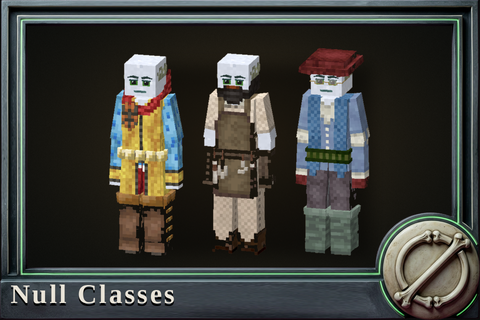
Null Classes
Fourteen trades, freely chosen. Your class is what others need from you; any can be earned.
 mod
mod Vintage Story
Null Skills
A maintained fork of XLib and XSkills for 1.22: thirteen skill trees, 185 abilities.
 mod
mod Vintage Story
Craftsmanship
Over 1,000 new items, creatures and weapons added. Cannabis system, monster loot system and more,