Vintage Story version
Back to mods 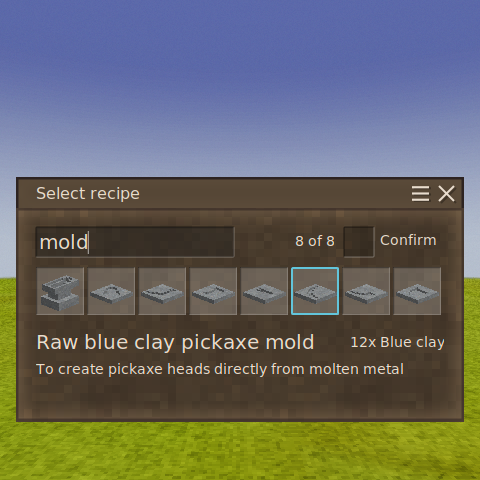
Vintage Story Mod DB · Vintage Story mod
Pattern Book
Overview Every mod that adds smithing or clay forming recipes adds more icons to the picker. With a few of them installed, the vanilla picker turns into an unsorted wall that keeps growing until it runs off the screen. Pattern Book replaces it with a picker t
Choose a version Pick your version below, then grab the matching file.
Quick answer
Which Pattern Book release should I use?
Latest stable file 0.1.2
Game version 1.22.7
Loader Built-in Vintage Story mod system
Pattern Book 0.1.2 targets 1.22.7. It must be installed on the client. Installation on the dedicated server is optional. No extra mods listed for this file.
Where it goes
Is Pattern Book required on the client, server, or both?
It must be installed on the client. Installation on the dedicated server is optional.
Client Required
Dedicated server Optional
Loader for this release Built-in Vintage Story mod system
Required install it here Optional supported, not mandatory Not supported do not install here Source doesn’t say do not assume
This release supports both sides, but the source does not require it on the server.
What else does Pattern Book 0.1.2 need?
0.1.2. Change the file and its required mods may change too.
This file does not list any required mods. Do not add a library just because a different file uses it.
This file does not list any required or optional mods.
Before you install it
Add Pattern Book without breaking your instance.
Built for Pattern Book 0.1.2. Pick another file and the loader, install side or required mods may change.
- 01
Stick to this file
Use 0.1.2. It targets 1.22.7; another release may have different loader, side or dependency requirements.
- 02
Bring the mods it needs
This file does not list any required mods. Do not add a library just because a different file uses it.
- 03
Put it on the correct side
It must be installed on the client. Installation on the dedicated server is optional.
- 04
Pick the file you checked
Use the “Get this file” button beside 0.1.2. It opens that exact file at the source.
About this project
What does Pattern Book add?
Overview
Every mod that adds smithing or clay forming recipes adds more icons to the picker. With a few of them installed, the vanilla picker turns into an unsorted wall that keeps growing until it runs off the screen. Pattern Book replaces it with a picker that stays sorted, searchable and on screen, however many recipes your mods add.
Features:
- Sorts recipes alphabetically
- Searchable: The search box is ready as soon as the picker opens. Every word you type has to appear in the name, so iron plate finds "Iron plate".
- Keyboard-friendly. Type a few letters and press Enter to take the first match. The recipe Enter will take is outlined in blue, and pointing at another recipe moves the outline to it.
- Stays on screen. Up to 10×8 recipes at a time, fewer on a small screen, and the rest scroll. A search shrinks the picker to its matches.
- Optional confirmation. Turn on the Confirm switch beside the search box and picking a recipe asks "Make … ?" first. Enter confirms and Escape goes back. The setting is remembered between sessions.
Only the anvil and clay forming pickers are changed. Knapping and other mods' pickers are left alone.
Client-side only
Install it on your own game. The server doesn't need it, and it works on servers that don't have it, because it sends exactly what the vanilla picker sends.
Other mods
By default, Pattern Book steps aside for mods that build on the vanilla picker:
- Smithing Plus: keeps its own picker when its recipe-voxel option is on.
- AnvilGuard: keeps its "Smith a … ?" confirmation.
To use Pattern Book's picker anyway, turn on its override for that mod (see Settings). If you override AnvilGuard, turn on Confirm to keep a confirmation step. Mods that replace the anvil's picker outright, such as smithscanvas, take priority, and Pattern Book doesn't open on top of them.
Settings
With ConfigKit (https://mods.vintagestory.at/configkit) installed, press P (or use Mod settings in the pause menu) and choose Pattern Book. ConfigKit is optional. Without it, edit ModConfig/patternbook.json, which is created on first launch:
{
"OverrideSmithingPlus": false,
"OverrideAnvilGuard": false,
"ConfirmChoice": false
}
ConfirmChoice is the same setting as the Confirm switch in the picker. All three are your own: on a server running ConfigKit, they're never taken over by the server.
Project description from Vintage Story Mod DB.
Pick your setup
Pattern Book releases for each Vintage Story version.
Choose the version and loader you play, then open the matching release.
Check the dependencies, then try the file in a copied instance before changing a world you care about.
Recent files
Pattern Book versions and loaders
0.1.2
patternbook_0.1.2.zip
7 Oct 2026
Client Required Server Optional Dependencies No extras listed Listed on Release listing
Check the 1.22.7 setup 1.22.7 release
Looking for an older file? The official Vintage Story Mod DB project page is in Resources.
 mod
mod Vintage Story
Olla
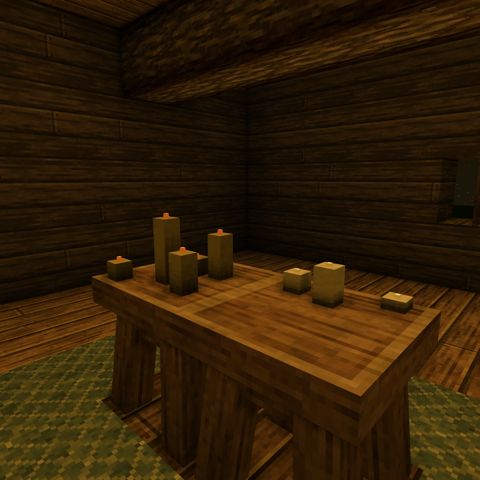
Bring ancient irrigation technology to Vintage Story! This mod adds ollas (pronounced "oy-yahs")
 mod
mod Vintage Story
Candela
Candles that burn down, tallow candles you dip by hand, and clay moulds you pour. Light means work.
 mod
mod Vintage Story
Repair Kits
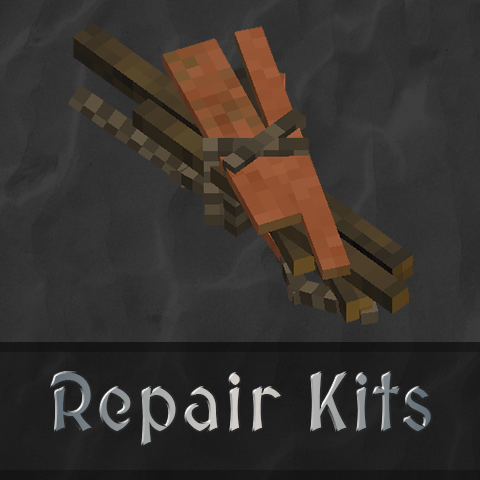
Adds multiple repair kit items to the game that can repair ANY item with durability.