Vintage Story version
Back to mods 
Vintage Story Mod DB · Vintage Story mod
Typing Indicator
Server / Singleplayer compatible. Must be installed on both client and server for it to successfully function. Server owners, when you update this mod it will replace your configuration. 1. Go to VintagestoryData/ModConfig/typing_indicator/ 2. Adjust Vintages
Choose a version Pick your version below, then grab the matching file.
Quick answer
Which Typing Indicator release should I use?
Latest stable file 1.1.2
Game version 1.19.8
Loader Built-in Vintage Story mod system
Typing Indicator 1.1.2 targets 1.19.8. The project page does not say whether it belongs on the client. The project page does not say whether it belongs on the dedicated server. No extra mods listed for this file.
Where it goes
Is Typing Indicator required on the client, server, or both?
The project page does not say whether it belongs on the client. The project page does not say whether it belongs on the dedicated server.
Client Source doesn’t say
Dedicated server Source doesn’t say
Loader for this release Built-in Vintage Story mod system
Required install it here Optional supported, not mandatory Not supported do not install here Source doesn’t say do not assume
No client/server declaration is available from this source.
What else does Typing Indicator 1.1.2 need?
1.1.2. Change the file and its required mods may change too.
This file does not list any required mods. Do not add a library just because a different file uses it.
This file does not list any required or optional mods.
Before you install it
Add Typing Indicator without breaking your instance.
Built for Typing Indicator 1.1.2. Pick another file and the loader, install side or required mods may change.
- 01
Stick to this file
Use 1.1.2. It targets 1.19.8; another release may have different loader, side or dependency requirements.
- 02
Bring the mods it needs
This file does not list any required mods. Do not add a library just because a different file uses it.
- 03
Put it on the correct side
The project page does not say whether it belongs on the client. The project page does not say whether it belongs on the dedicated server.
- 04
Pick the file you checked
Use the “Get this file” button beside 1.1.2. It opens that exact file at the source.
About this project
What does Typing Indicator add?
Server / Singleplayer compatible. Must be installed on both client and server for it to successfully function.
Server owners, when you update this mod it will replace your configuration.
1. Go to VintagestoryData/ModConfig/typing_indicator/
2. Adjust VintagestoryData/ModConfig/typing_indicator/config.json with the localization text each update.
2.1. Your old configuration files have been moved to VintagestoryData/ModConfig/typing_indicator/out_of_date_configs/config_(version).json. You can copy/paste what's changed; this is just a safety thing in case the server packets change in the future. In most cases unless otherwise specified, you can basically copy paste everything above READONLY_CreatedWithTypingIndicatorVersion to the new configuration.
Changelog - Version 1.1.2
Should fix https://github.com/FatigueDev/typing_indicator/issues/2, which is a null reference exception when the display text is null in the renderer. Prevents players with rough connections from crashing, instead temporarily displaying the default english localization before the server finishes sending it's preferred configuration to be displayed.
Changelog - Version 1.1.1
Hotfix for singleplayer, should hopefully fix https://github.com/FatigueDev/typing_indicator/issues/1 reported by WickedSchnitzel
Changelog - Version 1.1.0
Server Owners / Singleplayers:
When the game is run, it spits out a new configuration file containing the following defaults:{
"Localizations": {
"en": "Typing..."
},
"Timeout": 5.0,
"MaxRange": 50,
"READONLY_CreatedWithTypingIndicatorVersion": "1.1.0"
}
Localizations can be appended to and given custom text. The default is "en": "Typing...", but once the configuration is created it can be changed while the server is running. Players re-log, they get the updated contents of this config applied to their TypingIndicator.
Timeout is how long a player can not type before they stop displaying their indicator in seconds.
MaxRange is how far players can see each other's typing indicators (NOT in blocks, it's a magic distance number. Please tweak this until you're happy with how far away it is displayed.
READONLY_CreatedWithTypingIndicatorVersion is a flag for creating configs. If the mod updates, we'll move your old config to ModConfig/typing_indicator/out_of_date_configs/ so you can copy and paste your old configuration settings to potentially a new configuration format. I don't think it'll be updated often, but if and when it is you'll need to keep this in mind.
Project description from Vintage Story Mod DB.
Pick your setup
Typing Indicator releases for each Vintage Story version.
Choose the version and loader you play, then open the matching release.
Check the dependencies, then try the file in a copied instance before changing a world you care about.
Recent files
Typing Indicator versions and loaders
1.1.2
TypingIndicator.zip
7 Jul 2024
Client Source doesn’t say Server Source doesn’t say Dependencies No extras listed Listed on Release listing
Check the 1.19.8 setup 1.19.8 release
1.1.1
TypingIndicator.zip
27 Jun 2024
Client Source doesn’t say Server Source doesn’t say Dependencies No extras listed Listed on Release listing
Check the 1.19.8 setup 1.19.8 release
1.1.0
TypingIndicator.zip
27 Jun 2024
Client Source doesn’t say Server Source doesn’t say Dependencies No extras listed Listed on Release listing
Check the 1.19.8 setup 1.19.8 release
1.0.0
TypingIndicator.zip
25 Jun 2024
Client Source doesn’t say Server Source doesn’t say Dependencies No extras listed Listed on Release listing
Check the 1.19.8 setup 1.19.8 release
Looking for an older file? The official Vintage Story Mod DB project page is in Resources.
 mod
mod Vintage Story
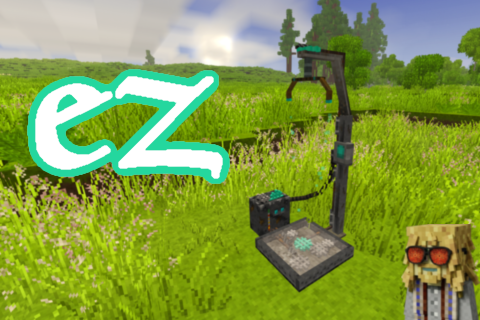
EZ Translocators
Break repaired translocators, place them wherever you want and use your map to teleport.
 mod
mod Vintage Story
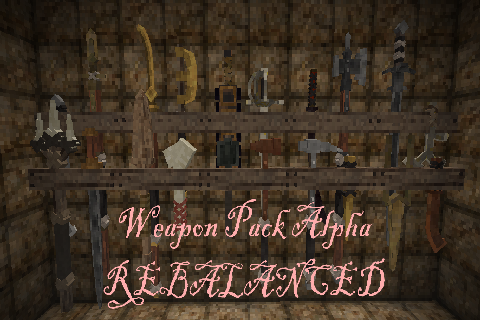
Weapon Pack Alpha - Rebalanced
Ever used this legendary mod and thought some things were too OP or weak? this should fix that.
 mod
mod Vintage Story
GiMap
Ultimative map for your Vintage Story