Vintage Story version
Back to mods
Vintage Story Mod DB · Vintage Story mod
CustomPlayStyles
Ever wished you could create a custom playstyle so your users don't have to manually copy settings from your modpack page? Or perhaps you are a developer who wants to test world generation settings without copying and pasting them every time? This mod makes t
Choose a version Pick your version below, then grab the matching file.
Quick answer
Which CustomPlayStyles release should I use?
Latest stable file 1.0.2
Game version 1.12.14, 1.13.4, 1.14.10
Loader Built-in Vintage Story mod system
CustomPlayStyles 1.0.2 targets 1.12.14, 1.13.4, 1.14.10. It must be installed on the client. Do not install it on the dedicated server. No extra mods listed for this file.
Where it goes
Is CustomPlayStyles required on the client, server, or both?
It must be installed on the client. Do not install it on the dedicated server.
Client Required
Dedicated server Not supported
Loader for this release Built-in Vintage Story mod system
Required install it here Optional supported, not mandatory Not supported do not install here Source doesn’t say do not assume
This Vintage Story file is marked client-only.
What else does CustomPlayStyles 1.0.2 need?
1.0.2. Change the file and its required mods may change too.
This file does not list any required mods. Do not add a library just because a different file uses it.
This file does not list any required or optional mods.
Before you install it
Add CustomPlayStyles without breaking your instance.
Built for CustomPlayStyles 1.0.2. Pick another file and the loader, install side or required mods may change.
- 01
Stick to this file
Use 1.0.2. It targets 1.12.14, 1.13.4, 1.14.10; another release may have different loader, side or dependency requirements.
- 02
Bring the mods it needs
This file does not list any required mods. Do not add a library just because a different file uses it.
- 03
Put it on the correct side
It must be installed on the client. Do not install it on the dedicated server.
- 04
Pick the file you checked
Use the “Get this file” button beside 1.0.2. It opens that exact file at the source.
About this project
What does CustomPlayStyles add?
Ever wished you could create a custom playstyle so your users don't have to manually copy settings from your modpack page?
Or perhaps you are a developer who wants to test world generation settings without copying and pasting them every time?
This mod makes things easy: you can simply modify the `worldconfig.json` file provided by the mod.
**How to use:**
1. Create a new world in-game with your desired settings and copy those settings.
2. Open the `worldconfig.json` file inside the mod.
3. Locate the `"worldConfig": { ... }` section.
4. Replace the contents inside the brackets with your copied settings.
**Customizing Name and Description:**
You can now customize the name and description of your playstyle by editing the `en.json` file located in the `assets/game/lang/` folder of this mod.
*Note on an Engine Limitation: Due to how Vintage Story loads mods into memory, custom playstyle names (like "playstyle-custom") might show up as raw code on the very first start of the game. Just load any world, save and quit back to the main menu, and the correct names will be displayed properly!*
**Special Thanks to:**
* **DanaCraluminum** for the initial plan and debugging the mod.
* **JimmyMac** for discovering the UI language loading workaround and explaining the engine limits.
* **Beeblebrox94** for providing the fix to restore the in-game music.
Project description from Vintage Story Mod DB.
Pick your setup
CustomPlayStyles releases for each Vintage Story version.
Choose the version and loader you play, then open the matching release.
Vintage Story version
1.22.6
1 loader buildVintage Story version
1.22.5
1 loader buildVintage Story version
1.22.4
1 loader buildVintage Story version
1.22.3
1 loader buildVintage Story version
1.22.2
1 loader buildVintage Story version
1.22.1
1 loader buildVintage Story version
1.22.0-rc.10
1 loader buildVintage Story version
1.22.0-rc.9
1 loader buildVintage Story version
1.22.0-rc.8
1 loader buildVintage Story version
1.22.0-rc.7
1 loader buildVintage Story version
1.22.0-rc.6
1 loader buildShowing the newest 12 of 28 game versions. Older files are in the list below.
Check the dependencies, then try the file in a copied instance before changing a world you care about.
Recent files
CustomPlayStyles versions and loaders
1.0.2
CustomPlayStyles-v1.0.2.zip
4 Oct 2026
Client Required Server Not supported Dependencies No extras listed Listed on Release listing
Check the 1.22.7 setup 1.12.141.13.41.14.101.15.10 release
1.0.1
CustomPlayStyles-v1.0.1.zip
21 Aug 2024
Client Source doesn’t say Server Source doesn’t say Dependencies No extras listed Listed on Release listing
Check the 1.19.8 setup 1.19.8 release
1.0.0
CustomPlayStyles-v1.0.0.zip
21 Aug 2024
Client Source doesn’t say Server Source doesn’t say Dependencies No extras listed Listed on Release listing
Check the 1.19.8 setup 1.19.8 release
Looking for an older file? The official Vintage Story Mod DB project page is in Resources.
mod
Vintage Story
The Almanac: Illuminated
A living questbook opened with Alt+J. Chapters appear only for the mods you have loaded.
 mod
mod Vintage Story
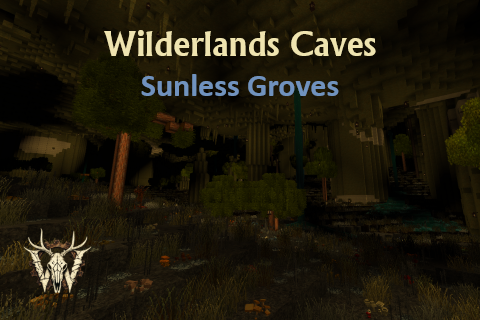
Wilderlands Caves
Fundamentally overhauls cave generation, while keeping vanilla caves at configurable rates.
 mod
mod Vintage Story
Vintage Fantasy
Whole buncha random shit to make the 194+ mods of the server not murder each other in their sleep