Vintage Story version
Back to mods 
Vintage Story Mod DB · Vintage Story mod
Vintage Story Launcher
Vintage Story Launcher (Dev) Development status: This launcher is actively developed. New features and polish are arriving regularly. There may be breaking changes between versions. Important: Please back up your saves before using the launcher. See Backup I
Choose a version Pick your version below, then grab the matching file.
Quick answer
Which Vintage Story Launcher release should I use?
Latest stable file 0.9.1
Game version 0.0.0
Loader Built-in Vintage Story mod system
Vintage Story Launcher 0.9.1 targets 0.0.0. The project page does not say whether it belongs on the client. The project page does not say whether it belongs on the dedicated server. No extra mods listed for this file.
Where it goes
Is Vintage Story Launcher required on the client, server, or both?
The project page does not say whether it belongs on the client. The project page does not say whether it belongs on the dedicated server.
Client Source doesn’t say
Dedicated server Source doesn’t say
Loader for this release Built-in Vintage Story mod system
Required install it here Optional supported, not mandatory Not supported do not install here Source doesn’t say do not assume
No client/server declaration is available from this source.
What else does Vintage Story Launcher 0.9.1 need?
0.9.1. Change the file and its required mods may change too.
This file does not list any required mods. Do not add a library just because a different file uses it.
This file does not list any required or optional mods.
Before you install it
Add Vintage Story Launcher without breaking your instance.
Built for Vintage Story Launcher 0.9.1. Pick another file and the loader, install side or required mods may change.
- 01
Stick to this file
Use 0.9.1. It targets 0.0.0; another release may have different loader, side or dependency requirements.
- 02
Bring the mods it needs
This file does not list any required mods. Do not add a library just because a different file uses it.
- 03
Put it on the correct side
The project page does not say whether it belongs on the client. The project page does not say whether it belongs on the dedicated server.
- 04
Pick the file you checked
Use the “Get this file” button beside 0.9.1. It opens that exact file at the source.
About this project
What does Vintage Story Launcher add?
Vintage Story Launcher (Dev)


Development status: This launcher is actively developed. New features and polish are arriving regularly. There may be breaking changes between versions.
Important: Please back up your saves before using the launcher. See Backup Instructions (v0.9.0+) and Legacy Backup below.
Platform Status
- Linux: Supported and tested on Ubuntu 20.04+, Debian 11+, Fedora 38+.
- Windows: Builds currently unavailable. Windows support is planned for a future release.
Overview
The Vintage Story Launcher is an unofficial, feature‑rich companion app that helps you manage game versions, isolated play instances, and mods with ease. The interface is built in Godot for a thematic, game‑like feel, while core operations are implemented in Rust (via GDExtension) for speed, safety, and reliability.
Key Features
- Multi‑Instance Management: Create fully separate installations for different worlds, servers, or mod sets—ideal for testing or keeping survival and creative gameplay isolated.
- Per‑Instance Version Control: Download and switch game versions per instance. Quickly match server versions or run older mods without disrupting your main setup.
- Integrated Mod Manager: Enable/disable mods per instance. The launcher handles file organisation so you can focus on play, not folders.
- News Feed: See official Vintage Story updates directly on the home screen.
- *Thematic UI: A handcrafted interface designed to feel like a natural extension of the game.
Install Instructions
- Install Git (required to run the installer script).
- Download the release archive and extract it.
- Linux:
- Open a terminal in the folder containing
install.shand run:chmod +x ./install.shthen./install.sh - Alternatively, set the file as executable from your file manager and double‑click it.
- Open a terminal in the folder containing
- Windows: When Windows builds are available, run
install.shusing Git Bash. - Follow the on‑screen prompts. Once installed, launch from your application menu.
Support Development

Backup Instructions (v0.9.0+)
Recommendation: Always back up your data before testing new launchers or major updates.
For v0.9.0 and above, back up your instances directory.
Linux
- Terminal:
cp -r ~/.local/share/VintageStoryLauncher/instances/ ~/Desktop/
Replace~/Desktop/with your preferred backup destination. - File Manager: Navigate to
~/.local/share/VintageStoryLauncher/, copy theinstancesfolder, and paste it into your backup location.
Windows
- Windows builds are not yet available; no backup is required at this time. This section will be updated when a Windows release is published.
Legacy Backup (pre‑v0.9.0)
If you are using a version older than v0.9.0, back up your VintageStoryData directory.
Linux
- Terminal:
cp -r ~/.config/VintageStoryData/ ~/Desktop/ - File Manager: Go to
~/.config/, copyVintageStoryData, and paste it into your backup location.
Windows
- Windows builds are not yet available; this section will be updated for Windows when releases are ready.
Report Issues
Found a problem? Please use the GitHub Issue Tracker (link above) so I can address the issue efficiently. Include as much detail as possible:
- App Version
- OS (and Distro/DE on Linux)
- Issue Description
- Steps to Reproduce
- Log File (paste text or attach the file)
Project description from Vintage Story Mod DB.
Pick your setup
Vintage Story Launcher releases for each Vintage Story version.
Choose the version and loader you play, then open the matching release.
Check the dependencies, then try the file in a copied instance before changing a world you care about.
Recent files
Vintage Story Launcher versions and loaders
0.9.1
install-v0.9.1.zip
28 Aug 2025
Client Source doesn’t say Server Source doesn’t say Dependencies No extras listed Listed on Release listing
Check the 0.0.0 setup 0.0.0 release
0.9.0
install-v0.9.0.zip
28 Aug 2025
Client Source doesn’t say Server Source doesn’t say Dependencies No extras listed Listed on Release listing
Check the 0.0.0 setup 0.0.0 release
0.8.1
install_v0.8.1.zip
11 Aug 2025
Client Source doesn’t say Server Source doesn’t say Dependencies No extras listed Listed on Release listing
Check the 0.0.0 setup 0.0.0 release
0.8.0-dev.1
VintageStoryLauncher_win_x64_v0.8.1-dev.1.zip
2 Aug 2025
Client Source doesn’t say Server Source doesn’t say Dependencies No extras listed Listed on Release listing
Check the 0.0.0 setup 0.0.0 release
0.8.0
install-v0.8.0.zip
28 Jul 2025
Client Source doesn’t say Server Source doesn’t say Dependencies No extras listed Listed on Release listing
Check the 0.0.0 setup 0.0.0 release
0.7.3
install-v0.7.3.zip
27 Jul 2025
Client Source doesn’t say Server Source doesn’t say Dependencies No extras listed Listed on Release listing
Check the 0.0.0 setup 0.0.0 release
0.7.2
install-v0.7.2.zip
27 Jul 2025
Client Source doesn’t say Server Source doesn’t say Dependencies No extras listed Listed on Release listing
Check the 0.0.0 setup 0.0.0 release
0.7.1
install-v0.7.1.zip
27 Jul 2025
Client Source doesn’t say Server Source doesn’t say Dependencies No extras listed Listed on Release listing
Check the 0.0.0 setup 0.0.0 release
0.7.0
install-v0.7.0.zip
20 Jul 2025
Client Source doesn’t say Server Source doesn’t say Dependencies No extras listed Listed on Release listing
Check the 0.0.0 setup 0.0.0 release
0.6.4
install-v0.6.4.zip
10 Jul 2025
Client Source doesn’t say Server Source doesn’t say Dependencies No extras listed Listed on Release listing
Check the 0.0.0 setup 0.0.0 release
0.6.3-dev.1
vintagestory-launcher-v0.6.3-linux64.run.zip
8 Jul 2025
Client Source doesn’t say Server Source doesn’t say Dependencies No extras listed Listed on Release listing
Check the 0.0.0 setup 0.0.0 release
0.6.2-dev.2
vintagestory-launcher-v0.6.2-win64.zip
8 Jul 2025
Client Source doesn’t say Server Source doesn’t say Dependencies No extras listed Listed on Release listing
Check the 0.0.0 setup 0.0.0 release
Looking for an older file? The official Vintage Story Mod DB project page is in Resources.
 mod
mod Vintage Story
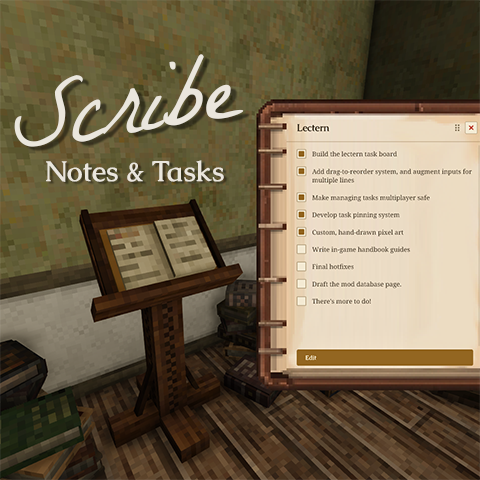
Scribe: Notes & Tasks
Take notes and track tasks in-world. Pin tasks to a persistent HUD. Multiplayer-ready.
 mod
mod Vintage Story
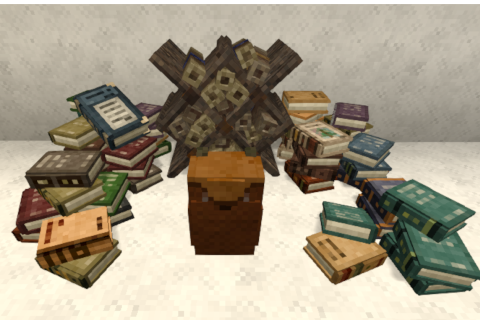
Backpack for books and scrolls
Backpack for books and scrolls. And another for butterflies
 mod
mod Vintage Story
Requiem of Rust UI (RoRUI)
A redo of the background for the UI and sliders dots etc for in game this is an earthy rusty tone.