Vintage Story version
Back to mods 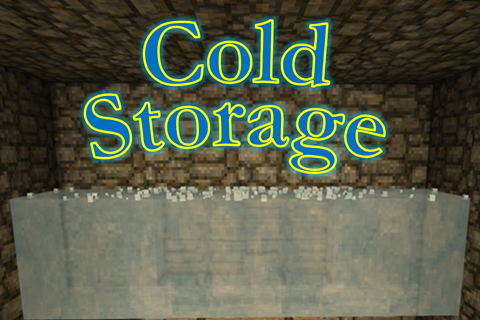
Vintage Story Mod DB · Vintage Story mod
Cold Storage
Cold Storage v2.0.0 - Major Melting Update! Cold Storage allows players to preserve food by chilling containers with ice. Instead of static bonuses, containers now cool dynamically based on temperature, available ice, and environmental conditions. When chille
Choose a version Pick your version below, then grab the matching file.
Quick answer
Which Cold Storage release should I use?
Latest stable file 2.0.0
Game version 1.21.4
Loader Built-in Vintage Story mod system
Cold Storage 2.0.0 targets 1.21.4. It must be installed on the client. Installation on the dedicated server is optional. No extra mods listed for this file.
Where it goes
Is Cold Storage required on the client, server, or both?
It must be installed on the client. Installation on the dedicated server is optional.
Client Required
Dedicated server Optional
Loader for this release Built-in Vintage Story mod system
Required install it here Optional supported, not mandatory Not supported do not install here Source doesn’t say do not assume
This release supports both sides, but the source does not require it on the server.
What else does Cold Storage 2.0.0 need?
2.0.0. Change the file and its required mods may change too.
This file does not list any required mods. Do not add a library just because a different file uses it.
This file does not list any required or optional mods.
Before you install it
Add Cold Storage without breaking your instance.
Built for Cold Storage 2.0.0. Pick another file and the loader, install side or required mods may change.
- 01
Stick to this file
Use 2.0.0. It targets 1.21.4; another release may have different loader, side or dependency requirements.
- 02
Bring the mods it needs
This file does not list any required mods. Do not add a library just because a different file uses it.
- 03
Put it on the correct side
It must be installed on the client. Installation on the dedicated server is optional.
- 04
Pick the file you checked
Use the “Get this file” button beside 2.0.0. It opens that exact file at the source.
About this project
What does Cold Storage add?
Cold Storage v2.0.0 - Major Melting Update!
Cold Storage allows players to preserve food by chilling containers with ice. Instead of static bonuses, containers now cool dynamically based on temperature, available ice, and environmental conditions. When chilled, spoilage slows according to configurable settings, creating a more natural and realistic cold-storage system.
Ice blocks from the base game (glacier ice, packed glacier ice, and lake ice) can be added to any compatible container, including chests, vessels, trunks, and reed chests. Cooling remains active as long as ice is present, with the melt rate influenced by both ambient temperature and the total amount of ice in the container — larger quantities melt more slowly, simulating the thermal mass of bulk ice.
In cellars, temperatures are capped at 5 °C, and at 0 °C or below, melting stops completely, allowing indefinite preservation. The container tooltip displays the current cooling state, remaining ice, and the estimated melt time for the active piece.
All values, including spoilage reduction (default 50%) and melt rate scaling, can be customized in ColdStorageConfig.json to fine-tune gameplay balance.
Usage:
-
Place any combination of vanilla ice blocks anywhere inside a supported container.
-
Cooling activates automatically, slowing food spoilage.
-
Ice is gradually consumed, with larger ice reserves melting more slowly.
-
Colder environments extend ice life and may completely halt melting.
-
Check the container tooltip for real-time cooling details and melt estimates.
Cold Storage v2.0.0 introduces a fully simulated cooling system that is temperature-aware, quantity-based, and dynamically persistent for a more immersive preservation experience.
Project description from Vintage Story Mod DB.
Pick your setup
Cold Storage releases for each Vintage Story version.
Choose the version and loader you play, then open the matching release.
Vintage Story version
1.21.0
1 loader buildVintage Story version
1.20.12
1 loader buildCheck the dependencies, then try the file in a copied instance before changing a world you care about.
Recent files
Cold Storage versions and loaders
2.0.0
coldstorage_2.0.0.zip
21 Oct 2025
Client Required Server Optional Dependencies No extras listed Listed on Release listing
Check the 1.21.4 setup 1.21.4 release
1.0.2
coldstorage_1.0.2.zip
30 Aug 2025
Client Required Server Optional Dependencies No extras listed Listed on Release listing
Check the 1.21.0 setup 1.21.0 release
1.0.1
coldstorage_1.0.1.zip
19 Aug 2025
Client Required Server Optional Dependencies No extras listed Listed on Release listing
Check the 1.20.12 setup 1.20.12 release
1.0.0
coldstorage_1.0.0.zip
13 Aug 2025
Client Required Server Optional Dependencies No extras listed Listed on Release listing
Check the 1.20.12 setup 1.20.12 release
Looking for an older file? The official Vintage Story Mod DB project page is in Resources.
 mod
mod Vintage Story
Wellworks
There is water under your feet. Find it, dig for it, or drink from the river and pray.
 mod
mod Vintage Story
Aegis Claims
Chunk claims for civilization servers, with nations, player towns, capitals and an admin painter on
mod
Vintage Story
简单语音聊天(Voice Chat Mod)
For Chinese community servers only(Voice Chat Mod)