Vintage Story version
Back to mods 
Vintage Story Mod DB · Vintage Story mod
Player Breaths
For those who want a slightly more realistic experience. I will begin working on better multiplayer functionality and compatibility / support for other mods soon. Features: • Soundpacks for both male and female • Player begins breathing heavily after a few
Choose a version Pick your version below, then grab the matching file.
Quick answer
Which Player Breaths release should I use?
Latest stable file 2.0.5
Game version 1.22.2, 1.22.3
Loader Built-in Vintage Story mod system
Player Breaths 2.0.5 targets 1.22.2, 1.22.3. It must be installed on the client. Installation on the dedicated server is optional. No extra mods listed for this file.
Where it goes
Is Player Breaths required on the client, server, or both?
It must be installed on the client. Installation on the dedicated server is optional.
Client Required
Dedicated server Optional
Loader for this release Built-in Vintage Story mod system
Required install it here Optional supported, not mandatory Not supported do not install here Source doesn’t say do not assume
This release supports both sides, but the source does not require it on the server.
What else does Player Breaths 2.0.5 need?
2.0.5. Change the file and its required mods may change too.
This file does not list any required mods. Do not add a library just because a different file uses it.
This file does not list any required or optional mods.
Before you install it
Add Player Breaths without breaking your instance.
Built for Player Breaths 2.0.5. Pick another file and the loader, install side or required mods may change.
- 01
Stick to this file
Use 2.0.5. It targets 1.22.2, 1.22.3; another release may have different loader, side or dependency requirements.
- 02
Bring the mods it needs
This file does not list any required mods. Do not add a library just because a different file uses it.
- 03
Put it on the correct side
It must be installed on the client. Installation on the dedicated server is optional.
- 04
Pick the file you checked
Use the “Get this file” button beside 2.0.5. It opens that exact file at the source.
About this project
What does Player Breaths add?
For those who want a slightly more realistic experience.
I will begin working on better multiplayer functionality and compatibility / support for other mods soon.
Features:
- Soundpacks for both male and female
- Player begins breathing heavily after a few seconds of sprinting
- Subtle gasps when the player jumps
- Shivering breaths when the player is freezing
- New pain noises for both above and below water
- Removes instrument voices
- Custom sounds support
Usage:
Type ".pb help" for commands.
".pb pack female auto" to switch to female.
".pb pack male auto" to switch to male.
Typing ".pb pack" etc. without "auto" will not update the volume settings, and therefore be much louder or quieter than it should.
The auto setting is based on my personal sound setup. Find the sweet spot for your setup by using ".pb volume (1-4)"
If you would like to add your own custom soundpack to your installation, unpack the mod and navigate to:
/assets/playerbreaths/soundpacks/
Create a new .json file and copy the structure of the other included packs.
Then, go to:
/assets/playerbreaths/sounds/
and again, copy the same structure of the other packs. The .json file must match the name of the new folder.
Known bugs:
- Breathing or jump sounds will sometimes trigger underwater
Project description from Vintage Story Mod DB.
Pick your setup
Player Breaths releases for each Vintage Story version.
Choose the version and loader you play, then open the matching release.
Vintage Story version
1.22.2
1 loader buildVintage Story version
1.21.4
1 loader buildCheck the dependencies, then try the file in a copied instance before changing a world you care about.
Recent files
Player Breaths versions and loaders
2.0.5
playerbreaths-2.0.5-vs1.22.zip
14 Jun 2026
Client Required Server Optional Dependencies No extras listed Listed on Release listing
Check the 1.22.3 setup 1.22.21.22.3 release
1.0.1
PlayerBreaths_1.0.1.zip
10 Oct 2025
Client Source doesn’t say Server Source doesn’t say Dependencies No extras listed Listed on Release listing
Check the 1.21.4 setup 1.21.4 release
1.0.0
PlayerBreaths_1.0.0.zip
8 Oct 2025
Client Source doesn’t say Server Source doesn’t say Dependencies No extras listed Listed on Release listing
Check the 1.21.4 setup 1.21.4 release
Looking for an older file? The official Vintage Story Mod DB project page is in Resources.
 mod
mod Vintage Story
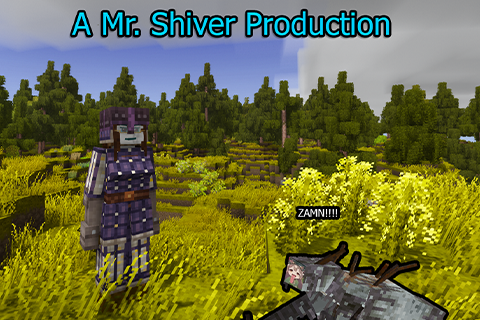
Tailored Brigandine: Fork + FSeraph
Tailored Brigandine CO 1.22 fork now with Female Seraph support!
mod
Vintage Story
skincustomizationgul
Expanded skin, eye, and hair colors, packaged for required multiplayer use
 mod
mod Vintage Story
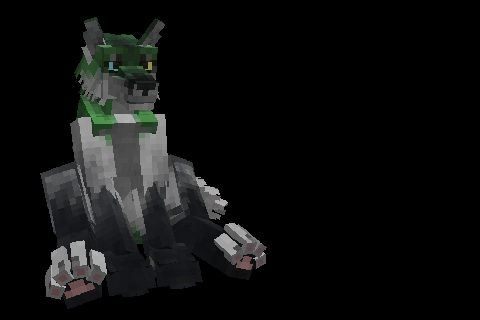
Lupines
Adds playable anthro wolf like player model using Player Model Lib