Vintage Story version
Back to mods 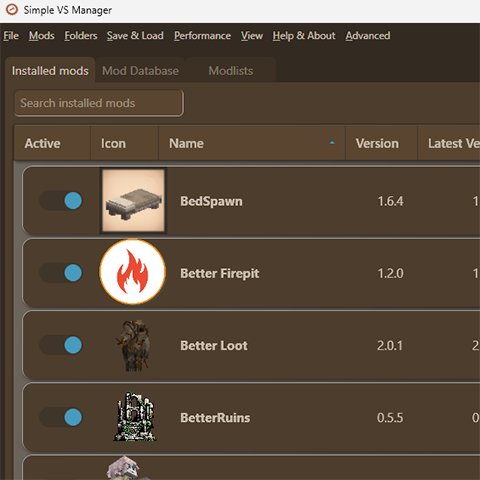
Vintage Story Mod DB · Vintage Story mod
Simple VS Manager
A simple mod manager and launcher for everyday use! I know, I know, another mod manager... I made it mostly for me (at least in the beginning!), I think it's pretty nice as an alternative to the mod menu ingame - just a bit easier to get an overview and see w
Choose a version Pick your version below, then grab the matching file.
Quick answer
Which Simple VS Manager release should I use?
Latest stable file 2.2.0
Game version 0.0.0
Loader Built-in Vintage Story mod system
Simple VS Manager 2.2.0 targets 0.0.0. The project page does not say whether it belongs on the client. The project page does not say whether it belongs on the dedicated server. No extra mods listed for this file.
Where it goes
Is Simple VS Manager required on the client, server, or both?
The project page does not say whether it belongs on the client. The project page does not say whether it belongs on the dedicated server.
Client Source doesn’t say
Dedicated server Source doesn’t say
Loader for this release Built-in Vintage Story mod system
Required install it here Optional supported, not mandatory Not supported do not install here Source doesn’t say do not assume
No client/server declaration is available from this source.
What else does Simple VS Manager 2.2.0 need?
2.2.0. Change the file and its required mods may change too.
This file does not list any required mods. Do not add a library just because a different file uses it.
This file does not list any required or optional mods.
Before you install it
Add Simple VS Manager without breaking your instance.
Built for Simple VS Manager 2.2.0. Pick another file and the loader, install side or required mods may change.
- 01
Stick to this file
Use 2.2.0. It targets 0.0.0; another release may have different loader, side or dependency requirements.
- 02
Bring the mods it needs
This file does not list any required mods. Do not add a library just because a different file uses it.
- 03
Put it on the correct side
The project page does not say whether it belongs on the client. The project page does not say whether it belongs on the dedicated server.
- 04
Pick the file you checked
Use the “Get this file” button beside 2.2.0. It opens that exact file at the source.
About this project
What does Simple VS Manager add?
A simple mod manager and launcher for everyday use! I know, I know, another mod manager...
I made it mostly for me (at least in the beginning!), I think it's pretty nice as an alternative to the mod menu ingame - just a bit easier to get an overview and see whats been updated, then launch the game from it.
Download from Github or directly from this page
If you get virus/security warnings sometimes downloading from a source such as Github helps.
Visit the Discord server to add suggestions, report issues or ask questions
Any suggestions are welcome - random ideas, code improvements, performance issues etc.
Why it might be useful
- No installer; simply extract the zip and open the .exe!
- No login, no install, no separate VS installs or importing mod folders
- Update mods, all at once or selected, solve mod dependencies, skip versions, and see every new changelog when updating
- Modlists - share your Modlists online in a dedicated tab and install other peoples Modlists. You can also save your list as an importable PDF that actually looks OK.
- QoL - select and delete mods easily, launch game button, update notifications, tag sorting, presets for enabled/disabled mods, menu for opening those damn folders you always have to navigate to...
- Mod DB Search/Browse - fast integrated mod browser, also with the option to use relevant search to actually prioritize what you write instead of sorting after downloads etc.
- User Reports System - a fast way to judge if a mod is compatible or not with your game version, see what other users have reported and share your own result to help the community!
- Game Profiles (Multiple VS versions) - set a separate Game and Data folder for each profile and switch easily between multiple VS installations.
- Customizable - hide/show and move columns, custom color theme, compact view
Other things it does
- If enabled, backup Data folder every time the game is launched through the manager, with ability to rollback.
- Set your existing Vintage Story shortcut as a Launch Game option in case you're using command line arguments
- Switch between any version of a mod using a dropdown list
- You can toggle Disable Internet Access to opt out of all that nice stuff above
- Change to another VintagestoryData folder location
- Color themes, as well as custom colors
- Creates backup modlists for every big action, allowing you to restore a timestamped modlist
- "Uninstall" option that deletes every folder and file created by the app.
- "Server options" to enable a "Copy to Server" button for selected mods, gives a command to install the mod to paste in game.
Good to know
- Does not create any new Mods directory - uses the Mods directory in your VintagestoryData folder
- Basically syncs with the Mods directory and the clientsettings.json, if you delete a mod in the manager it is deleted from the folder, and vice versa.
- As default all mods, and their versions, are cached (stored) on your computer so you do not have to redownload when switching between modlists for example
- Install by just unpacking the zip file and and running Simple VS Manager.exe
Modlists
- Save currently installed mods as .json, .pdf or to the online database
- Import other users .json and .pdf files, or browse the online database
- To include a mods config in the modlist, select it and make sure the path to the config is set. You will be asked which mod configs you want to include when saving.
- Use the Scan for mod config files option in the Help & Advanced menu to identify some of the configs
- Does not include the actual mod zip files, the manager will download the mods from the Mod DB or use the cache if available
User Reports
- Help the community out - if your installed mods are stable mark them as "No issues noticed" or "Fully functional" if you're confident.
- Does a mod have some minor issues but still does its job? Vote "Some issues but works".
- If a mod is outdated or has serious issues which impacts the core functionality of the mod, use "Not functional".
- And lastly for mods that crashes or freezes the game, "Crashes/freezes game".
- You have one vote per specific combination of your installed mod version and your installed VS version.
- Installed mods will show the most voted option for your specific VS & mod version, Mod DB will show for your specific VS version and the latest mod version.
- Thanks for voting!
Things to know if you want to use it
- Connects to the internet, namely to the Vintage Story Mod DB API
- Creates a folder in your AppData/Local folder called "Simple VS Manager", contains a config file, cached mods (if enabled) and presets/modlists
- Just like the ingame mod menu, it uses the normal Mods directory, so if you delete a mod in the manager it's deleted from the folder
- To use the Modlist cloud functionality, a file called "firebase-auth" is created in the "Simple VS Manager" folder. A backup is also created in AppData/Local/SVSM Backup
- I am not a professional developer, in fact I'm not a professional anything, so please report any of the plentiful bugs you encounter so I can tell a robot to fix it :)
Troubleshooting
- Windows 10 or 11 only and requires the .net 8 Desktop Runtime which you should have installed if you are running VS 1.21+
- If you are still running 1.20 or older, install the .net8 runtime from the Vintage Story Client Area page.
- As with any zipped .exe files (that's not from a known source etc) there will be false positive virus warnings - if you feel unsafe downloading this I recommend you don't download this!
- Github source is available for those who wants to check out the code (it's a mess) or build themselves.
Project description from Vintage Story Mod DB.
Pick your setup
Simple VS Manager releases for each Vintage Story version.
Choose the version and loader you play, then open the matching release.
Check the dependencies, then try the file in a copied instance before changing a world you care about.
Recent files
Simple VS Manager versions and loaders
2.2.0
Simple VS Manager 2.2.0.zip
15 May 2026
Client Source doesn’t say Server Source doesn’t say Dependencies No extras listed Listed on Release listing
Check the 0.0.0 setup 0.0.0 release
2.1.0
Simple VS Manager 2.1.0.zip
4 Jan 2026
Client Source doesn’t say Server Source doesn’t say Dependencies No extras listed Listed on Release listing
Check the 0.0.0 setup 0.0.0 release
2.0.0
Simple VS Manager 2.0.0.zip
29 Dec 2025
Client Source doesn’t say Server Source doesn’t say Dependencies No extras listed Listed on Release listing
Check the 0.0.0 setup 0.0.0 release
1.6.3
Simple VS Manager 1.6.3.zip
19 Nov 2025
Client Source doesn’t say Server Source doesn’t say Dependencies No extras listed Listed on Release listing
Check the 0.0.0 setup 0.0.0 release
1.6.2
Simple VS Manager 1.6.2.zip
19 Nov 2025
Client Source doesn’t say Server Source doesn’t say Dependencies No extras listed Listed on Release listing
Check the 0.0.0 setup 0.0.0 release
1.6.1
Simple VS Manager 1.6.1.zip
17 Nov 2025
Client Source doesn’t say Server Source doesn’t say Dependencies No extras listed Listed on Release listing
Check the 0.0.0 setup 0.0.0 release
1.6.0
Simple VS Manager 1.6.0.zip
14 Nov 2025
Client Source doesn’t say Server Source doesn’t say Dependencies No extras listed Listed on Release listing
Check the 0.0.0 setup 0.0.0 release
1.5.6
Simple VS Manager 1.5.6.zip
7 Nov 2025
Client Source doesn’t say Server Source doesn’t say Dependencies No extras listed Listed on Release listing
Check the 0.0.0 setup 0.0.0 release
1.5.5
Simple VS Manager 1.5.5.zip
7 Nov 2025
Client Source doesn’t say Server Source doesn’t say Dependencies No extras listed Listed on Release listing
Check the 0.0.0 setup 0.0.0 release
1.5.0
Simple VS Manager 1.5.0.zip
5 Nov 2025
Client Source doesn’t say Server Source doesn’t say Dependencies No extras listed Listed on Release listing
Check the 0.0.0 setup 0.0.0 release
1.4.0
Simple VS Manager 1.4.zip
27 Oct 2025
Client Source doesn’t say Server Source doesn’t say Dependencies No extras listed Listed on Release listing
Check the 0.0.0 setup 0.0.0 release
1.3.0
Simple VS Manager 1.3.zip
25 Oct 2025
Client Source doesn’t say Server Source doesn’t say Dependencies No extras listed Listed on Release listing
Check the 0.0.0 setup 0.0.0 release
Looking for an older file? The official Vintage Story Mod DB project page is in Resources.
 mod
mod Vintage Story
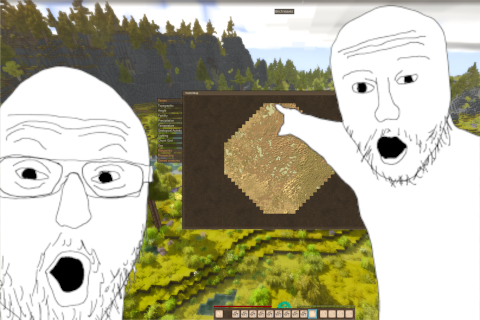
GiMap
Ultimative map for your Vintage Story
 mod
mod Vintage Story
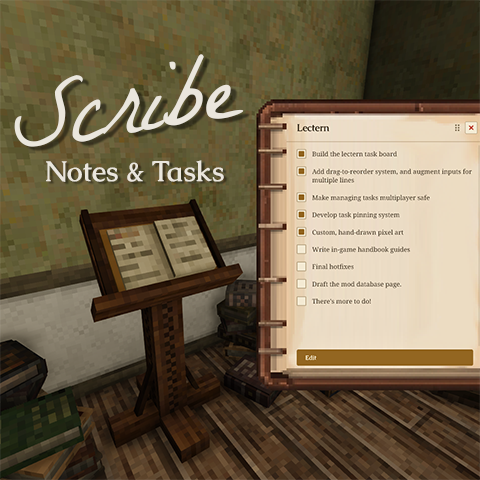
Scribe: Notes & Tasks
Take notes and track tasks in-world. Pin tasks to a persistent HUD. Multiplayer-ready.
 mod
mod Vintage Story
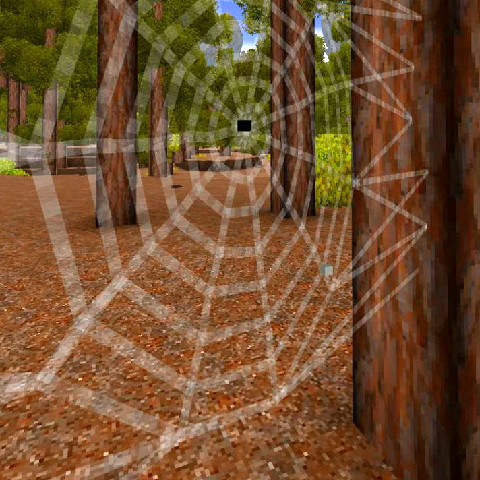
More Bugs
Adds termites, ants, more flies (they show you rot in containers), spiders and jumping spiders :3