
Vintage Story version
Back to mods 
Vintage Story Mod DB · Vintage Story mod
Vanilla: Expanded
Vanilla: Expanded is a mod for VintageStory that aims to add quality-of-life enhancements, missing functionality, and minor bug fixes while remaining true to the vanilla game and with minimal impacts to game balance. Reporting Issues Please file all issues o
Choose a version Pick your version below, then grab the matching file.
Quick answer
Which Vanilla: Expanded release should I use?
Latest stable file 1.3.4
Game version 1.21.0, 1.21.1-rc.1, 1.21.1-rc.2
Loader Built-in Vintage Story mod system
Vanilla: Expanded 1.3.4 targets 1.21.0, 1.21.1-rc.1, 1.21.1-rc.2. It must be installed on the client. Installation on the dedicated server is optional. No extra mods listed for this file.
Where it goes
Is Vanilla: Expanded required on the client, server, or both?
It must be installed on the client. Installation on the dedicated server is optional.
Client Required
Dedicated server Optional
Loader for this release Built-in Vintage Story mod system
Required install it here Optional supported, not mandatory Not supported do not install here Source doesn’t say do not assume
This release supports both sides, but the source does not require it on the server.
What else does Vanilla: Expanded 1.3.4 need?
1.3.4. Change the file and its required mods may change too.
This file does not list any required mods. Do not add a library just because a different file uses it.
This file does not list any required or optional mods.
Before you install it
Add Vanilla: Expanded without breaking your instance.
Built for Vanilla: Expanded 1.3.4. Pick another file and the loader, install side or required mods may change.
- 01
Stick to this file
Use 1.3.4. It targets 1.21.0, 1.21.1-rc.1, 1.21.1-rc.2; another release may have different loader, side or dependency requirements.
- 02
Bring the mods it needs
This file does not list any required mods. Do not add a library just because a different file uses it.
- 03
Put it on the correct side
It must be installed on the client. Installation on the dedicated server is optional.
- 04
Pick the file you checked
Use the “Get this file” button beside 1.3.4. It opens that exact file at the source.
About this project
What does Vanilla: Expanded add?


Vanilla: Expanded is a mod for VintageStory that aims to add quality-of-life enhancements, missing functionality, and minor bug fixes while remaining true to the vanilla game and with minimal impacts to game balance.
Reporting Issues
Please file all issues on the issue tracker linked above, this greatly helps us keep track of what needs to be fixed and allows issues to be dealt with in a timely manner.
A big thank you to everyone who takes time to report issues!
Auto-Stashing
You can now bulk transfer matching items from your inventory into storage containers!
- When interacting with a container, hold the `interact` button (default: right-click).
- If you have items in your inventory which match items already in the container, a brief progress-bar will be shown at the center of the screen.
- After the progress-bar completes, all matching items from your inventory will be moved into the container.
New Hotkeys
| Action | Keybind | Description |
| Equip Light - Left hand | F |
Swaps the players brightest light source to/from their left hand (offhand) |
| Equip Light - Right hand | Shift + F |
Swaps the players brightest light source to/from their right hand (active hotbar slot) |
When opening a firepit with a crucible, an Alloy Calculator dialog automatically appears alongside the firepit UI. This tool helps you calculate the exact metal ratios needed for creating alloys:
- Select an alloy from the dropdown to see its ingredient requirements
- Adjust the target units to specify how much metal you want to produce
- Fine-tune ingredient ratios using the sliders which automatically stay within valid alloy ranges
- See required amounts as item stacks for easy reference
- Deposit button automatically transfers the required ingredients from your inventory into the crucible, spreading them evenly across slots
The calculator remembers your settings per crucible, so your preferred alloy and ratios are restored when you reopen the dialog (currently not remembered across restarts).
Quality-of-life Additions
- Player respawn point appears as a glowing gear symbol on the ground.
Missing Functionalities Implemented
- Ignitable things (firepits, etc) can now be ignited using lanterns (oillamps & candles pending).
New Recipes
Note: for decrafting recipes
A low-tier tool (e.g. knife) yields ~50% of the original materials.
A high-tier tool (e.g. saw or shears) yields ~70% of the original materials
- Planks & Firewood can be cut into sticks using a knife or saw (saw yields more).
- Linen & Leather bags can be de-crafted back into their crafting components using a knife or shears (shears yield more).
- Wattle fences/gates can be de-crafted back into sticks using a knife or saw (saw yields more).
- Metal tool-heads can be de-crafted back into metal-bits using a chisel.
- Metal arrow-heads can be de-crafted back into metal-bits using a chisel.
VanillaExpanded supports ConfigLib for in-game configuration. If ConfigLib is installed, a "Mod Settings" button appears in the pause menu where you can toggle features on or off.
Without ConfigLib, settings can be edited manually in ModConfig/VanillaExpanded.json.
| Setting | Default | Description |
|---|---|---|
| EnableAutoStash | true | Enable auto-stashing items into containers by holding interact |
| EnableIgnitionTools | true | Enable lighting fires using lanterns, candles, and oil lamps |
| EnableSpawnDecal | true | Show a glowing decal at the player's respawn point |
| EnableAlloyCalculator | true | Enable the alloy calculator GUI for crucibles |
| EnableEquipLightHotkey | true | Enable the hotkey to equip light sources to offhand/hotbar |
| EnableBackpackDecraft | true | Enable decrafting backpacks into leather |
| EnableLinenSackDecraft | true | Enable decrafting linen sacks into flax fibers |
| EnableMetalBitsRecycling | true | Enable recycling metal tool heads into metal bits |
| EnableStickRecipes | true | Enable crafting sticks from planks and firewood |
| EnableWattleDecraft | true | Enable decrafting wattle blocks into sticks |
| AutoStashDelay | 0.5 | Time in seconds to hold interact before auto-stashing begins |
| IgnitionDelay | 0.5 | Time in seconds to hold interact before igniting a fire |
| SpawnDecalSize | 0.4 | Size of the spawn point decal (0.2 to 1.0) |
Note: Feature toggles (Enable*) require a world reload to take effect.
Project description from Vintage Story Mod DB.
Pick your setup
Vanilla: Expanded releases for each Vintage Story version.
Choose the version and loader you play, then open the matching release.
Vintage Story version
1.21.6
1 loader buildVintage Story version
1.21.5
1 loader buildVintage Story version
1.21.4
1 loader buildVintage Story version
1.21.3
1 loader buildVintage Story version
1.21.2-rc.3
1 loader buildVintage Story version
1.21.2-rc.2
1 loader buildVintage Story version
1.21.2-rc.1
1 loader buildVintage Story version
1.21.2
1 loader buildVintage Story version
1.21.1-rc.2
1 loader buildVintage Story version
1.21.1-rc.1
1 loader buildVintage Story version
1.21.1
1 loader buildShowing the newest 12 of 13 game versions. Older files are in the list below.
Check the dependencies, then try the file in a copied instance before changing a world you care about.
Recent files
Vanilla: Expanded versions and loaders
1.3.4
vanillaexpanded_1.3.4.zip
31 Jan 2026
Client Required Server Optional Dependencies No extras listed Listed on Release listing
Check the 1.21.6-rc.1 setup 1.21.01.21.1-rc.11.21.1-rc.21.21.1 release
1.3.3
vanillaexpanded_1.3.3.zip
28 Jan 2026
Client Source doesn’t say Server Source doesn’t say Dependencies No extras listed Listed on Release listing
Check the 1.21.6-rc.1 setup 1.21.01.21.1-rc.11.21.1-rc.21.21.1 release
1.3.2
vanillaexpanded_1.3.2.zip
16 Jan 2026
Client Source doesn’t say Server Source doesn’t say Dependencies No extras listed Listed on Release listing
Check the 1.21.6-rc.1 setup 1.21.01.21.1-rc.11.21.1-rc.21.21.1 release
1.3.1
vanillaexpanded_1.3.1.zip
2 Jan 2026
Client Source doesn’t say Server Source doesn’t say Dependencies No extras listed Listed on Release listing
Check the 1.21.6-rc.1 setup 1.21.01.21.1-rc.11.21.1-rc.21.21.1 release
1.3.0
vanillaexpanded_1.3.0.zip
2 Jan 2026
Client Source doesn’t say Server Source doesn’t say Dependencies No extras listed Listed on Release listing
Check the 1.21.6-rc.1 setup 1.21.01.21.1-rc.11.21.1-rc.21.21.1 release
1.2.1
vanillaexpanded_1.2.1.zip
19 Dec 2025
Client Source doesn’t say Server Source doesn’t say Dependencies No extras listed Listed on Release listing
Check the 1.21.6-rc.1 setup 1.21.01.21.1-rc.11.21.1-rc.21.21.1 release
1.2.0
vanillaexpanded_1.2.0.zip
18 Dec 2025
Client Source doesn’t say Server Source doesn’t say Dependencies No extras listed Listed on Release listing
Check the 1.21.6-rc.1 setup 1.21.01.21.1-rc.11.21.1-rc.21.21.1 release
1.1.1
vanillaexpanded_1.1.1.zip
13 Dec 2025
Client Source doesn’t say Server Source doesn’t say Dependencies No extras listed Listed on Release listing
Check the 1.21.6-rc.1 setup 1.21.01.21.1-rc.11.21.1-rc.21.21.1 release
1.1.0
vanillaexpanded_1.1.0.zip
13 Dec 2025
Client Source doesn’t say Server Source doesn’t say Dependencies No extras listed Listed on Release listing
Check the 1.21.6-rc.1 setup 1.21.01.21.1-rc.11.21.1-rc.21.21.1 release
1.0.3
vanillaexpanded_1.0.3.zip
11 Dec 2025
Client Source doesn’t say Server Source doesn’t say Dependencies No extras listed Listed on Release listing
Check the 1.21.5 setup 1.21.5 release
1.0.2
vanillaexpanded_1.0.2.zip
11 Dec 2025
Client Source doesn’t say Server Source doesn’t say Dependencies No extras listed Listed on Release listing
Check the 1.21.5 setup 1.21.5 release
1.0.1
vanillaexpanded_1.0.1.zip
9 Dec 2025
Client Source doesn’t say Server Source doesn’t say Dependencies No extras listed Listed on Release listing
Check the 1.21.5 setup 1.21.5 release
Looking for an older file? The official Vintage Story Mod DB project page is in Resources.
 mod
mod Vintage Story
Status Hud Continued
Displays status information on the HUD.
 mod
mod Vintage Story
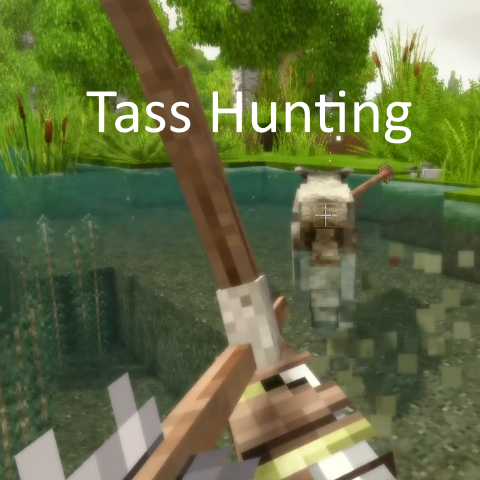
TassHunting
Arrows Stick - Blood - Smarter Animal AI - Aiming Tweaks - Health Based Animal Speed
 mod
mod Vintage Story
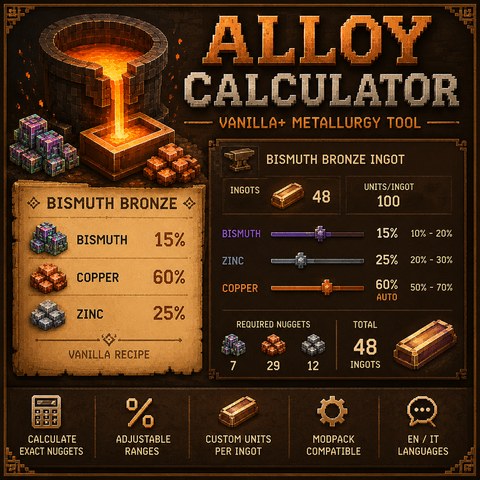
Alloy Calculator by Stuzzichino
Client-side alloy and fuel calculator for metallurgy and modded ingot configurations.