Vintage Story version
Back to mods
Vintage Story Mod DB · Vintage Story mod
Faction System
A comprehensive faction management system designed for multiplayer servers. Create and manage factions with full hierarchical structures, territory security, and member organization. ★ FEATURES: • Multiple faction types: The faction name and faction type
Choose a version Pick your version below, then grab the matching file.
Quick answer
Which Faction System release should I use?
Latest stable file 1.0.6
Game version 1.21.0, 1.21.1-rc.1, 1.21.1-rc.2
Loader Built-in Vintage Story mod system
Faction System 1.0.6 targets 1.21.0, 1.21.1-rc.1, 1.21.1-rc.2. It must be installed on the client. Installation on the dedicated server is optional. No extra mods listed for this file.
Where it goes
Is Faction System required on the client, server, or both?
It must be installed on the client. Installation on the dedicated server is optional.
Client Required
Dedicated server Optional
Loader for this release Built-in Vintage Story mod system
Required install it here Optional supported, not mandatory Not supported do not install here Source doesn’t say do not assume
This release supports both sides, but the source does not require it on the server.
What else does Faction System 1.0.6 need?
1.0.6. Change the file and its required mods may change too.
This file does not list any required mods. Do not add a library just because a different file uses it.
This file does not list any required or optional mods.
Before you install it
Add Faction System without breaking your instance.
Built for Faction System 1.0.6. Pick another file and the loader, install side or required mods may change.
- 01
Stick to this file
Use 1.0.6. It targets 1.21.0, 1.21.1-rc.1, 1.21.1-rc.2; another release may have different loader, side or dependency requirements.
- 02
Bring the mods it needs
This file does not list any required mods. Do not add a library just because a different file uses it.
- 03
Put it on the correct side
It must be installed on the client. Installation on the dedicated server is optional.
- 04
Pick the file you checked
Use the “Get this file” button beside 1.0.6. It opens that exact file at the source.
About this project
What does Faction System add?
A comprehensive faction management system designed for multiplayer servers. Create and manage factions with full hierarchical structures, territory security, and member organization.
★ FEATURES:
• Multiple faction types: The faction name and faction type boxes are free text boxes so players can add their own flavor or theme to their factions!
• Full hierarchy: Leaders, Heirs (succession), Operators (moderators), and custom member roles
• Social class system: Nobles, Gentry, Peasants
• Platewearer designation for plate-armored members
• Territory security with Faction Locks and Noble Locks (Noble-class only access)
• Member management GUI (Press F) with drag-and-drop ordering
• Online/offline status tracking and last login timestamps
• Faction invitations system
• Server-side secure faction report generation
★ HOW TO USE:
1. An admin spawns a Faction Creation Toolkit
2. Right-click to open creation dialog, choose faction type and name
3. Invite members: /invitefaction <playername>
4. Manage members via GUI (F key): assign roles, social classes, operators, and heir
5. Secure territory with Faction Padlocks or Noble Padlocks (right-click on doors/containers)
6. Remove locks: /removelock then right-click the locked block (faction leader and OP'ed members only)
★ PLAYER COMMANDS:
• /leavefaction - Leave your current faction
• /invitefaction <playername> - Invite a player to your faction (Leaders/Operators only)
• /acceptfacinvite - Accept a faction invitation
• /kickfaction <playername> - Remove a member (Leaders/Operators only)
• /removelock - Remove faction locks from blocks (Leaders/Operators only)
★ ADMIN COMMANDS:
• /factionleader <factionID> <playername> - Forcibly set faction leader
• /factionsetheir <factionID> <playername> - Forcibly set faction heir
• /dissolvefaction <factionID> - Dissolve a faction completely
All faction data is stored server-side in ModConfig/FactionSystem/. A readable faction report is generated for server administrators in the same folder.
You can join our Vintage Story RP community here: https://discord.gg/mnTNYd7qcc
Project description from Vintage Story Mod DB.
Pick your setup
Faction System releases for each Vintage Story version.
Choose the version and loader you play, then open the matching release.
Vintage Story version
1.21.6-rc.1
1 loader buildVintage Story version
1.21.6
1 loader buildVintage Story version
1.21.5
1 loader buildVintage Story version
1.21.4
1 loader buildVintage Story version
1.21.3
1 loader buildVintage Story version
1.21.2-rc.3
1 loader buildVintage Story version
1.21.2-rc.2
1 loader buildVintage Story version
1.21.2-rc.1
1 loader buildVintage Story version
1.21.2
1 loader buildVintage Story version
1.21.1-rc.2
1 loader buildVintage Story version
1.21.1-rc.1
1 loader buildShowing the newest 12 of 24 game versions. Older files are in the list below.
Check the dependencies, then try the file in a copied instance before changing a world you care about.
Recent files
Faction System versions and loaders
1.0.6
FactionSystem.zip
8 Feb 2026
Client Required Server Optional Dependencies No extras listed Listed on Release listing
Check the 1.22.0-pre.1 setup 1.21.01.21.1-rc.11.21.1-rc.21.21.1 release
1.0.5
FactionSystem.zip
8 Feb 2026
Client Source doesn’t say Server Source doesn’t say Dependencies No extras listed Listed on Release listing
Check the 1.22.0-pre.1 setup 1.21.01.21.1-rc.11.21.1-rc.21.21.1 release
1.0.4
FactionSystem.zip
7 Feb 2026
Client Source doesn’t say Server Source doesn’t say Dependencies No extras listed Listed on Release listing
Check the 1.21.6-rc.1 setup 1.21.0-pre.11.21.0-pre.21.21.0-pre.31.21.0-rc.1 release
1.0.3
factionsystem_v1.0.3.zip
18 Jan 2026
Client Source doesn’t say Server Source doesn’t say Dependencies No extras listed Listed on Release listing
Check the 1.21.6-rc.1 setup 1.21.0-pre.11.21.0-pre.21.21.0-pre.31.21.0-rc.1 release
1.0.2
factionsystem_v1.0.2.zip
13 Jan 2026
Client Source doesn’t say Server Source doesn’t say Dependencies No extras listed Listed on Release listing
Check the 1.21.6-rc.1 setup 1.21.0-pre.11.21.0-pre.21.21.0-pre.31.21.0-rc.1 release
1.0.1
factionsystem_v1.0.1.zip
13 Jan 2026
Client Source doesn’t say Server Source doesn’t say Dependencies No extras listed Listed on Release listing
Check the 1.21.6-rc.1 setup 1.21.01.21.1-rc.11.21.1-rc.21.21.1 release
1.0.0
factionsystem_v1.0.0.zip
13 Jan 2026
Client Source doesn’t say Server Source doesn’t say Dependencies No extras listed Listed on Release listing
Check the 1.21.6-rc.1 setup 1.21.1-rc.11.21.1-rc.21.21.11.21.2-rc.1 release
Looking for an older file? The official Vintage Story Mod DB project page is in Resources.
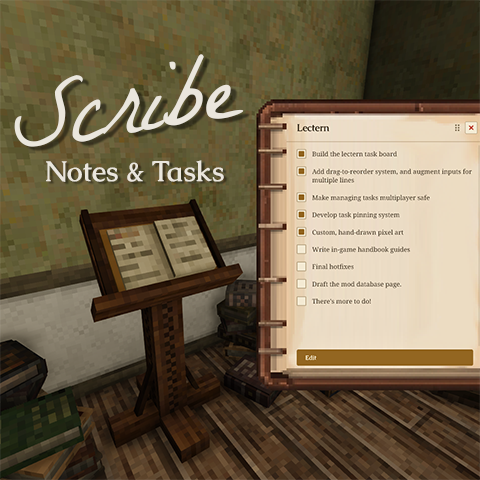 mod
mod Vintage Story
Scribe: Notes & Tasks
Take notes and track tasks in-world. Pin tasks to a persistent HUD. Multiplayer-ready.
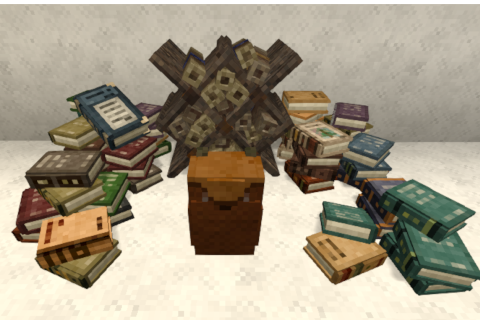 mod
mod Vintage Story
Backpack for books and scrolls
Backpack for books and scrolls. And another for butterflies
 mod
mod Vintage Story
Requiem of Rust UI (RoRUI)
A redo of the background for the UI and sliders dots etc for in game this is an earthy rusty tone.