Vintage Story version
Back to mods 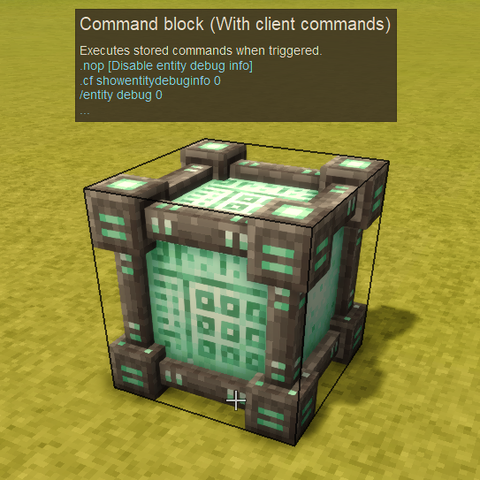
Vintage Story Mod DB · Vintage Story mod
Command Block Client Extension
Overview Recently, one of my favorite blocks is the vanilla Command Block. It even has its own multiline editor with a nice one-click 'copy to clipboard' button! One of its flaws is it completely ignores client commands when running.. why T_T So, I made thi
Choose a version Pick your version below, then grab the matching file.
Quick answer
Which Command Block Client Extension release should I use?
Latest stable file 0.1.0
Game version 1.21.6, 1.22.0-rc.1, 1.22.0-rc.2
Loader Built-in Vintage Story mod system
Command Block Client Extension 0.1.0 targets 1.21.6, 1.22.0-rc.1, 1.22.0-rc.2. It must be installed on the client. Installation on the dedicated server is optional. No extra mods listed for this file.
Where it goes
Is Command Block Client Extension required on the client, server, or both?
It must be installed on the client. Installation on the dedicated server is optional.
Client Required
Dedicated server Optional
Loader for this release Built-in Vintage Story mod system
Required install it here Optional supported, not mandatory Not supported do not install here Source doesn’t say do not assume
This release supports both sides, but the source does not require it on the server.
What else does Command Block Client Extension 0.1.0 need?
0.1.0. Change the file and its required mods may change too.
This file does not list any required mods. Do not add a library just because a different file uses it.
This file does not list any required or optional mods.
Before you install it
Add Command Block Client Extension without breaking your instance.
Built for Command Block Client Extension 0.1.0. Pick another file and the loader, install side or required mods may change.
- 01
Stick to this file
Use 0.1.0. It targets 1.21.6, 1.22.0-rc.1, 1.22.0-rc.2; another release may have different loader, side or dependency requirements.
- 02
Bring the mods it needs
This file does not list any required mods. Do not add a library just because a different file uses it.
- 03
Put it on the correct side
It must be installed on the client. Installation on the dedicated server is optional.
- 04
Pick the file you checked
Use the “Get this file” button beside 0.1.0. It opens that exact file at the source.
About this project
What does Command Block Client Extension add?
Overview
Recently, one of my favorite blocks is the vanilla Command Block.
It even has its own multiline editor with a nice one-click 'copy to clipboard' button!
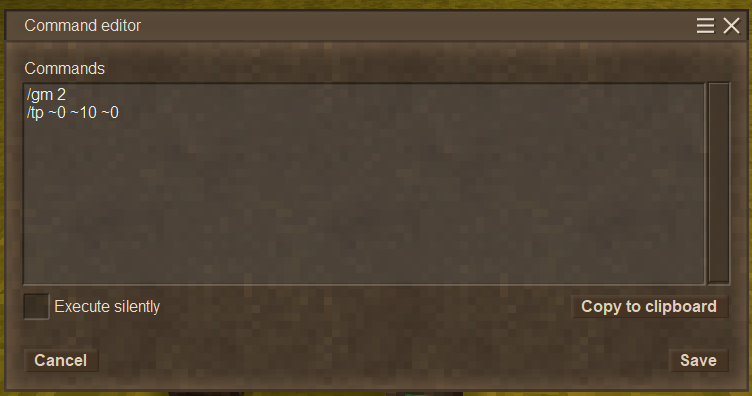
One of its flaws is it completely ignores client commands when running.. why T_T
So, I made this mod that enables client commands in the Command Blocks!
Basic Usage
Usage is the same as usual: Shift+right-click a Command Block to open the editor, and enter server/client commands.
You can mix both.
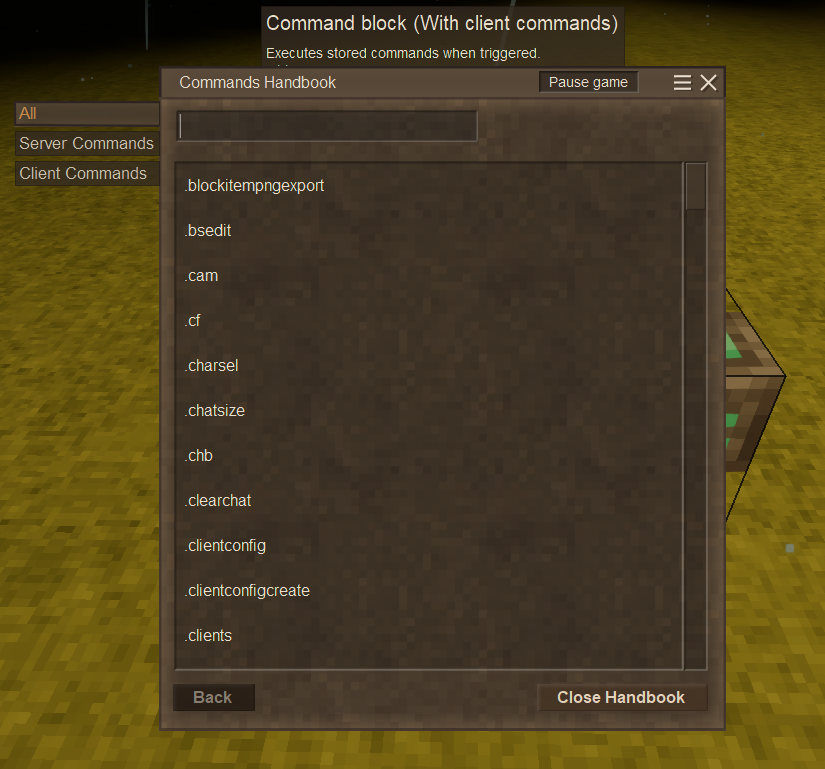
Here, as an example, I entered .chb, which opens the command handbook (very useful!).
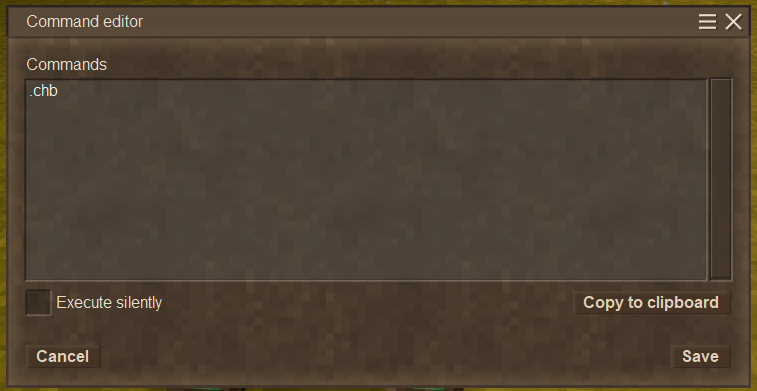
Click 'Save', and right-click the block to run!
Features
Utility Commands
This mod adds some utility commands.
.nop <text>
Does nothing. Can be used for a comment or to enable explicit run (described later) of command blocks.
.echo <text>
Echoes the specified text. Only visible to you, not to other players.
.wait <milliSeconds>
When used in a command block, it waits for specified milliSeconds before running next command.
This is not a standalone command, but a control instruction for command blocks.
Example:
Running /entity debug 1 and .cf showentitydebuginfo 1 enables client/server entity debug info.
You might want to wrap them up in one command block and add a friendly comment and chat message, like:
.nop [Enable entity debug info]
.cf showentitydebuginfo 1
/entity debug 1
.wait 500
.echo <strong>Enabled client/server entity debug info!</strong>
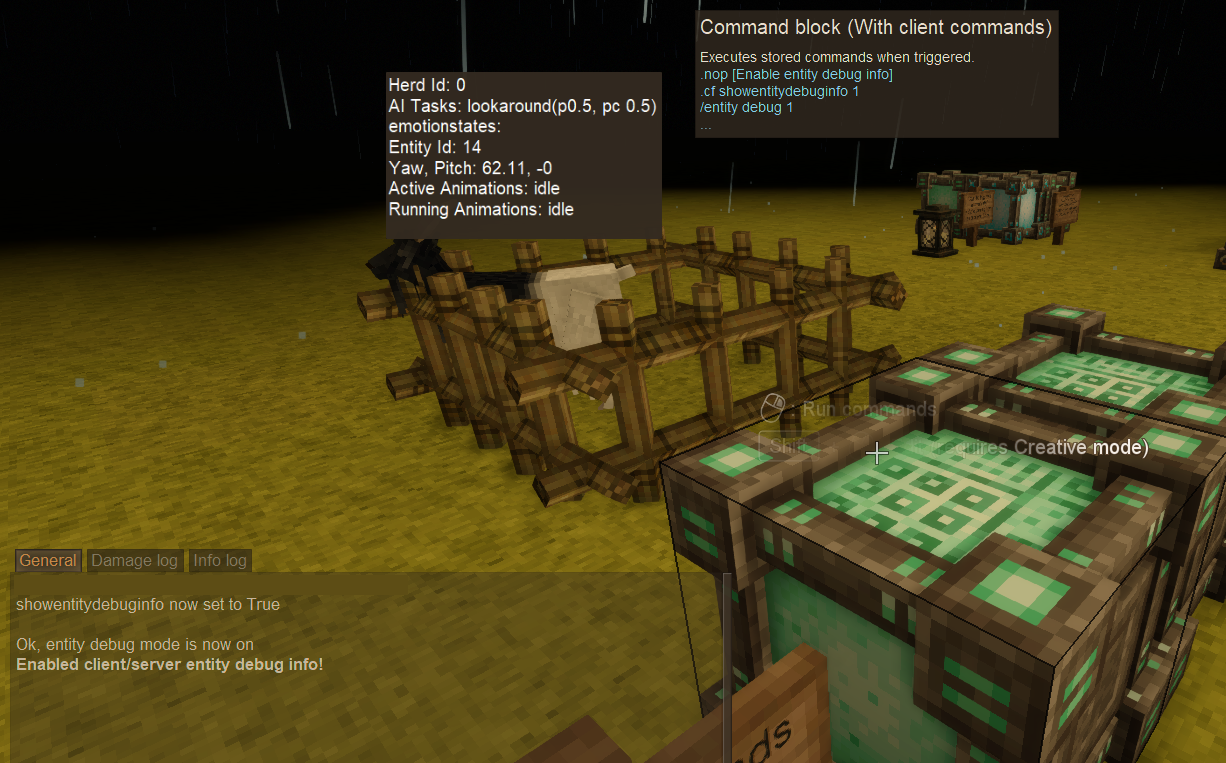
Note that commands do not wait completion of the previous commands; execution order is not guaranteed.
Server commands often finish after client commands, even if they are written before the client commands, but usually inserts .wait like the example is enough to get them work as intended.
The .wait in the example exists to make sure the last message shows up after the server command /entity debug 1 completed.
Try removing the .wait line and running; the last message will be shown before the response of /entity debug 1 !
Command Preview
Now the block info displays saved commands:
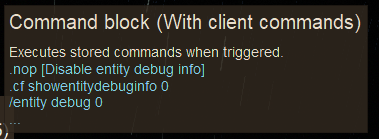
"Pick block" (middle mouse button by default) allows you to obtain a Command Block with its commands and settings
When you do this, the item tooltip also shows the saved commands:
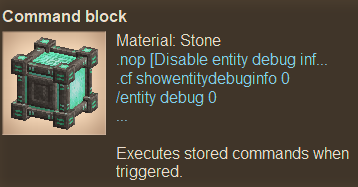
(Breaking the block doesn't save the commands/settings to the dropped block item)
Behavior Details
You might have noticed Command Blocks with client commands behaves slightly differently from those that contain only server commands.
This mod changes their behaviors based on they have client commands or not.
When a Command Block has no client commands...
It behaves the same way as the vanilla default, meaning:
- It can be triggered automatically from Tick Blocks and Conditional Blocks, as well as right-click from players
- Doesn't echo command results in the game. Fails silently.
- Actually it writes the commands triggered to the log
It has '(Default)' notation after the block name, to clarify it's in this 'implicit' mode.

When a Command Block contains client commands...
- It can't be triggered automatically. Only accepts triggering by right-click from players.
- Echoes each command result
- Think of it as running the commands manually, one by one.
- The 'Execute silently' check box in the editor doesn't make sense.
It has '(With client command)' notation after the block name, to clarify it's in this 'explicit' mode.

If you want 'explicit' behavior for server commands, you can simply add a .nop command to make the Command Block explicit.
The two states might have different behaviors for some commands:
For example, /tp ~0 ~10 ~0 teleports you to 10-block above the command block when it's in 'implicit' state.
But in 'explicit' state, /tp ~0 ~10 ~0 teleports you to 10-block above your original position.
Help/Contact
If you encounter any problems or have feature requests, please do one of the following:
- Post in the forum thread for this mod on the Vintage Story Discord server (click Homepage tab on this page).
- Create an issue on the GitHub (click Issue Tracker tab on this page)
These methods align with how I handle reports for other mods (even for other games), making it easier for me to track and respond.
Note: Comments on this page are rarely checked.
Note
Why does this mod modify the vanilla Command Block instead of adding a new block?
Good question :)
Usually I prefer adding new blocks since it's cleaner than modifying vanilla, but this time I wanted to utilize the Command Block mainly in modding.
I often accidentally remove necessary mods from worlds for mod dev.
If this mod adds new command blocks with their own functionality, they'll turn into silent, useless blocks when I accidentally uninstall the mod (technically, VS removes unrecognized BlockEntities when loaded).
That would be a tragedy!
Current implementation changes only behaviors, doesn't change/add any saved data.
So, uninstalling this mod and loading the world doesn't break anything.
Registered commands remain as is since the unchanged vanilla Command Blocks can already hold them.
Usually I prefer adding new blocks since it's cleaner than modifying vanilla, but this time I wanted to utilize the Command Block mainly in modding.
I often accidentally remove necessary mods from worlds for mod dev.
If this mod adds new command blocks with their own functionality, they'll turn into silent, useless blocks when I accidentally uninstall the mod (technically, VS removes unrecognized BlockEntities when loaded).
That would be a tragedy!
Current implementation changes only behaviors, doesn't change/add any saved data.
So, uninstalling this mod and loading the world doesn't break anything.
Registered commands remain as is since the unchanged vanilla Command Blocks can already hold them.
Project description from Vintage Story Mod DB.
Pick your setup
Command Block Client Extension releases for each Vintage Story version.
Choose the version and loader you play, then open the matching release.
Vintage Story version
1.22.6
1 loader buildVintage Story version
1.22.5
1 loader buildVintage Story version
1.22.4
1 loader buildVintage Story version
1.22.3
1 loader buildVintage Story version
1.22.2
1 loader buildVintage Story version
1.22.1
1 loader buildVintage Story version
1.22.0-rc.10
1 loader buildVintage Story version
1.22.0-rc.9
1 loader buildVintage Story version
1.22.0-rc.8
1 loader buildVintage Story version
1.22.0-rc.7
1 loader buildVintage Story version
1.22.0-rc.6
1 loader buildShowing the newest 12 of 19 game versions. Older files are in the list below.
Check the dependencies, then try the file in a copied instance before changing a world you care about.
Recent files
Command Block Client Extension versions and loaders
0.1.0
commandblockclientextmod_0.1.0.zip
18 Jan 2026
Client Required Server Optional Dependencies No extras listed Listed on Release listing
Check the 1.22.7 setup 1.21.61.22.0-rc.11.22.0-rc.21.22.0-rc.3 release
Looking for an older file? The official Vintage Story Mod DB project page is in Resources.
 mod
mod Vintage Story
Leaf Litter
Adds dynamic leaf litter that can be raked, composted, and used as mulch.
 mod
mod Vintage Story
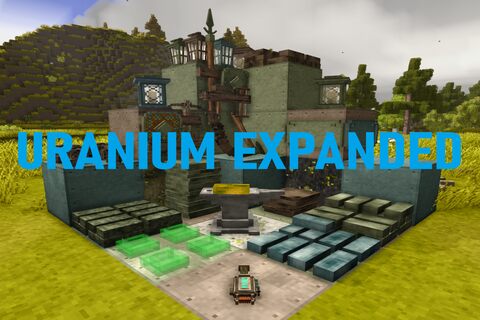
Uranium Expanded (Metals and Tools)
Adds uranium based alloys, uranium glass, tools and uranium fever.
 mod
mod Vintage Story
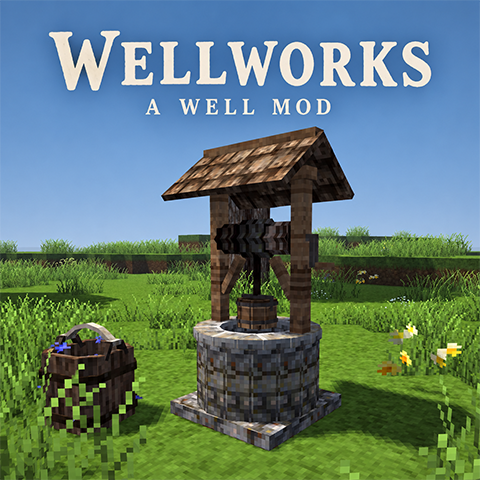
Wellworks
There is water under your feet. Find it, dig for it, or drink from the river and pray.