Vintage Story version
Back to mods 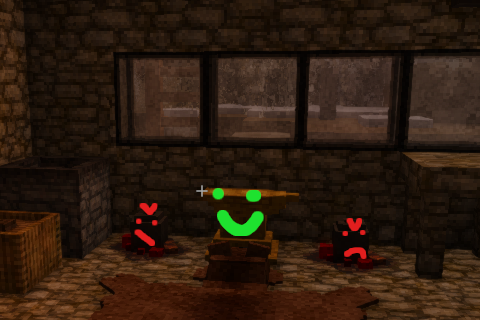
Vintage Story Mod DB · Vintage Story mod
Simple Bit Recovery
"Hey you, are you smithing that pickaxe? Haha, why are you doing that? Don't you know you can just cast the same tool for the same metal price and no hammer durability loss? Don't look at that anvil, it's stealing from you. Come back over here and melt some st
Choose a version Pick your version below, then grab the matching file.
Quick answer
Which Simple Bit Recovery release should I use?
Latest stable file 1.0.8
Game version 1.21.0, 1.21.1-rc.1, 1.21.1-rc.2
Loader Built-in Vintage Story mod system
Simple Bit Recovery 1.0.8 targets 1.21.0, 1.21.1-rc.1, 1.21.1-rc.2. Do not install it on the client. It must be installed on the dedicated server. No extra mods listed for this file.
Where it goes
Is Simple Bit Recovery required on the client, server, or both?
Do not install it on the client. It must be installed on the dedicated server.
Client Not supported
Dedicated server Required
Loader for this release Built-in Vintage Story mod system
Required install it here Optional supported, not mandatory Not supported do not install here Source doesn’t say do not assume
This Vintage Story file is marked server-only.
What else does Simple Bit Recovery 1.0.8 need?
1.0.8. Change the file and its required mods may change too.
This file does not list any required mods. Do not add a library just because a different file uses it.
This file does not list any required or optional mods.
Before you install it
Add Simple Bit Recovery without breaking your instance.
Built for Simple Bit Recovery 1.0.8. Pick another file and the loader, install side or required mods may change.
- 01
Stick to this file
Use 1.0.8. It targets 1.21.0, 1.21.1-rc.1, 1.21.1-rc.2; another release may have different loader, side or dependency requirements.
- 02
Bring the mods it needs
This file does not list any required mods. Do not add a library just because a different file uses it.
- 03
Put it on the correct side
Do not install it on the client. It must be installed on the dedicated server.
- 04
Pick the file you checked
Use the “Get this file” button beside 1.0.8. It opens that exact file at the source.
About this project
What does Simple Bit Recovery add?
"Hey you, are you smithing that pickaxe? Haha, why are you doing that? Don't you know you can just cast the same tool for the same metal price and no hammer durability loss? Don't look at that anvil, it's stealing from you. Come back over here and melt some stuff like a real pro."
~ Big Crucible
In short, this mod does something very similar to Smithing Plus and Metal Recycling in that it lets you get some bits back when you use the anvil. The ways it differs from those mods boil down to basically 3 things:
- In this mod, the bits literally fly off the work item as you hammer. You heard that right, with the power of a single JSON patch to scale the bits down a bit and a bunch of absolutely psychotic code that's way too complex for such a small feature, when you split a cube and proc the bit return, your bit will physically pop off the item from the location you struck. If there's nothing directly above it, it might even fly up a little bit. Oh, and it'll be just as hot as the ingot, so it might burn your fingers if you aren't careful.
- Technically speaking, the amount of bits you get back is deterministic, not random, and configurable (sort of like Smithing Plus but different implementation). On default dettings, you'll get back about 1 bit for every ~2.8 cubes hammered, but you can set that to whatever you like. Anything below 2.1 will absolutely let you dupe though, so don't do that unless you want to really cheat. Also, work items now give back an appropriate amount of bits based on their remaining volume, with a special case to get back the full 40 bits if you somehow plop down a plate and then decide "Nah, actually I'd rather not use this". Actually, I removed that when I realized it would allow a truly determined person to dupe bits and replaced it with yet another coding horror to scan smithing recipes and return appropriate bit amounts when chiseling.
- The only extra things in here are options to allow bit recovery from iron blooms/blister steel (default:off, see config section), a fix to blooms sometimes having less than an ingot of metal (default:on), and a "fix" to the helve hammer being able to make new metal bits from nothing (default:on). No other new mechanics, no new items, just what it says on the tin and some fixes to make it work right. If you're already using fixes to the other mechanics mentioned, you can just turn the ones from this mod off in the config, no problem. They're really just there in case you want to do some stuff with iron bloom bit recovery.
NOTE: If you are using a mod that already does something like this, or allows for adding other non-ingot/plate shapes to work items, it may be possible to dupe bits on default settings. The exact conditions for this are basically if you can add more than 2.1 cubes per metal bit equivalent (a metal piece with better efficiency than adding ingots) then you can probably use the work item breakdown formula to get small bit gains and will need to adjust the BitRecoveryChiselRatio and possibly BitRecoverySmithingModulo settings to compensate. See config section.
Also, if you are using Re-Smeltables, you will be able to dupe bits by re-smelting tool heads. You should consider this mod incompatible with that one due to differences in mechanics.
But aside from that you should be good.

tl;dr Hit metal with hammer, get metal bits.
Config
Straight from the code, here's the config variables with comments (touched up slightly)
Spoiler!
/// <summary>
/// Effectively the ratio of recovered split bits to ingots times 10. A setting of 21 would allow roughly 20 bits to be recovered from 42 split voxels.
/// Default setting of 24 allows for good, but not perfect, bit recovery while smithing.
/// Any value below 21 can hypothetically dupe bits.
/// Any value below 1 is invalid and the game will assume your config is broken and regenerate it.
/// </summary>
public int BitRecoverySmithingModulo = 28;
/// <summary>
/// The exact ratio of bits to voxels to recover when breaking a work item down with a chisel.
/// Default value of 2.1 allows for 20 bits to be recovered from a full ingot, and 38 from a plate.
/// Any value below 2.1 may allow bits to be multiplied through creating work items and chiseling them.
/// Any value below 0 is invalid the game will assume your config is broken and regenerate it.
/// </summary>
public double BitRecoveryChiselRatio = 2.1d;
/// <summary>
/// How fast and far bits will fly from the work item horizontally.
/// Default value of 0.05 is just a little bit of momentum, anything over about 0.3 will be very fast.
/// Set to 0 to disable momentum, though the bits may still move once their collision detects the work item.
/// </summary>
public double BitHorizonalMomentum = 0.05d;
/// <summary>
/// How fast and far bits will fly from the work item vertically.
/// Default value of 0.1 will pop them up a little bit, not too much. Higher values of course will add more momentum.
/// Random roll between BitVerticalMomentumMin and BitVerticalMomentumMax * value.
/// Set to 0 to disable momentum, though the bits may still slide horizontally or gain slight vertical momentum through work item collision.
/// </summary>
public double BitVerticalMomentum = 0.1d;
/// <summary>
/// The minimum possible value of BitVerticalMomentum to use. Default is 0.2, or 20% speed.
/// Typical values should be between 0.0 and 1.0. Negative values may cause strange results.
/// </summary>
public double BitVerticalMomentumMin = 0.2d;
/// <summary>
/// The maximum possible value of BitVerticalMomentum to use. Default is 1.0, or 100% speed.
/// Typical values should be between 0.0 and 1.0. Negative values may cause strange results.
/// </summary>
public double BitVerticalMomentumMax = 1.0d;
/// <summary>
/// This is probably only useful if you have a mod installed that lets you smith ingots. I added it just to be safe.
///
/// When true, ingots always use the vanilla (or otherwise modded) recipe's bit return.
/// NOTE: Normally, they do this anyway, since they have no smithing recipe.
///
/// If this is set to false, ingots are subject to the same BitRecoveryChiselRatio as every other item.
/// On default settings, they will still give 20 bits for a recipe with 42 voxels, but if you reduce
/// that efficiency it will also reduce the storage efficiency of ingots if this setting is false AND you have a smithing recipe for ingots.
/// </summary>
public bool AlwaysUseIngotChiselRecipe = true;
/// <summary>
/// Enables an alternate bloom generation function that ensures a minimum of 42 metal voxels per bloom. Super important if you pair it with the
/// helve hammer fix, and super important for general consistency. The likelihood in vanilla of getting a sub-42 metal voxel bloom is very, very, very low,
/// but not zero. With this, it's zero.
///
/// If you already have a mod with this sort of fix, you can disable this one.
/// </summary>
public bool EnableBloomVoxelFix = true;
/// <summary>
/// Enables a check on blooms to make them not work with the helve hammer unless they have enough material. Again, super important if you're allowing bit recovery
/// from blooms.
///
/// If you already have a mod with this sort of fix, you can disable this one.
/// </summary>
public bool EnableHelveHammerBloomDupeFix = true;
/// <summary>
/// Enables bit drops when a helve hammer does a split operation.
/// Uses EXACTLY the same rules as normal splitting, because it literally just calls the modified split postfix function with appropriate
/// arguments to make it happen. Without other mods or setting changes, this isn't a huge change, it's just one extra bit from plates.
/// With other mods, such as Helve Hammer Extensions, this allows you to properly gain bits back with your auto-crafting shennanigans.
///
/// NOTE: Due to how this is implemented, you MUST have settings on normal splitting that allow bit recovery to get bits here.
/// I'm not sure why you would use this mod and somehow shut off bit recovery with hammers and then also want it on with helve hammers,
/// but if you wanted to do that, you can't. Sorry. You also can't change the bit recovery rates independently because that would be annoying
/// to implement and I don't see the use case for it. Maybe later.
/// </summary>
public bool EnableHelveHammerBitRecovery = true;
/// <summary>
/// Allows you to control which metal bits get returned while hammering a given work item.
/// If a work item has no entry, it will simple return a metal bit corresponding to its material type.
///
/// Mainly, this is intended to allow for things like blister steel giving back steel bits if you want it to, but really you could use it for anything.
/// You can also use it so that certain types of metal bits don't return, by adding an entry like
/// "workitem-blistersteel": ""
/// Which will naturally result in nothing spawning as the code for spawning bits will exist if it can't find an asset with the name provided.
/// You can also use this to control what bits you get back from modded items, if you so desire.
/// Theoretically this could also be used to cheat, like going "workitem-copper": "ingot-gold" if you really wanted to.
/// Invalid work items will simply do nothing, invalid bit items will return nothing, you cannot crash your game with this setting.
///
/// The first value does nothing, it's just there so you can see the format. Most work items are "workitem-{metal}", metal bits are "metalbit-{metal}"
/// The second and third values disable bit recovery from irom blooms and blister steel.
///
/// If you want bit recovery from iron blooms and blister steel, you can change them to
/// "ironbloom": "metalbit-iron",
/// "workitem-blistersteel": "metalbit-blistersteel"
/// Another suggestion, since steel bits cannot be reprocessed without an extra mod, is to change bister steel to
/// "workitem-blistersteel": "metalbit-iron"
/// and steel to
/// "workitem-steel": "metalbit-iron"
/// so that their bits can be turned back into iron, then re-carburized into steel again if desired.
///
/// However, all that is up to you. By default you will just get steel bits to do whatever with.
/// </summary>
public Dictionary<string, string> OnSplitItems = new()
{
{ "workitem-input", "metalbit-output" },
{ "ironbloom", "" },
{ "workitem-blistersteel", "" }
};
/// <summary>
/// Allows you to control which bits you get as output for breaking down any item whose recipe is affected by this mod.
/// This is intended to be paired with OnSplitItems for cases where a metal should return a non-standard bit type.
/// Default value does nothing, it's just there to show the format.
///
/// NOTE: AlwaysUseIngotChiselRecipe must be FALSE for this to affect ingots.
///
/// Example usage; if I wanted steel items to return iron bits (to pair with the suggested split settings above) I could add
/// "workitem-steel": "metalbit-iron",
/// "ingot-steel": "metalbit-iron",
/// "metalplate-steel": "metalbit-iron",
/// "metallamellae-steel": metalbit-iron",
/// "metalchain-steel": "metalbit-iron",
/// "metalscale-steel": "metalbit-iron",
/// "metalrod-steel": "metalbit-iron"
/// to cover all the recipes the mod will see. Obviously this is a bit verbose, but this feature is only for ensuring cross-mod
/// compatibility or for more advanced users to customize their experience. The reason this method was used instead of just
/// changing bits to bits was to ensure that no other recipes are hit by accident. The output COUNT is the same as it would
/// otherwise be, that part is still controlled by how many voxels are in the recipe and such.
///
/// As with the other setting of this type, you can't crash your game with this. Messing up the left side will simply miss the
/// recipe, and messing up the right side will just cause the output type to be unchanged.
/// </summary>
public Dictionary<string, string> BreakdownBitSubstitutions = new()
{
{ "workitem-input", "metalbit-output" }
};
The config is located in %APPDATA%\VintagestoryData\ModConfig or your Unix equivalent, because I couldn't get configlib to work right ¯\_(ツ)_/¯
FAQ
"Hey dude why did you make this when those other mods exist?"
I just wanted it to work this way instead of the other way so I made it. It's really just preference. Also, I like the sort of immersive way the bits come off the work item. Oh, and it took about 8 hours total so... yeah a bit low-effort.
"My custom modded metal doesn't return bits, wtf???"
To get bits back, your bit items must use the prefix "metalbit-" like the vanilla ones. Also if somehow your workitem doesn't use its metal type as its last code part (probably only possible with some weird modding) it'll break. It shouldn't crash though, the mod just won't do anything.
"I don't like the bits being smaller than vanilla, can I change it?"
Yes, just delete the patch file in the assets folder inside the zip. Bigger bits might make the spawning a little jank though, but you shouldn't lose anything.
"Can I make my own version of this? / Where's the License?"
Do whatever you want, no license.
"Will this work on 1.22/<insert even newer versions>?"
For 1.22, maybe. Anything else, it's a crapshoot. Assuming I'm still just as unemployed and bored when 1.22 comes out I'll probably update it if it needs updating. It really depends on exactly how much the BlockEntityAnvil, InventoryCraftingGrid, and ItemIronBloom code changes.
"Is it safe to remove this mod mid-playthrough?"
Almost certainly. The JSON patch doesn't change anything significant and the rest of the code changes are totally removable since they're just behavior. The only thing left behind will potentially be some "voxelCount" attributes on work items but they shouldn't cause any issues since nothing else interacts with them. Let me know if I'm wrong about any of this, by the way, but I'm pretty sure I'm not.
"Why is your source code a zip file on mediafire? Do you not know what Github is?"
I didn't want to put it on my github since mine is related to my name and resume, and I didn't want to make a new github account because I'm lazy. If don't like mediafire and you want to see the source feel free to pop open the .dll with dnSpy (great tool btw, every .NET programmer should use it). I will warn you though, it's not exactly the best code I've ever written. It should build though, all I did was delete the obj folders from my solution directory and zip it.
If it turns out it's okay to just shove the source code into the files section under a low version number I'll do that instead maybe.
"Why are there (at least 2) retracted versions in the files? What was in those?"
I parked this mod in draft mode for a bit while I played with it more in my own game and thought about any possible bugs to fix or improvements to make, so that's why. Didn't stop at least... *checks page* two people from downloading it though. Hmm...
"I found a bug."
Just report it in the comments with your settings. If I've vanished or something, well, I dunno. Mod seems stable to me so I don't think it'll be an issue.
"Your mod broke my game."
It probably didn't but if it did, super sorry about that. Yell at me with the exact specifics of how it's broken and all the angry machine things your game is saying to you when it breaks (like the dreaded EXCEPTIONS and STACK TRACES) and I'll see what I can do.
Credits
Thanks to ilan and jayu for posting up their source code, which I used as a reference for a few things because figuring out exactly how to do the insane reflections to access private variables with Harmony or properly ensure validity before checking a recipe would likely have taken days of trial and error otherwise. Also thanks to PureWinter for the Patch Create Tool which I used to make the quick bits patch here and I also use extensively for small private tweaks to my own game. Yeah that one's gone now, bad luck, luckily you can still use the vanilla tool.
Project description from Vintage Story Mod DB.
Pick your setup
Simple Bit Recovery releases for each Vintage Story version.
Choose the version and loader you play, then open the matching release.
Vintage Story version
1.21.6
1 loader buildVintage Story version
1.21.5
1 loader buildVintage Story version
1.21.4
1 loader buildVintage Story version
1.21.3
1 loader buildVintage Story version
1.21.2-rc.3
1 loader buildVintage Story version
1.21.2-rc.2
1 loader buildVintage Story version
1.21.2-rc.1
1 loader buildVintage Story version
1.21.2
1 loader buildVintage Story version
1.21.1-rc.2
1 loader buildVintage Story version
1.21.1-rc.1
1 loader buildVintage Story version
1.21.1
1 loader buildShowing the newest 12 of 13 game versions. Older files are in the list below.
Check the dependencies, then try the file in a copied instance before changing a world you care about.
Recent files
Simple Bit Recovery versions and loaders
1.0.8
Simple Bit Recovery 1.0.8.zip
6 Mar 2026
Client Not supported Server Required Dependencies No extras listed Listed on Release listing
Check the 1.21.6-rc.1 setup 1.21.01.21.1-rc.11.21.1-rc.21.21.1 release
1.0.7
Simple Bit Recovery 1.0.7.zip
27 Feb 2026
Client Not supported Server Required Dependencies No extras listed Listed on Release listing
Check the 1.21.6-rc.1 setup 1.21.01.21.1-rc.11.21.1-rc.21.21.1 release
1.0.6
Simple Bit Recovery 1.0.6.zip
23 Feb 2026
Client Not supported Server Required Dependencies No extras listed Listed on Release listing
Check the 1.21.6-rc.1 setup 1.21.01.21.1-rc.11.21.1-rc.21.21.1 release
1.0.5
Simple Bit Recovery 1.0.5.zip
23 Feb 2026
Client Not supported Server Required Dependencies No extras listed Listed on Release listing
Check the 1.21.6 setup 1.21.6 release
1.0.4
Simple Bit Recovery 1.0.4.zip
22 Feb 2026
Client Not supported Server Required Dependencies No extras listed Listed on Release listing
Check the 1.21.6 setup 1.21.6 release
1.0.3
Simple Bit Recovery 1.0.3.zip
22 Feb 2026
Client Not supported Server Required Dependencies No extras listed Listed on Release listing
Check the 1.21.6 setup 1.21.6 release
1.0.2
Simple Bit Recovery 1.0.2.zip
22 Feb 2026
Client Not supported Server Required Dependencies No extras listed Listed on Release listing
Check the 1.21.6 setup 1.21.6 release
Looking for an older file? The official Vintage Story Mod DB project page is in Resources.
 mod
mod Vintage Story
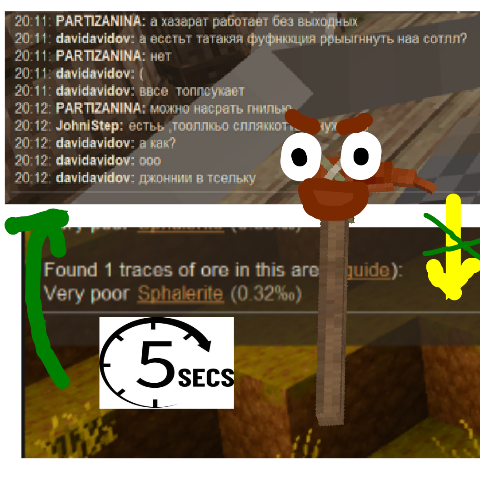
Prospecting Pick Chat Return
After you take a sample with prospecting pick, mod returns you to chat after 5 seconds
 mod
mod Vintage Story
War without reason
PvP has consequences. Even in safe zones.
 mod
mod Vintage Story
Eternal Seraph: Patch
Патч для серверу Вічний Серафим. Patch for the server Eternal Seraph.