QP's Storage Controller Needed by Storage Controller Interface 1.1.2
requiredMatching file found Matched file: 1.2.1
Vintage Story Mod DB · Vintage Story mod
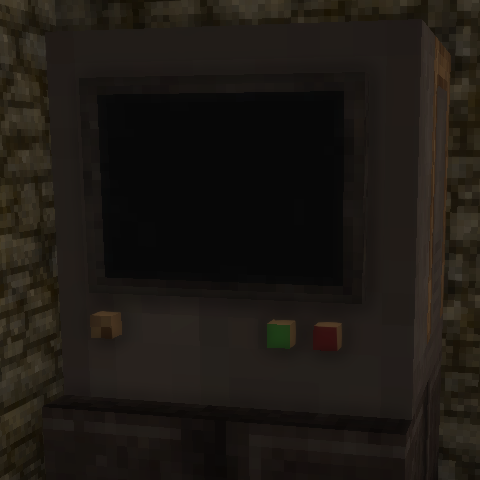
Storage Controller Interface is a companion mod for Storage Controller that lets you place remote access panels anywhere in your base. Right-click an Interface to open the linked controller's full inventory GUI — as if you were standing right in front of
Quick answer
Storage Controller Interface 1.1.2 targets 1.21.0, 1.21.1-rc.1, 1.21.1-rc.2. It must be installed on the client. Installation on the dedicated server is optional. All 1 required mods have matching files.
Where it goes
It must be installed on the client. Installation on the dedicated server is optional.
This release supports both sides, but the source does not require it on the server.
1.1.2. Change the file and its required mods may change too.
Install QP's Storage Controller first. We found matching files for this game-version and loader setup.
We only count dependency files that match this setup. A file for another loader does not fill the gap.
Before you install it
Built for Storage Controller Interface 1.1.2. Pick another file and the loader, install side or required mods may change.
Use 1.1.2. It targets 1.21.0, 1.21.1-rc.1, 1.21.1-rc.2; another release may have different loader, side or dependency requirements.
Install QP's Storage Controller first. We found matching files for this game-version and loader setup.
It must be installed on the client. Installation on the dedicated server is optional.
Use the “Get this file” button beside 1.1.2. It opens that exact file at the source.
About this project
Storage Controller Interface is a companion mod for Storage Controller that lets you place remote access panels anywhere in your base. Right-click an Interface to open the linked controller's full inventory GUI — as if you were standing right in front of it.
Crafting
Shaped recipe in a 3×3 grid:
              [Iron Plate]
[Iron Plate] [Temporal Gear] [Iron Plate]
              [Iron Plate]
4× Iron Plate + 1× Temporal Gear → 1× Storage Controller Interface
The block faces toward you when placed, like a wall panel.
How to Link
To relink to a different controller, just repeat steps 1–2 with the new controller.
Features
Remote access
Open your Storage Controller's inventory from anywhere up to 128 blocks away (configurable). You get the full GUI — sorting, searching, item retrieval — exactly as standing at the controller.
Extended container linking range
Each Interface expands the controller's container-linking range. Chests, crates, and other containers within 8 blocks of any Interface are treated as if they are within the controller's native range. Build satellite storage clusters across your base and link them all back to one controller.
Link All works through Interfaces
Open the controller GUI through an Interface and click Link All — it scans the 8-block zone around that Interface in addition to the controller's own range. No need to carry the linker to each cluster manually.
Clear All is scoped to the Interface
When you open the GUI through an Interface and press Clear All, only containers within that Interface's range are unlinked. Other clusters and the controller's own range are left untouched. Clean up one satellite cluster at a time.
Chute and hopper support
The Interface accepts items from automation (chutes, hoppers) just like a regular container. Items are forwarded into the controller's network every 250ms. Pipe items into a wall-panel Interface and have them sorted without the controller needing to be directly reachable.
Live inventory display
The GUI updates in real-time while it is open. Item counts change as automation pushes things in, new item types appear as new slots, and empty slots disappear — no need to close and reopen.
Range visualisation
Toggle the controller's highlight (Ctrl + left-click with the Storage Linker) and every linked Interface draws a cyan outline cube showing its 8-block coverage zone, with the Interface block itself highlighted magenta. See exactly which area each panel covers at a glance.
Block tooltip
Looking at a linked Interface shows the controller's coordinates, the total number of linked containers, and the controller's slot/crate capacity summary.
Configurable link distance
A config file is generated at ModConfig/storagecontrollerinterface.json on first launch. Server admins and single-player users can change MaxLinkDistance (default: 128) without recompiling.
Notes
Project description from Vintage Story Mod DB.
Pick your setup
Choose the version and loader you play, then open the matching release.
Showing the newest 12 of 13 game versions. Older files are in the list below.
Check the dependencies, then try the file in a copied instance before changing a world you care about.
Recent files
storagecontrollerinterface_1.1.2.zip
11 Apr 2026
storagecontrollerinterface_1.1.1.zip
21 Mar 2026
storagecontrollerinterface_1.1.0.zip
21 Mar 2026
storagecontrollerinterface_1.0.1.zip
13 Mar 2026
Looking for an older file? The official Vintage Story Mod DB project page is in Resources.