Vintage Story version
Back to mods
Vintage Story Mod DB · Vintage Story mod
Apply/Remove Admin Protections to Items & Creatures - Barebones Framework
What it is [[Designed for as a barebones framework for modders to flesh out!]] The mod provides three practical gameplay capabilities in Creative only: • Protect entities from unwanted interaction/damage/motion side effects. • Protect blocks from build/bre
Choose a version Pick your version below, then grab the matching file.
Quick answer
Which Apply/Remove Admin Protections to Items & Creatures - Barebones Framework release should I use?
Latest stable file 0.1.31
Game version 1.22.0
Loader Built-in Vintage Story mod system
Apply/Remove Admin Protections to Items & Creatures - Barebones Framework 0.1.31 targets 1.22.0. It must be installed on the client. Installation on the dedicated server is optional. No extra mods listed for this file.
Where it goes
Is Apply/Remove Admin Protections to Items & Creatures - Barebones Framework required on the client, server, or both?
It must be installed on the client. Installation on the dedicated server is optional.
Client Required
Dedicated server Optional
Loader for this release Built-in Vintage Story mod system
Required install it here Optional supported, not mandatory Not supported do not install here Source doesn’t say do not assume
This release supports both sides, but the source does not require it on the server.
What else does Apply/Remove Admin Protections to Items & Creatures - Barebones Framework 0.1.31 need?
0.1.31. Change the file and its required mods may change too.
This file does not list any required mods. Do not add a library just because a different file uses it.
This file does not list any required or optional mods.
Before you install it
Add Apply/Remove Admin Protections to Items & Creatures - Barebones Framework without breaking your instance.
Built for Apply/Remove Admin Protections to Items & Creatures - Barebones Framework 0.1.31. Pick another file and the loader, install side or required mods may change.
- 01
Stick to this file
Use 0.1.31. It targets 1.22.0; another release may have different loader, side or dependency requirements.
- 02
Bring the mods it needs
This file does not list any required mods. Do not add a library just because a different file uses it.
- 03
Put it on the correct side
It must be installed on the client. Installation on the dedicated server is optional.
- 04
Pick the file you checked
Use the “Get this file” button beside 0.1.31. It opens that exact file at the source.
About this project
What does Apply/Remove Admin Protections to Items & Creatures - Barebones Framework add?
What it is
[[Designed for as a barebones framework for modders to flesh out!]]
The mod provides three practical gameplay capabilities in Creative only:
- Protect entities from unwanted interaction/damage/motion side effects.
- Protect blocks from build/break mutation by normal play actions.
- Toggle those protections in-world with existent workflows.
Those capabilities sound straightforward, but the actual solved problem includes:
- avoiding double-processing when multiple hooks fire for one action,
- reconciling stale versus explicit target selections,
- handling item-first versus world-first routing,
- persisting protection in a way that survives load boundaries,
- and keeping behavior deterministic under networked/server timing realities.
No Touch is a server-authoritative creative protection framework for Vintage Story 1.22+, built to make targeted world-state preservation reliable under real gameplay interaction conditions.
At a glance, it looks simple: lanterns/totems protect blocks and entities. In reality, it solves a deeper systems problem: player intent in Vintage Story is routed through multiple interaction paths, each with different timing and target semantics. No Touch Items exists to bridge that complexity into a predictable, honest gameplay contract: if you apply protection, the server enforces it; if you remove protection, the server removes it; if the game cannot confidently resolve a target, the mod refuses to fake certainty.
This is not a “nice UI wrapper” around a single command. It is an interaction-hardened server framework that keeps protection state coherent across spawn/load cycles, hand routing ambiguity, mixed block/entity selection contexts, and save persistence.
How to use
All lanterns are in offhand. The entity effected is in right hand (hotbar).
- Lantern of Protection (entities)
Protects spawned/targeted entities. - Lantern of Protection (blocks)
Protects blocks when placed with the totem workflow. - Lantern of Protection (existent)
Toggles protection on/off for aimed entity or block.
Needs Stick of Existent Protection in right hand with use (which is in hotbar) - Stick of Existent Protection (optional paired mode)
Used with existent lantern for alternate trigger pose.
3) Existent toggle (most important)
Hold Shift + Right Click to toggle protection.
Valid poses:
- Existent lantern in one hand, other hand empty, or
- Existent lantern in left hand + Stick of Existent Protection in right hand
Result:
- If target is unprotected -> becomes protected
- If target is protected -> protection is removed
4) Block protection
Use the block lantern flow to protect placed blocks.
Protected blocks deny build/break replacement behavior.
5) Entity protection
Use the entity lantern flow to protect entities (creative spawn/use workflows).
Protected entities get No Touch enforcement server-side.
6) Quick verify
Use /nt status and /nt probe to check what the server sees and confirm pose/target/protection state.
7) Troubleshooting
- Confirm server log version matches your latest build.
- Make sure you are in Creative.
- For existent, ensure Shift is held and hand pose is valid.
- If using the partner stick, ensure existent is in left hand and stick in right hand.
If you want, I can also write a one-screen “cheat sheet” version you can paste directly into your mod page.
Design Philosophy
No Touch Items is designed around four non-negotiable principles.
First, server truth is absolute.
Protection state is decided, stored, and enforced by the server. The client can suggest intent through interaction, but does not own authority over protected outcomes.
Second, intent must be explicit.
The mod prefers deliberate interactions (pose checks, modifier checks, strict interaction gating) over permissive convenience that produces accidental toggles or hidden side effects.
Third, diagnostics are part of the product, not an afterthought.
The /nt surface and structured logging exist because this mod intentionally deals with interaction edge-cases. Visibility into those paths is required for trust.
Fourth, composability matters more than cleverness.
The code is organized so modders can fork, strip, or extend without reverse-engineering magic behavior. The constants file acts as contract. Event hooks are explicit. Persistence rules are transparent.
What it is not
No Touch is not a complete ownership/claims political system.
It is not a generalized anti-grief economy.
It is not a territory map overlay.
It is not a giant UI-driven policy suite.
It is a focused server framework for applying and enforcing no-touch semantics on concrete targets in Creative workflows, with robust interaction routing and persistent state integrity.
License / use
Free to use, copy, modify, and redistribute this mod and derived works for any purpose (including commercial packs), provided you credit the original author (Squidbat) in your readme, ModDB page, or in-repo credits so others can find the upstream author for questions, debugging, or merge requests. Provide link to my profile. Same caveat as above regarding formal licenses if you need one
Github Link: https://github.com/19HarryHaller27/-Apply-Remove-Admin-Protections
Project description from Vintage Story Mod DB.
Pick your setup
Apply/Remove Admin Protections to Items & Creatures - Barebones Framework releases for each Vintage Story version.
Choose the version and loader you play, then open the matching release.
Check the dependencies, then try the file in a copied instance before changing a world you care about.
Recent files
Apply/Remove Admin Protections to Items & Creatures - Barebones Framework versions and loaders
0.1.31
notouchitems.zip
27 Apr 2026
Client Required Server Optional Dependencies No extras listed Listed on Release listing
Check the 1.22.0 setup 1.22.0 release
Looking for an older file? The official Vintage Story Mod DB project page is in Resources.
 mod
mod Vintage Story
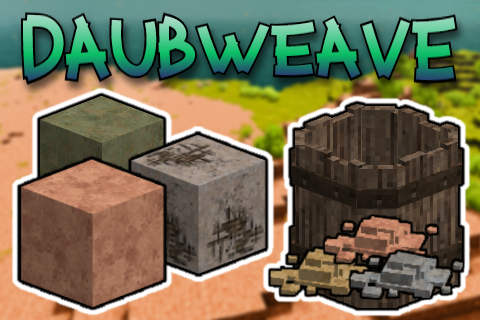
Daubweave
A simple patch to buff daub output, and adds an alternative to craft daub blocks!
 mod
mod Vintage Story
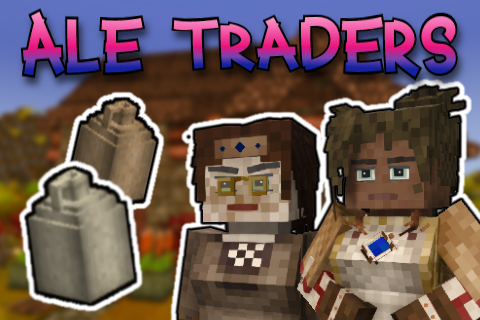
Ale Traders
Adds two alcohol traders, who sell start-up distilling supplies, and buy all your spirits!
 mod
mod Vintage Story
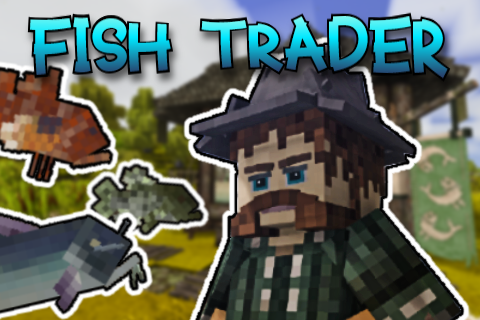
Fish Trader
Adds the fishmonger trader, who sells fishing supplies and taxidermied catches, and buys fish!