Vintage Story version
Back to mods 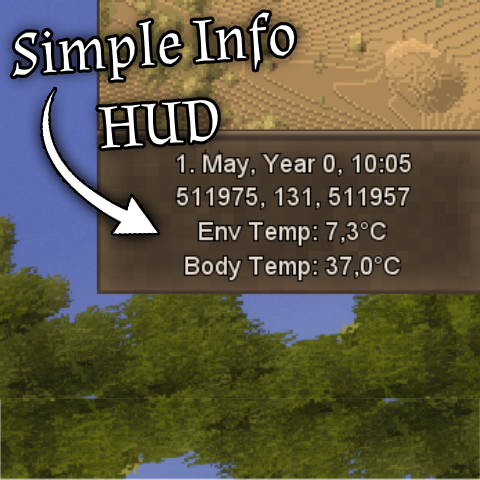
Vintage Story Mod DB · Vintage Story mod
Simple Info HUD (Customizable)
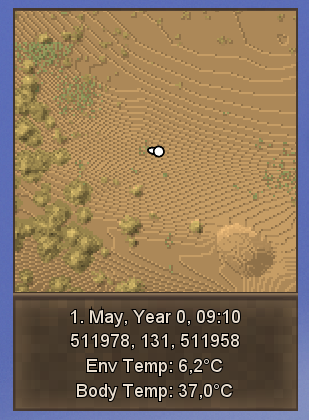
Simple Info HUD (Customizable) A highly customizable, lightweight on-screen interface that displays essential survival information. By default, the HUD is perfectly anchored right under your top-right minimap, preventing annoying overlaps with vanilla UI ele
Choose a version Pick your version below, then grab the matching file.
Quick answer
Which Simple Info HUD (Customizable) release should I use?
Latest stable file 1.2.0
Game version 1.22.0-pre.1, 1.22.0-pre.2, 1.22.0-pre.3
Loader Built-in Vintage Story mod system
Simple Info HUD (Customizable) 1.2.0 targets 1.22.0-pre.1, 1.22.0-pre.2, 1.22.0-pre.3. It must be installed on the client. Do not install it on the dedicated server. No extra mods listed for this file.
Where it goes
Is Simple Info HUD (Customizable) required on the client, server, or both?
It must be installed on the client. Do not install it on the dedicated server.
Client Required
Dedicated server Not supported
Loader for this release Built-in Vintage Story mod system
Required install it here Optional supported, not mandatory Not supported do not install here Source doesn’t say do not assume
This Vintage Story file is marked client-only.
What else does Simple Info HUD (Customizable) 1.2.0 need?
1.2.0. Change the file and its required mods may change too.
This file does not list any required mods. Do not add a library just because a different file uses it.
This file does not list any required or optional mods.
Before you install it
Add Simple Info HUD (Customizable) without breaking your instance.
Built for Simple Info HUD (Customizable) 1.2.0. Pick another file and the loader, install side or required mods may change.
- 01
Stick to this file
Use 1.2.0. It targets 1.22.0-pre.1, 1.22.0-pre.2, 1.22.0-pre.3; another release may have different loader, side or dependency requirements.
- 02
Bring the mods it needs
This file does not list any required mods. Do not add a library just because a different file uses it.
- 03
Put it on the correct side
It must be installed on the client. Do not install it on the dedicated server.
- 04
Pick the file you checked
Use the “Get this file” button beside 1.2.0. It opens that exact file at the source.
About this project
What does Simple Info HUD (Customizable) add?
Simple Info HUD (Customizable)
A highly customizable, lightweight on-screen interface that displays essential survival information.
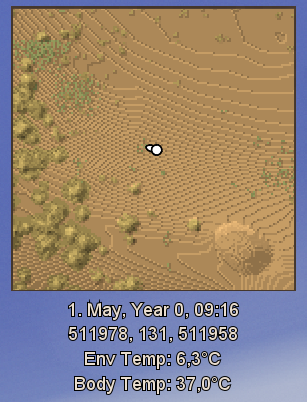
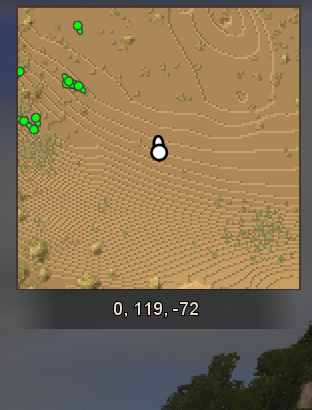
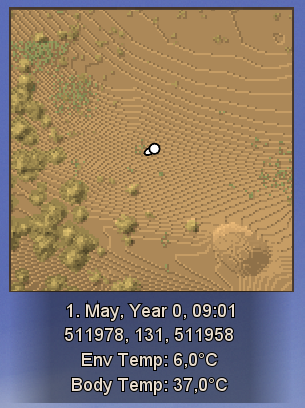
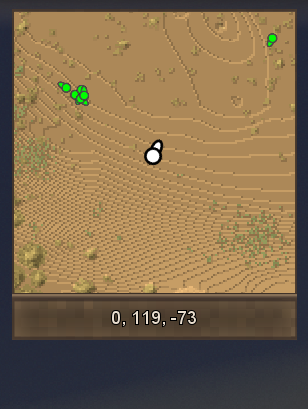
By default, the HUD is perfectly anchored right under your top-right minimap, preventing annoying overlaps with vanilla UI elements (like the default coordinate/time text) and keeping your screen clean and organized!
✨ Features
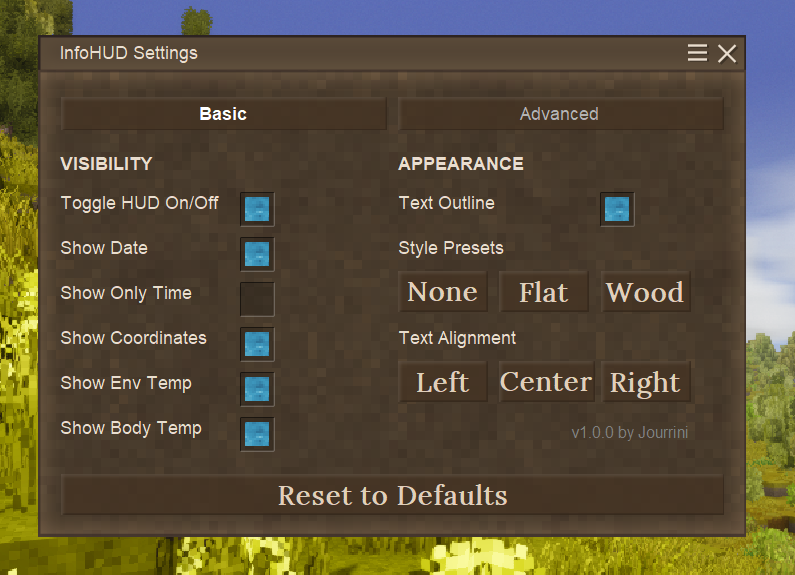
- Fully Customizable Visibility: Easily toggle exactly what you want to see on your screen:
- Date
- Time
- Coordinates (X, Y, Z)
- Environment Temperature
- Body Temperature
- In-Game Settings Menu: No need to mess with JSON config files! Press `Ctrl + H` or type `.infohud` in the chat to open a beautiful, easy-to-use settings menu.
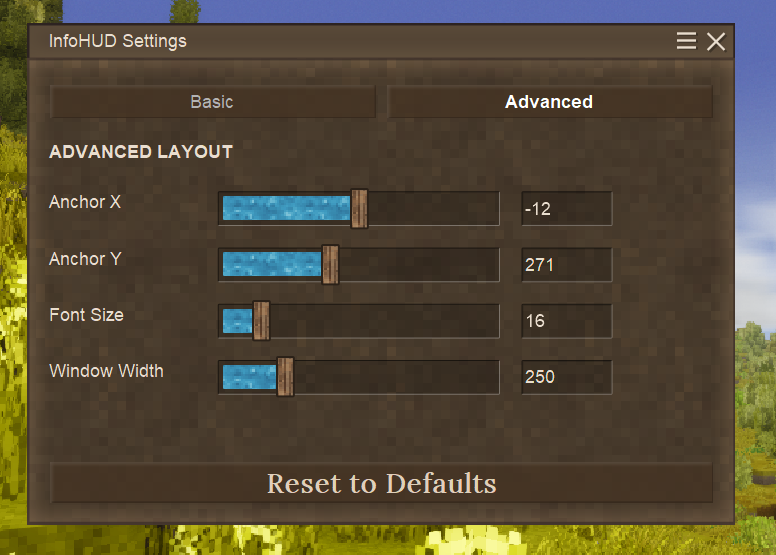
- Visual Presets & Styling: Choose between three background styles: None, Flat (semi-transparent gradient), or Wood (vanilla themed window). You can also adjust the window width, text alignment (Left, Center, Right), and font size.
- Freely Moveable: Don't want it under the minimap? Use the X and Y anchor sliders in the Advanced tab to place the HUD exactly where you want it on your screen.
- Master Toggle: Quickly turn the entire HUD on or off with a single click.
[Examples Preview]
[Settings Menu Preview]
DEFAULT KEYBIND: 'Ctrl + H'
Command: '.infohud'
*Developed by Jourrini*
*Feedback and suggestions are welcome in the comments!*
Project description from Vintage Story Mod DB.
Pick your setup
Simple Info HUD (Customizable) releases for each Vintage Story version.
Choose the version and loader you play, then open the matching release.
Vintage Story version
1.22.1
1 loader buildVintage Story version
1.22.0-rc.10
1 loader buildVintage Story version
1.22.0-rc.9
1 loader buildVintage Story version
1.22.0-rc.8
1 loader buildVintage Story version
1.22.0-rc.7
1 loader buildVintage Story version
1.22.0-rc.6
1 loader buildVintage Story version
1.22.0-rc.5
1 loader buildVintage Story version
1.22.0-rc.4
1 loader buildVintage Story version
1.22.0-rc.3
1 loader buildVintage Story version
1.22.0-rc.2
1 loader buildVintage Story version
1.22.0-rc.1
1 loader buildShowing the newest 12 of 18 game versions. Older files are in the list below.
Check the dependencies, then try the file in a copied instance before changing a world you care about.
Recent files
Simple Info HUD (Customizable) versions and loaders
1.2.0
VintageSimpleInfoHUD_v1.2.0.zip
7 May 2026
Client Required Server Not supported Dependencies No extras listed Listed on Release listing
Check the 1.22.2 setup 1.22.0-pre.11.22.0-pre.21.22.0-pre.31.22.0-pre.4 release
1.1.0
VintageSimpleInfoHUD_v1.1.0.zip
1 May 2026
Client Required Server Not supported Dependencies No extras listed Listed on Release listing
Check the 1.22.2 setup 1.22.0-pre.11.22.0-pre.21.22.0-pre.31.22.0-pre.4 release
1.0.0
SimpleInfoHUD_minimap_v1.0.0.zip
1 May 2026
Client Required Server Not supported Dependencies No extras listed Listed on Release listing
Check the 1.22.1 setup 1.22.0-pre.11.22.0-pre.21.22.0-pre.31.22.0-pre.4 release
Looking for an older file? The official Vintage Story Mod DB project page is in Resources.
mod
Vintage Story
Spiro Loading Screen
Custom loading screen with server-side world preloading and chunk readiness checks.
 mod
mod Vintage Story
SpecializedBags Revived
Specialty bags that only hold items related to their bag type.
mod
Vintage Story
Packrat + MoreInventorys Compat
Makes MoreInventorys contents show up in Packrat's hotkey window, and adds quick stack and sorting.