Vintage Story version
Back to mods 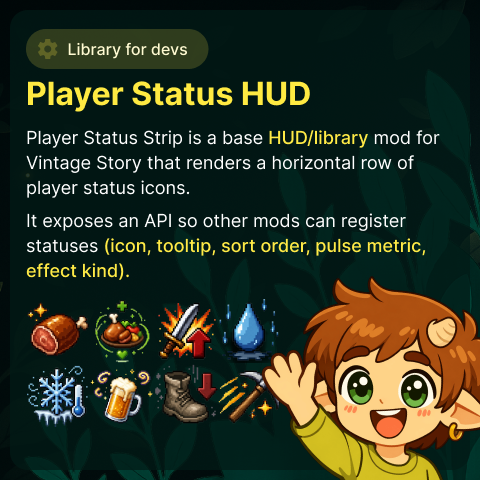
Vintage Story Mod DB · Vintage Story mod
Player Status HUD
Player Status HUD Developer-focused status HUD library for Vintage Story Current public release: 1.2.0 Player Status HUD is a reusable HUD layer and API for mods that need player-facing status icons with tooltips and animation semantics. It is designed for
Choose a version Pick your version below, then grab the matching file.
Quick answer
Which Player Status HUD release should I use?
Latest stable file 1.0.1
Game version 1.22.0, 1.22.1, 1.22.2
Loader Built-in Vintage Story mod system
Player Status HUD 1.0.1 targets 1.22.0, 1.22.1, 1.22.2. It must be installed on the client. Installation on the dedicated server is optional. No extra mods listed for this file.
Where it goes
Is Player Status HUD required on the client, server, or both?
It must be installed on the client. Installation on the dedicated server is optional.
Client Required
Dedicated server Optional
Loader for this release Built-in Vintage Story mod system
Required install it here Optional supported, not mandatory Not supported do not install here Source doesn’t say do not assume
This release supports both sides, but the source does not require it on the server.
What else does Player Status HUD 1.0.1 need?
1.0.1. Change the file and its required mods may change too.
This file does not list any required mods. Do not add a library just because a different file uses it.
This file does not list any required or optional mods.
Before you install it
Add Player Status HUD without breaking your instance.
Built for Player Status HUD 1.0.1. Pick another file and the loader, install side or required mods may change.
- 01
Stick to this file
Use 1.0.1. It targets 1.22.0, 1.22.1, 1.22.2; another release may have different loader, side or dependency requirements.
- 02
Bring the mods it needs
This file does not list any required mods. Do not add a library just because a different file uses it.
- 03
Put it on the correct side
It must be installed on the client. Installation on the dedicated server is optional.
- 04
Pick the file you checked
Use the “Get this file” button beside 1.0.1. It opens that exact file at the source.
About this project
What does Player Status HUD add?
Player Status HUD
Developer-focused status HUD library for Vintage Story
Current public release: 1.2.0
Player Status HUD is a reusable HUD layer and API for mods that need player-facing status icons with tooltips and animation semantics. It is designed for integration first: provider-based data model, stable ids, deterministic merge behavior, and production-safe defaults.
Mods using this library
Integrators can treat these mods as live demos of the Player Status HUD API in production gameplay.
- Hydrate or Diedrate Visualized — reference integration for different debufst wchich mod provide.
- SlowTox Visualized — reference integration for intoxication and effect statuses.
Production contract
UseMockStatuses=falseby default.- Mock tooling exists for development, but no placeholder statuses appear unless explicitly enabled/run.
- Integration mods can ship without exposing test-only states to players.
Why use this library
| Stable runtime API | Register providers once and stream statuses per frame via IStatusStripProvider. |
| Deterministic merge | Sorted by SortOrder + StableId; duplicate id policy is predictable (last provider wins). |
| Semantic motion | Built-in Neutral / Positive / Negative affect kinds for meaningful animation feedback. |
| Config-first layout | HUD alignment and icon geometry are user-configurable without changing code. |
Quick integration
Minimal client-side bootstrap:
var baseSys = api.ModLoader.GetModSystem<PlayerStatusStrip.PlayerStatusStripModSystem>();
IStatusStripHudApi? stripApi = baseSys?.StatusApi;
if (stripApi == null) return;
stripApi.RegisterProvider(myProvider);
Provider contract: append StatusDescriptor entries in Collect(), keep ids stable across frames, unregister on unload.
Configuration surfaces
- Layout:
ModConfig/playerstatusstrip-hudlayout.json— icon size/gap, anchor behavior, row baseline locking, profile settings, draw order. - Dev:
ModConfig/playerstatusstrip-dev.json— `DevMode`, `UseMockStatuses`. - Runtime reload: press F8 for layout reload feedback in chat.
Dev testing scenarios
Scenario ids for regression and UX checks:
meal mining combat weather recovery buzz
Commands: /stripmock list, /stripmock run <id>, /stripmock stop.
What integrators get
- A stable provider-based API for publishing status icons with tooltips and effect semantics.
- A configurable HUD surface that players can tune without changing your integration code.
- A built-in setup wizard for first-run layout selection (corner, inset, size, spacing).
- Fast in-game verification flow via F8 (layout reload) and Ctrl+F8 (wizard).
- Production-safe defaults: no mock visuals unless explicitly enabled in dev config.
Documentation index
- API:
PlayerStatusStrip/docs/PLAYER_STATUS_STRIP_API.md - Dev guide:
PlayerStatusStrip/docs/PLAYER_STATUS_STRIP_DEV_GUIDE.md - Integration quick links: start with
PLAYER_STATUS_STRIP_API.md, then use.striplayout show+Ctrl+F8to validate your provider in-game.
Release metadata (version, modid, dependencies) is sourced from modinfo.json.
Built for Teotale
Created for the Teotale Vintage Story server ecosystem. Learn more at www.teotale.com.
If you are building server-side systems or gameplay mods, Player Status HUD gives you a shared status HUD contract for consistent UX.
Project description from Vintage Story Mod DB.
Pick your setup
Player Status HUD releases for each Vintage Story version.
Choose the version and loader you play, then open the matching release.
Vintage Story version
1.22.1
1 loader buildVintage Story version
1.22.0
1 loader buildCheck the dependencies, then try the file in a copied instance before changing a world you care about.
Recent files
Player Status HUD versions and loaders
1.0.1
playerstatushud-v1.0.1-moddb.zip
8 May 2026
Client Required Server Optional Dependencies No extras listed Listed on Release listing
Check the 1.22.2 setup 1.22.01.22.11.22.2 release
1.0.0
playerstatushud-v1.0.0-moddb.zip
7 May 2026
Client Source doesn’t say Server Source doesn’t say Dependencies No extras listed Listed on Release listing
Check the 1.22.2 setup 1.22.01.22.11.22.2 release
0.1.33
playerstatushud-v0.1.33-moddb.zip
6 May 2026
Client Source doesn’t say Server Source doesn’t say Dependencies No extras listed Listed on Release listing
Check the 1.22.2 setup 1.22.01.22.11.22.2 release
0.1.29
playerstatushud-v0.1.29-moddb.zip
6 May 2026
Client Source doesn’t say Server Source doesn’t say Dependencies No extras listed Listed on Release listing
Check the 1.22.2 setup 1.22.01.22.11.22.2 release
0.1.25
playerstatushud-v0.1.25-moddb.zip
6 May 2026
Client Source doesn’t say Server Source doesn’t say Dependencies No extras listed Listed on Release listing
Check the 1.22.2 setup 1.22.01.22.11.22.2 release
0.1.24
playerstatushud-v0.1.24-moddb.zip
6 May 2026
Client Source doesn’t say Server Source doesn’t say Dependencies No extras listed Listed on Release listing
Check the 1.22.2 setup 1.22.01.22.11.22.2 release
Looking for an older file? The official Vintage Story Mod DB project page is in Resources.