Vintage Story version
Back to mods 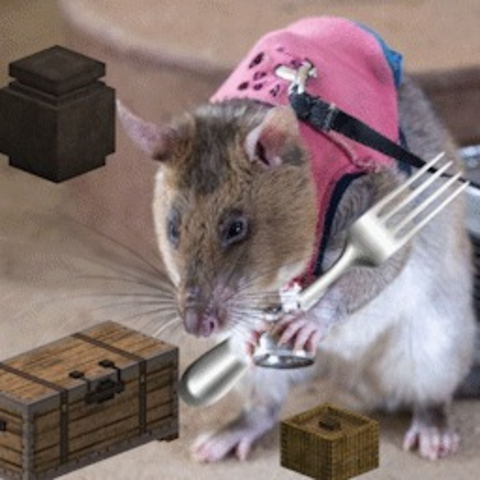
Vintage Story Mod DB · Vintage Story mod
Packrat Fork
Packrat Fork — Storage Browser Fork of the original mod by dizzyd — GitHub View, search, and sort the contents of all nearby containers at once — perfect for the compulsive hoarder in all of us. What is a pack rat? The term "pack rat" comes from the North
Choose a version Pick your version below, then grab the matching file.
Quick answer
Which Packrat Fork release should I use?
Latest stable file 1.1.6
Game version 1.22.0, 1.22.1, 1.22.2
Loader Built-in Vintage Story mod system
Packrat Fork 1.1.6 targets 1.22.0, 1.22.1, 1.22.2. It must be installed on the client. Installation on the dedicated server is optional. No extra mods listed for this file.
Where it goes
Is Packrat Fork required on the client, server, or both?
It must be installed on the client. Installation on the dedicated server is optional.
Client Required
Dedicated server Optional
Loader for this release Built-in Vintage Story mod system
Required install it here Optional supported, not mandatory Not supported do not install here Source doesn’t say do not assume
This release supports both sides, but the source does not require it on the server.
What else does Packrat Fork 1.1.6 need?
1.1.6. Change the file and its required mods may change too.
This file does not list any required mods. Do not add a library just because a different file uses it.
This file does not list any required or optional mods.
Before you install it
Add Packrat Fork without breaking your instance.
Built for Packrat Fork 1.1.6. Pick another file and the loader, install side or required mods may change.
- 01
Stick to this file
Use 1.1.6. It targets 1.22.0, 1.22.1, 1.22.2; another release may have different loader, side or dependency requirements.
- 02
Bring the mods it needs
This file does not list any required mods. Do not add a library just because a different file uses it.
- 03
Put it on the correct side
It must be installed on the client. Installation on the dedicated server is optional.
- 04
Pick the file you checked
Use the “Get this file” button beside 1.1.6. It opens that exact file at the source.
About this project
What does Packrat Fork add?
Packrat Fork — Storage Browser
Fork of the original mod by dizzyd — GitHub
View, search, and sort the contents of all nearby containers at once — perfect for the compulsive hoarder in all of us.
What is a pack rat?
The term "pack rat" comes from the North American woodrat, famous for collecting and storing an eclectic variety of objects in its nest. Like its namesake, any dedicated Vintage Story player eventually accumulates room after room of carefully organized — or not-so-carefully organized — supplies.
Packrat helps you find what you need without opening every chest.
Features
| One-key browsing | Press R to open a unified view of all containers within 5 blocks. |
| Room detection | In an enclosed room, opens everything regardless of line-of-sight. In open areas, requires visibility to each container. |
| Container highlighting | Each container's slots are color-coded so you always know which chest or crate holds what. |
| Search & filter | Type to filter by item name, block material (stone, wood, metal), or food category (protein, grain, vegetable). Press / to focus the search box instantly. |
| Sorting | Sort all slots by name (A–Z), category, material, or spoilage time. Re-clicking the same sort mode re-sorts after item changes. Empty slots can be shown or hidden via the toggle. |
| Smart transfers | Shift-click prioritizes crates with matching items, then empty crates, then chests. |
| Crate awareness | Respects single-item-type restrictions and shows ghost items in empty crate slots. |
How to use
- Build a storage room with chests and/or crates.
- Press R (rebindable in controls) while standing inside.
- Browse the unified grid — colored backgrounds indicate different containers.
- Use the search box (or press /) to filter by item name, material, or food category.
- Use the sort dropdown to order slots by name, category, material, or spoilage time.
- Toggle Show Empty (appears while a sort mode is active) to hide or show empty slots.
- Click or shift-click to move items as usual.
Packrat respects reinforced and locked containers — if you can't open it normally, Packrat won't open it either.
Sort modes
| None | Original container order, grouped by container. |
| A–Z | Alphabetical by item display name. |
| Category | Grouped by type: tools, weapons, food, clothing, blocks, resources. |
| Material | Grouped by material (copper, iron, wood, stone, …). |
| Perishable | Soonest-to-expire items first; non-perishables at the end. |
Mod compatibility
Packrat works out of the box with vanilla chests and crates, plus these storage mods:
- ContainersBundle
- BetterCrates
- StorageController
- Primitive Survival (tree hollows)
- MoreInventorys (racks, closed crate & basket)
Adding support for other storage mods
The list of supported container types lives in a config file, so you can add support for another storage mod yourself — no new Packrat release needed.
On first start Packrat creates an empty VintagestoryData/ModConfig/packratfork/containers.json. Entries you add there are merged on top of Packrat's built-in list (which always ships current with each release). Each entry looks like this:
{
  "Type": "SomeMod.BlockEntityFancyChest",
  "NeedsPatch": false,
  "DirectAccess": false,
  "HiddenLeadingSlots": 0,
  "HiddenLeadingSlotsField": null
}
| Type | Full .NET type name of the container's block entity (find it in crash logs or with a decompiler like ILSpy). |
| NeedsPatch | true if the type has its own OnReceivedServerPacket override that opens its dialog on the vanilla OpenInventory packet. Prevents the mod's own window from popping up during browsing. |
| DirectAccess | true if the container never sends the vanilla OpenInventory packet (custom network protocol, or contents already synced). Without it, browsing waits 3 seconds for a packet that never arrives. |
| HiddenLeadingSlots | Number of leading inventory slots to hide in the browser (for inventories whose first slots aren't storage, e.g. slots holding the container blocks themselves). |
| HiddenLeadingSlotsField | Instead of a fixed number: name of a public int field on the inventory class to read the hidden-slot count from at runtime. Overrides HiddenLeadingSlots when the field exists. |
Typical starting point for a normal chest-like container: just Type with everything else at defaults. If the mod's own dialog opens together with the browser, set NeedsPatch: true. If the browser only opens after a 3-second delay, set DirectAccess: true.
Entries for mods that aren't installed are ignored, so it's safe to keep them in the file. If you get a mod working this way, please open an issue with your entry so it can be added to the defaults for everyone.
The config file only holds your entries — built-in mod support always comes with Packrat itself, so updates never require touching your file. An entry with the same Type as a built-in one replaces it; add one with "Enabled": false to turn a built-in off.
Project description from Vintage Story Mod DB.
Pick your setup
Packrat Fork releases for each Vintage Story version.
Choose the version and loader you play, then open the matching release.
Vintage Story version
1.22.4
1 loader buildVintage Story version
1.22.3
1 loader buildVintage Story version
1.22.2
1 loader buildVintage Story version
1.22.1
1 loader buildVintage Story version
1.22.0
1 loader buildCheck the dependencies, then try the file in a copied instance before changing a world you care about.
Recent files
Packrat Fork versions and loaders
1.1.6
packratfork_1.1.6.zip
25 Jul 2026
Client Required Server Optional Dependencies No extras listed Listed on Release listing
Check the 1.22.5 setup 1.22.01.22.11.22.21.22.3 release
1.1.5
packratfork_1.1.5.zip
24 Jul 2026
Client Source doesn’t say Server Source doesn’t say Dependencies No extras listed Listed on Release listing
Check the 1.22.4 setup 1.22.01.22.11.22.21.22.3 release
1.1.4
packratfork_1.1.4.zip
21 Jul 2026
Client Source doesn’t say Server Source doesn’t say Dependencies No extras listed Listed on Release listing
Check the 1.22.4 setup 1.22.01.22.11.22.21.22.3 release
1.1.3
packratfork_1.1.3.zip
22 May 2026
Client Source doesn’t say Server Source doesn’t say Dependencies No extras listed Listed on Release listing
Check the 1.22.3 setup 1.22.01.22.11.22.21.22.3 release
1.1.2
packratfork_1.1.2.zip
16 May 2026
Client Source doesn’t say Server Source doesn’t say Dependencies No extras listed Listed on Release listing
Check the 1.22.2 setup 1.22.2 release
1.1.1
packratfork_1.1.1.zip
15 May 2026
Client Source doesn’t say Server Source doesn’t say Dependencies No extras listed Listed on Release listing
Check the 1.22.2 setup 1.22.2 release
1.1.0
packratfork_1.1.0.zip
15 May 2026
Client Source doesn’t say Server Source doesn’t say Dependencies No extras listed Listed on Release listing
Check the 1.22.2 setup 1.22.2 release
Looking for an older file? The official Vintage Story Mod DB project page is in Resources.