Vintage Story version
Back to mods 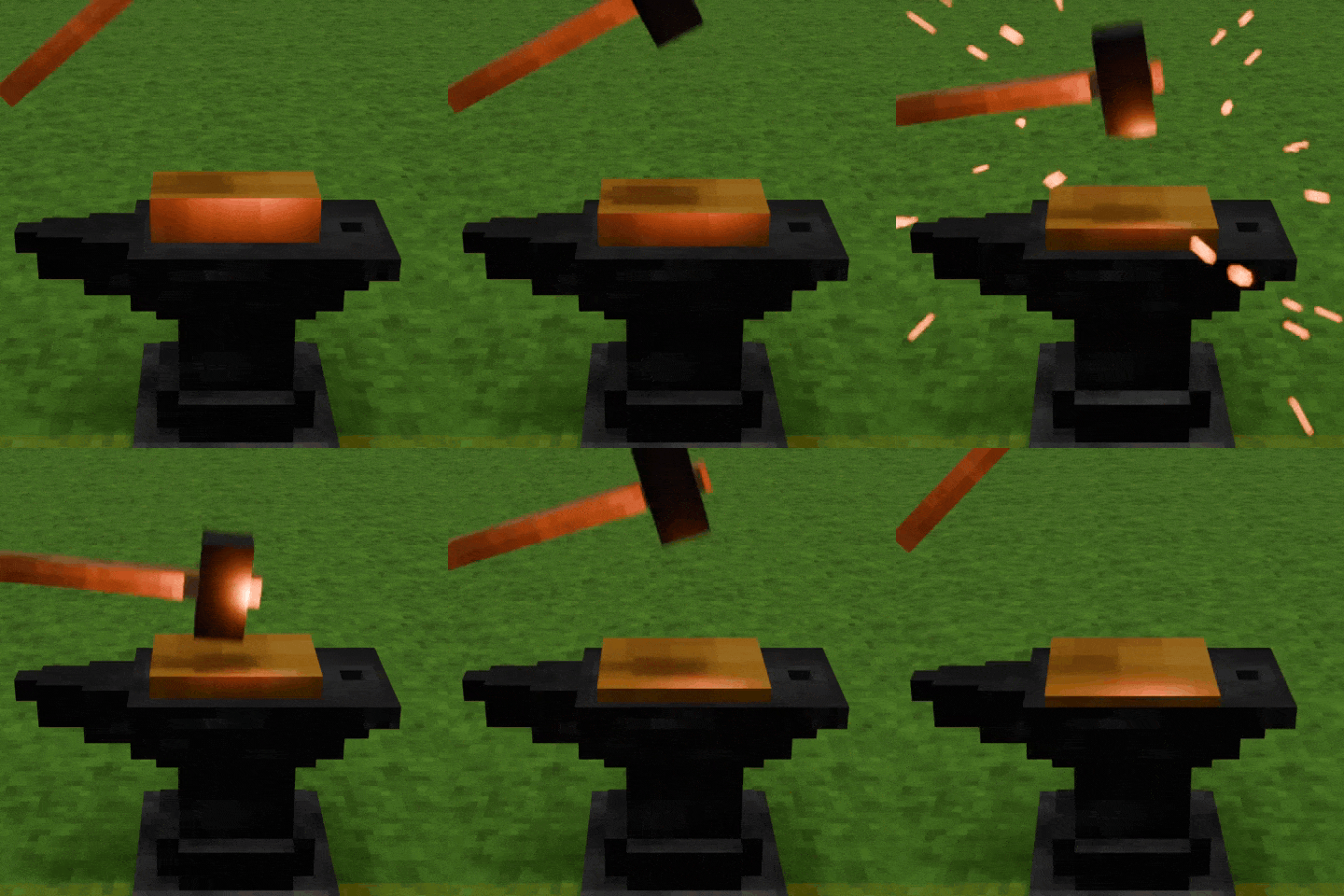
Vintage Story Mod DB · Vintage Story mod
Automatic forging
VINTAGE STORY 1.22.7 · CLIENT-SIDE Automatic Forging Let the mod do the repetitive hammering for you. Basic ingot recipes are already recorded and ready to use. You do not need to record them yourself—just heat the metal and start forging. How to use an
Choose a version Pick your version below, then grab the matching file.
Quick answer
Which Automatic forging release should I use?
Latest stable file 0.8.1
Game version 1.22.7
Loader Built-in Vintage Story mod system
Automatic forging 0.8.1 targets 1.22.7. It must be installed on the client. Do not install it on the dedicated server. No extra mods listed for this file.
Where it goes
Is Automatic forging required on the client, server, or both?
It must be installed on the client. Do not install it on the dedicated server.
Client Required
Dedicated server Not supported
Loader for this release Built-in Vintage Story mod system
Required install it here Optional supported, not mandatory Not supported do not install here Source doesn’t say do not assume
This Vintage Story file is marked client-only.
What else does Automatic forging 0.8.1 need?
0.8.1. Change the file and its required mods may change too.
This file does not list any required mods. Do not add a library just because a different file uses it.
This file does not list any required or optional mods.
Before you install it
Add Automatic forging without breaking your instance.
Built for Automatic forging 0.8.1. Pick another file and the loader, install side or required mods may change.
- 01
Stick to this file
Use 0.8.1. It targets 1.22.7; another release may have different loader, side or dependency requirements.
- 02
Bring the mods it needs
This file does not list any required mods. Do not add a library just because a different file uses it.
- 03
Put it on the correct side
It must be installed on the client. Do not install it on the dedicated server.
- 04
Pick the file you checked
Use the “Get this file” button beside 0.8.1. It opens that exact file at the source.
About this project
What does Automatic forging add?
VINTAGE STORY 1.22.7 · CLIENT-SIDE
Automatic Forging
Let the mod do the repetitive hammering for you.
Basic ingot recipes are already recorded and ready to use. You do not need to record them yourself—just heat the metal and start forging.
How to use an included macro
For the basic ingot recipes that come with the mod, no recording is needed.
1. Heat an ingot and put a hammer in your hotbar.
↓
2. Press B to turn Auto Forge on.
↓
3. Place the hot metal on an anvil and choose the recipe you want to forge.
↓
4. The mod automatically plays the matching macro.
↓
5. Keep forging as many items as you need; Auto Forge stays on.
↓
6. When you are finished, press B again to turn Auto Forge off.
How to record a new macro
Use this when a recipe is not included—for example, one added by another mod.
1. Open the macro menu with F2.
↓
2. Enter a name for your new macro.
↓
3. Choose whether the recording should be universal or specific using the checkbox.
↓
4. Press Start and close the menu.
↓
5. Place the heated metal on the anvil, select the recipe and forge the item yourself.
↓
6. Open F2 again and press Save. Check the recipe binding in the menu.
↓
7. Your macro is ready. Turn on Auto Forge with B if needed, then select the recipe to use it.
If needed, select a macro and recipe in the menu and use Bind. You can also test or unbind a macro there.
Where to click in the F2 menu
This is an illustration of the menu, not an interactive window. The numbered marks show the recording controls. On a narrow screen, scroll the illustration sideways.
Smithing Macro idle · ready · auto off X
| Recorder idle |
Auto B off |
Target none |
| Recorded macros Delete
Available recordings Spearhead
Hammer
|
Anvil recipes
⑤ Search recipes…
All | Bound | Unbound
Ingot: Copper spearhead
Ingot: Iron spearhead
|
Active bindings
Current links Spearhead → Spearhead
|
Actions
| ① macro-name | ③ Start | ④ Save | Cancel | Bind | Unbind | Test | B OFF | X |
Speed ━━━━━━━━ ② ☐ Bind to specific recipe
Macro: none · Recipe: none · Bound: none
① Enter a name · ② If a specific record is needed · ③ Press Start
After forging the item, open F2 again and press ④ Save. Use ⑤ to search recipes and the filters below it to see which are bound.
Universal or specific?
The same item can sometimes have a different forging shape depending on the metal. A recording that works for one metal may not work for another.
Universal — checkbox off: One recording can be used for different metals when their forging shapes are compatible.
Specific — checkbox on: Use this when a recipe needs its own recording. It will be bound to that recipe and metal.
Example:
A universal spearhead macro may work for iron, while copper can have a different shape. Record a specific copper spearhead macro, and the universal one remains available for iron and other compatible metals.
Automatic Forging uses a specific macro first; if there is none for the selected recipe, it falls back to the universal one. Both are stored separately, so one does not replace the other.
The macro menu
Press F2 to search recipes, filter them by binding status, record and test macros, change their bindings or adjust playback speed. The menu is available in English, Ukrainian and Russian.
Good to know
- Heat metal yourself: the mod does not automatically reheat it. If a macro needs more metal during forging, keep heated material in the hotbar.
- Different recipes or metals may have different shapes. If a universal macro does not fit, record a specific one.
- Plate macros are planned for a future update. Iron bloom forging is currently unavailable.
- The mod is client-side and does not need to be installed on the server.
Project description from Vintage Story Mod DB.
Pick your setup
Automatic forging releases for each Vintage Story version.
Choose the version and loader you play, then open the matching release.
Vintage Story version
1.22.2
1 loader buildCheck the dependencies, then try the file in a copied instance before changing a world you care about.
Recent files
Automatic forging versions and loaders
0.8.1
SmithingMacroDebug.zip
14 Nov 2026
Client Required Server Not supported Dependencies No extras listed Listed on Release listing
Check the 1.22.7 setup 1.22.7 release
0.8.0
SmithingMacroDebug.zip
14 Nov 2026
Client Required Server Not supported Dependencies No extras listed Listed on Release listing
Check the 1.22.7 setup 1.22.7 release
0.7.47
SmithingMacroDebug.zip
18 Oct 2026
Client Required Server Not supported Dependencies No extras listed Listed on Release listing
Check the 1.22.7 setup 1.22.7 release
0.7.46
SmithingMacroDebug.zip
20 May 2026
Client Required Server Not supported Dependencies No extras listed Listed on Release listing
Check the 1.22.2 setup 1.22.2 release
Looking for an older file? The official Vintage Story Mod DB project page is in Resources.
 mod
Vintage Story
Mineral Piles
Allows stacking minerals in dense ground piles up to 64 items per block.
 mod
Vintage Story
BetterMods
Mod profiles, a version picker, mod DB updates and saved world playstyles for the Mods screen.
 mod
Vintage Story
Backrooms: Survival Story
Wake in the Backrooms with nothing. Scavenge, build a home. Make a life. 30+ levels, 35+ entities.