Vintage Story version
Back to mods 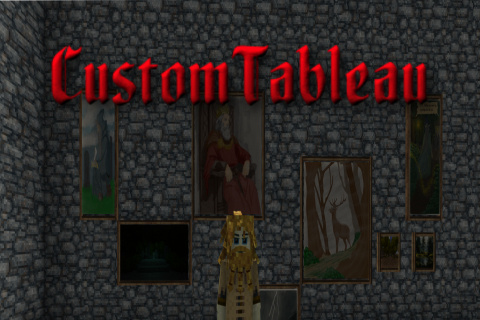
Vintage Story Mod DB · Vintage Story mod
CustomTableau
Hotfix 1.6.8 Fixed overlapping crafting recipes for the wooden custom paintings. Some recipes could appear correctly in the handbook but craft the wrong painting format, for example a horizontal 2x1 painting producing a full 1x1 painting. All painting format
Choose a version Pick your version below, then grab the matching file.
Quick answer
Which CustomTableau release should I use?
Latest stable file 1.7.2
Game version 1.22.7
Loader Built-in Vintage Story mod system
CustomTableau 1.7.2 targets 1.22.7. It must be installed on the client. Do not install it on the dedicated server. No extra mods listed for this file.
Where it goes
Is CustomTableau required on the client, server, or both?
It must be installed on the client. Do not install it on the dedicated server.
Client Required
Dedicated server Not supported
Loader for this release Built-in Vintage Story mod system
Required install it here Optional supported, not mandatory Not supported do not install here Source doesn’t say do not assume
This Vintage Story file is marked client-only.
What else does CustomTableau 1.7.2 need?
1.7.2. Change the file and its required mods may change too.
This file does not list any required mods. Do not add a library just because a different file uses it.
This file does not list any required or optional mods.
Before you install it
Add CustomTableau without breaking your instance.
Built for CustomTableau 1.7.2. Pick another file and the loader, install side or required mods may change.
- 01
Stick to this file
Use 1.7.2. It targets 1.22.7; another release may have different loader, side or dependency requirements.
- 02
Bring the mods it needs
This file does not list any required mods. Do not add a library just because a different file uses it.
- 03
Put it on the correct side
It must be installed on the client. Do not install it on the dedicated server.
- 04
Pick the file you checked
Use the “Get this file” button beside 1.7.2. It opens that exact file at the source.
About this project
What does CustomTableau add?
Hotfix 1.6.8
Fixed overlapping crafting recipes for the wooden custom paintings.
Some recipes could appear correctly in the handbook but craft the wrong painting format, for example a horizontal 2x1 painting producing a full 1x1 painting. All painting formats now use distinct recipe layouts, so the crafted result should match the handbook entry.
This update only changes recipes. Already placed paintings are not affected.
Hotfix 1.6.7
Fixed the landscape 3×2 painting being offset by half a block.
The frame, dynamic image, wooden backing, caption plaque, selection area, and multiblock footprint are now correctly aligned.
This also prevents neighboring paintings from overlapping its occupied space.
Previously placed 3×2 paintings may need to be broken and placed again.
1.4.5 Hotfix
- Fixed missing plank sound warning.
- Improved Shift + Right Click menu detection.
- Added empty-hand right click fallback.
- Improved menu opening on multi-block paintings.
Update Description - CustomTableaux 1.7.2
Spoiler!
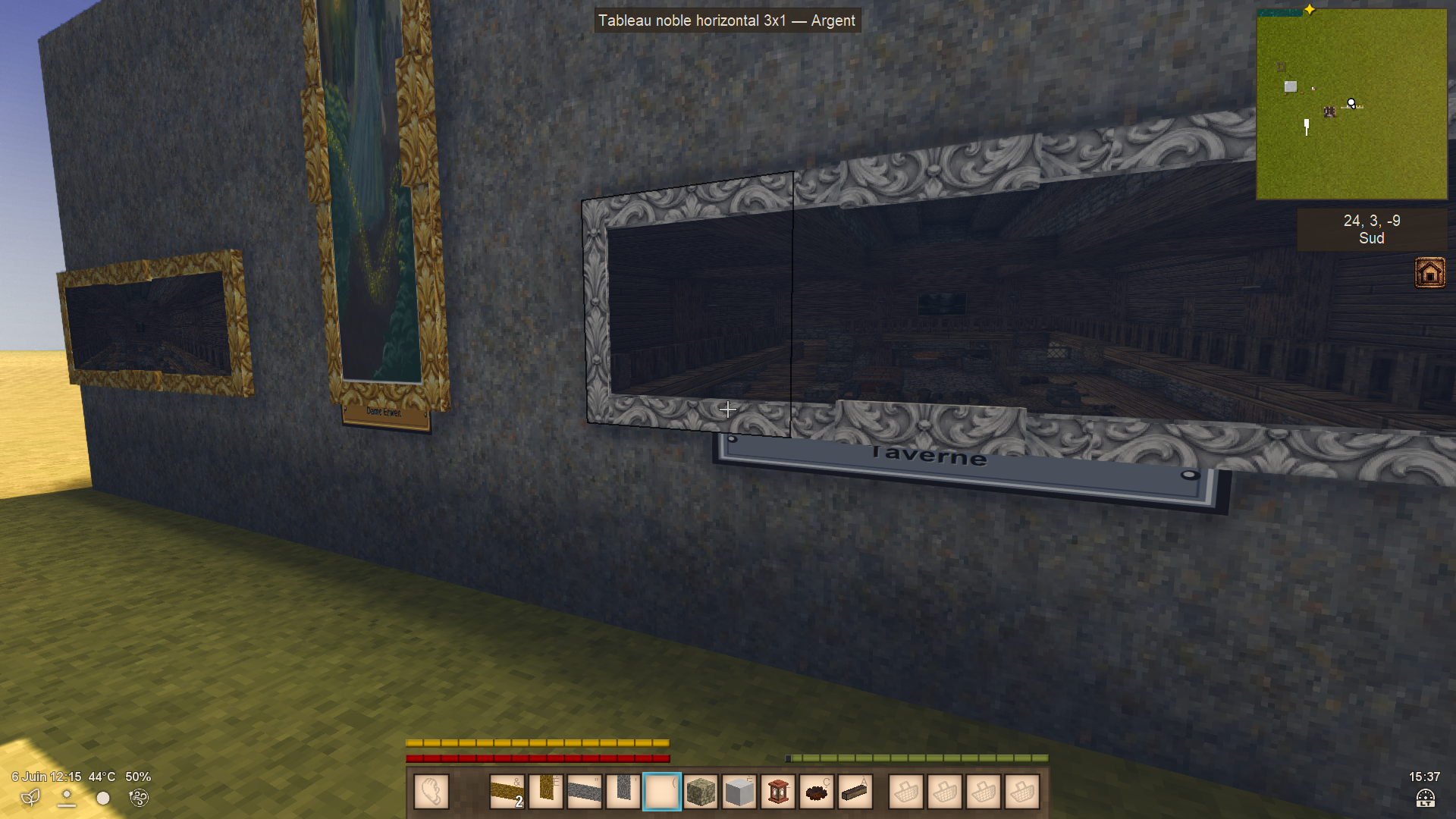
New elegant gold and silver picture frames
Update Description - CustomTableaux 1.6.5
Spoiler!
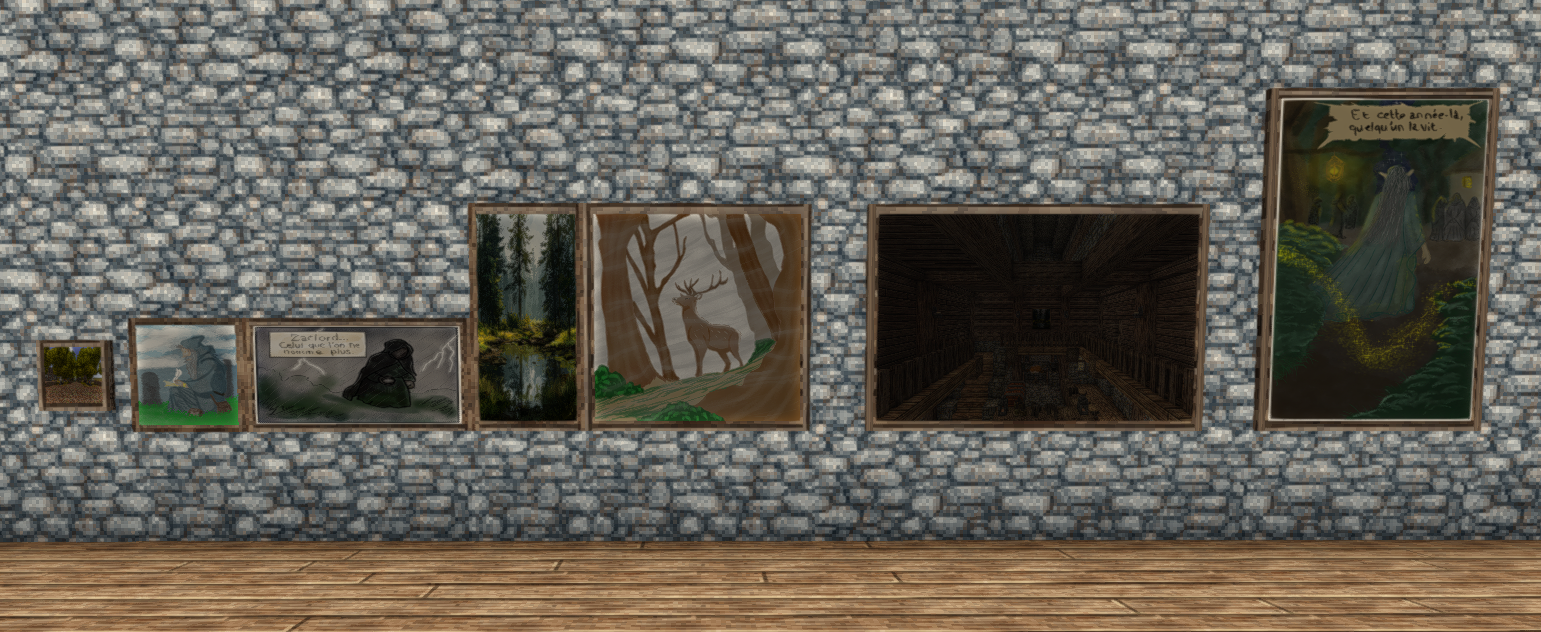
- Added 14 frame variants based on vanilla wood planks.
- Added three formats: full 1×1, landscape 3×2, and portrait 2×3.
- Crafting recipes now preserve the selected wood type.
- Added complete format and wood names to the creative inventory.
- Added wooden backing panels matching each frame.
- Fixed image alignment in the portrait 2×3 format.
- Added automatic PNG gallery refreshing:
- Newly added images appear when reopening the painting interface.
- Removed images disappear without restarting the game.
- Replaced images can be reapplied immediately.
- Preserved compatibility with paintings already placed in existing worlds.
- Existing persistent PNG galleries, captions, and interactions remain supported.
Update Description - CustomTableaux 1.5.1
Spoiler!
CustomTableaux 1.5.1 adds several quality-of-life and customization improvements.
New Persistent User Paintings Folder
Custom images are no longer loaded from inside the mod zip.
The mod now automatically creates and uses a persistent folder:
VintagestoryData/ModConfig/CustomTableaux/userpaintings/Place your .png images in this folder.
This prevents custom images from being removed or overwritten when updating the mod.
Images are still detected when the game starts, so restart Vintage Story after adding or replacing PNG files.
New Painting Plaques
Paintings can now display an optional wooden plaque below the frame.
When editing a placed painting, the interface now includes a text field for plaque text. The text is saved individually for each placed painting, just like the selected image.
If no text is entered, no plaque is displayed.
Improved Painting Selection Interface
The image selection menu has been redesigned and enlarged.
Changes include:
- larger interface window;
- wider image dropdown;
- wider plaque text input;
- better spacing between buttons;
- separated Apply and Cancel buttons;
- improved text handling for plaques.
Improved Plaque Text Rendering
Plaque text now automatically adjusts its font size to fit better on the plaque. Longer text is handled more cleanly and may be shortened with ... if needed.
Important Upgrade Note
If you used an older version of CustomTableaux, move your custom PNG images from the old mod folder:
assets/customtableaux/textures/userpaintings/to the new persistent folder:
VintagestoryData/ModConfig/CustomTableaux/userpaintings/After moving the files, restart the game.
Compatibility
This version targets Vintage Story 1.22.3.
CustomTableau
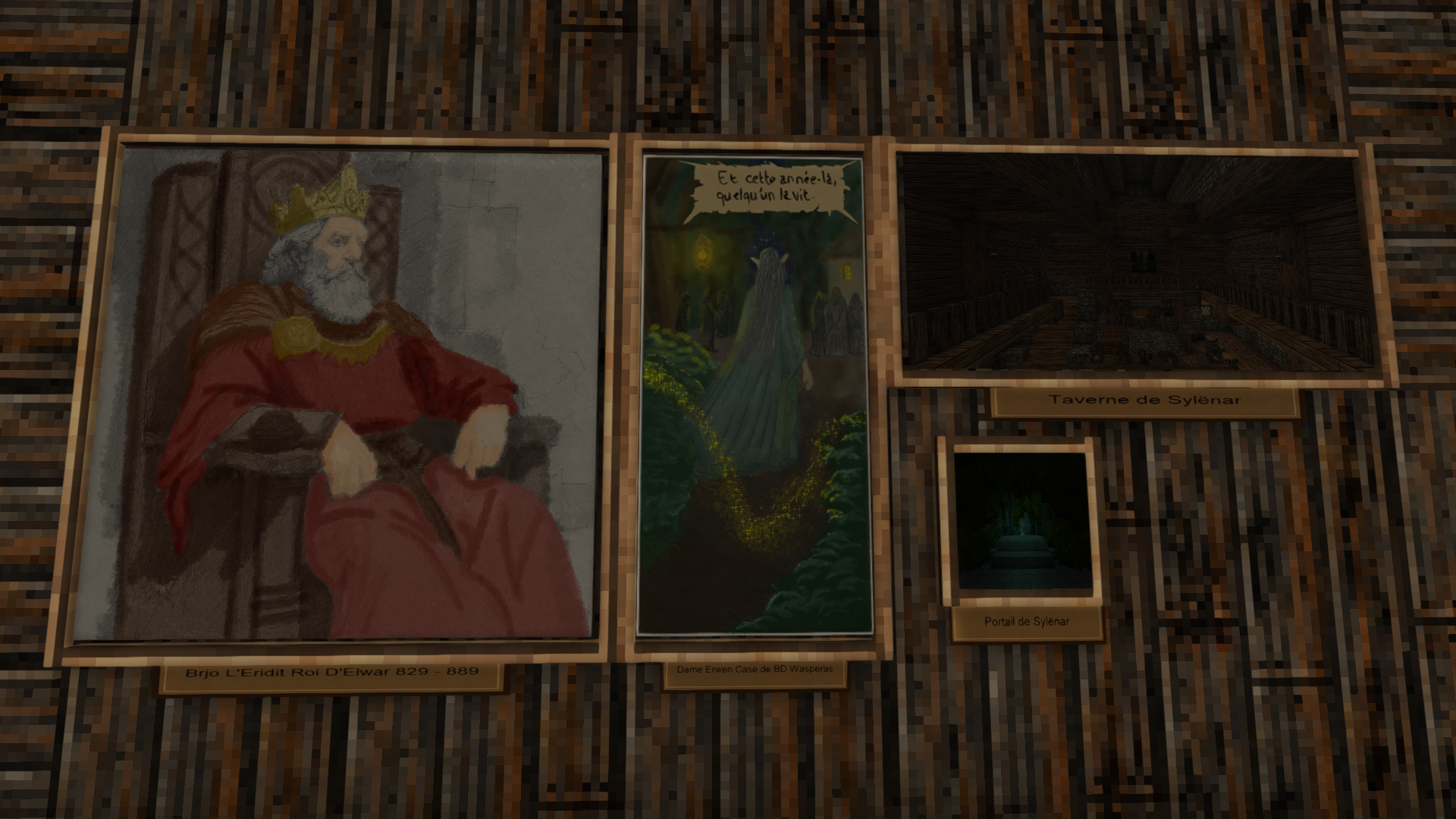
CustomTableau is a lightweight decorative mod for Vintage Story that adds customizable wall paintings to the game.
Its goal is simple: let players display their own PNG images directly in the world as placeable decorative paintings. The mod is designed to stay simple, immersive, and easy to use, without replacing vanilla paintings.
Current Features
-
Adds several custom painting formats:
- small painting;
- square painting;
- horizontal painting;
- vertical painting.
-
Paintings can be placed on walls.
-
Each placed painting can display its own image.
-
Images are loaded from a folder inside the mod.
-
Players can add their own .png files without editing the mod code.
-
Shift + right click on a placed painting opens an image selection menu.
-
The selected image is saved individually for each placed painting.
-
Includes survival crafting recipes.
-
Recipes support vanilla planks and linen/cloth materials.
-
Uses a simple wooden frame for an immersive look.
-
Does not overwrite or replace vanilla paintings.
How It Works
Place a custom painting on a wall, then Shift + right click it to open the image selection menu.
The menu lists the PNG images found in the mod’s user painting folder. After selecting an image, it will be applied only to that specific painting. Other paintings of the same type will not change.
This allows players to build personalized galleries, decorated homes, museums, libraries, taverns, castles, map rooms, or story-focused builds.
Adding Custom Images
Place your .png files in this folder:
assets/customtableaux/textures/userpaintings/You can use any filename you want. You do not need to replace existing images or follow a fixed naming system.
Example filenames:
my_castle.png
queen_portrait.png
world_map.png
travel_memory.png
After adding, removing, or replacing images, restart Vintage Story so the mod can detect them.
Recommended image sizes:
Small painting: 128x128 or 256x256
Square painting: 512x512
Horizontal painting: 512x256 or 768x384
Vertical painting: 256x512 or 384x768
Images must be in .png format.
Mod Philosophy
CustomTableau is designed to be:
- lightweight;
- immersive;
- simple to use;
- survival friendly;
- fully customizable by the player;
- separate from vanilla paintings;
- free from unnecessary complexity.
The goal is not to add a complicated system, but to provide a clean and flexible way for players to decorate their worlds with their own images.
Possible Future Features
Future additions could include:
- more wooden frame variants;
- frameless wall art;
- larger wall painting formats;
- image categories;
- favorite images in the selection menu;
- noble or decorative frame recipes;
- a reload command for newly added images;
- optional brightness adjustment for darker images.
----------------------------------------------------------------------------------------------------------------------------------------------
For best performance, use optimized game textures (72–96 DPI recommended).
Very large print-quality images (300 DPI / extremely heavy PNGs) may cause temporary freezes while the game loads the texture.
-----------------------------------------------------------------------------------------------------------------------------------------------
Project description from Vintage Story Mod DB.
Pick your setup
CustomTableau releases for each Vintage Story version.
Choose the version and loader you play, then open the matching release.
Vintage Story version
1.22.5
1 loader buildVintage Story version
1.22.3
1 loader buildVintage Story version
1.22.2
1 loader buildCheck the dependencies, then try the file in a copied instance before changing a world you care about.
Recent files
CustomTableau versions and loaders
1.7.2
CustomTableaux-1.7.2.zip
14 Sept 2026
Client Required Server Not supported Dependencies No extras listed Listed on Release listing
Check the 1.22.7 setup 1.22.7 release
1.6.9
CustomTableaux-1.6.9.zip
27 Jul 2026
Client Required Server Not supported Dependencies No extras listed Listed on Release listing
Check the 1.22.5 setup 1.22.5 release
1.6.8
CustomTableaux-1.6.8.zip
1 Jul 2026
Client Required Server Not supported Dependencies No extras listed Listed on Release listing
Check the 1.22.3 setup 1.22.3 release
1.6.7
CustomTableaux-1.6.7.zip
20 Jun 2026
Client Required Server Not supported Dependencies No extras listed Listed on Release listing
Check the 1.22.3 setup 1.22.3 release
1.6.5
CustomTableaux-1.6.5.zip
18 Jun 2026
Client Required Server Not supported Dependencies No extras listed Listed on Release listing
Check the 1.22.3 setup 1.22.3 release
1.5.1
CustomTableaux-1.5.1.zip
30 May 2026
Client Required Server Not supported Dependencies No extras listed Listed on Release listing
Check the 1.22.3 setup 1.22.3 release
1.4.5
CustomTableaux-1.4.5.zip
27 May 2026
Client Required Server Not supported Dependencies No extras listed Listed on Release listing
Check the 1.22.2 setup 1.22.2 release
1.4.4
CustomTableaux-1.4.4.zip
27 May 2026
Client Required Server Not supported Dependencies No extras listed Listed on Release listing
Check the 1.22.2 setup 1.22.2 release
Looking for an older file? The official Vintage Story Mod DB project page is in Resources.