Vintage Story version
Back to mods 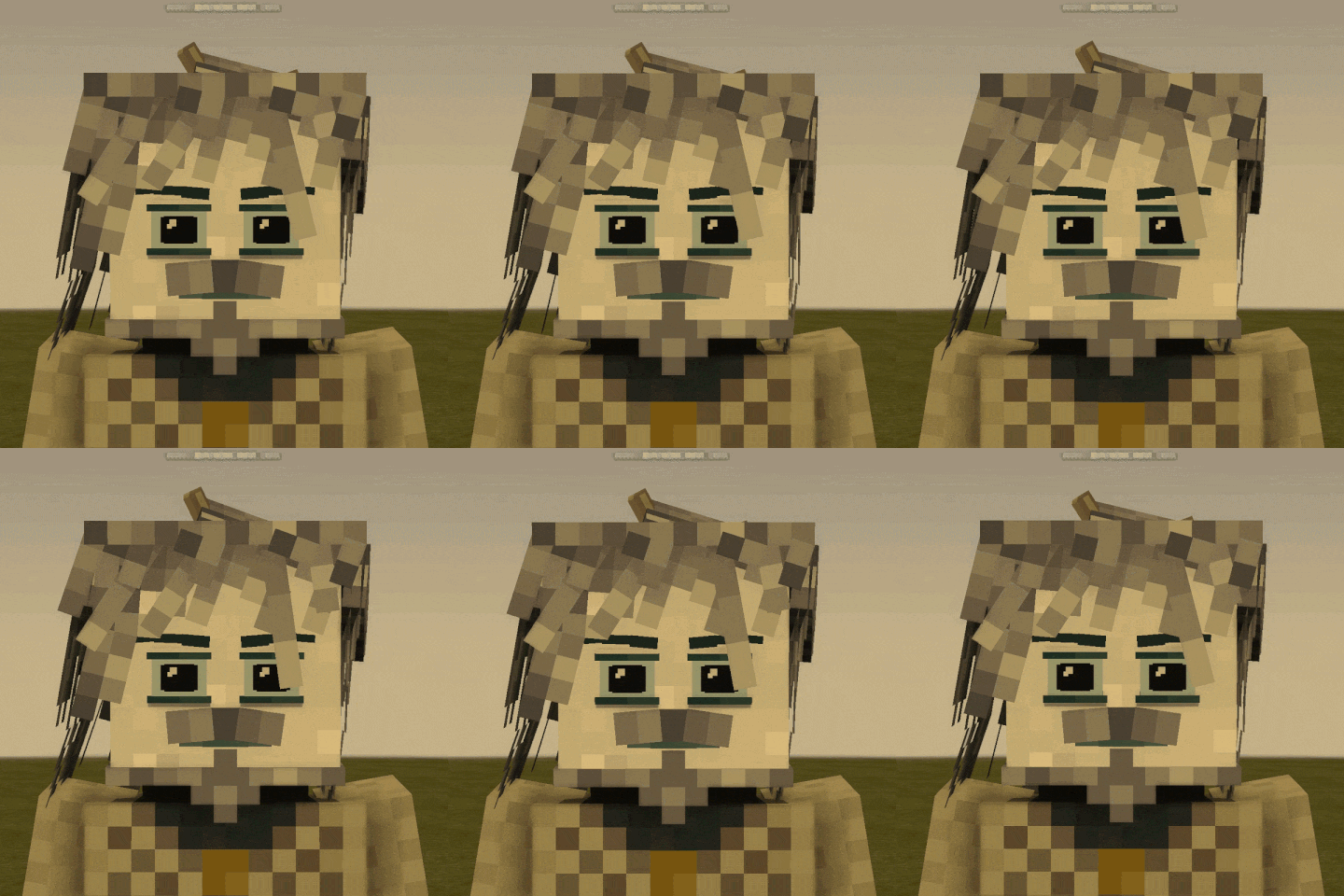
Vintage Story Mod DB · Vintage Story mod
More animations
A spin-off from my first mod... I decided to port the features from my custom model over to the base Seraphim models :))) !!! STARTING FROM VERSION 0.8+, THE MOD IS NOW ALSO A LIBRARY! YOU CAN NOW CREATE CUSTOM HAIRSTYLES USING MY MOD'S LOGIC !!! New hair lo
Choose a version Pick your version below, then grab the matching file.
Quick answer
Which More animations release should I use?
Latest stable file 0.1.1
Game version 1.22.0-pre.1, 1.22.0-pre.2, 1.22.0-pre.3
Loader Built-in Vintage Story mod system
More animations 0.1.1 targets 1.22.0-pre.1, 1.22.0-pre.2, 1.22.0-pre.3. It must be installed on the client. Installation on the dedicated server is optional. No extra mods listed for this file.
Where it goes
Is More animations required on the client, server, or both?
It must be installed on the client. Installation on the dedicated server is optional.
Client Required
Dedicated server Optional
Loader for this release Built-in Vintage Story mod system
Required install it here Optional supported, not mandatory Not supported do not install here Source doesn’t say do not assume
This release supports both sides, but the source does not require it on the server.
What else does More animations 0.1.1 need?
0.1.1. Change the file and its required mods may change too.
This file does not list any required mods. Do not add a library just because a different file uses it.
This file does not list any required or optional mods.
Before you install it
Add More animations without breaking your instance.
Built for More animations 0.1.1. Pick another file and the loader, install side or required mods may change.
- 01
Stick to this file
Use 0.1.1. It targets 1.22.0-pre.1, 1.22.0-pre.2, 1.22.0-pre.3; another release may have different loader, side or dependency requirements.
- 02
Bring the mods it needs
This file does not list any required mods. Do not add a library just because a different file uses it.
- 03
Put it on the correct side
It must be installed on the client. Installation on the dedicated server is optional.
- 04
Pick the file you checked
Use the “Get this file” button beside 0.1.1. It opens that exact file at the source.
About this project
What does More animations add?
A spin-off from my first mod... I decided to port the features from my custom model over to the base Seraphim models :)))
!!! STARTING FROM VERSION 0.8+, THE MOD IS NOW ALSO A LIBRARY! YOU CAN NOW CREATE CUSTOM HAIRSTYLES USING MY MOD'S LOGIC !!!
New hair logic
Better Seraph 0.1.0 — documentation
Hair physics for Vintage Story, configured through bone names. The mod reads the name and applies the physics itself — no code needed. Plus two systems for behaviour under headwear: hiding strands and freezing physics.
The docs come in three parts: name format, flags, headwear behaviour.
PART 1. Bone name format
The name is split by @ into two parts, ending in the required suffix phys:
LWSmega@zf40b15l20r5.own.nod3.stiff0,5phys
- before
@— the bone name, anything (LWSmega). The mod leaves it alone and uses it as the strand's identifier in config files; - after
@— physics data; physat the end — how the mod recognizes a hair bone.
⚠️ Required: a keyframe for every bone
A correct name is not enough. For a bone to reach the animator and get a Joint ID, it must be in at least one keyframe of any animation (a single zero-frame is enough). Without it the strand hangs motionless, no error. Rule: the name gives the settings, the keyframe gives the Joint ID — you need both.
⚠️ Required: remove empty faces
Keep only visible faces with a real texture (#hair) on each cube. Don't leave faces with #null and a degenerate UV ([48,48,48,48]) — Blockbench sometimes creates them when copying cubes. They're invisible normally, but when the mesh rebuilds (e.g. putting on a helmet) they start turning black and flickering.
Side (first letter after @)
| letter | side |
|---|---|
p |
front |
z |
back |
l |
left temple |
r |
right temple |
Tilt limits
After the side — maximum tilt angles in degrees. "Letter + number" pairs, free order: f forward, b back, l left, r right. Example: f40b15l20r5 — forward 40°, back 15°, left 20°, right 5°.
Decimals — use a comma
The dot is reserved as the flag separator, so decimal values use a comma: .tilt0,8, .stiff0,5, f15,5.
PART 2. Flags (after a dot)
Behaviour
| flag | what it does |
|---|---|
.own |
rotate from own pivot only, ignore the bone edge. For braids and strands by the face |
.nofb |
disable forward-back tilt |
.nolr |
disable left-right tilt |
.noY |
disable vertical and head effects (flight, head tilt, nod) |
.c1 |
chain root |
.c2(name) |
second link, hangs off bone name (the part before @ of the root) and lags behind |
Forces (absolute values)
Set the strength of an effect. No flag — the default is used. The value is absolute: independent of the mod's global settings.
| flag | effect | default |
|---|---|---|
.run |
run inertia (reaction to body movement) | 40 |
.windback |
wind pushes back / away from face | 16 |
.windfront |
wind pushes forward / toward face | 40 |
.windside |
sideways wind | 16 |
.fly |
vertical: up → toward face, down → away | 55 |
.tilt |
head tilt (hold head down → strands lag toward the ground) | 0,5 |
.nod |
head tilt inertia (a sharp nod) | 2,5 |
.shake |
head turn inertia (turn → strands lag and return) | 2,5 |
Spring
| flag | effect | default |
|---|---|---|
.stiff |
stiffness (0..1). Higher — snappier, lower — smoother, lazier | 0,35 |
.damp |
damping (0..1). Lower — oscillations fade faster | 0,75 |
.w |
wave: softens the spring by % (second link .c2 only) |
— |
Priority: if both .w and .stiff are given, .stiff wins.
Chains
One strand hangs off another and lags, creating a wave down the length. Two-link chains are supported.
Root: LWSbase@zf2b2l5r5.c1phys
Link: LWSbase2@zf2b2l10r10.c2(LWSbase).w30phys
Automatic
The strand's shape (width, edges for pivot offset) is read from the cube itself in the shape. You don't write it into the name.
Name examples
Simple strand: LWSfront@pf40b15l20r20phys
Braid (own pivot): LWSkos@zf45b4l45r45.ownphys
Lazy heavy strand: LWSheavy@pf30b20l20r20.stiff0,15.run20phys
Chain link with wave: LWStail2@zf10b10l10r10.c2(LWStail).w30phys
If something doesn't work
The mod writes a clear reason to the log if a name is parsed incorrectly. A bad strand stays static but doesn't crash the game. Check the log if a strand doesn't move — and don't forget the keyframe and the empty-faces rule.
Новая логика волос
Better Seraph 0.1.0 — документация
Физика волос для Vintage Story, настраиваемая через имена костей. Мод читает имя и накладывает физику сам — код трогать не нужно. Плюс две системы поведения под головными уборами: скрытие прядей и заморозка физики.
Документация состоит из трёх частей: формат имён, флаги, поведение под уборами.
ЧАСТЬ 1. Формат имени кости
Имя делится символом @ на две части, в конце — обязательный хвост phys:
LWSmega@zf40b15l20r5.own.nod3.stiff0,5phys
- до
@— имя кости, любое (LWSmega). Мод его не трогает и использует как идентификатор пряди в конфигах; - после
@— данные физики; physна конце — по нему мод опознаёт кость волос.
⚠️ Обязательно: кейфрейм для каждой кости
Правильного имени недостаточно. Чтобы кость попала в аниматор и получила Joint ID, она должна быть в хотя бы одном кейфрейме любой анимации (достаточно одного нулевого кадра). Без этого прядь висит неподвижно, без ошибок. Правило: имя даёт настройки, кейфрейм даёт Joint ID — нужно и то, и другое.
⚠️ Обязательно: убирайте пустые грани
У каждого куба оставляйте только видимые грани с реальной текстурой (#hair). Не оставляйте граней с #null и вырожденным UV ([48,48,48,48]) — Blockbench иногда создаёт их при копировании кубов. Они невидимы в обычном состоянии, но при пересборке меша (например, при надевании шлема) начинают чернеть и мигать.
Сторона (первая буква после @)
| буква | сторона |
|---|---|
p |
перёд |
z |
зад |
l |
левый висок |
r |
правый висок |
Пределы наклона
После стороны — максимальные углы наклона в градусах. Пары «буква + число», порядок свободный: f вперёд, b назад, l влево, r вправо. Пример: f40b15l20r5 — вперёд 40°, назад 15°, влево 20°, вправо 5°.
Дробные числа — через запятую
Точка занята под разделитель флагов, поэтому дробные значения пишутся запятой: .tilt0,8, .stiff0,5, f15,5.
ЧАСТЬ 2. Флаги (через точку)
Поведение
| флаг | что делает |
|---|---|
.own |
вращать только от своего пивота, край кости игнорировать. Для кос и прядей у лица |
.nofb |
выключить наклон вперёд-назад |
.nolr |
выключить наклон влево-вправо |
.noY |
выключить вертикальный эффект и реакцию на голову (полёт, наклон, кивок) |
.c1 |
корень цепочки |
.c2(имя) |
второе звено, висит на кости имя (часть до @ у корня) и запаздывает |
Силы (абсолютные значения)
Задают силу эффекта. Не указан флаг — берётся значение по умолчанию. Значение абсолютное: не зависит от глобальных настроек мода.
| флаг | эффект | по умолчанию |
|---|---|---|
.run |
инерция бега (реакция на движение тела) | 40 |
.windback |
ветер отклоняет назад / от лица | 16 |
.windfront |
ветер отклоняет вперёд / к лицу | 40 |
.windside |
боковой ветер | 16 |
.fly |
вертикаль: вверх → к лицу, вниз → от лица | 55 |
.tilt |
наклон головы (держишь голову вниз → пряди отстают к земле) | 0,5 |
.nod |
инерция наклона головы (резкий кивок) | 2,5 |
.shake |
инерция поворота головы вбок (мотнул → пряди отстают и возвращаются) | 2,5 |
Пружина
| флаг | эффект | по умолчанию |
|---|---|---|
.stiff |
жёсткость (0..1). Больше — резче догоняет, меньше — плавнее, ленивее | 0,35 |
.damp |
затухание (0..1). Меньше — колебания быстрее гаснут | 0,75 |
.w |
волна: смягчает пружину на % (только на втором звене .c2) |
— |
Приоритет: если заданы и .w, и .stiff, побеждает .stiff.
Цепочки
Одна прядь висит на другой и запаздывает, создавая волну по длине. Поддерживаются двухзвенные.
Корень: LWSbase@zf2b2l5r5.c1phys
Звено: LWSbase2@zf2b2l10r10.c2(LWSbase).w30phys
Автоматически
Форму пряди (ширину, края для смещения пивота) мод читает из самого куба в шейпе. В имя это писать не нужно.
Примеры имён
Простая прядь: LWSfront@pf40b15l20r20phys
Коса (от своего пивота): LWSkos@zf45b4l45r45.ownphys
Ленивая тяжёлая прядь: LWSheavy@pf30b20l20r20.stiff0,15.run20phys
Звено цепи с волной: LWStail2@zf10b10l10r10.c2(LWStail).w30phys
Если что-то не работает
Мод пишет в лог понятную причину, если имя разобрано неверно. Прядь с ошибкой остаётся статичной, но игру не роняет. Проверьте лог, если прядь не двигается — и не забудьте про кейфрейм и про пустые грани.
Configs
Better Seraph — hair behaviour under headwear
Two independent systems for how hair reacts to worn helmets and hats:
- Hiding — the strand disappears under headwear (real removal from the mesh);
- Freezing — the strand stays visible but stops moving (fully or on one axis).
Both are set up with files in your mod and work with any headwear, including modded. Hiding and freezing the same strand under the same headwear makes no sense — a hidden strand isn't visible.
Hiding: config/hairhide.json
Place the file in assets/<yourmod>/config/hairhide.json:
{ "HidePhysics": { "armor-head-*": ["BShair_long"], "clothes-head-tophat": ["BShair_bun"] } }
- key — headwear item code mask (
*= any tail); - value — names of shape elements (wrappers/groups) removed under this headwear.
Hiding is recursive: hide a wrapper bone and the whole strand with its contents disappears. Hide by wrapper name, not an individual bone — then editing limits inside won't break hiding. Removing the headwear restores the strand automatically.
Installing the hiding system
Hiding works through a behavior attached to the player via a patch. Put this in assets/<yourmod>/patches/:
[ { "op": "addmerge", "path": "/client/behaviors/-", "value": { "code": "bettseraphHairHide" }, "file": "game:entities/humanoid/player.json", "side": "Server" } ]
Freezing: config/hairfreeze.json
File in assets/<yourmod>/config/hairfreeze.json:
{ "FreezePhysics": { "armor-head-plate-*": ["BShair_long", "BShair_side:lr"] } }
- key — headwear code mask (as with hiding);
- value — strands by name before
@(the same part as in.c2(name)).
Freezing per axis
You can add an axis suffix to a strand name:
| suffix | what it freezes |
|---|---|
:fb |
front-back only (strand won't sway forward/back, still lives sideways) |
:lr |
left-right only |
| no suffix | both axes (full stop) |
Axes are in body space, not world space. A frozen axis dampens both movement and wind on that axis; the spring eases the strand to rest without a jerk. If several rules match one headwear, the axes accumulate.
"BShair_long:fb" — freeze front-back only."BShair_bun" — freeze fully."*" in the list — the whole hairstyle.
Headwear code masks
Mask keys are the same for both systems. Useful armor masks:
| mask | what it matches |
|---|---|
armor-head-* |
all head armor |
armor-head-plate-* |
all plate helmets |
armor-head-chain-* |
all chain helmets |
clothes-head-* |
cloth hats |
clothes-head-tophat |
a specific item |
* |
any headwear |
The armor material is always at the end of the code, so armor-head-plate-* matches plate helmets of any metal.
Mod compatibility
Both files are gathered from all installed mods: each hairstyle author places their own hairhide.json / hairfreeze.json in their own mod, and the rules merge. Typos in strand names go to the log.
Конфиги
Better Seraph — поведение волос под головными уборами
Две независимые системы для реакции волос на надетые шлемы и шапки:
- Скрытие — прядь исчезает под убором (честное удаление из меша);
- Заморозка — прядь остаётся видимой, но перестаёт двигаться (целиком или по одной оси).
Обе настраиваются файлами в вашем моде и работают с любым головным убором, включая модовые. Одну и ту же прядь под одним убором нет смысла и прятать, и морозить — спрятанное не видно.
Скрытие: config/hairhide.json
Файл кладётся в assets/<вашмод>/config/hairhide.json:
{ "HidePhysics": { "armor-head-*": ["BShair_long"], "clothes-head-tophat": ["BShair_bun"] } }
- ключ — маска кода головного предмета (
*= любой хвост); - значение — имена элементов шейпа (обёрток/групп), которые удаляются под этим убором.
Скрытие рекурсивно: прячете кость-обёртку — исчезает вся прядь с содержимым. Прячьте по имени обёртки, а не отдельной кости — тогда правки лимитов внутри не сломают скрытие. Снятие убора возвращает прядь автоматически.
Установка системы скрытия
Скрытие работает через behavior, который вешается на игрока патчем. Положите в assets/<вашмод>/patches/ файл:
[ { "op": "addmerge", "path": "/client/behaviors/-", "value": { "code": "bettseraphHairHide" }, "file": "game:entities/humanoid/player.json", "side": "Server" } ]
Заморозка: config/hairfreeze.json
Файл в assets/<вашмод>/config/hairfreeze.json:
{ "FreezePhysics": { "armor-head-plate-*": ["BShair_long", "BShair_side:lr"] } }
- ключ — маска кода убора (как у скрытия);
- значение — пряди по имени до
@(та же часть, что в.c2(имя)).
Заморозка по осям
К имени пряди можно добавить суффикс оси:
| суффикс | что морозит |
|---|---|
:fb |
только перёд-зад (прядь не качается вперёд/назад, вбок живёт) |
:lr |
только влево-вправо |
| без суффикса | обе оси (полный покой) |
Оси — в системе тела, не мира. Замороженная ось гасит и движение, и ветер по этой оси; пружина плавно уводит прядь в покой, без рывка. Если под убор подошло несколько правил, оси накапливаются.
"BShair_long:fb" — заморозить только перёд-зад."BShair_bun" — заморозить целиком."*" в списке — вся причёска.
Маски кодов уборов
Ключи-маски одинаковы для обеих систем. Полезные маски брони:
| маска | что ловит |
|---|---|
armor-head-* |
вся броня на голову |
armor-head-plate-* |
все латные шлемы |
armor-head-chain-* |
все кольчужные |
clothes-head-* |
тканевые шапки |
clothes-head-tophat |
конкретный предмет |
* |
любой головной убор |
Материал брони всегда в конце кода, поэтому armor-head-plate-* ловит латные шлемы любого металла.
Совместимость модов
Оба файла собираются со всех установленных модов: каждый автор причёски кладёт свои hairhide.json / hairfreeze.json в свой мод, и правила объединяются. Опечатки в именах прядей попадают в лог.
>>>Choose the Animated face in the faces for animations<<<
>>>Choose the hair in the "Hair physics" for physics<<<
But what should I do if I've already created a world and played for X amount of hours in it? Do this:
1: /player {nickname} allowcharselonce
2: .charsel
Сlient-side commands:
.bettseraph hairphysics off/on
.bettseraph glow off/on
.bettseraph pupils off/on
Found a bug?
my discord server - (click)
ALWAYS READ THE CHANGELOGS BEFORE REPORTING BUGS!!!
Also, if possible, I have a quick favor to ask! Could you test the mod with a friend and let me know how stable it runs on servers? I’d love to know if all the features work properly, if there are any FPS drops, and so on. None of my friends play this game, so I can't really test the multiplayer side of things properly on my own :(
WIP:
blinking
more face animations
body animations (jumping/walking back/left/right)
better hair physics
rp voice mod features
more hair physics
Hair physics: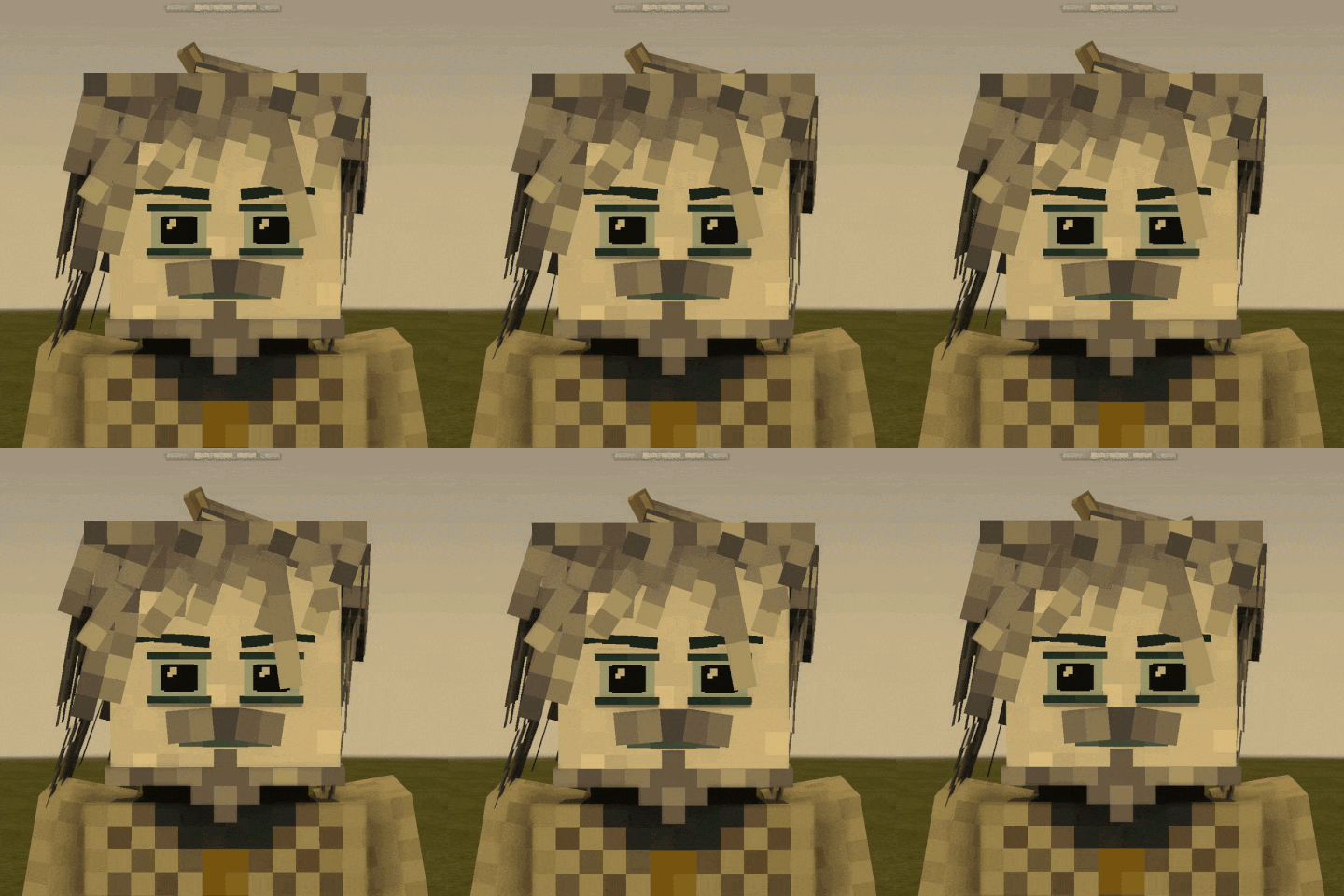
Project description from Vintage Story Mod DB.
Pick your setup
More animations releases for each Vintage Story version.
Choose the version and loader you play, then open the matching release.
Vintage Story version
1.22.5
1 loader buildVintage Story version
1.22.4
1 loader buildVintage Story version
1.22.3
1 loader buildVintage Story version
1.22.2
1 loader buildVintage Story version
1.22.1
1 loader buildVintage Story version
1.22.0-rc.10
1 loader buildVintage Story version
1.22.0-rc.9
1 loader buildVintage Story version
1.22.0-rc.8
1 loader buildVintage Story version
1.22.0-rc.7
1 loader buildVintage Story version
1.22.0-rc.6
1 loader buildVintage Story version
1.22.0-rc.5
1 loader buildShowing the newest 12 of 22 game versions. Older files are in the list below.
Check the dependencies, then try the file in a copied instance before changing a world you care about.
Recent files
More animations versions and loaders
0.1.1
betterseraPH0.1.1.zip
1 Aug 2026
Client Required Server Optional Dependencies No extras listed Listed on Release listing
Check the 1.22.6 setup 1.22.0-pre.11.22.0-pre.21.22.0-pre.31.22.0-pre.4 release
0.1.0
betterseraPH0.1.0.zip
25 Jul 2026
Client Source doesn’t say Server Source doesn’t say Dependencies No extras listed Listed on Release listing
Check the 1.22.4 setup 1.22.0-pre.11.22.0-pre.21.22.0-pre.31.22.0-pre.4 release
0.0.9
betterseraPH0.0.9.zip
21 Jul 2026
Client Source doesn’t say Server Source doesn’t say Dependencies No extras listed Listed on Release listing
Check the 1.22.4 setup 1.22.0-pre.11.22.0-pre.21.22.0-pre.31.22.0-pre.4 release
0.0.8
betterseraPH0.0.8.zip
20 Jul 2026
Client Source doesn’t say Server Source doesn’t say Dependencies No extras listed Listed on Release listing
Check the 1.22.4 setup 1.22.0-pre.11.22.0-pre.21.22.0-pre.31.22.0-pre.4 release
0.0.7
betterseraPH0.0.7.zip
15 Jul 2026
Client Source doesn’t say Server Source doesn’t say Dependencies No extras listed Listed on Release listing
Check the 1.22.3 setup 1.22.0-pre.11.22.0-pre.21.22.0-pre.31.22.0-pre.4 release
0.0.6
betterseraPH0.0.6.zip
15 Jul 2026
Client Source doesn’t say Server Source doesn’t say Dependencies No extras listed Listed on Release listing
Check the 1.22.3 setup 1.22.0-pre.11.22.0-pre.21.22.0-pre.31.22.0-pre.4 release
0.0.5
betterseraPH0.0.5.zip
10 Jul 2026
Client Source doesn’t say Server Source doesn’t say Dependencies No extras listed Listed on Release listing
Check the 1.22.3 setup 1.22.0-pre.11.22.0-pre.21.22.0-pre.31.22.0-pre.4 release
0.0.4
betterseraPH0.0.4.zip
9 Jul 2026
Client Source doesn’t say Server Source doesn’t say Dependencies No extras listed Listed on Release listing
Check the 1.22.3 setup 1.22.0-pre.11.22.0-pre.21.22.0-pre.31.22.0-pre.4 release
0.0.3
betterseraPH0.0.3.zip
8 Jul 2026
Client Source doesn’t say Server Source doesn’t say Dependencies No extras listed Listed on Release listing
Check the 1.22.3 setup 1.22.0-pre.11.22.0-pre.21.22.0-pre.31.22.0-pre.4 release
0.0.2
betterseraPH0.0.2.zip
7 Jul 2026
Client Source doesn’t say Server Source doesn’t say Dependencies No extras listed Listed on Release listing
Check the 1.22.3 setup 1.22.0-pre.11.22.0-pre.21.22.0-pre.31.22.0-pre.4 release
0.0.1
betterseraPH0.0.1.zip
7 Jul 2026
Client Source doesn’t say Server Source doesn’t say Dependencies No extras listed Listed on Release listing
Check the 1.22.3 setup 1.22.0-pre.11.22.0-pre.21.22.0-pre.31.22.0-pre.4 release
Looking for an older file? The official Vintage Story Mod DB project page is in Resources.