Minecraft version
Back to modpacks 
Modrinth · Minecraft modpack
Basic Optimizer
basic modpack to edit for yourself only with already installed optimization mods
Choose a version Pick your version below, then grab the matching file.
Quick answer
Which Basic Optimizer release should I use?
Latest stable file Basic Optimizer
Game version 1.16.5
Loader Fabric 0.15.6
Basic Optimizer is a complete pack release for 1.16.5 with Fabric 0.15.6. Install it as its own launcher instance. If the creator publishes a separate server file, make sure it names this exact pack release. 18 mods in this pack file.
Pack setup
How should I set up Basic Optimizer for players and a server?
Use Basic Optimizer as the pack version. Install the pack as its own launcher instance. The creator’s listing does not name a separate server file, so check the release notes before setting up a dedicated server. Do not upload the ordinary client folder blindly.
Client instance Install Basic Optimizer
Dedicated server setup Match Basic Optimizer
Pack loader Fabric 0.15.6
A pack is a matched client and server setup, not one mod with an install-side label. Keep its release, loader, manifest and overrides together.
Referenced mods 18
Client only 12
Server only 0
Not labelled 6
These numbers come from the pack file you chose. “Not labelled” means we don’t know which side it belongs on—not that it is safe everywhere. The file count is not a RAM estimate.
What are the server requirements for Basic Optimizer?
Basic Optimizer. Change the pack release and its contents or setup may change too.
The selected pack release is Basic Optimizer. That file is for Minecraft 1.16.5 with Fabric 0.15.6. It contains 18 mod projects. The creator’s listing does not name a separate server file. Check their notes before using one, and do not upload an ordinary client folder or rebuild the pack mod by mod. A file count cannot tell us the right RAM, CPU or storage; size the server for the players and world you actually run.
About this project
What kind of pack is Basic Optimizer?
Modpack Contents
Sodium - the same optifine only for fabric, but better (more details: https://modrinth.com/mod/sodium)
Sodium Extra - an add-on for Sodium adding the ability to better configure Sodium (more details: https://modrinth.com/mod/sodium-extra)
Lithium - optimizes mob AI and physics (more details: https://modrinth.com/mod/lithium)
Dynamic FPS - when minecraft is in the background the fps will drop to 1 fps (more details: https://modrinth.com/mod/dynamic-fps)
iris shaders - are not shaders, but the ability to install shaders for optifine only on fabric (more details: https://modrinth.com/mod/iris)
these were the main mods in the modpack, about the rest you can find out [search > name of the mod in the modpack > mod] All mods in the modpack were installed in the Modrinth App or on modrinth.com, not one of the mods was installed through third-party sites
Purpose of the modpack
The modpack contains basic optimization mods that are in each of your modpacks, this modpack is needed to change it for yourself only with already installed optimization mods, I do not forbid you to add more optimization mods to this modpack, I posted the modpack on modrinth. you can use it as you want and change it
Recommendations
If you want better results, install other assemblies for optimization, for example Fabulously Optimized (https://modrinth.com/modpack/fabulously-optimized) Simply Optimized (https://modrinth.com/modpack/sop)
These are just my recommendations, I do not force you to install these modpacks
Project description from Modrinth.
Mods in Basic Optimizer
Open any mod on Modpacks.ch to check its files and dependencies.
antighost-1.16.5-fabric0.30.0-1.1.3.jar SHA-1
81665c43695ae5d18e4807790e37a881c4aa4e7f · Modrinth version V7J7tuy9 · Project link unavailable Client onlyborderless-mining-1.0.6+1.16.2.jar SHA-1
9279dfcaf6fa9a3b59ba3b243aaf3c324e5dbb38 · Modrinth version oI4ntekL · Project link unavailable Client onlydynamic-fps-3.4.2+minecraft-1.16.5-fabric.jar SHA-1
315c512c463b5353b598844be44ba39aecc09a6e · Modrinth version r8rpH64x · Project link unavailable Client onlyenhancedblockentities-0.4--1.16.x.jar SHA-1
5b815b595ac5e40123845e1bb03c95392ad1a7dd · Modrinth version HHqDCd5p · Project link unavailable Client onlyentityculling-fabric-mc1.16.5-1.5.2.jar SHA-1
d511d96a29e8054b2835d05814b1d65ba91d55c4 · Modrinth version Qek7k92S · Project link unavailable Client onlyfabric-api-0.42.0+1.16.jar SHA-1
54970c87bc1cf0bb93df57ec3a0b3bbb67c7ab0c · Modrinth version IQ3UGSc2 · Project link unavailable Side not labelledferritecore-2.1.1-fabric.jar SHA-1
d099bf16b03666705173120d933facd0c0f33e44 · Modrinth version 3UkWIj4a · Project link unavailable Side not labelledindium-1.0.0+mc1.16.5.jar SHA-1
c14cf642257bd416ed53244cfde993b2d98e5487 · Modrinth version Zk2jPxcx · Project link unavailable Client onlyiris-mc1.16.5-1.4.5.jar SHA-1
acb756a485f35d1d34682eb89009555284951b99 · Modrinth version 1turazSM · Project link unavailable Client onlykrypton-0.1.2.jar SHA-1
785618b9a11a7b267659a5583804fcaf20cd14d4 · Modrinth version 7AwqDL7J · Project link unavailable Side not labelledlazydfu-0.1.2.jar SHA-1
2efec5781f1271bdcdae462eee402ccb97bff6fe · Modrinth version C6e265zK · Project link unavailable Side not labelledlithium-fabric-mc1.16.5-0.6.6.jar SHA-1
ff9416b228333b481cdc98ec50c5f9944225d16b · Modrinth version rvsW1zhb · Project link unavailable Side not labelledmodmenu-1.16.23.jar SHA-1
62f87d6d548da07c46687baa09fb29daf0510870 · Modrinth version aShj7736 · Project link unavailable Client onlyMouseTweaks-fabric-mc1.16.5-2.22.jar SHA-1
f4a0e774686cbc821712a7bb66bcdbcc1d07fe95 · Modrinth version ILp7UQip · Project link unavailable Client onlyreeses_sodium_options-1.6.3+mc1.16.5-build.86.jar SHA-1
443f7f977aadb9a73f73f2b9840fbf6989446fb2 · Modrinth version Em4mC86n · Project link unavailable Client onlysmoothboot-fabric-1.16.5-1.6.0.jar SHA-1
a0d5419980f8c65c6256483b864269cfe302894d · Modrinth version nPGcelzS · Project link unavailable Side not labelledsodium-extra-0.4.18+mc1.16.5-build.96.jar SHA-1
7e0f25e88a516e5438779ef506b11b88f2aa1739 · Modrinth version Et3PybAh · Project link unavailable Client onlysodium-fabric-mc1.16.5-0.2.0+build.4.jar SHA-1
bf03460f1f82f355d1fe23a27ee81c3ed24e54dc · Modrinth version YAGZ1cCS · Project link unavailable Client onlyPick your setup
Basic Optimizer by Minecraft version and loader
Choose the version and loader you play, then open the matching release.
Made local changes? Try them in a copied instance before touching a world you care about.
Recent files
Basic Optimizer versions and loaders
Fabric 0.15.61.16.58.0.312+7 release
Looking for an older file? The official Modrinth project page is in Resources.
 modpack
 Modrinth · Minecraft
The Hundredth Dawn
[EN/KR] Survive 100 days in this loot-driven zombie apocalypse, featuring a ruined city, escalating themed hordes, soulslike combat, and team permadeath.
 modpack
 CurseForge · Minecraft
Create: Gears & Guns
A dynamic modpack where the skill of engineering meets TacZ, pushing the boundaries of machinery and combat. Now in 1.21.1+.
 modpack
 CurseForge · Minecraft
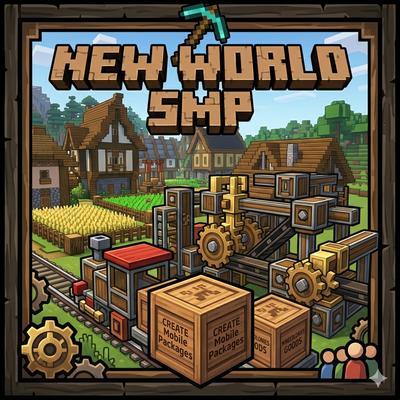
LevelupMike's New World SMP
An Community SMP combining create and Minecolonies