


Minecraft version
Back to modpacks 
Modrinth · Minecraft modpack
Aged
realistic / medieval / progression based modpack for Fabric 1.21.1
Choose a version Pick your version below, then grab the matching file.
Quick answer
Which Aged release should I use?
Latest stable file Aged 4.0.2
Game version 1.21.1
Loader Fabric
Aged 4.0.2 is a complete pack release for 1.21.1 with Fabric. Install it as its own launcher instance. If the creator publishes a separate server file, make sure it names this exact pack release. Could not safely read this pack file.
Pack setup
How should I set up Aged for players and a server?
Use Aged 4.0.2 as the pack version. Install the pack as its own launcher instance. The creator’s listing does not name a separate server file, so check the release notes before setting up a dedicated server. Do not upload the ordinary client folder blindly.
Client instance Install Aged 4.0.2
Dedicated server setup Match Aged 4.0.2
Pack loader Fabric
A pack is a matched client and server setup, not one mod with an install-side label. Keep its release, loader, manifest and overrides together.
What are the server requirements for Aged?
Aged 4.0.2. Change the pack release and its contents or setup may change too.
The selected pack release is Aged 4.0.2. That file is for Minecraft 1.21.1 with Fabric. We could not safely count the mods in this release. The creator’s listing does not name a separate server file. Check their notes before using one, and do not upload an ordinary client folder or rebuild the pack mod by mod. A file count cannot tell us the right RAM, CPU or storage; size the server for the players and world you actually run.
About this project
What kind of pack is Aged?

A challenging medieval based modpack where realism & wisdom rule your life.

You awaken in the wilderness.
You quickly realize that you need to gather supplies & craft some flint tools.
Fresh water and body temperature become important pretty soon.
Your character is still weak, so you go an adventure to gather experience to increase your skills and attributes.
That's where your story begins.
- 💧 Hydration - boil water to receive purified water that you can safely consume
- 🍖 Nutrition - eat a balanced diet, but don't eat spoiled dishes
- ❄️ Temperature - keep yourself cozy in all areas
- 🌍 Seasons - prepare for winter & check your crops
- 🧮 Skills - gather xp to improve your characters aspects
- 🛠️ Jobs - assign up to 2 jobs to receive xp faster
- 🏡 Settle - explore & protect your goods against enemy forces
- 🪙 Trade - you'll stumple upon more wandering traders & other traders
- ⚔️ Fight - mobs get stronger the further you go. At the same time they offer more loot
- ♟️ Bosses - more than 6 unique boss fights to defeat
- 🎒 Backpacks - store goods in drawers or use portable backpacks
- 📦 Sieve - filter items trough sieves to get common to rare items
- 🪑 Furniture - decorate your home with a variety of furniture blocks
- 🦖 Archeology - reveal ancient fossils & powerful enchantments
- ✨ Decorate - various blocks to decorate with
You're most likely asking yourself what the differences between Aged Light & Aged are.
Aged Light is a lightweight version of Aged with close to 0 aesthetic & visual mods.
Since Aged v3.1.0 both modpacks are compatible with each other.
Take a look at the Aged Light Changelog to know which Aged version its compatible with.


Aged also includes all datapacks, resourcepacks and config files from aged light besides default options config.
In this repo you will only see files specific to aged (mostly client side enhancements).
Mods in Aged
- all of Aged Light
- [ETF] Entity Texture Features
- [EMF] Entity Model Features
- [ESF] Entity Sound Features
- 3D Skin Layers
- AsyncParticles
- Blur+
- Camera Overhaul
- Chat Animation [Smooth Chat]
- Chat Heads
- Cherished Worlds
- Continuity
- Distant Horizons
- Fancy Menu
- First-person Model
- Immersive UI
- ImmersiveThunder
- Iris Shaders
- Konkrete
// needed for Fancy Menu - Melody
// needed for Fancy Menu - MidnightLib
// needed for Blur+ - Model Gap Fix
- MRU
// needed for Sounds - Not Enough Animations
// needed for First-person Model - Particle Effects
- Particle Rain
- Particular
- Presence Footsteps
- ShatterLib | OctoLib
// needed for Immersive UI - Smooth Scrolling Refurbished
- Smooth Swapping
- Soft Imprints
- Sound Physics Remastered
- Sounds
- Status Effect Bars
- Visuality
Resourcepacks in Aged-Light
- all of Aged Light
- Fresh Animations
- Fresh Animations: Classic Horses
- Fresh Animations: Quivers
- Fresh Moves
- RAY's 3D Ladders
- RAY's 3D Rails
- Simple Grass Flowers
Q: Does Aged support multiplayer?
A: Yes and No, Aged is build for singleplayer since v3.0.0 but can be downloaded as server file via e.g. ATLauncher / mrpack-install / docker.
If you want to play with a friend we recommend to use e4mc to create a server for free.
Q: Is there a wiki or documentation?
A: Ingame you'll find a guide book at first start.
Combine a book with a sapling/seed or use/give @s agedaddition:guide_book
Q: Where to ask for help / bug report?
A: For questions ask in
modpack-chaton our Discord. For bugs pls open a github issue.
To be filled
New verison 4.0.0 -> waiting for your feedback ^^

Links
Project description from Modrinth.
We can’t list this Modrinth pack’s mods yet. Its parsed .mrpack contents are not available from Modpacks.ch.
Pick your setup
Aged by Minecraft version and loader
Choose the version and loader you play, then open the matching release.
Minecraft version
1.20.1
1 loader buildMinecraft version
1.19.2
1 loader buildMade local changes? Try them in a copied instance before touching a world you care about.
Recent files
Aged versions and loaders
Fabric1.21.1 release
Fabric1.21.1 release
Fabric1.21.1 release
Fabric1.20.1 release
Fabric1.20.1 release
Fabric1.20.1 release
Fabric1.20.1 release
Fabric1.20.1 release
Fabric1.20.1 release
Fabric1.20.1 release
Fabric1.20.1 release
Fabric1.20.1 release
Looking for an older file? The official Modrinth project page is in Resources.
 modpack
CurseForge · Minecraft
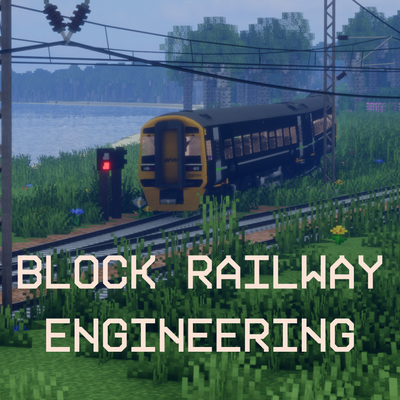
[BRE] Block Railway Engineering - MTR, Create, IR and more!
The Full-contents Edition and Fly Edition of the Block Railway Engineering Modpack, including MTR, Create and other basic mods for players to create a railway world.
 modpack
CurseForge · Minecraft
Blockitecture (Block Architecture) - A Modpack for Architects
Blockitecture is a modpack designed to enhance the player's creative building experience in Minecraft.
 modpack
CurseForge · Minecraft
Veilein
Explore when you feel like it. Build something that lasts. Experiment with what interests you. And make the world your own, together.