Hytale version
Back to mods 
CurseForge · Hytale mod
Quickstacker
Adds the ability to quick stack to nearby chests and storage
Choose a version Pick your version below, then grab the matching file.
Quick answer
Which Quickstacker release should I use?
Latest stable file quickstacker-1.3.3.jar
Game version 0.5
Mod system Built-in Hytale mod system
quickstacker-1.3.3.jar targets 0.5. Do not install it as a separate client mod. Enable it on the world host—the local server in singleplayer or the dedicated server in multiplayer. No required dependencies listed for this file.
Where it goes
Where should Quickstacker be installed in Hytale?
Do not install it as a separate client mod. Enable it on the world host—the local server in singleplayer or the dedicated server in multiplayer.
Separate client mod Not supported
World host / dedicated server Required
Mod system for this release Built-in Hytale mod system
Required install it here Optional supported, not mandatory Not supported do not install here Source doesn’t say do not assume
Put Hytale mods on the world host or dedicated server. Singleplayer runs a local server too; Hytale does not use separate client mods.
What else does quickstacker-1.3.3.jar need?
quickstacker-1.3.3.jar. Change the file and its required mods may change too.
This file does not list any required mods. Do not add a library just because a different file uses it.
This file does not list any required or optional project dependencies. Check the creator notes before changing an existing world.
Before you install it
Add Quickstacker without breaking your instance.
Built for quickstacker-1.3.3.jar. Pick another file and the loader, install side or required mods may change.
- 01
Stick to this file
Use quickstacker-1.3.3.jar. It targets 0.5; another release may target a different game build or dependency set.
- 02
Bring the mods it needs
This file does not list any required mods. Do not add a library just because a different file uses it.
- 03
Enable it on the world host
Do not install it as a separate client mod. Enable it on the world host—the local server in singleplayer or the dedicated server in multiplayer.
- 04
Pick the file you checked
Use the “Get this file” button beside quickstacker-1.3.3.jar. It opens that exact file at the source.
About this project
What does Quickstacker add?
This is a quality of life mod that adds a block for quick stacking to nearby chests. It also adds commands to quick stack to nearby chests or players.
The range of these can be configured.
Assets
This mod contains a custom block that can be crafted at the Workbench in the Tinkering tab. Interacting with this block will quick stack to nearby chests, saving you the hassle of typing a command.
Commands
Type /quickstack or /qs and you will automatically stack to any inventory within a 10 block radius.
Similarly, this mod also contains the ability to quick stack to nearby players. This can be helpful if you're out with another player and want to consolidate inventory space.
Type /qs player <name> to quick stack to any player within a 10 block radius.
Installation
Plugins can be installed by placing them in the %appdata%/Hytale/UserData/Mods directory. If the folder doesn't exist, you can create this manually.
Configuration
There are a few config options available once you've run the server with the mod enable at least once. These options can be found in the Quickstacker.json file located in the steventhorne_Quickstacker directory within the mods folder.
StackToChestRange(default: 10) - The max range a chest can be from the player to quick stack to.StackToPlayerRage(default: 10) - The max range a player can be from the player to quick stack to. A negative value gives unlimited range.IncludeHotbar(default: false) - If true, quick stacking will also quick stack items on the players hot bar.
Permissions
The following permissions can be added to a group:
- steventhorne.quickstacker.command.quickstack (access to /quickstack, /qs)
- steventhorne.quickstacker.command.playerstack (access to /playerstack)
At this time, these commands do not prevent interracting with Quickstacker blocks.
Troubleshooting
I do not have permission to use the command
You do not need OP permissions, this is enabled by default for any Adventure player.
Be sure to enable it for your world by right-clicking on the world and enabling Quickstacker in the Mods list. If it does not appear in that list, you may have copied the file to the wrong location.
If you get a message saying that you don't have permission, this usually means the mod is either not installed in the correct mods folder, or it's not enabled for the world.
My stuff disappeared but did not go into a nearby chest
If you've increased the radius configuration to a really high number, then it's possible that you quick stacked to a world generated chest that spawns with random items inside.
Contributing
If you want to contribute to the mod, feel free to open a pull request on GitHub.
Project description from CurseForge.
Pick your setup
Quickstacker releases for each Hytale build.
Choose the version and loader you play, then open the matching release.
Check the dependencies, then try the file in a copied instance before changing a world you care about.
Recent files
Quickstacker releases and Hytale builds
quickstacker-1.3.3.jar
3 Jun 2026
Client Not supported Server Required Dependencies No extras listed Listed on Project page
Check the 0.5 setup 0.5 release
quickstacker-1.3.2.jar
26 Mar 2026
Client Not supported Server Required Dependencies No extras listed Listed on Project page
Check the setup quickstacker-1.3.1.jar
5 Mar 2026
Client Not supported Server Required Dependencies No extras listed Listed on Project page
Check the setup quickstacker-1.3.0.jar
3 Mar 2026
Client Not supported Server Required Dependencies No extras listed Listed on Project page
Check the setup quickstacker-1.2.3.jar
23 Feb 2026
Client Not supported Server Required Dependencies No extras listed Listed on Project page
Check the setup quickstacker-1.2.2.jar
21 Jan 2026
Client Not supported Server Required Dependencies No extras listed Listed on Project page
Check the setup quickstacker-1.2.1.jar
18 Jan 2026
Client Not supported Server Required Dependencies No extras listed Listed on Project page
Check the setup quickstacker-1.2.0.jar
17 Jan 2026
Client Not supported Server Required Dependencies No extras listed Listed on Project page
Check the setup quickstacker-1.1.2.jar
16 Jan 2026
Client Not supported Server Required Dependencies No extras listed Listed on Project page
Check the setup quickstacker-1.1.1.jar
16 Jan 2026
Client Not supported Server Required Dependencies No extras listed Listed on Project page
Check the setup quickstacker-1.1.0.jar
14 Jan 2026
Client Not supported Server Required Dependencies No extras listed Listed on Project page
Check the setup quickstacker-1.0.0.jar
14 Jan 2026
Client Not supported Server Required Dependencies No extras listed Listed on Project page
Check the setup Looking for an older file? The official CurseForge project page is in Resources.
 mod
mod CurseForge · Hytale
kweebec helper
adds a kweebec helper that can mine, fight, build, and gather resources.
 mod
mod CurseForge · Hytale
Endless Leveling - V11
Hytale RPG Leveling Mod - Endless Leveling adds full character progression: levels, stats, classes, races, augments, skills/abilities, dungeons & dynamic events. Solo Leveling inspired endless growth for singleplayer & servers.
 mod
mod CurseForge · Hytale
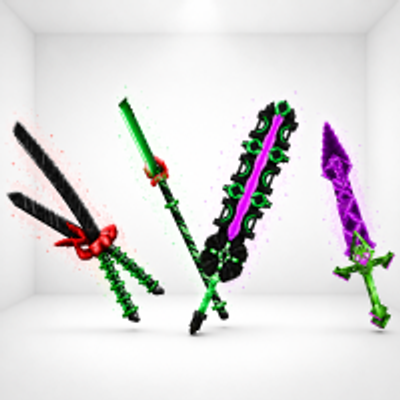
Kweebec Arsenal
Kweebec Arsenal is a set of custom Kweebec-made weapons built for speed, style, and extra damage. Each one has its own unique trail and deadly design.