Items Tool Tips
14 Jan 2026
Client Not supported Server Required Dependencies No extras listed Listed on Project page
Check the setup 
CurseForge · Hytale mod
View all game items and their uses, change language, supports Spanish and English.
Quick answer
Items Tool Tips targets Hytale. Do not install it as a separate client mod. Enable it on the world host—the local server in singleplayer or the dedicated server in multiplayer. No required dependencies listed for this file.
Where it goes
Do not install it as a separate client mod. Enable it on the world host—the local server in singleplayer or the dedicated server in multiplayer.
Put Hytale mods on the world host or dedicated server. Singleplayer runs a local server too; Hytale does not use separate client mods.
Items Tool Tips. Change the file and its required mods may change too.
This file does not list any required mods. Do not add a library just because a different file uses it.
This file does not list any required or optional project dependencies. Check the creator notes before changing an existing world.
Before you install it
Built for Items Tool Tips. Pick another file and the loader, install side or required mods may change.
Use Items Tool Tips. It targets Hytale; another release may target a different game build or dependency set.
This file does not list any required mods. Do not add a library just because a different file uses it.
Do not install it as a separate client mod. Enable it on the world host—the local server in singleplayer or the dedicated server in multiplayer.
Use the “Get this file” button beside Items Tool Tips. It opens that exact file at the source.
About this project
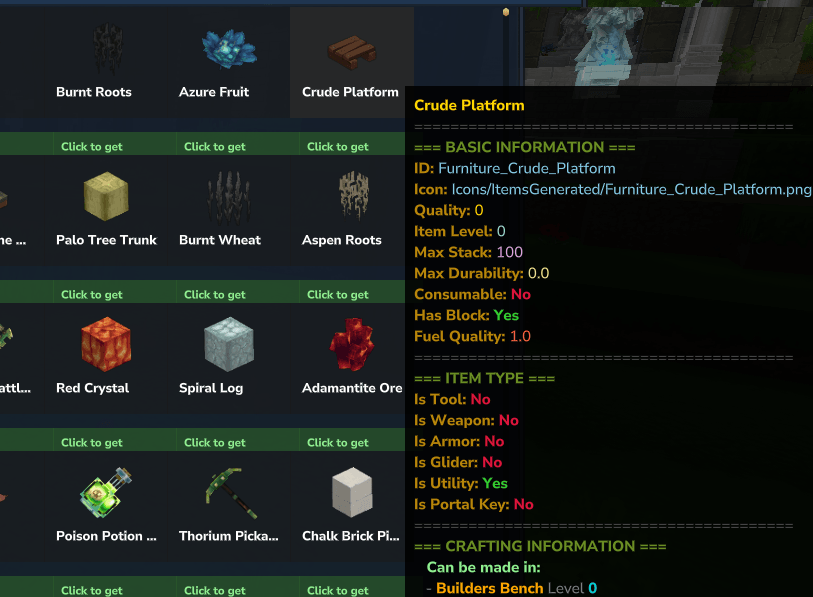
Hytale New Plugin is a utility and information-focused plugin designed to enhance the player experience by providing direct access to in-game item data, tools, and practical tips through an intuitive interface.
Built with accessibility and clarity in mind, this plugin allows players to explore the entire item ecosystem of the game without relying on external resources or guesswork.
/iteminfoUsing the command:
/iteminfo
the player opens a dedicated graphical interface (GUI) that displays all available items in the game, along with their detailed information.
Inside the Item Info GUI, players can:
Browse every item currently registered in the game
View descriptions, properties, and metadata
Quickly identify item purpose, category, and behavior
Learn how items are used without trial and error
This tool is especially useful for:
New players learning the game
Builders and creators planning content
Dungeon runners and PvE players
Server administrators and testers
The plugin supports multiple interface languages, allowing players to customize their experience.
/change English /change Spanish
/lang /language
These commands change the interface language for the individual player, ensuring better accessibility and comfort for international communities.
Project description from CurseForge.
Recent files
14 Jan 2026
Looking for an older file? The official CurseForge project page is in Resources.
 mod
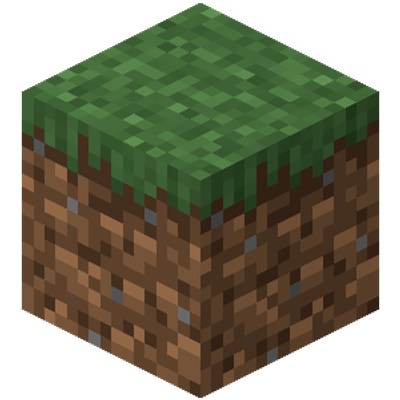
modAn attempt to recreate the textures from Minecraft while adjusting them for Hytales block variety. Still very incomplete!
 mod
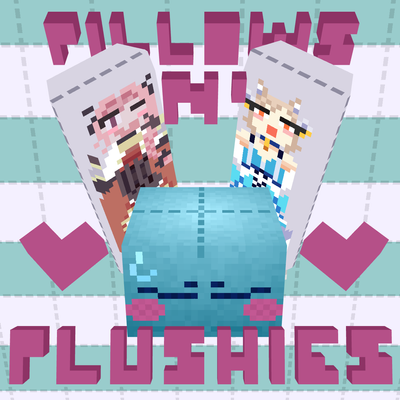
modweaponised femboy body pillows (dakimakura), cozy cushion blocks, plushie characters, silly fumo, futon bed, lain onesie mage robes (kigurumi), pillow hexstaff + hexbook + glyph guide for hexcode magic via patchly! anime ref: astolfo, ferris, rimuru, lain!
 mod
modHytale RPG Leveling Mod - Endless Leveling adds full character progression: levels, stats, classes, races, augments, skills/abilities, dungeons & dynamic events. Solo Leveling inspired endless growth for singleplayer & servers.