
automessages-1.3.0.jar
31 Jan 2026
Client Not supported Server Required Dependencies No extras listed Listed on Project page
Check the setup 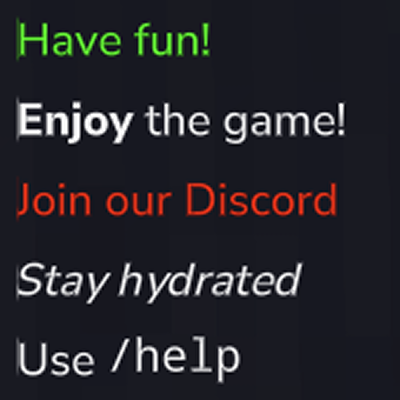
CurseForge · Hytale mod
A mod that automatically broadcasts configurable messages to all players at set intervals.
Quick answer
automessages-1.3.0.jar targets Hytale. Do not install it as a separate client mod. Enable it on the world host—the local server in singleplayer or the dedicated server in multiplayer. No required dependencies listed for this file.
Where it goes
Do not install it as a separate client mod. Enable it on the world host—the local server in singleplayer or the dedicated server in multiplayer.
Put Hytale mods on the world host or dedicated server. Singleplayer runs a local server too; Hytale does not use separate client mods.
automessages-1.3.0.jar. Change the file and its required mods may change too.
This file does not list any required mods. Do not add a library just because a different file uses it.
This file does not list any required or optional project dependencies. Check the creator notes before changing an existing world.
Before you install it
Built for automessages-1.3.0.jar. Pick another file and the loader, install side or required mods may change.
Use automessages-1.3.0.jar. It targets Hytale; another release may target a different game build or dependency set.
This file does not list any required mods. Do not add a library just because a different file uses it.
Do not install it as a separate client mod. Enable it on the world host—the local server in singleplayer or the dedicated server in multiplayer.
Use the “Get this file” button beside automessages-1.3.0.jar. It opens that exact file at the source.
About this project
AutoMessages is a lightweight mod for Hytale that automatically broadcasts configurable messages to all online players at customizable intervals.
Perfect for server announcements, tips, reminders, or community messages.
/automessages (alias /am): Opens the AutoMessages configuration GUI/automessages reload (alias /am reload): Reloads the configuration from fileOperators (OP) have access to all commands by default. For finer control, use the permission nodes below:
hybrowse.automessages.command.automessages: Allows use of /am to open the GUIhybrowse.automessages.command.automessages.reload: Allows use of /am reload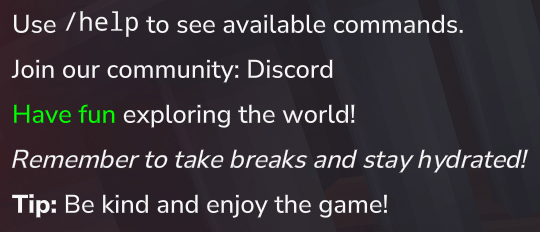
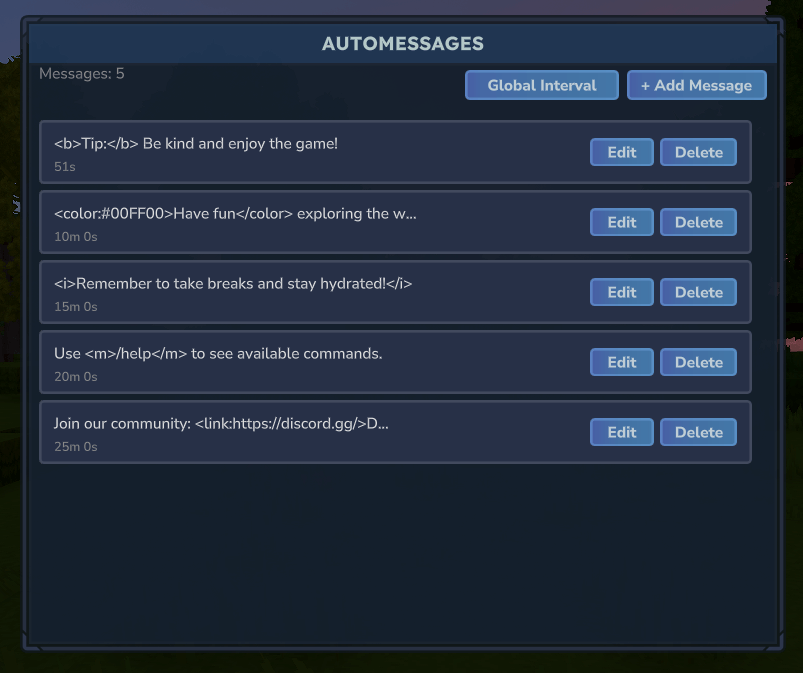
Configuration file location: mods/Hybrowse_AutoMessages/config.json
<b>text</b><i>/help</i><m>/help</m><color:#FF0000>Red</color><link:URL>Click</link><b><color:#FF0000>bold red</color></b>By default, each message has its own independent interval timer. You can enable global interval mode by setting GlobalIntervalSeconds to a value greater than 0. In this mode:
IntervalSeconds values are ignoredSet GlobalIntervalSeconds to 0 to use individual intervals for each message.
{
  "GlobalIntervalSeconds": 0,
  "Messages": [
    {
      "Message": "<b>Tip:</b> Be kind and enjoy the game!",
      "IntervalSeconds": 300
    },
    {
      "Message": "<color:#00FF00>Have fun</color> exploring the world!",
      "IntervalSeconds": 600
    },
    {
      "Message": "Use <m>/help</m> to see available commands.",
      "IntervalSeconds": 900
    },
    {
      "Message": "Join our community: <link:https://discord.gg/>Discord</link>",
      "IntervalSeconds": 1200
    }
  ]
}
GlobalIntervalSeconds: When set to > 0, uses round-robin mode with this interval (default: 0 = disabled)Message: The message text to broadcast to all playersIntervalSeconds: Time between broadcasts in seconds (minimum: 1, ignored when global interval is set)Our Hytale Server Docker image installs and updates CurseForge mods automatically.
Project description from CurseForge.
Recent files
31 Jan 2026
15 Jan 2026
14 Jan 2026
13 Jan 2026
Looking for an older file? The official CurseForge project page is in Resources.