ChatCustomization-2.0.0.jar
16 Jan 2026
Client Not supported Server Required Dependencies No extras listed Listed on Project page
Check the setup 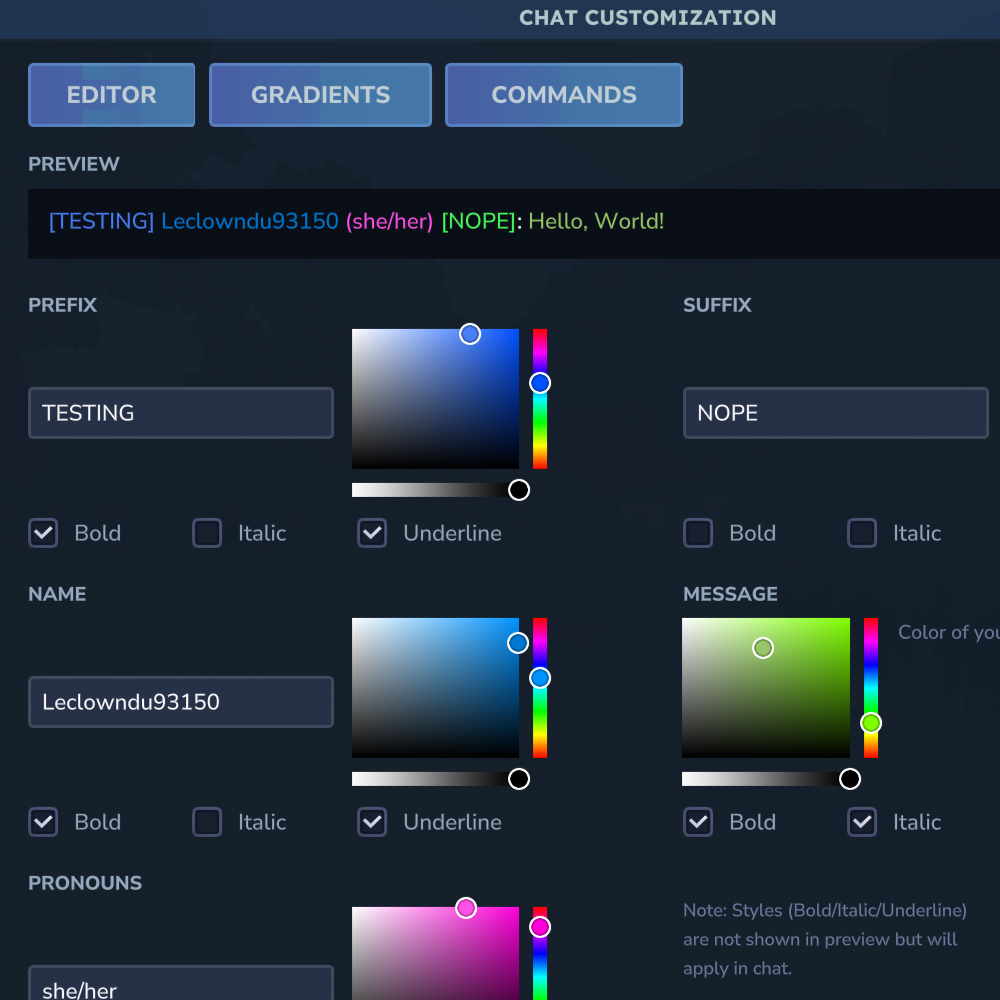
CurseForge · Hytale mod
Customize your chat with prefixes, suffixes, colors, nicknames, pronouns, and more!
Quick answer
Chat Customization ChatCustomization-2.0.0.jar targets Hytale. Do not install it as a separate client mod. Enable it on the world host—the local server in singleplayer or the dedicated server in multiplayer. No required dependencies listed for this file.
Where it goes
Do not install it as a separate client mod. Enable it on the world host—the local server in singleplayer or the dedicated server in multiplayer.
Put Hytale mods on the world host or dedicated server. Singleplayer runs a local server too; Hytale does not use separate client mods.
ChatCustomization-2.0.0.jar. Change the file and its required mods may change too.
This file does not list any required mods. Do not add a library just because a different file uses it.
This file does not list any required or optional project dependencies. Check the creator notes before changing an existing world.
Before you install it
Built for Chat Customization ChatCustomization-2.0.0.jar. Pick another file and the loader, install side or required mods may change.
Use ChatCustomization-2.0.0.jar. It targets Hytale; another release may target a different game build or dependency set.
This file does not list any required mods. Do not add a library just because a different file uses it.
Do not install it as a separate client mod. Enable it on the world host—the local server in singleplayer or the dedicated server in multiplayer.
Use the “Get this file” button beside ChatCustomization-2.0.0.jar. It opens that exact file at the source.
About this project
DISABLE CHAT FORMATTING IN LUCKPERMS AND USE JAVA 25
Customize your chat with prefixes, suffixes, colors, nicknames, pronouns, and more!
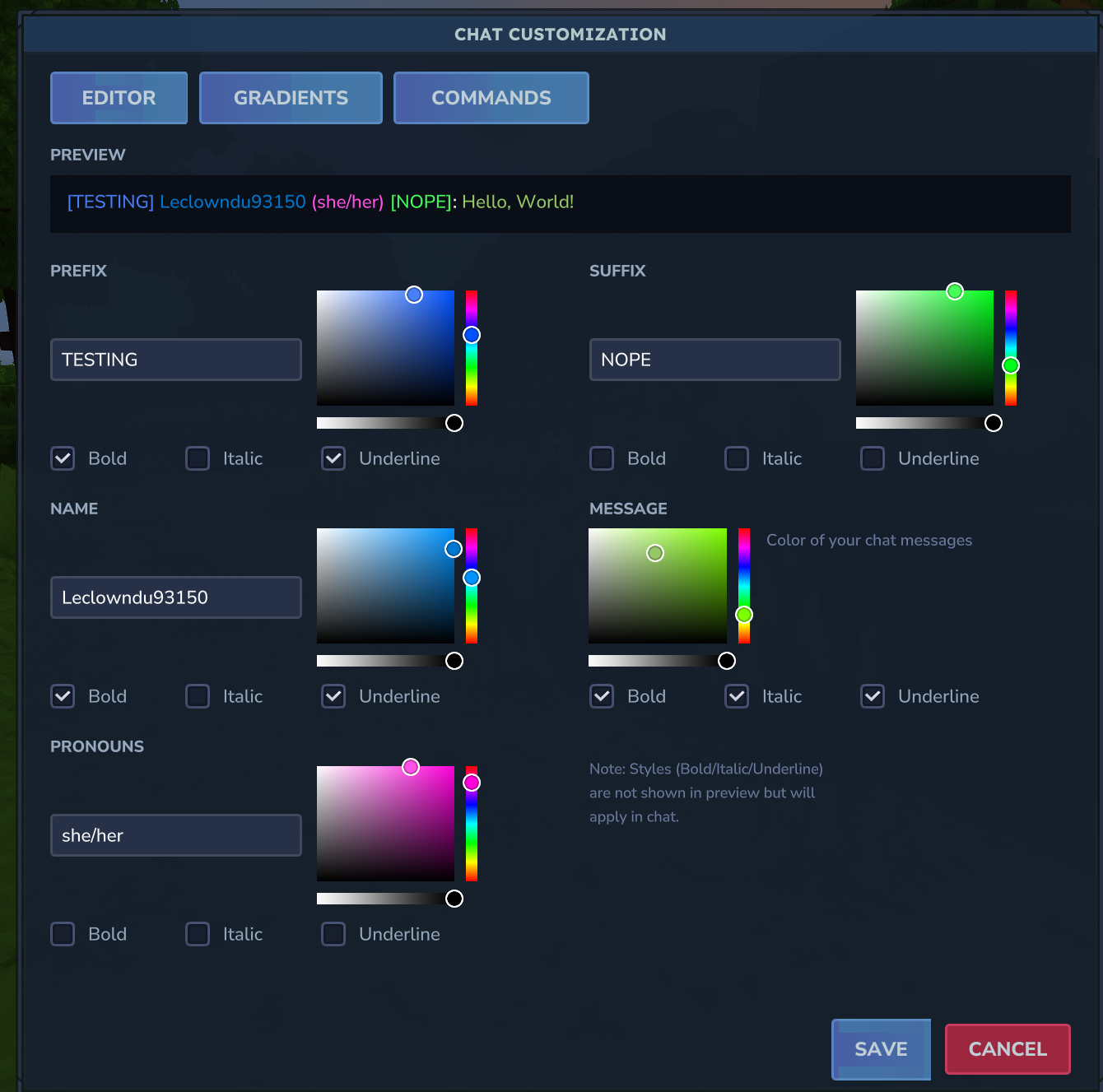
Open the visual editor with /chateditor to customize your chat without memorizing commands:
| Command | Description | Example |
|---|---|---|
/prefix <text> |
Set your chat prefix | /prefix VIP |
/prefix "spaced text" |
Set prefix with spaces | /prefix "VIP Member" |
/suffix <text> |
Set your chat suffix | /suffix MVP |
/suffix "spaced text" |
Set suffix with spaces | /suffix "2024 Edition" |
/nickname <name> |
Set your display name | /nickname CoolSteve |
/nickname "spaced name" |
Set nickname with spaces | /nickname "Cool Steve" |
/pronouns <text> |
Set your pronouns | /pronouns she/her |
| Command | Description | Example |
|---|---|---|
/namecolor <color> |
Set your name color | /namecolor GOLD |
/msgcolor <color> |
Set your message color | /msgcolor #FF69B4 |
/prefixcolor <color> |
Set your prefix color | /prefixcolor RED |
/suffixcolor <color> |
Set your suffix color | /suffixcolor AQUA |
/pronounscolor <color> |
Set your pronouns color | /pronounscolor PINK |
/colors |
Show all available colors | /colors |
Use /hyssential clear <target> to clear any setting:
| Command | Description |
|---|---|
/hyssential clear nickname |
Reset to username |
/hyssential clear prefix |
Remove your prefix |
/hyssential clear suffix |
Remove your suffix |
/hyssential clear pronouns |
Remove your pronouns |
/hyssential clear namecolor |
Reset name color |
/hyssential clear msgcolor |
Reset message color |
/hyssential clear prefixcolor |
Reset prefix color |
/hyssential clear suffixcolor |
Reset suffix color |
/hyssential clear pronounscolor |
Reset pronouns color |
/hyssential clear colors |
Reset all colors |
/hyssential clear style |
Clear all text styles |
/hyssential clear rainbow |
Clear all rainbow effects |
/hyssential clear gradient |
Clear all gradients |
/hyssential clear all |
Reset entire chat profile |
| Command | Description | Example |
|---|---|---|
/style <target> bold |
Toggle bold on element | /style name bold |
/style <target> italic |
Toggle italic on element | /style prefix italic |
/style <target> underline |
Toggle underline on element | /style message underline |
Valid targets: prefix, name, pronouns, suffix, message
| Command | Description | Example |
|---|---|---|
/gradient <target> <start> <end> |
Gradient effect on any element | /gradient name RED GOLD |
/gradient <target> clear |
Remove gradient from element | /gradient prefix clear |
/rainbow <target> |
Toggle rainbow on element | /rainbow name |
/rainbow <target> on |
Enable rainbow on element | /rainbow suffix on |
/rainbow <target> off |
Disable rainbow on element | /rainbow message off |
Valid targets: prefix, name, pronouns, suffix, message
| Command | Description | Example |
|---|---|---|
/chateditor |
Open the visual chat editor | /chateditor |
/chatprofile |
View your current chat profile | /chatprofile |
/resetformat |
Reset all customizations | /resetformat |
| Command | Description | Permission |
|---|---|---|
/preset |
Open the preset selector GUI | - |
/chatcustom preset |
Open preset management UI (admin) | chatcustom.admin.presets |
/chatcustom reload |
Reload configuration and presets | chatcustom.admin.reload |
Alias: /cc for /chatcustom
Presets are automatically applied based on player permissions and priority when chatting. Higher priority presets take precedence.
| Command | Description | Example |
|---|---|---|
/chatadmin view <player> |
View a player's profile | /chatadmin view Steve |
/chatadmin reset <player> |
Reset a player's profile | /chatadmin reset Steve |
/chatadmin setprefix <player> [value] |
Set/clear player prefix | /chatadmin setprefix Steve Admin |
/chatadmin setsuffix <player> [value] |
Set/clear player suffix | /chatadmin setsuffix Steve Pro |
/chatadmin setnickname <player> [value] |
Set/clear player nickname | /chatadmin setnickname Steve Steven |
/chatadmin setpronouns <player> [value] |
Set/clear player pronouns | /chatadmin setpronouns Steve he/him |
/chatadmin setnamecolor <player> [value] |
Set/clear player name color | /chatadmin setnamecolor Steve RED |
/chatadmin setmsgcolor <player> [value] |
Set/clear player message color | /chatadmin setmsgcolor Steve AQUA |
/chatadmin setprefixcolor <player> <color> |
Set player prefix color | /chatadmin setprefixcolor Steve GOLD |
/chatadmin setsuffixcolor <player> <color> |
Set player suffix color | /chatadmin setsuffixcolor Steve BLUE |
/chatadmin setpronounscolor <player> <color> |
Set player pronouns color | /chatadmin setpronounscolor Steve PINK |
/chatadmin clearnamecolor <player> |
Clear player name color | /chatadmin clearnamecolor Steve |
/chatadmin clearmsgcolor <player> |
Clear player message color | /chatadmin clearmsgcolor Steve |
/chatadmin clearprefixcolor <player> |
Clear player prefix color | /chatadmin clearprefixcolor Steve |
/chatadmin clearsuffixcolor <player> |
Clear player suffix color | /chatadmin clearsuffixcolor Steve |
/chatadmin clearpronounscolor <player> |
Clear player pronouns color | /chatadmin clearpronounscolor Steve |
/chatadmin setstyle <player> <target> <style> |
Set text style on element | /chatadmin setstyle Steve name bold |
/chatadmin setrainbow <player> <target> [on/off] |
Set rainbow on element | /chatadmin setrainbow Steve prefix on |
/chatadmin setgradient <player> <target> <start> <end> |
Set gradient on element | /chatadmin setgradient Steve name RED BLUE |
/chatadmin clearstyle <player> [target] |
Clear styles (all or specific) | /chatadmin clearstyle Steve name |
/chatadmin clearrainbow <player> [target] |
Clear rainbow (all or specific) | /chatadmin clearrainbow Steve |
/chatadmin cleargradient <player> [target] |
Clear gradient (all or specific) | /chatadmin cleargradient Steve prefix |
You can also use any hex color in the format #RRGGBB:
Config file: config.json
{
  "DefaultNameColor": "WHITE",
  "DefaultMessageColor": "WHITE",
  "MaxPrefixLength": 16,
  "MaxSuffixLength": 16,
  "MaxNicknameLength": 24,
  "MaxPronounsLength": 16,
  "AllowBold": true,
  "AllowItalic": true,
  "AllowUnderline": true,
  "AllowGradients": true,
  "AllowRainbow": true,
  "EnableMentions": true,
  "MentionColor": "YELLOW",
  "MentionSound": true
}
| Option | Description | Default |
|---|---|---|
| DefaultNameColor | Default color for player names | WHITE |
| DefaultMessageColor | Default color for messages | WHITE |
| MaxPrefixLength | Maximum prefix length | 16 |
| MaxSuffixLength | Maximum suffix length | 16 |
| MaxNicknameLength | Maximum nickname length | 24 |
| MaxPronounsLength | Maximum pronouns length | 16 |
| AllowBold | Allow bold text style | true |
| AllowItalic | Allow italic text style | true |
| AllowUnderline | Allow underline text style | true |
| AllowGradients | Allow gradient text effects | true |
| AllowRainbow | Allow rainbow text effects | true |
| EnableMentions | Enable @mention system | true |
| MentionColor | Color for highlighted mentions | YELLOW |
| MentionSound | Play sound when mentioned | true |
Configure permissions in config.json:
| Permission | Description | Default |
|---|---|---|
| chatcustomization.prefix | Use /prefix command | chatcustomization.prefix |
| chatcustomization.suffix | Use /suffix command | chatcustomization.suffix |
| chatcustomization.nickname | Use /nickname command | chatcustomization.nickname |
| chatcustomization.pronouns | Use /pronouns command | chatcustomization.pronouns |
| chatcustomization.color | Use color commands | chatcustomization.color |
| chatcustomization.style | Use style commands | chatcustomization.style |
| chatcustomization.gradient | Use gradient effects | chatcustomization.gradient |
| chatcustomization.rainbow | Use rainbow effects | chatcustomization.rainbow |
| chatcustomization.admin | Use admin commands | chatcustomization.admin |
Set RequirePermissionForPrefix, RequirePermissionForSuffix, etc. to true to enforce permissions.
Player profiles are stored in JSON format in the plugin data folder:
profiles.json - All player chat profiles[VIP] Steve (he/him) [MVP]: Hello everyone!
Where:
[VIP] - PrefixSteve - Nickname (or username)(he/him) - Pronouns[MVP] - SuffixHello everyone! - MessageSupport on Discord
If you'd like to support me and the development of my mods, I recommend trying out BisectHosting. Use code "project8gbderam" to get 25% off your first month of a gaming server for new customers. They offer 24/7 support and lightning-fast response times, ensuring you're in great hands and providing exceptional assistance for all your gaming needs. https://www.bisecthosting.com/project8gbderam

Project description from CurseForge.
Recent files
16 Jan 2026
16 Jan 2026
14 Jan 2026
14 Jan 2026
14 Jan 2026
14 Jan 2026
Looking for an older file? The official CurseForge project page is in Resources.