OPMarker-1.1-SNAPSHOT-all.jar
14 Jan 2026
Client Not supported Server Required Dependencies No extras listed Listed on Project page
Check the setup 
CurseForge · Hytale mod
Mark Operator players as [OP] playerName: {message}
Quick answer
Server Plugin | OPMarker | Simple OP chat prefix for server operators OPMarker-1.1-SNAPSHOT-all.jar targets Hytale. Do not install it as a separate client mod. Enable it on the world host—the local server in singleplayer or the dedicated server in multiplayer. No required dependencies listed for this file.
Where it goes
Do not install it as a separate client mod. Enable it on the world host—the local server in singleplayer or the dedicated server in multiplayer.
Put Hytale mods on the world host or dedicated server. Singleplayer runs a local server too; Hytale does not use separate client mods.
OPMarker-1.1-SNAPSHOT-all.jar. Change the file and its required mods may change too.
This file does not list any required mods. Do not add a library just because a different file uses it.
This file does not list any required or optional project dependencies. Check the creator notes before changing an existing world.
Before you install it
Built for Server Plugin | OPMarker | Simple OP chat prefix for server operators OPMarker-1.1-SNAPSHOT-all.jar. Pick another file and the loader, install side or required mods may change.
Use OPMarker-1.1-SNAPSHOT-all.jar. It targets Hytale; another release may target a different game build or dependency set.
This file does not list any required mods. Do not add a library just because a different file uses it.
Do not install it as a separate client mod. Enable it on the world host—the local server in singleplayer or the dedicated server in multiplayer.
Use the “Get this file” button beside OPMarker-1.1-SNAPSHOT-all.jar. It opens that exact file at the source.
About this project
OPMarker allows you mark server operators with a custom prefix and colors configurated in a config.yml file. If you wan't a simple plugin to separate operators from players in your chat, this is your plugin!
Click Download and get the plugin jar.
Go to your server mods folder and put the jar downloaded.
Restart your server.
All done! If you have operator in game you can write in chat has operator. Remember you need be operator. (/op add {yourUsername})
/opmarker help - See all the commands.
/opmarker reload - Reload config file and apply changes in runtime.
Default Config File:
#####################################################################################
# If you need help, get support on my Discord server: https://discord.gg/E6b2Wu7hmz #
#####################################################################################
Config:
  operator-prefix: "[OP]"
  message-separator: ":"
  # Use colors like RED, YELLOW, LIGHT_GRAY, GRAY, GREEN... it's the only way for now to
    use colors.
  # [PREFIX] PlayerName: {message}
  operator-color-prefix: "RED"
  operator-color-name: "RED"
  operator-color-message: "RED"


Discord Server: https://discord.gg/XkKwdVPHb2
Project description from CurseForge.
Recent files
14 Jan 2026
14 Jan 2026
Looking for an older file? The official CurseForge project page is in Resources.
 mod
modA Hytale Skyblock mod with portal progression: create multiple starts in one save, including Asteroid Starter, connect worlds with Rift Shard and World Teleporter, and automate your base with Life Essence-powered machines.
 mod
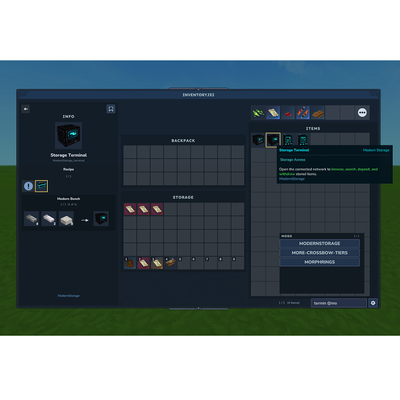
modMinecraft JEI, but in Hytale. An item and recipe viewer, search by mod with autocomplete using @. Left click for recipe, Right click for Usages. Shift left click settings button for Cheat Mode (/give Item, useful for creative mode), can bookmark items.
 mod
modAdds a brand-new Labyrinth Dimension featuring a vast desert surface and an endless maze stretching deep below. Discover unique locations and face a variety of dangerous new enemies as you explore its depths!