Hytale version
Back to mods 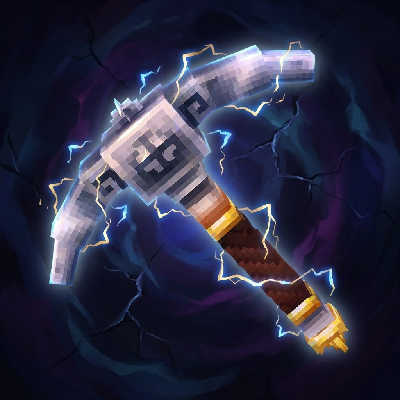
CurseForge · Hytale mod
Vein Mining
Instantly mine connected ores and blocks by holding the Walk key (LEFT ALT) while breaking a single block.
Choose a version Pick your version below, then grab the matching file.
Quick answer
Which Vein Mining release should I use?
Latest stable file vein-mining-2.5.0.jar
Game version 0.7
Mod system Built-in Hytale mod system
Vein Mining vein-mining-2.5.0.jar targets 0.7. Do not install it as a separate client mod. Enable it on the world host—the local server in singleplayer or the dedicated server in multiplayer. No required dependencies listed for this file.
Where it goes
Where should Vein Mining be installed in Hytale?
Do not install it as a separate client mod. Enable it on the world host—the local server in singleplayer or the dedicated server in multiplayer.
Separate client mod Not supported
World host / dedicated server Required
Mod system for this release Built-in Hytale mod system
Required install it here Optional supported, not mandatory Not supported do not install here Source doesn’t say do not assume
Put Hytale mods on the world host or dedicated server. Singleplayer runs a local server too; Hytale does not use separate client mods.
What else does Vein Mining vein-mining-2.5.0.jar need?
vein-mining-2.5.0.jar. Change the file and its required mods may change too.
This file does not list any required mods. Do not add a library just because a different file uses it.
This file does not list any required or optional project dependencies. Check the creator notes before changing an existing world.
Before you install it
Add Vein Mining without breaking your instance.
Built for Vein Mining vein-mining-2.5.0.jar. Pick another file and the loader, install side or required mods may change.
- 01
Stick to this file
Use vein-mining-2.5.0.jar. It targets 0.7; another release may target a different game build or dependency set.
- 02
Bring the mods it needs
This file does not list any required mods. Do not add a library just because a different file uses it.
- 03
Enable it on the world host
Do not install it as a separate client mod. Enable it on the world host—the local server in singleplayer or the dedicated server in multiplayer.
- 04
Pick the file you checked
Use the “Get this file” button beside vein-mining-2.5.0.jar. It opens that exact file at the source.
About this project
What does Vein Mining add?
Updated for Hytale v0.7!
Features
- Hold the Walk key (LEFT ALT) while mining to activate veinmining.
- Open the GUI with /vm or use chat commands to configure Target Mode, Excavation Pattern, Orientation, and Key.
- Tools lose durability based on the total number of blocks broken.
- Consolidate all loot from the vein into a single pile at your feet or the source block.
Mining Modes (/vm)
Targeting
- All Blocks — Mines connected blocks of any type (Default)
- Ores Only — Mines connected ore veins
- Off — Temporarily disables veinmining
Excavation Patterns
- Freeform — Follows the vein in any direction (Classic)
- Cube — Excavates a 3x3x3 area
- Tunnel — Available in 1x1, 1x2 (Player), and 3x3
- Wall — Mines a flat surface (3x3 or 5x5)
- Diagonal — Mines a diagonal staircase
Orientation
- Block Face — Aligns the pattern to the side of the block hit.
- Player View — Aligns the pattern to the camera view.
Chat Configuration
All settings can be configured directly via chat with smart parsing (aliases) and formatted confirmation messages.
Available Flags:
--mode: all, ores, off--pattern: free, cube, tunnel1 (t1), tunnel2 (t2), tunnel3 (t3), wall3 (w3), wall5 (w5), diagonal (diag)--orientation: block, player--key: walk, crouch, always
Example Command:
/vm --mode all --pattern cube --key always
Configuration File
Advanced settings are available in the VeinMining.json config file:
- Maximum vein size per player group
- Durability multipliers
- Drop positioning (
player,break,block) - Drop bundling/consolidation toggle
- Tool requirement toggle (Requires Pickaxe, Axe, Shovel, or Shears)
- Instant break blocks toggle
Troubleshooting & FAQ
World or Game Won't Start
If the world no longer loads after an update, the configuration file format may have changed.
- Navigate to:
%APPDATA%\Hytale\UserData\Saves\YourWorldName\mods - Delete the folder named EineNT_VeinMining.
- Rejoin the world; the folder and config will regenerate automatically.
Mod Not Working?
- Check for Duplicates: Ensure only one version of the
.jarfile is in the%APPDATA%\Hytale\UserData\Modsfolder. - Verify Installation: Run /vm. If the GUI opens or chat responds, the mod is active.
- Check Status: Run /pl m (requires OP/Admin). If
EineNT:VeinMiningis disabled, click to enable it. - Tool Requirement: By default, the mod only works if holding a valid tool (Pickaxe, Axe, Shovel, or Shears).
How to Edit Configs
Configurations are stored per world. To edit them manually:
- Go to:
%APPDATA%\Hytale\UserData\Saves\YourWorldName\mods\EineNT_VeinMining - Open VeinMining.json with a text editor.
- Apply changes by restarting the server or running /pl reload EineNT:VeinMining.
"Failed to reload plugin" Error
If a message appears saying "Failed to reload plugin EineNT:VeinMining!" during startup or reload, this can usually be ignored. The plugin most likely loaded correctly despite the warning message.
A huge thank you to ItsRiprod for contributing the migration code to keep the mod alive!

Project description from CurseForge.
Pick your setup
Vein Mining releases for each Hytale build.
Choose the version and loader you play, then open the matching release.
Hytale version
0.6
1 loader buildHytale version
0.5
1 loader buildCheck the dependencies, then try the file in a copied instance before changing a world you care about.
Recent files
Vein Mining releases and Hytale builds
vein-mining-2.5.0.jar
12 Oct 2026
Client Not supported Server Required Dependencies No extras listed Listed on Project page
Check the 0.7 setup 0.7 release
vein-mining-2.4.0.jar
2 Sept 2026
Client Not supported Server Required Dependencies No extras listed Listed on Project page
Check the 0.6 setup 0.6 release
vein-mining-2.2.0.jar
10 Jul 2026
Client Not supported Server Required Dependencies No extras listed Listed on Project page
Check the 0.5 setup 0.5 release
vein-mining-2.1.4.jar
5 Apr 2026
Client Not supported Server Required Dependencies No extras listed Listed on Project page
Check the setup vein-mining-2.1.3.jar
11 Mar 2026
Client Not supported Server Required Dependencies No extras listed Listed on Project page
Check the setup vein-mining-2.1.2.jar
4 Mar 2026
Client Not supported Server Required Dependencies No extras listed Listed on Project page
Check the setup vein-mining-2.1.1.jar
2 Mar 2026
Client Not supported Server Required Dependencies No extras listed Listed on Project page
Check the setup vein-mining-2.1.0.jar
19 Feb 2026
Client Not supported Server Required Dependencies No extras listed Listed on Project page
Check the setup vein-mining-2.0.1.jar
9 Feb 2026
Client Not supported Server Required Dependencies No extras listed Listed on Project page
Check the setup vein-mining-2.0.0.jar
9 Feb 2026
Client Not supported Server Required Dependencies No extras listed Listed on Project page
Check the setup vein-mining-1.3.7.jar
20 Jan 2026
Client Not supported Server Required Dependencies No extras listed Listed on Project page
Check the setup vein-mining-1.3.6.jar
18 Jan 2026
Client Not supported Server Required Dependencies No extras listed Listed on Project page
Check the setup Looking for an older file? The official CurseForge project page is in Resources.