Hytale-Translation-RUS-v1.2.zip
14 Jan 2026
Client Not supported Server Required Dependencies No extras listed Listed on Project page
Check the setup 
CurseForge · Hytale mod
Russian (ru-RU) translation pack for Hytale. Includes translated menus, UI elements, and interface. Work in progress - only 99% complete.
Quick answer
Translation - Russian Hytale-Translation-RUS-v1.2.zip targets Hytale. Do not install it as a separate client mod. Enable it on the world host—the local server in singleplayer or the dedicated server in multiplayer. No required dependencies listed for this file.
Where it goes
Do not install it as a separate client mod. Enable it on the world host—the local server in singleplayer or the dedicated server in multiplayer.
Put Hytale mods on the world host or dedicated server. Singleplayer runs a local server too; Hytale does not use separate client mods.
Hytale-Translation-RUS-v1.2.zip. Change the file and its required mods may change too.
This file does not list any required mods. Do not add a library just because a different file uses it.
This file does not list any required or optional project dependencies. Check the creator notes before changing an existing world.
Before you install it
Built for Translation - Russian Hytale-Translation-RUS-v1.2.zip. Pick another file and the loader, install side or required mods may change.
Use Hytale-Translation-RUS-v1.2.zip. It targets Hytale; another release may target a different game build or dependency set.
This file does not list any required mods. Do not add a library just because a different file uses it.
Do not install it as a separate client mod. Enable it on the world host—the local server in singleplayer or the dedicated server in multiplayer.
Use the “Get this file” button beside Hytale-Translation-RUS-v1.2.zip. It opens that exact file at the source.
About this project
Russian language pack for Hytale. The goal is to offer a more natural experience in Russian.
To install the game files, go to the game’s root folder. If you don’t know where it is, open the launcher > Settings (gear icon) > “Open Directory”.
Once you’re in the root folder, open the downloaded .zip file and drag the “install” folder into Hytale’s root folder.
Select “Replace all” (or “Replace the files in the destination”) when prompted.
In-game, go to Settings and choose Russian as the language.
Font Lexend-Bold has been replaced with Font Noto-mono because Font Lexend-Bold does not support Cyrillic characters.
You’re all set and ready to play.
(IMPORTANT: If you download it using the CurseForge application, delete the .zip file from the mods folder after installing the translation, as it may prevent your world from loading.)
Note on status
This translation is a work in progress: you may find untranslated lines or expressions that could be improved. It will be refined and expanded in future updates.
Version: 1.0
РУССКИЙ
Русский языковой пакет для Hytale. Цель — обеспечить более естественный игровой опыт на русском языке.
Как установить
.zip-архив и перетащите папку install в корневую папку Hytale. Готово! Теперь можно играть.
(ВАЖНО: Если вы скачали перевод через приложение CurseForge, после установки удалите .zip-файл из папки mods, так как его наличие может препятствовать загрузке вашего мира.)
Данный перевод находится в разработке: вы можете встретить непереведённые строки или выражения, которые можно улучшить. Он будет дорабатываться и расширяться в будущих обновлениях.
Версия: 1.0
by Deep Gray
Project description from CurseForge.
Recent files
14 Jan 2026
Looking for an older file? The official CurseForge project page is in Resources.
 mod
modHytale RPG Leveling Mod - Endless Leveling adds full character progression: levels, stats, classes, races, augments, skills/abilities, dungeons & dynamic events. Solo Leveling inspired endless growth for singleplayer & servers.
 mod
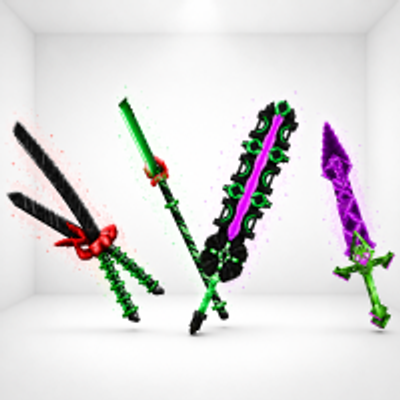
modKweebec Arsenal is a set of custom Kweebec-made weapons built for speed, style, and extra damage. Each one has its own unique trail and deadly design.
 mod
modVandoria Jetpacks adds four unique craftable jetpacks to Hytale, each offering progressively better flight performance, improved player stats, custom models, animated thruster effects, immersive engine sounds, and balanced stamina-based flight.