souza-skyblock-0.1.0.jar
15 Jan 2026
Client Not supported Server Required Dependencies No extras listed Listed on Project page
Check the setup 
CurseForge · Hytale mod
The classic Skyblock experience, reimagined for Hytale!
Quick answer
SouzaSkyblock souza-skyblock-0.1.0.jar targets Hytale. Do not install it as a separate client mod. Enable it on the world host—the local server in singleplayer or the dedicated server in multiplayer. No required dependencies listed for this file.
Where it goes
Do not install it as a separate client mod. Enable it on the world host—the local server in singleplayer or the dedicated server in multiplayer.
Put Hytale mods on the world host or dedicated server. Singleplayer runs a local server too; Hytale does not use separate client mods.
souza-skyblock-0.1.0.jar. Change the file and its required mods may change too.
This file does not list any required mods. Do not add a library just because a different file uses it.
This file does not list any required or optional project dependencies. Check the creator notes before changing an existing world.
Before you install it
Built for SouzaSkyblock souza-skyblock-0.1.0.jar. Pick another file and the loader, install side or required mods may change.
Use souza-skyblock-0.1.0.jar. It targets Hytale; another release may target a different game build or dependency set.
This file does not list any required mods. Do not add a library just because a different file uses it.
Do not install it as a separate client mod. Enable it on the world host—the local server in singleplayer or the dedicated server in multiplayer.
Use the “Get this file” button beside souza-skyblock-0.1.0.jar. It opens that exact file at the source.
About this project
The classic Skyblock experience, reimagined for Hytale!
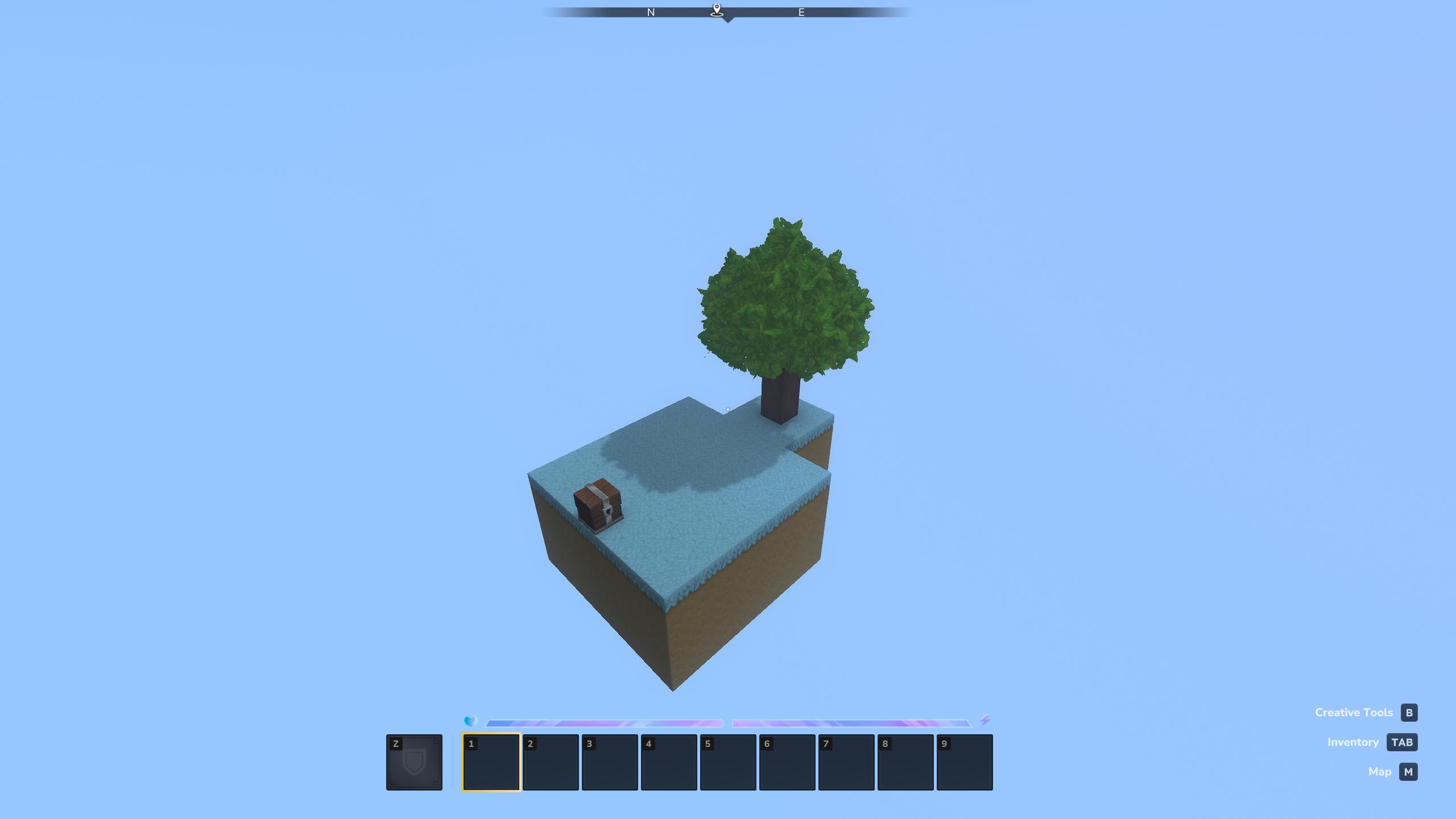
Start your adventure on a tiny floating island in the void. With limited resources and your wits, can you survive and thrive? Expand your island, invite friends, and build your dream base in the sky!
/skyblock reset| Command | Description | Permission |
|---|---|---|
/skyblock home |
Teleport to your island spawn | souza.skyblock.command.home |
/skyblock reset |
Reset your island (requires confirmation) | souza.skyblock.command.reset |
/skyblock info |
View information about your island | souza.skyblock.command.info |
/skyblock invite <player> |
Invite a player to join your island | souza.skyblock.command.invite |
/skyblock kick <player> |
Remove a member from your island | souza.skyblock.command.kick |
/skyblock visit <player> |
Visit another player's island | souza.skyblock.command.visit |
/skyblock accept [player] |
Accept an island invite or visit request | souza.skyblock.command.accept |
/skyblock public |
Toggle public access to your island | souza.skyblock.command.public |
/skyblock homeServer owners can fully customize the Skyblock experience!
IslandSpacing: 500          # Distance between islands
IslandProtectedRadius: 100  # Protected area size
IslandPlatformHeight: 100   # Y-level of islands
PlatformSize: 7             # Size of starting platform (7x7)
Customize what players receive in their starter chest:
StarterItems: [
    "Tool_Pickaxe_Wood:1",
    "Weapon_Axe_Crude:1",
    "Tool_Hoe_Copper:1",
    "Container_Bucket:1",
    "Fluid_Lava:1",
    "Fluid_Water:1",
    "Plant_Seeds_Oak:4",
    "Ingredient_Bone_Fragment:8"
]
Change the blocks used for island generation:
GrassBlockType: "Soil_Grass"
DirtBlockType: "Soil_Dirt"
BedrockBlockType: "Rock_Volcanic"
OakLogBlockType: "Wood_Oak_Trunk"
OakLeavesBlockType: "Plant_Leaves_Oak"
ChestBlockType: "Furniture_Village_Chest_Small"
GenerateTree: true          # Include oak tree on island
GenerateChest: true         # Include starter chest
AutoCreateWorld: true       # Auto-create skyblock world
MaxMembersPerIsland: 10     # Max coop members
Project description from CurseForge.
Recent files
15 Jan 2026
Looking for an older file? The official CurseForge project page is in Resources.