MineChat-Formatter-0.1.5.jar
11 Feb 2026
Client Not supported Server Required Dependencies No extras listed Listed on Project page
Check the setup 
CurseForge · Hytale mod
Adds Minecraft-like chat formatting for players. Supports §, & and Custom colors.
Quick answer
MineChat Formatter MineChat-Formatter-0.1.5.jar targets Hytale. Do not install it as a separate client mod. Enable it on the world host—the local server in singleplayer or the dedicated server in multiplayer. No required dependencies listed for this file.
Where it goes
Do not install it as a separate client mod. Enable it on the world host—the local server in singleplayer or the dedicated server in multiplayer.
Put Hytale mods on the world host or dedicated server. Singleplayer runs a local server too; Hytale does not use separate client mods.
MineChat-Formatter-0.1.5.jar. Change the file and its required mods may change too.
This file does not list any required mods. Do not add a library just because a different file uses it.
This file does not list any required or optional project dependencies. Check the creator notes before changing an existing world.
Before you install it
Built for MineChat Formatter MineChat-Formatter-0.1.5.jar. Pick another file and the loader, install side or required mods may change.
Use MineChat-Formatter-0.1.5.jar. It targets Hytale; another release may target a different game build or dependency set.
This file does not list any required mods. Do not add a library just because a different file uses it.
Do not install it as a separate client mod. Enable it on the world host—the local server in singleplayer or the dedicated server in multiplayer.
Use the “Get this file” button beside MineChat-Formatter-0.1.5.jar. It opens that exact file at the source.
About this project
Adds Minecraft-like chat formatting for players.
§a Some green text §c Some red text §r Some default text

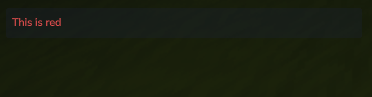
By default you can use § and &.
You can also use custom colors like this:
&#<Hex Code> <Text>
§#<Hex Code> <Text>
&#FFFF00 Some yellow text
§#FF00FF Some purple text


Currently supported all vanilla colors, bold and italic.
Permissions
minechatformatter.chat.formatBy default, permissions are NOT required.
All players can use chat formatting unless explicitly enabled in the config.
Singleplayer:
UserData -> saves -> <worldname> -> Mods -> dev.guerrerito_MineChatFormatter -> MineChatFormatter.json
Server:
Mods -> dev.guerrerito_MineChatFormatter -> MineChatFormatter.json
When enabled, only players with the permissionminechatformatter.chat.format can use formatting.
Use a Permission Manager plugin or Hytale default command
/perm user add <player-uuid> minechatformatter.chat.format
(You can use /whoami <player> to get the uuid)
Project description from CurseForge.
Recent files
11 Feb 2026
19 Jan 2026
16 Jan 2026
16 Jan 2026
15 Jan 2026
15 Jan 2026
Looking for an older file? The official CurseForge project page is in Resources.
 mod
mod[Feedback welcomed] Turning Hytale into Fast-Paced ARPG, bringing New Combat style with Hytale Weapons, and Elemental powers
 mod
modThis mod adds more ways to carry mobs in the game.
 mod
modA very simple double jump mod!