WelcomeAlert 1.0
15 Jan 2026
Client Not supported Server Required Dependencies No extras listed Listed on Project page
Check the setup 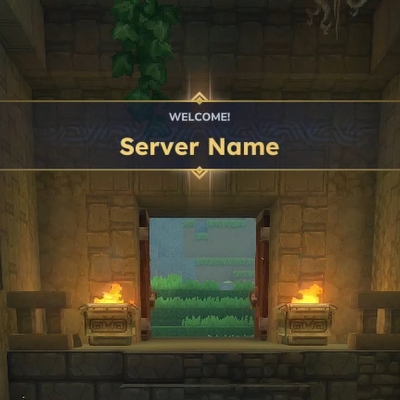
CurseForge · Hytale mod
A simple plugin for Hytale that shows a greeting with sound when joining the server.
Quick answer
WelcomeAlert 1.0 targets Hytale. Do not install it as a separate client mod. Enable it on the world host—the local server in singleplayer or the dedicated server in multiplayer. No required dependencies listed for this file.
Where it goes
Do not install it as a separate client mod. Enable it on the world host—the local server in singleplayer or the dedicated server in multiplayer.
Put Hytale mods on the world host or dedicated server. Singleplayer runs a local server too; Hytale does not use separate client mods.
WelcomeAlert 1.0. Change the file and its required mods may change too.
This file does not list any required mods. Do not add a library just because a different file uses it.
This file does not list any required or optional project dependencies. Check the creator notes before changing an existing world.
Before you install it
Built for WelcomeAlert 1.0. Pick another file and the loader, install side or required mods may change.
Use WelcomeAlert 1.0. It targets Hytale; another release may target a different game build or dependency set.
This file does not list any required mods. Do not add a library just because a different file uses it.
Do not install it as a separate client mod. Enable it on the world host—the local server in singleplayer or the dedicated server in multiplayer.
Use the “Get this file” button beside WelcomeAlert 1.0. It opens that exact file at the source.
About this project
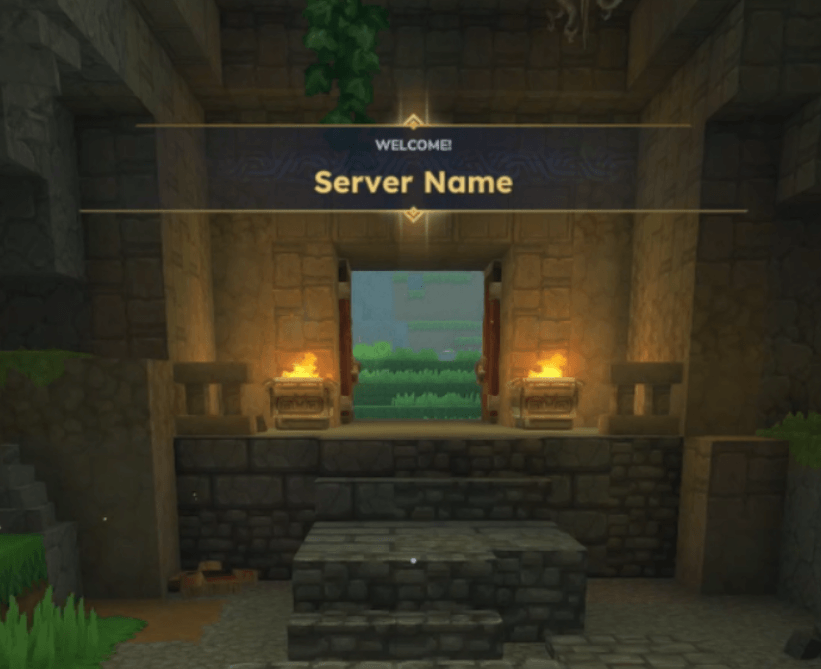
A simple and lightweight plugin for Hytale that enhances the player experience by displaying a customizable welcome message with sound effects when players join your server.
**Customizable Welcome Message**: Display a personalized title and message to players when they join
**Sound Effects**: Plays a pleasant sound notification (SFX_Memories_Unlock_Local) upon player connection
**Configurable**: Easy-to-use configuration system for customizing the welcome experience
**Join Message Control**: Option to disable the default server join message for a cleaner experience
**Lightweight**: Minimal performance impact, designed for efficiency
The plugin can be configured through the server configuration files. Available settings:
**Title**: The title displayed in the welcome message (default: "Welcome!")
**Message**: The main message shown to players (default: "Server Name")
**DisableJoinMessage**: Whether to disable the default server join message (default: true)
When a player joins your Hytale server:
The plugin detects when the player is ready
A welcome title and message are displayed using Hytale's event title system
A sound effect is played to draw attention to the welcome message
Optionally, the default join message can be suppressed for a cleaner experience
Project description from CurseForge.
Recent files
15 Jan 2026
Looking for an older file? The official CurseForge project page is in Resources.
 mod
modA yellow sign guiding brave miners through sprawling caves. It is bright yellow, practical, and easy to carry.
 mod
modAdds floating boss islands and multi-phase dungeon bosses with unique arenas and rare Voidice loot.
 mod
modEndless Ember adds tiered fuels, Ember crafting stations, mineral soils, and magical ore flowers to Hytale—grow, harvest, and press pollen into resources while progressing from MK1 fuel to near-infinite endgame power.