Hytale version
Back to mods 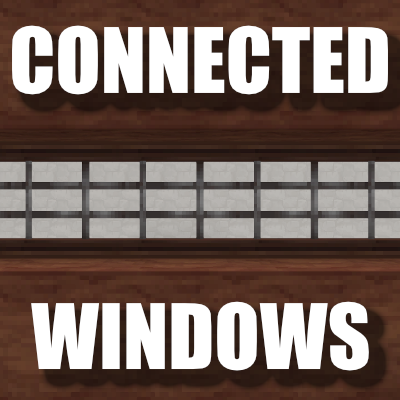
CurseForge · Hytale mod
Connected Windows
A simple mod that connects the windows textures in the game
Choose a version Pick your version below, then grab the matching file.
Quick answer
Which Connected Windows release matches 0.6?
Best match for your filters ConnectedWindows_0.14.1.zip
Game version 0.6
Mod system Built-in Hytale mod system
Connected Windows ConnectedWindows_0.14.1.zip targets 0.6. Do not install it as a separate client mod. Enable it on the world host—the local server in singleplayer or the dedicated server in multiplayer. No required dependencies listed for this file.
Where it goes
Where should Connected Windows be installed in Hytale?
Do not install it as a separate client mod. Enable it on the world host—the local server in singleplayer or the dedicated server in multiplayer.
Separate client mod Not supported
World host / dedicated server Required
Mod system for this release Built-in Hytale mod system
Required install it here Optional supported, not mandatory Not supported do not install here Source doesn’t say do not assume
Put Hytale mods on the world host or dedicated server. Singleplayer runs a local server too; Hytale does not use separate client mods.
What else does Connected Windows ConnectedWindows_0.14.1.zip need?
ConnectedWindows_0.14.1.zip on 0.6. Every mod below is checked against that same setup.
This file does not list any required mods. Do not add a library just because a different file uses it.
This file does not list any required or optional project dependencies. Check the creator notes before changing an existing world.
Before you install it
Add Connected Windows without breaking your instance.
Built for Connected Windows ConnectedWindows_0.14.1.zip on 0.6. Pick another file and the loader, install side or required mods may change.
- 01
Stick to this file
Use ConnectedWindows_0.14.1.zip. It targets 0.6; another release may target a different game build or dependency set.
- 02
Bring the mods it needs
This file does not list any required mods. Do not add a library just because a different file uses it.
- 03
Enable it on the world host
Do not install it as a separate client mod. Enable it on the world host—the local server in singleplayer or the dedicated server in multiplayer.
- 04
Pick the file you checked
Use the “Get this file” button beside ConnectedWindows_0.14.1.zip. It opens that exact file at the source.
About this project
What does Connected Windows add?
Description
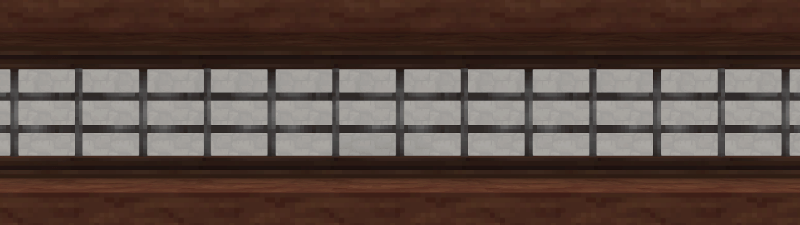
This pack makes it so window blocks will now connect between each other.
Click with the hammer to make the window non-connectable, requires a block update (like placing/removing a block next to the window) to take full effect.
WIP
Currently supported windows:
- Simple Wooden Window
- Crude Window
- Dark Temple Window
- Light Temple Window
- Wind Temple Window
- Overgrown Temple Window
- Tavern Window
- Lost Civilization Window
Project description from CurseForge.
Pick your setup
Connected Windows releases for each Hytale build.
Choose the version and loader you play, then open the matching release.
Check the dependencies, then try the file in a copied instance before changing a world you care about.
Recent files
Connected Windows releases and Hytale builds
ConnectedWindows_0.14.1.zip
27 Sept 2026
Client Not supported Server Required Dependencies No extras listed Listed on Project page
Check the 0.6 setup 0.6 release
Looking for an older file? The official CurseForge project page is in Resources.
 mod
CurseForge · Hytale
Fantastic - StorageCubes
Adds portable storage cubes with progressive capacity.
 mod
CurseForge · Hytale
Living World Events
A world that's truly alive: unexpected events, epic bosses and treasures waiting to be won.
 mod
CurseForge · Hytale
More Ore Rewards
Get more ore from mines