HealthBar-1.1.2-SNAPSHOT.jar
9 Jun 2026
Client Not supported Server Required Dependencies No extras listed Listed on Project page
Check the setup 
CurseForge · Hytale mod
Add numeric Health bar above entities head
Quick answer
HealthBar-1.1.2-SNAPSHOT.jar targets Hytale. Do not install it as a separate client mod. Enable it on the world host—the local server in singleplayer or the dedicated server in multiplayer. No required dependencies listed for this file.
Where it goes
Do not install it as a separate client mod. Enable it on the world host—the local server in singleplayer or the dedicated server in multiplayer.
Put Hytale mods on the world host or dedicated server. Singleplayer runs a local server too; Hytale does not use separate client mods.
HealthBar-1.1.2-SNAPSHOT.jar. Change the file and its required mods may change too.
This file does not list any required mods. Do not add a library just because a different file uses it.
This file does not list any required or optional project dependencies. Check the creator notes before changing an existing world.
Before you install it
Built for HealthBar-1.1.2-SNAPSHOT.jar. Pick another file and the loader, install side or required mods may change.
Use HealthBar-1.1.2-SNAPSHOT.jar. It targets Hytale; another release may target a different game build or dependency set.
This file does not list any required mods. Do not add a library just because a different file uses it.
Do not install it as a separate client mod. Enable it on the world host—the local server in singleplayer or the dedicated server in multiplayer.
Use the “Get this file” button beside HealthBar-1.1.2-SNAPSHOT.jar. It opens that exact file at the source.
About this project
HealthBar is a lightweight Hytale plugin that renders floating health bars above mobs and NPCs.
Floating health bars above mobs/NPCs
current / max HP.Eye‑height aware positioning
ModelComponent and Model.getEyeHeight(...).Configurable vertical offset
Automatic cleanup
Respect for invulnerability
Invulnerable component are ignored (no health bar).Global toggle
A config file is created automatically the first time the plugin runs.
<plugin-data-directory>/healthbar.propertiesExample:
# Vertical offset added on top of the entity’s eye height
y-offset=0.3
This mod add numeric HealthBar above entities head.
if you have any issues contact me on discord: ender_griefeur99
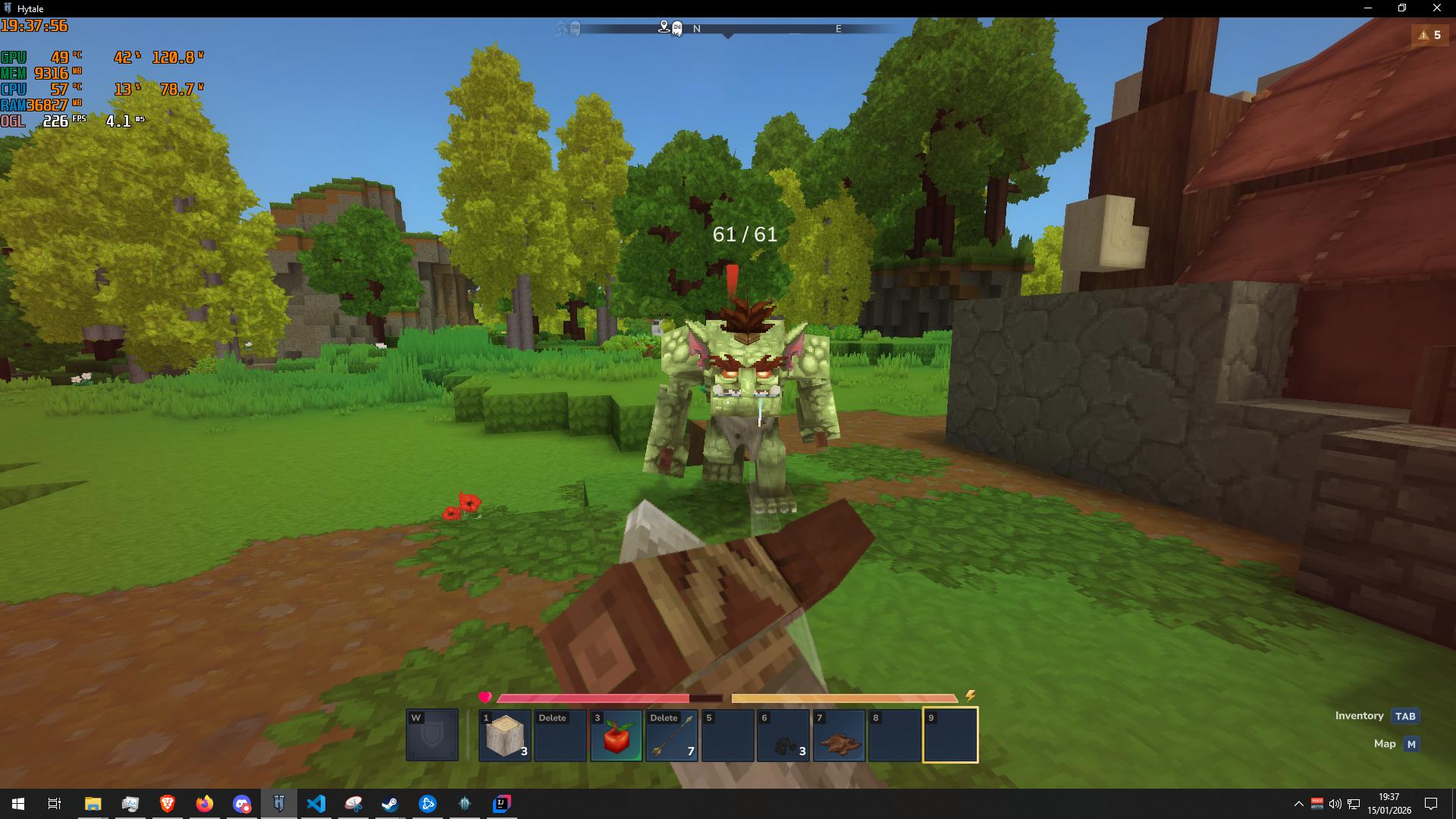

Project description from CurseForge.
Recent files
9 Jun 2026
17 Feb 2026
1 Feb 2026
26 Jan 2026
25 Jan 2026
25 Jan 2026
19 Jan 2026
17 Jan 2026
16 Jan 2026
16 Jan 2026
16 Jan 2026
16 Jan 2026
Looking for an older file? The official CurseForge project page is in Resources.
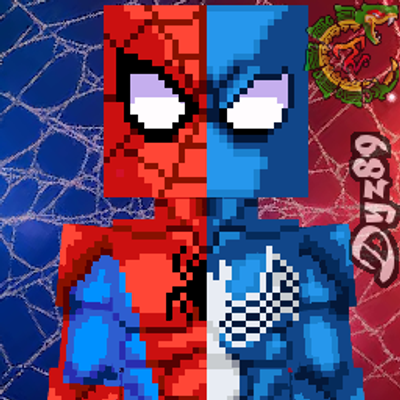 mod
modSpidey Custom Skin Model for Hytale!
 mod
modCentralized control panel to access the UIs and commands of all user mods in one place.
 mod
modMob taming framework and asset patcher. Breeding, traits, leveling, tame management UI, easier interaction chains, capture/spawn items that store metadata, ownership/tamed status, lots of behavior components and more!