SimpleStackSizeManager-1.0.0.jar
15 Jan 2026
Client Not supported Server Required Dependencies No extras listed Listed on Project page
Check the setup 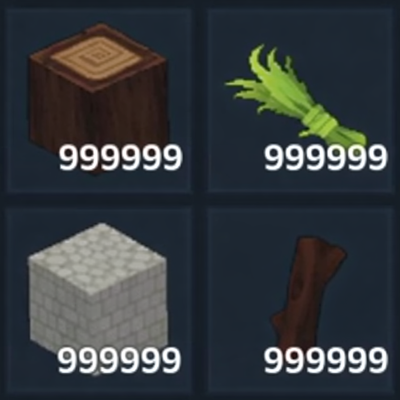
CurseForge · Hytale mod
Customize stack sizes for all items. Default sets everything to 999999 stacks. Configure individual item overrides in the config file to set specific items to lower stack sizes.
Quick answer
Simple Stack Size Manager SimpleStackSizeManager-1.0.0.jar targets Hytale. Do not install it as a separate client mod. Enable it on the world host—the local server in singleplayer or the dedicated server in multiplayer. No required dependencies listed for this file.
Where it goes
Do not install it as a separate client mod. Enable it on the world host—the local server in singleplayer or the dedicated server in multiplayer.
Put Hytale mods on the world host or dedicated server. Singleplayer runs a local server too; Hytale does not use separate client mods.
SimpleStackSizeManager-1.0.0.jar. Change the file and its required mods may change too.
This file does not list any required mods. Do not add a library just because a different file uses it.
This file does not list any required or optional project dependencies. Check the creator notes before changing an existing world.
Before you install it
Built for Simple Stack Size Manager SimpleStackSizeManager-1.0.0.jar. Pick another file and the loader, install side or required mods may change.
Use SimpleStackSizeManager-1.0.0.jar. It targets Hytale; another release may target a different game build or dependency set.
This file does not list any required mods. Do not add a library just because a different file uses it.
Do not install it as a separate client mod. Enable it on the world host—the local server in singleplayer or the dedicated server in multiplayer.
Use the “Get this file” button beside SimpleStackSizeManager-1.0.0.jar. It opens that exact file at the source.
About this project
Simple Stack Size Manager
A lightweight plugin to customize stack sizes for all items with configurable overrides.
Features include
How It Works
The plugin listens for the item loading event and modifies the maximum stack size for each item using reflection. All items receive the default stack size unless specifically overridden in the configuration.
Configuration
All settings are stored in SimpleStackSizeManager_config/config.json
DefaultStackSize
The default stack size applied to all items.
Default: 999999
ItemOverrides
A map of item IDs to their specific stack sizes.
Items listed here will use the specified stack size instead of the default.
Example Configuration
{
"DefaultStackSize": 999999,
"ItemOverrides": {
"hytale:ender_pearl": 16,
"hytale:potion": 1,
"hytale:diamond_sword": 1,
"hytale:bucket": 16
}
}
Project description from CurseForge.
Recent files
15 Jan 2026
Looking for an older file? The official CurseForge project page is in Resources.
 mod
modVillagers with their own name, face and personality that you can befriend, marry, hire and raise a family with — in villages you build, rank up and govern by decree.
 mod
modInfinite health, stamina, oxygen, mana and signature energy with an in-game settings screen. /godmode opens a menu where you toggle each one separately. Applies instantly, saves with your character. Lightweight server-side plugin.
 mod
modDisplays chat and events in Discord using only a webhook. Multi channel support!