Functional Wardrobes V1.1.0.zip
15 Jan 2026
Client Not supported Server Required Dependencies No extras listed Listed on Project page
Check the setup 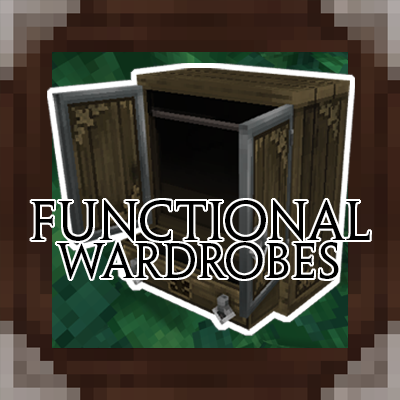
CurseForge · Hytale mod
Turns Hytale’s decorative wardrobes into fully functional storage blocks with smooth, game-fitting opening animations.
Quick answer
Functional Wardrobes V1.1.0.zip targets Hytale. Do not install it as a separate client mod. Enable it on the world host—the local server in singleplayer or the dedicated server in multiplayer. No required dependencies listed for this file.
Where it goes
Do not install it as a separate client mod. Enable it on the world host—the local server in singleplayer or the dedicated server in multiplayer.
Put Hytale mods on the world host or dedicated server. Singleplayer runs a local server too; Hytale does not use separate client mods.
Functional Wardrobes V1.1.0.zip. Change the file and its required mods may change too.
This file does not list any required mods. Do not add a library just because a different file uses it.
This file does not list any required or optional project dependencies. Check the creator notes before changing an existing world.
Before you install it
Built for Functional Wardrobes V1.1.0.zip. Pick another file and the loader, install side or required mods may change.
Use Functional Wardrobes V1.1.0.zip. It targets Hytale; another release may target a different game build or dependency set.
This file does not list any required mods. Do not add a library just because a different file uses it.
Do not install it as a separate client mod. Enable it on the world host—the local server in singleplayer or the dedicated server in multiplayer.
Use the “Get this file” button beside Functional Wardrobes V1.1.0.zip. It opens that exact file at the source.
About this project
Functional Wardrobes upgrades Hytale’s existing wardrobe blocks by turning them from purely decorative objects into fully functional storage containers, complete with custom opening animations that feel native to the game.
Functional Existing Wardrobes
Adds storage functionality to the wardrobes that already exist in Hytale.
27 Inventory Slots
Each wardrobe has 27 slots, equivalent to a standard chest.
Custom Opening Animations
Smooth, custom-made opening animations designed to match Hytale’s art style.
Vanilla-Friendly Integration
No new blocks or models are added. The original wardrobes are preserved visually.
Existing wardrobes must be broken and placed again to become functional.
Newly generated or newly placed wardrobes will work automatically.
Breaking a wardrobe drops its contents.
All stored items will drop into the world when the wardrobe is broken.
Before uninstalling the mod:
Items stored inside wardrobes will remain tied to the block and may become inaccessible.
Make sure to empty all wardrobes before uninstalling the mod.
Functional Wardrobes is our first-ever modding project:
Code & gameplay functionality by Mewn
Animations by KUR0
The mod focuses on improving immersion and usability while staying true to Hytale’s original design.
Project description from CurseForge.
Recent files
15 Jan 2026
Looking for an older file? The official CurseForge project page is in Resources.
 mod
mod[Feedback welcomed] Turning Hytale into Fast-Paced ARPG, bringing New Combat style with Hytale Weapons, and Elemental powers
 mod
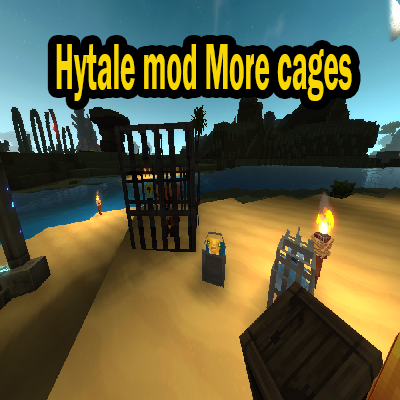
modThis mod adds more ways to carry mobs in the game.
 mod
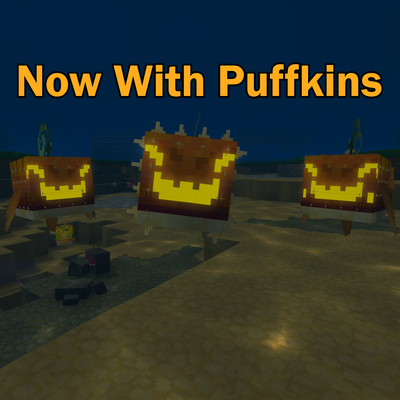
modThis hytale mod adds more pufferfish to the game