
Hytale version
Back to mods 
CurseForge · Hytale mod
ReviveMe
Revive your friends and save them before they die!
Choose a version Pick your version below, then grab the matching file.
Quick answer
Which ReviveMe release should I use?
Latest stable file ReviveMe-1.1.3
Game version 0.5
Mod system Built-in Hytale mod system
ReviveMe-1.1.3 targets 0.5. Do not install it as a separate client mod. Enable it on the world host—the local server in singleplayer or the dedicated server in multiplayer. No required dependencies listed for this file.
Where it goes
Where should ReviveMe be installed in Hytale?
Do not install it as a separate client mod. Enable it on the world host—the local server in singleplayer or the dedicated server in multiplayer.
Separate client mod Not supported
World host / dedicated server Required
Mod system for this release Built-in Hytale mod system
Required install it here Optional supported, not mandatory Not supported do not install here Source doesn’t say do not assume
Put Hytale mods on the world host or dedicated server. Singleplayer runs a local server too; Hytale does not use separate client mods.
What else does ReviveMe-1.1.3 need?
ReviveMe-1.1.3. Change the file and its required mods may change too.
This file does not list any required mods. Do not add a library just because a different file uses it.
This file does not list any required or optional project dependencies. Check the creator notes before changing an existing world.
Before you install it
Add ReviveMe without breaking your instance.
Built for ReviveMe-1.1.3. Pick another file and the loader, install side or required mods may change.
- 01
Stick to this file
Use ReviveMe-1.1.3. It targets 0.5; another release may target a different game build or dependency set.
- 02
Bring the mods it needs
This file does not list any required mods. Do not add a library just because a different file uses it.
- 03
Enable it on the world host
Do not install it as a separate client mod. Enable it on the world host—the local server in singleplayer or the dedicated server in multiplayer.
- 04
Pick the file you checked
Use the “Get this file” button beside ReviveMe-1.1.3. It opens that exact file at the source.
About this project
What does ReviveMe add?




Revive Mod — Downed & Revival System
This mod adds a revive mechanic to the game.
When a player takes lethal damage, instead of dying instantly they become downed.
While downed, the player cannot move and a timer starts. If another teammate helps them before the timer reaches zero, the player will get back up and continue playing.
To revive a downed player, simply crouch (sneak) near them for a few seconds.
If the timer expires, the player will die normally.
Commands
There are currently two admin/testing commands (permission: reviveme.command.admin):
reviveme down <player>— Forces a player into the downed state.reviveme revive <player>— Revives a downed player instantly.
Useful for testing or server events.
Support the creator ❤️
If you want to support my work you can use the creator code:favio
when purchasing Hytale or in the future store.
Thank you!
Installation
Just drag the mod into the mods folder of your Hytale server or world.
Perfect for survival, co-op and team-focused gameplay.

Upcoming Features / Planned Updates
The following features are planned for future updates:
- Carry downed players to move them to a safer location before reviving.
- Down & revive world entities, not only players, and also carry them.
- Self-revive system for certain scenarios or items.
- Self-eliminate option if you don't want to wait for revival.
- GPS / tracking system to locate downed teammates.
- Full configuration system where everything becomes customizable and permission-based,
such as revive distance, revive speed, downed duration and more.
Some images
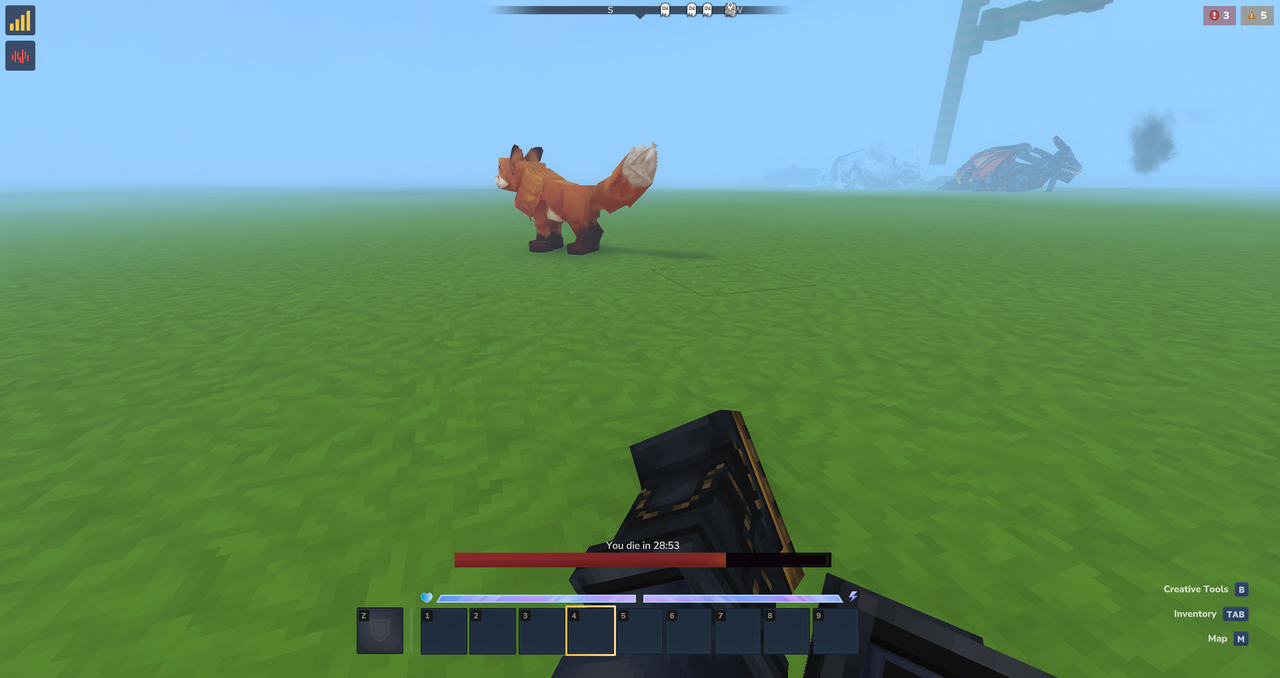
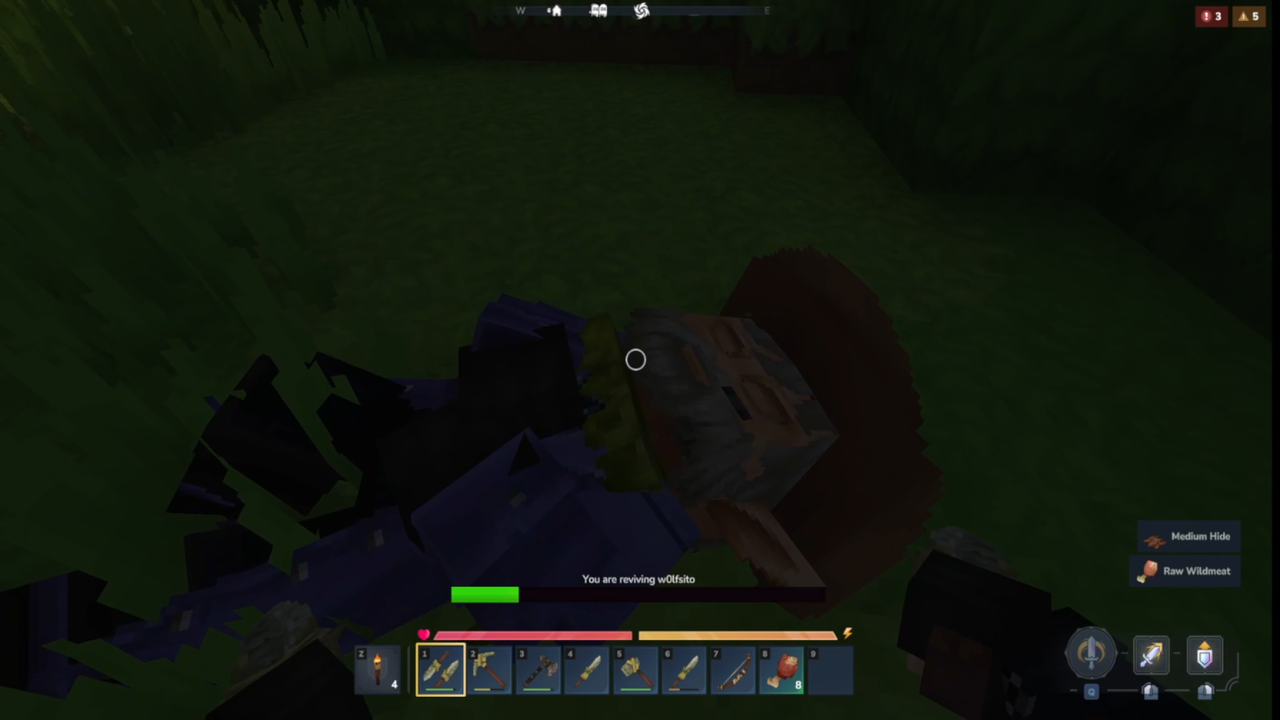
Project description from CurseForge.
Pick your setup
ReviveMe releases for each Hytale build.
Choose the version and loader you play, then open the matching release.
Check the dependencies, then try the file in a copied instance before changing a world you care about.
Recent files
ReviveMe releases and Hytale builds
ReviveMe-1.1.3
2 Aug 2026
Client Not supported Server Required Dependencies No extras listed Listed on Project page
Check the 0.5 setup 0.5 release
ReviveMe-1.1.2.jar
19 Jul 2026
Client Not supported Server Required Dependencies No extras listed Listed on Project page
Check the 0.5 setup 0.5 release
ReviveMe-1.1.1
20 Feb 2026
Client Not supported Server Required Dependencies No extras listed Listed on Project page
Check the setup ReviveMe-1.1.0
17 Feb 2026
Client Not supported Server Required Dependencies No extras listed Listed on Project page
Check the setup ReviveMe-1.0.7.jar
5 Feb 2026
Client Not supported Server Required Dependencies No extras listed Listed on Project page
Check the setup ReviveMe-1.0.6.jar
30 Jan 2026
Client Not supported Server Required Dependencies No extras listed Listed on Project page
Check the setup ReviveMe-1.0.5.jar
24 Jan 2026
Client Not supported Server Required Dependencies No extras listed Listed on Project page
Check the setup ReviveMe-1.0.4.jar
19 Jan 2026
Client Not supported Server Required Dependencies No extras listed Listed on Project page
Check the setup ReviveMe-1.0.3.jar
18 Jan 2026
Client Not supported Server Required Dependencies No extras listed Listed on Project page
Check the setup ReviveMe-1.0.2.jar
17 Jan 2026
Client Not supported Server Required Dependencies No extras listed Listed on Project page
Check the setup ReviveMe-1.0.1.jar
16 Jan 2026
Client Not supported Server Required Dependencies No extras listed Listed on Project page
Check the setup ReviveMe-1.0.jar
15 Jan 2026
Client Not supported Server Required Dependencies No extras listed Listed on Project page
Check the setup Looking for an older file? The official CurseForge project page is in Resources.
 mod
mod CurseForge · Hytale
Collection Master
Turn gathered resources into permanent progression through configurable item collections, milestones, rewards, and prestige.
 mod
mod CurseForge · Hytale
PrefabSchematic
Build any prefab in survival, Litematica-style: place a see-through hologram of the plan, build it block by block or floor by floor, and watch mistakes light up in red.
 mod
mod CurseForge · Hytale
Control Panel (Commands launcher)
Centralized control panel to access the UIs and commands of all user mods in one place.