Waypoints-1.5.0.jar
12 Feb 2026
Client Not supported Server Required Dependencies No extras listed Listed on Project page
Check the setup 
CurseForge · Hytale mod
Allows players to manage (create, edit, and teleport) waypoints with a clean UI, and display them in your map and in the compass.
Quick answer
Waypoint Manager Waypoints-1.5.0.jar targets Hytale. Do not install it as a separate client mod. Enable it on the world host—the local server in singleplayer or the dedicated server in multiplayer. No required dependencies listed for this file.
Where it goes
Do not install it as a separate client mod. Enable it on the world host—the local server in singleplayer or the dedicated server in multiplayer.
Put Hytale mods on the world host or dedicated server. Singleplayer runs a local server too; Hytale does not use separate client mods.
Waypoints-1.5.0.jar. Change the file and its required mods may change too.
This file does not list any required mods. Do not add a library just because a different file uses it.
This file does not list any required or optional project dependencies. Check the creator notes before changing an existing world.
Before you install it
Built for Waypoint Manager Waypoints-1.5.0.jar. Pick another file and the loader, install side or required mods may change.
Use Waypoints-1.5.0.jar. It targets Hytale; another release may target a different game build or dependency set.
This file does not list any required mods. Do not add a library just because a different file uses it.
Do not install it as a separate client mod. Enable it on the world host—the local server in singleplayer or the dedicated server in multiplayer.
Use the “Get this file” button beside Waypoints-1.5.0.jar. It opens that exact file at the source.
About this project
A waypoint management system for Hytale with an in-game UI.

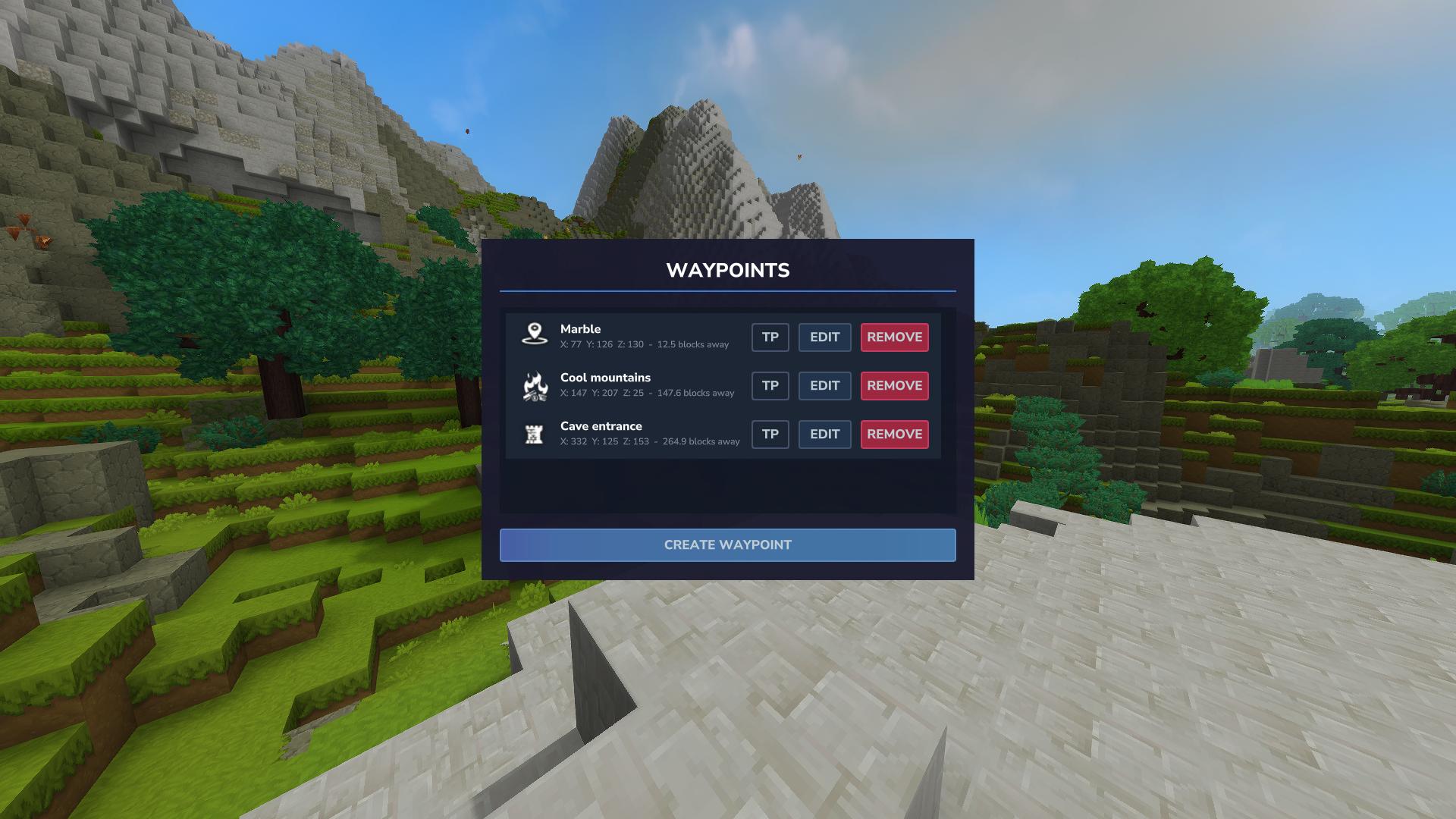
Use /waypoint or /wp to open the waypoint manager.
The UI lets you:
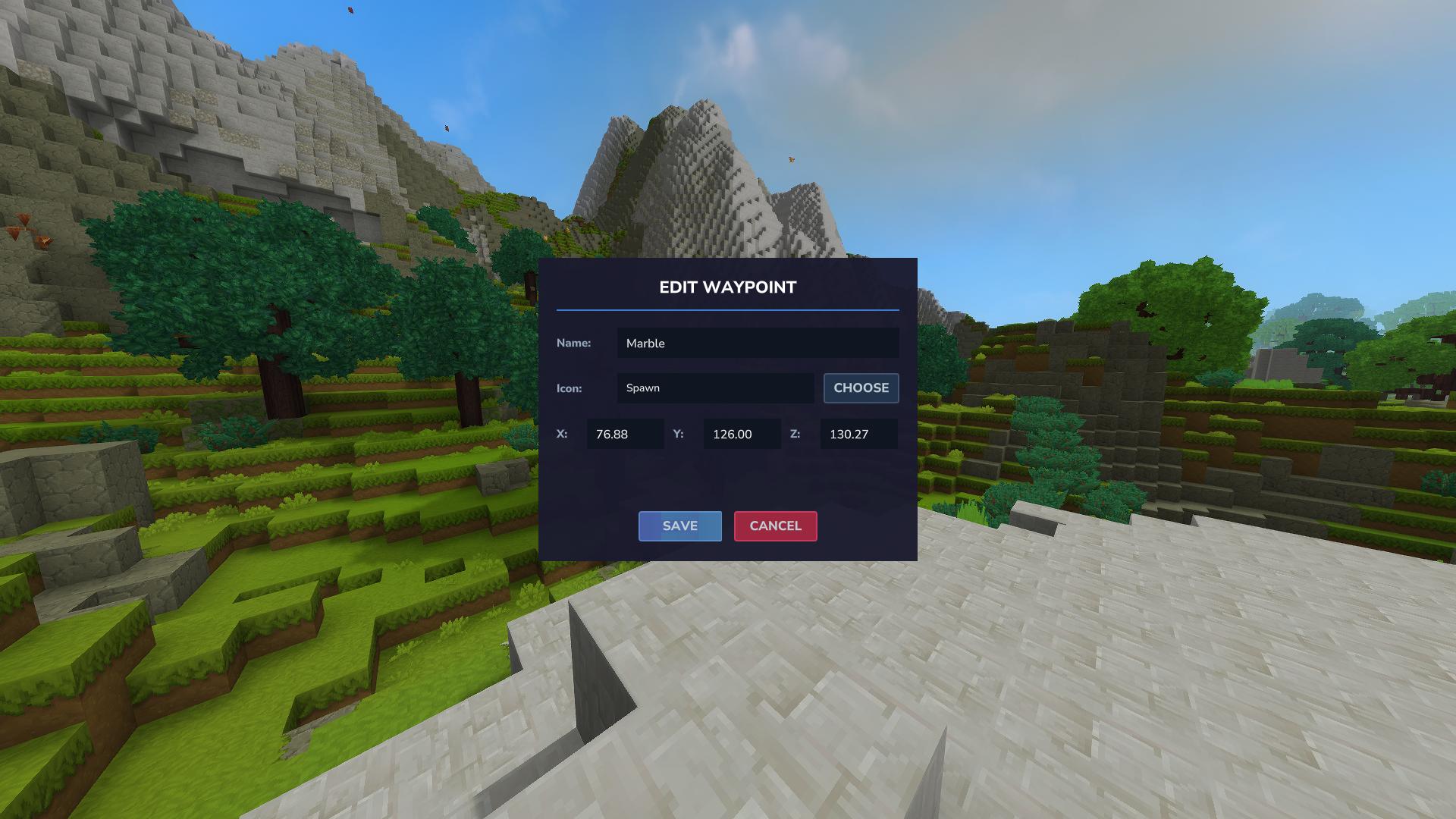
Each waypoint shows three buttons:
boffmedia.waypoints.command.waypoint — Access to the /waypoint UI. Granted by default; server admins can revoke or grant access.boffmedia.waypoints.command.teleport — Required to use the teleport command/button./perm group add Adventure -boffmedia.waypoints.command.waypoint # revoke UI access from Adventure gamemode (Using "-" to deny permission)
/perm group add Default -boffmedia.waypoints.command.waypoint # revoke UI access from Default group
/perm user add <UUID> boffmedia.waypoints.command.waypoint # grant UI access to a player
/perm user add <UUID> boffmedia.waypoints.command.teleport # grant teleport permission to a player
/op self to grant yourself permissions/wpm, /wp , /waypoint - Opens the waypoint UI. (If BetterMap is installed, you should use /wpm, as the commands overlap./teleport [name] - Teleport to a waypoint by nameThis plugin writes and reads a configuration file so server operators can control behavior.
mods/Bofffmedia_Waypoints/waypoints_config.json (created under your world save at user_data/saves/<world>/mods/Bofffmedia_Waypoints/)MaxWaypoints (integer, default -1)-1 means unlimited waypoints per player per world.Example generated config:
{
    "MaxWaypoints": -1
}
After changing the config file, restart the world or reload the mod so the new value is applied.
Questions or suggestions? Feel free to drop a comment below!
Proudly partnered with:

Project description from CurseForge.
Recent files
12 Feb 2026
6 Feb 2026
2 Feb 2026
29 Jan 2026
25 Jan 2026
22 Jan 2026
20 Jan 2026
19 Jan 2026
18 Jan 2026
17 Jan 2026
16 Jan 2026
15 Jan 2026
Looking for an older file? The official CurseForge project page is in Resources.