ExplorersMap-1.0.13.jar
17 Feb 2026
Client Not supported Server Required Dependencies No extras listed Listed on Project page
Check the setup 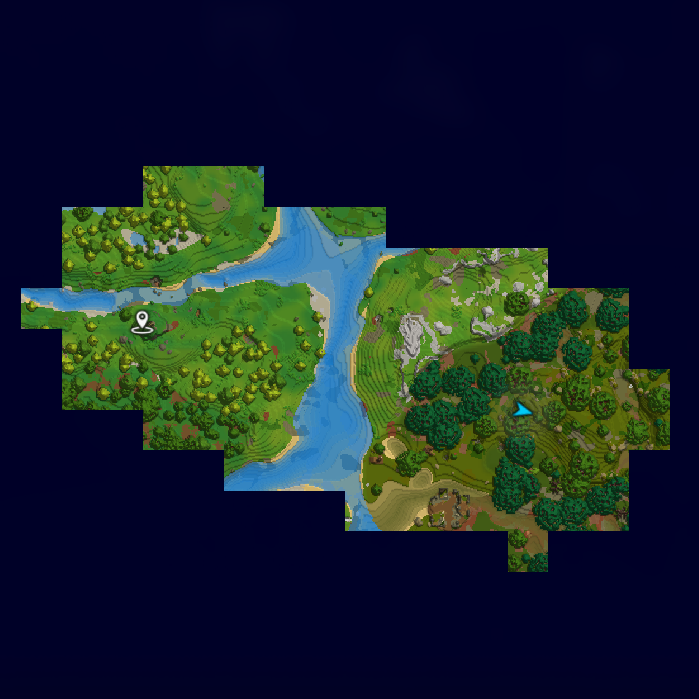
CurseForge · Hytale mod
Changes the map to only show places you've been to like the true explorer you are! With multiplayer support.
Quick answer
Explorers Map ExplorersMap-1.0.13.jar targets Hytale. Do not install it as a separate client mod. Enable it on the world host—the local server in singleplayer or the dedicated server in multiplayer. No required dependencies listed for this file.
Where it goes
Do not install it as a separate client mod. Enable it on the world host—the local server in singleplayer or the dedicated server in multiplayer.
Put Hytale mods on the world host or dedicated server. Singleplayer runs a local server too; Hytale does not use separate client mods.
ExplorersMap-1.0.13.jar. Change the file and its required mods may change too.
This file does not list any required mods. Do not add a library just because a different file uses it.
This file does not list any required or optional project dependencies. Check the creator notes before changing an existing world.
Before you install it
Built for Explorers Map ExplorersMap-1.0.13.jar. Pick another file and the loader, install side or required mods may change.
Use ExplorersMap-1.0.13.jar. It targets Hytale; another release may target a different game build or dependency set.
This file does not list any required mods. Do not add a library just because a different file uses it.
Do not install it as a separate client mod. Enable it on the world host—the local server in singleplayer or the dedicated server in multiplayer.
Use the “Get this file” button beside ExplorersMap-1.0.13.jar. It opens that exact file at the source.
About this project

The mod can be configured in-game using the command /explorersmap. You will need to be op or have the permission explorersmap.command to run the command.

The mod comes with the following configuration file:
mods/Cerus_ExplorersMap/ExplorersMap.json
{
  // The radius of chunks around your player that will be discovered.
  // Warning: Setting this any higher than 10 could make your game or server very laggy.
  "ExplorationRadius": 3,
  // When set to true, each player will each have a different map and will only see the places they've personally been to.
  // When set to false, all players share a map and will see where others have been to. Includes live updates.
  "PerPlayerMap": true,
  // The rate at which cached tile images are loaded from the disk. This value is per tick.
  "DiskLoadRate": 16,
  // The rate at which the chunks around the player are mapped into tiles. This value is per tick. Vanilla value is 20.
  "GenerationRate": 20,
  // Sets how far you can zoom out. Min value is 2.
  "MinZoom": 8.0,  // When set to true, tiles from instances (temporary worlds) will be saved to disk.  // Each instance type gets a dedicated folder.  "SaveInstanceTiles": false,
  // The tile resolution. Available resolutions:
  // - BEST: 96x96 tiles. Vanilla. Will crash the game on very well explored maps.
  // - GOOD: 32x32 tiles. Still very detailed. Might crash the game on well explored maps.
  // - FAST: 16x16 tiles. Default. Looks good enough.
  // - FASTER: 8x8 tiles. Starting to lose a lot of detail.
  // - FASTEST: 4x4 tiles. Almost no detail left. Only use if all other resolutions crash the game.
  "Resolution": "FAST"
}
mods/Cerus_ExplorersMap/tilesmods/Cerus_ExplorersMap/discoveredFeel free to open an issue on GitHub. You can also join my Discord server and talk in #hytale about this mod.
Consider buying me a coffee! <3
Project description from CurseForge.
Recent files
17 Feb 2026
3 Feb 2026
2 Feb 2026
24 Jan 2026
24 Jan 2026
20 Jan 2026
19 Jan 2026
19 Jan 2026
18 Jan 2026
17 Jan 2026
17 Jan 2026
16 Jan 2026
Looking for an older file? The official CurseForge project page is in Resources.
 mod
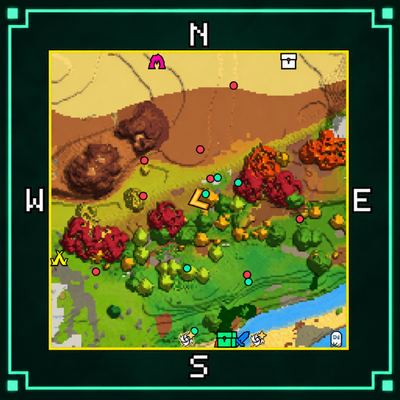
modGreen Minimap adds customizable surface and cave maps to Hytale, with adjustable sizes, zoom, shapes, markers, compass options, and info panels. Customize your layout with a live preview in the tabbed /minimap menu.
 mod
modAdds in set of Crosses as a new craftable melee weapon type
 mod
modA world that's truly alive: unexpected events, epic bosses and treasures waiting to be won.