Kingdoms Keys 2.5.1.1.zip
21 Jan 2026
Client Not supported Server Required Dependencies No extras listed Listed on Project page
Check the setup 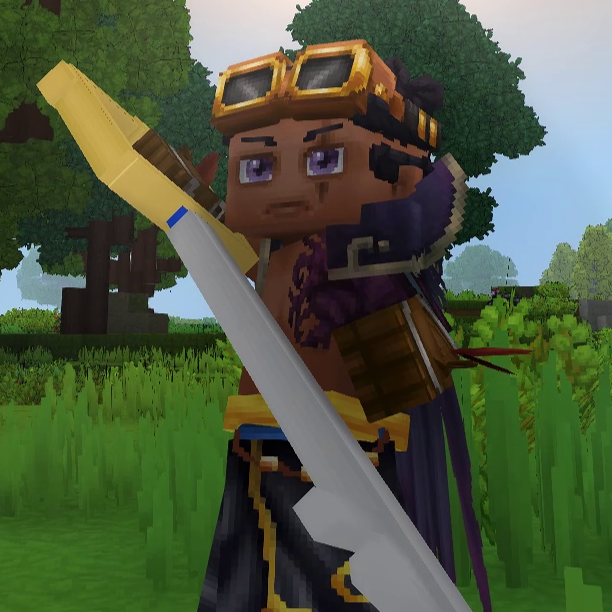
CurseForge · Hytale mod
The legendary keyblades from Kingdom Hearts
Quick answer
The Kingdoms Keys Kingdoms Keys 2.5.1.1.zip targets Hytale. Do not install it as a separate client mod. Enable it on the world host—the local server in singleplayer or the dedicated server in multiplayer. No required dependencies listed for this file.
Where it goes
Do not install it as a separate client mod. Enable it on the world host—the local server in singleplayer or the dedicated server in multiplayer.
Put Hytale mods on the world host or dedicated server. Singleplayer runs a local server too; Hytale does not use separate client mods.
Kingdoms Keys 2.5.1.1.zip. Change the file and its required mods may change too.
This file does not list any required mods. Do not add a library just because a different file uses it.
This file does not list any required or optional project dependencies. Check the creator notes before changing an existing world.
Before you install it
Built for The Kingdoms Keys Kingdoms Keys 2.5.1.1.zip. Pick another file and the loader, install side or required mods may change.
Use Kingdoms Keys 2.5.1.1.zip. It targets Hytale; another release may target a different game build or dependency set.
This file does not list any required mods. Do not add a library just because a different file uses it.
Do not install it as a separate client mod. Enable it on the world host—the local server in singleplayer or the dedicated server in multiplayer.
Use the “Get this file” button beside Kingdoms Keys 2.5.1.1.zip. It opens that exact file at the source.
About this project
Managed to make an array of keyblades from kingdom hearts and figured Id share them with the world! 2 of the blades are made in the normal inventory, while the other 4 are made in the blacksmiths anvil! I tried to make sure the recipes were balanced based off of how powerful the keys are! Much more to come in the future!
Recently also added a few more keyblades for a proper progression! took me a long while to make but hopefully everyone likes them and are satisfied with the recipes! <3
P.S. the recipes need the weapons to be repaired before you can upgrade them to the next blade, you can use the key blade repair kit made in the workbench to repair them to their max durability, but only use them on the keyblades! ;)
Installation:
Installing is easy and shouldnt take more than a couple minutes, theres 2 ways to install, through the worlds mod folder, or through the userdata mods folder, ill be going over both
For userdata folder:
Step 1: open your file explorer and go to C:\Users(YOUR USERNAME)\AppData\Roaming\Hytale\UserData\Mods
Step 2: Extract the zip file into a seperate folder, then put that folder into the mods folder
Step 3: Open up hytale, go to worlds, either make a new world and click the gear icon to enable the mod in the mod section, or right click and existing world to open the settings of it to enable it in the mod section
Step 4: open the world, and the recipes are in The Moogle, craftable from your inventory! or if in creative the Blades will be in the sword section of the item spawning menu
For World folder:
Step 1: open your file explorer and go to C:\Users(YOUR USERNAME)\AppData\Roaming\Hytale\UserData\Saves(YOUR WORLD NAME)\Mods
Step 2: Extract the mods zip file into a seperate folder, then put that folder into the mods folder
Step 3: Open up hytale, go to worlds, and open up the world that you put the mod in, it should automically be enabled without any further need to do anything else!
if anybody has any issues dont be afraid to send me a private messege! or if you have any suggestions! i plan to make a proper progression for the keyblade, so look forward to that! ;)
KUPO!
DARKNESS!
Looks like my summer vacation is... over
Project description from CurseForge.
Recent files
21 Jan 2026
19 Jan 2026
19 Jan 2026
18 Jan 2026
18 Jan 2026
16 Jan 2026
Looking for an older file? The official CurseForge project page is in Resources.